Download Invoices Automatically from Web Portals and Email
Once set up, invoice collection runs in the background without constant checks or follow-ups.
Manually downloading invoices wastes time and breaks every time a portal changes.
If you are logging into dozens of tools, hunting for invoices, or fixing broken connections, the problem is not your workflow. Invoice collection was never designed to scale manually.
Booksmate lets youdownload invoices automaticallyfrom web portals and email as part of a centralisedinvoice collection system, with invoices prepared for export to your accounting software.

These are real portals Booksmate actively maintains to ensure invoices keep downloading when vendor websites change.
Booksmate supports automatic invoice downloads from 500+ business platforms. These portals are actively maintained so invoices keep downloading even when vendors change their websites.
-
Amazon
-
Stripe
-
Adobe

Unlike basic invoice automation tools that break silently, Booksmate is built to keep invoice downloads running reliably without constant manual checks.
What “download invoices automatically” actually means
Downloading invoices automatically means invoices are collected for you without repeated manual work.
Instead of logging into each vendor portal, searching for documents, and saving files one by one, Booksmate connects once and keeps fetching invoices as they become available.
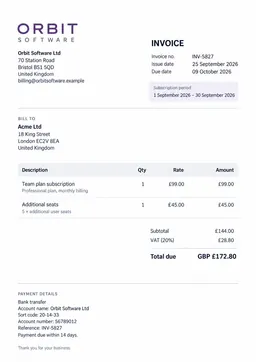
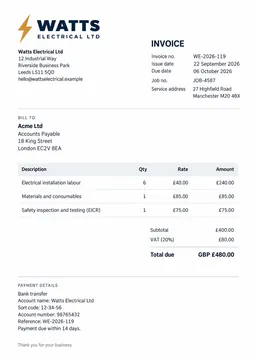
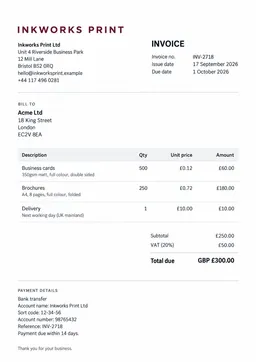
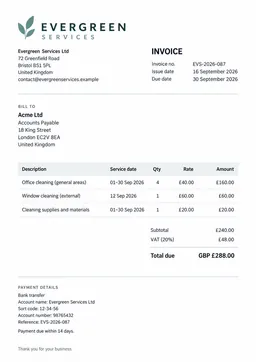
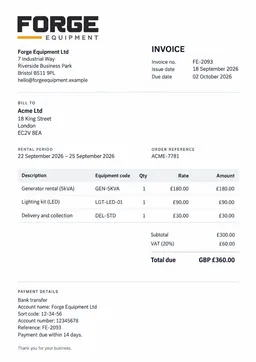
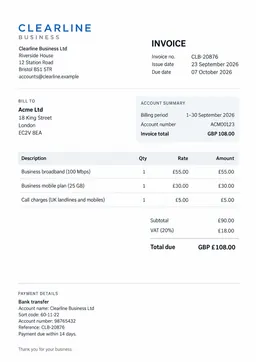
Invoices are collected from:
Online vendor portals
Email inboxes
SaaS tools and subscriptions
Utility, telecom, and cloud providers
Once set up, invoice collection runs continuously without requiring you to check dashboards or fix broken workflows.
Supported portals and services
Booksmate supports invoice downloads from a wide range of commonly used platforms and services.
Examples include Amazon, Google Cloud, Adobe, Stripe, Cloudflare, Uber, LinkedIn, Canva, Notion DigitalOcean and many many more.
New portals are actively monitored and maintained so invoice collection continues to work even when vendor websites change.
Why manual invoice downloads fail at scale
Manual invoice downloads work when you have a handful of vendors. They fail as soon as the number grows.
Common problems teams run into:
Vendor portals change layouts and break saved workflows
Invoices arrive late or are missed entirely
Team members forget to download documents
Bookkeeping becomes dependent on reminders and follow-ups
At that point, the issue is not discipline. It is the process itself.
How Booksmate downloads invoices automatically
Booksmate automates invoice downloads by connecting directly to the sources where invoices already exist.
You connect your web portals and email inbox once. From there, Booksmate monitors those sources, detects new invoices, downloads them, and extracts the relevant data.
There is no need to reconfigure connections every week or manually intervene when something changes. Portals are actively maintained so invoice collection keeps running without supervision.
What makes Booksmate different from basic automation tools
Many tools promise automatic invoice downloads but rely on fragile connections that break silently.
Booksmate focuses on reliability over raw connection count. Instead of thousands of loosely maintained integrations, portals are actively monitored and maintained so invoices are actually fetched.
This reduces:
Failed downloads
Missing documents
Manual fixes
Time spent checking whether automation still works
This is why many teams switch fromtools like GetMyInvoiceswhen automation starts breaking silently.
Who this is for
Downloading invoices automatically is especially valuable for:
Businesses using many SaaS tools
Agencies managing invoices across clients
Finance teams handling recurring subscriptions
Founders who want bookkeeping to run quietly in the background
If invoices are a recurring task in your month, automation pays for itself quickly.
Relationship to accounting and export
Automatically downloaded invoices are stored in one place and prepared for export to your accounting software or tax advisor.
This removes the need to forward files manually or track missing documents at the end of the month.
Ready to download invoices automatically?
Connect your portals once and let Booksmate handle invoice collection in the background.
Start your free trial and stop searching for invoices.