Last updated:
Invoice Number Check: Prevent Errors & Fraud

Chasing down invoice details can feel like a chore, but that little string of numbers is your first line of defense against financial chaos. A solid invoice number check is what separates clean books from a world of costly errors, like paying for the same thing twice or even falling for fraud.
Why an Invoice Number Check Is Your Financial Safety Net
It’s easy to think overlooking an invoice number is harmless, but the consequences can put a serious dent in your cash flow. Without a good verification process, you’re inviting problems that are a real headache to fix later on. I’ve seen businesses lose thousands simply because they paid the same invoice twice—a completely avoidable mistake.
Think of it as building a financial safety net, one invoice at a time. It turns your accounts payable from a reactive mess into a smooth, proactive operation.
The Real Cost of Neglecting Invoice Checks
The biggest risk? Paying for the same product or service more than once. One of the most important parts of financial control is being able to prevent duplicate payments, a common and costly error that robust checks easily catch. Paying an invoice twice hits your bottom line directly and creates a nightmare for reconciliation.
Beyond duplicates, a lack of verification makes you an easy target for fraud. Fake invoices can look surprisingly real, but they often have weird inconsistencies in their numbering that a quick check would flag immediately.
By not verifying every invoice number, you’re essentially leaving your company’s bank account unlocked. It’s not a matter of if an error will happen, but when—and how much it will cost.
How Manual Errors Amplify Payment Delays
The trouble with manual processing goes beyond simple mistakes. It’s a major cause of payment delays, which can strain relationships with your vendors and hurt your reputation. When an invoice has an error, it gets kicked back, starting a frustrating back-and-forth that wastes everyone’s time.
This isn’t a small problem. Late payments are a silent killer of cash flow; projections show that only 52-58% of Net30 invoices will be paid on time in 2026. The issue is made even worse by manual data entry, where error rates can be as high as 39%, leading to disputes and dragging out payment cycles.
Decoding Invoice Numbers to Spot Red Flags Instantly
When you’re doing an invoice number check, what are you really looking for? It’s not just about matching a number to a purchase order. Think of the invoice number as a breadcrumb trail left by your vendor. Learning how to read that trail is your best defense against errors and outright fraud.
A legitimate invoice number almost always follows a predictable pattern. That consistency is a good sign—it means the vendor has a solid system for keeping their own books in order. Getting familiar with these patterns is the first step in developing a sharp eye.
Common Invoice Number Structures
Most suppliers use a logical system for their invoice numbers. While there’s no single, universal standard, you’ll run into a few common formats time and time again.
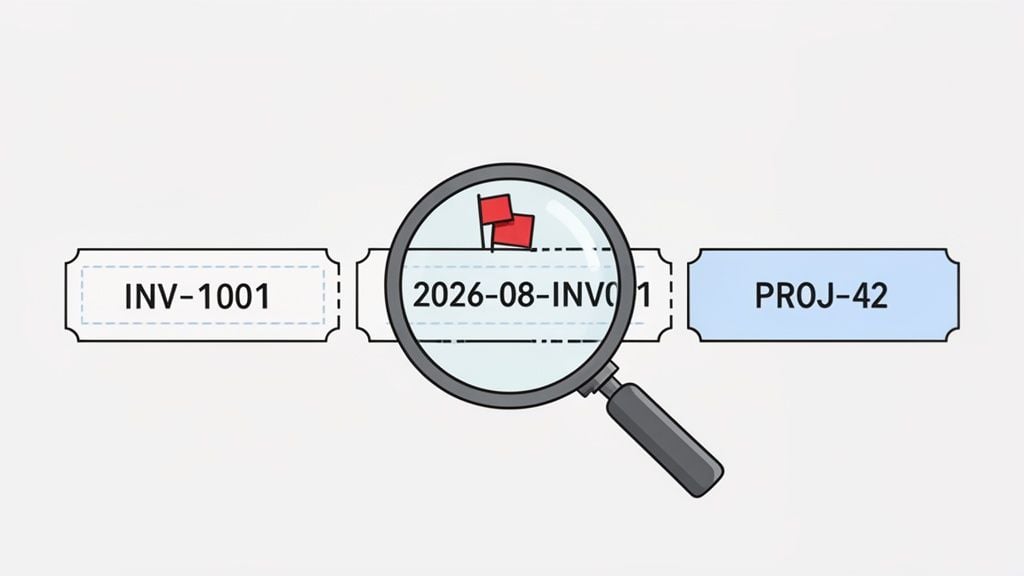
Sequential Series: This is the most straightforward system you’ll see. Think
INV-1001,INV-1002,INV-1003. The prefix might vary, but the numbers climb in a logical order.Date-Based Codes: A lot of accounting software incorporates the date, giving you numbers like
2026-08-INV01or2608-001. This is great because it instantly tells you when the invoice was generated.Project-Specific IDs: For service-based businesses or contractors, you might get an invoice like
CLIENTA-PROJ5-001. This directly ties the bill to a specific customer or project, which helps keep everything organized.
A sudden, unexplained jump in a sequential number—like going from
INV-1005straight toINV-1050—is a massive red flag. It could mean you’ve missed a batch of invoices, or in a worst-case scenario, you’re looking at a fake document.
I once ran into this myself. A regular vendor’s invoices suddenly went from a clean MM-YYYY-NNN format to just a random five-digit number with no prefix. I gave them a quick call, and it turned out their accounting software had a hiccup after an update. It was an honest mistake, but it proves that even small deviations from the norm are worth investigating.
Inconsistent formatting doesn’t automatically mean fraud, but it should always make you pause. A quick invoice number check against the vendor’s past invoices will tell you if it’s a one-off error or a permanent system change. That simple habit can save you from a huge headache down the line.
Practical Manual Invoice Checks That Actually Work
Automation is a fantastic goal, but let’s get real—many of us are still handling invoices the old-fashioned way. And that’s okay. You can build a surprisingly strong defense against errors and duplicate payments without a complex tech stack. It’s all about having a smart, repeatable process.
The truth is, manual work is still the norm in many finance departments. Believe it or not, an estimated 68% of accounts payable teams will still be keying in invoices by hand in 2026. When you consider that each one can take anywhere from 10 to 30 minutes to process, with an average cycle time of 14.6 days, you see how quickly things can get bogged down. You can get the full picture by exploring the invoice management report.
This is why a solid manual checking system isn’t just a nice-to-have; it’s essential for survival.
Create a Master Invoice Log
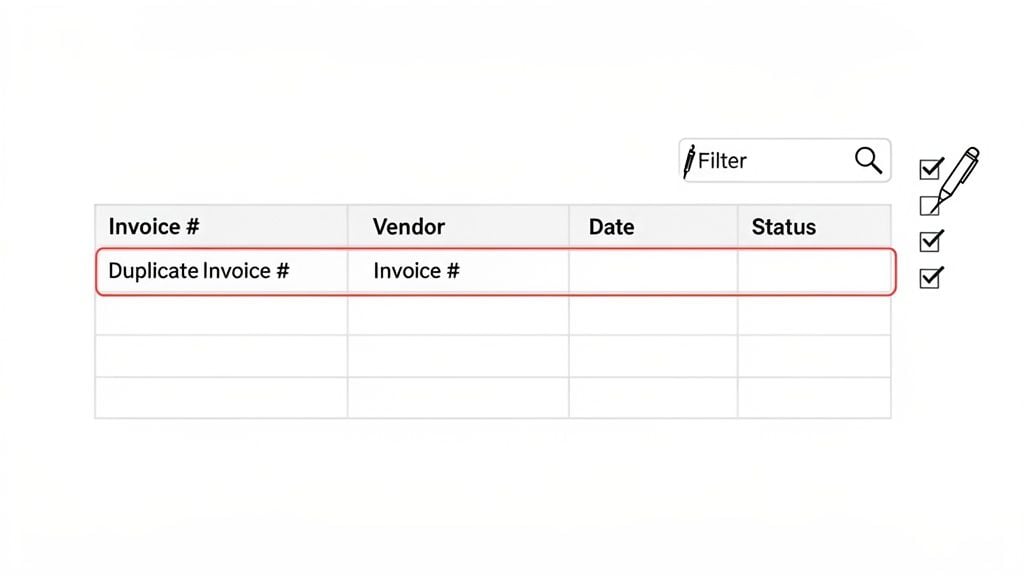
Your first and best weapon is a central invoice log. This is usually a shared spreadsheet (think Google Sheets or Excel) that acts as the single source of truth for your entire team. This isn’t just your personal tracker; it’s a team-wide command center.
For the log to do its job, everyone has to capture the same key details, every single time. Make sure each entry has columns for:
Vendor Name: Essential for grouping and spotting supplier-specific issues.
Invoice Number: This is the star of the show for duplicate checks.
Invoice Date: Helps you quickly identify out-of-sequence or unusually dated invoices.
Invoice Amount: A great secondary check. If two invoices have the same number, do the amounts also match?
Payment Status: A simple “Paid” or “Unpaid” field is your safety net against paying the same bill twice.
A shared invoice log does more than just track payments—it creates accountability. When the whole team uses the same system to check an invoice number, the odds of a duplicate slipping through plummet.
Use Simple Search and Sorts to Your Advantage
With your log set up, you can start hunting for problems before they cost you money.
The humble search bar (Ctrl+F on Windows, Cmd+F on Mac) is your best friend here. Before keying in a new invoice, just pop the number into the search box. This five-second habit can literally save you thousands of dollars by catching an obvious duplicate before it ever enters your system.
Beyond that, get comfortable with sorting and filtering. Once in a while, sort your entire spreadsheet by the “Invoice Number” column. This will line up any identical numbers right next to each other, making them easy to spot. I also like to sort by “Vendor Name,” which can reveal duplicates where the invoice number was entered correctly but a slight typo was made in the vendor’s name.
How to Automate Your Invoice Checks with Booksmate
If you’re still chasing invoices through spreadsheets and email chains, you’re working way too hard. The single biggest improvement you can make to your accounts payable process is to ditch the manual grind. Imagine a system that does every single tedious invoice number check for you, quietly and accurately, in the background. That’s exactly where a tool like Booksmate comes in, transforming hours of reactive work into a smooth, proactive system.
Instead of you having to hunt down documents, Booksmate automatically pulls them from hundreds of different supplier portals—think Amazon, Stripe, and Google—and even scans your inbox for any that land there. This step alone solves the first, and often biggest, bottleneck: just getting your hands on all the invoices.
Once an invoice is collected, the real magic happens. The platform’s AI instantly reads and extracts the important details—the vendor, amount, date, and of course, the invoice number. It then immediately checks that number against every other invoice you’ve ever received to catch any duplicates before they become a problem.
Getting Your Automated Checks Up and Running
You might think setting up an automated system is a huge, complicated project, but it’s surprisingly straightforward. With Booksmate, you just connect your supplier portals and email accounts one time. After that initial setup, the platform handles the rest.
The real win with automation isn’t just about being faster; it’s about being right. A machine doesn’t get tired or distracted. It doesn’t make typos. It runs a perfect invoice number check every single time, so you can be confident you’re only paying what you actually owe.
The growth in this space shows just how vital this shift has become. The invoice processing software market is on track to hit $49.04 billion in 2026, a massive increase driven by companies desperate for more efficiency. While only about 8% of AP teams are fully automated today, those who are have seen a 3.8x leap in productivity, processing an average of 23,333 invoices per person annually, compared to just 6,082 for teams still buried in paperwork. You can discover more about this trend in the full market report.
For businesses ready to take control of their finances, integrating dedicated invoice software is the next logical step. Here’s a quick look at how you get started with Booksmate:
Connect your sources. First, you’ll link your main supplier accounts (like Amazon Business or Google Ads) and your finance team’s email inbox.
Let the system work. Booksmate immediately starts fetching all your new and historical invoices, building a complete and searchable library of every bill.
Monitor the dashboard. From there, your main dashboard will automatically flag any invoice with a duplicate number, highlighting it so you can take a closer look.
This simple process puts an immediate stop to manual data entry and the constant worry of paying the same bill twice. It frees up your team to work on financial strategy instead of just chasing paper.
Your Playbook for Handling Common Invoice Number Problems
Theory is great, but what do you actually do when a problem invoice lands in your inbox? Let’s walk through a few common scenarios I’ve seen pop up time and time again.
So, what happens when you get two invoices from the same vendor, both with the exact same invoice number? Your first instinct might be to panic, but don’t. And definitely don’t pay both. More often than not, it’s just an honest mistake.
What to Do with Duplicate Numbers
This usually happens when a vendor sends a corrected invoice but forgets to change the number.
Start by pulling them up side-by-side. Look for any differences in the dates, line items, or total amounts. If you spot a difference, one is clearly an updated version. If they’re completely identical, you’ve got a classic duplicate submission on your hands.
Either way, the next move is to get in touch with the vendor. A quick, friendly email is all you need to clear things up and avoid an overpayment.
Subject: Quick Question on Invoice [Invoice Number]
Hi [Vendor Contact Name],
Hope you’re having a good week.
We received two invoices with the number [Invoice Number] and just wanted to confirm which one we should process for payment. Could you please clarify?
Thanks, [Your Name]
Handling Invoices with No Number
Now for a trickier one: an invoice that looks legitimate but is missing a number entirely. This is less common, but I see it occasionally with smaller businesses or freelancers. An invoice without a unique number is a big red flag for your accounting process because it’s nearly impossible to track.
This is where your verification process, whether manual or automated, really shows its value.
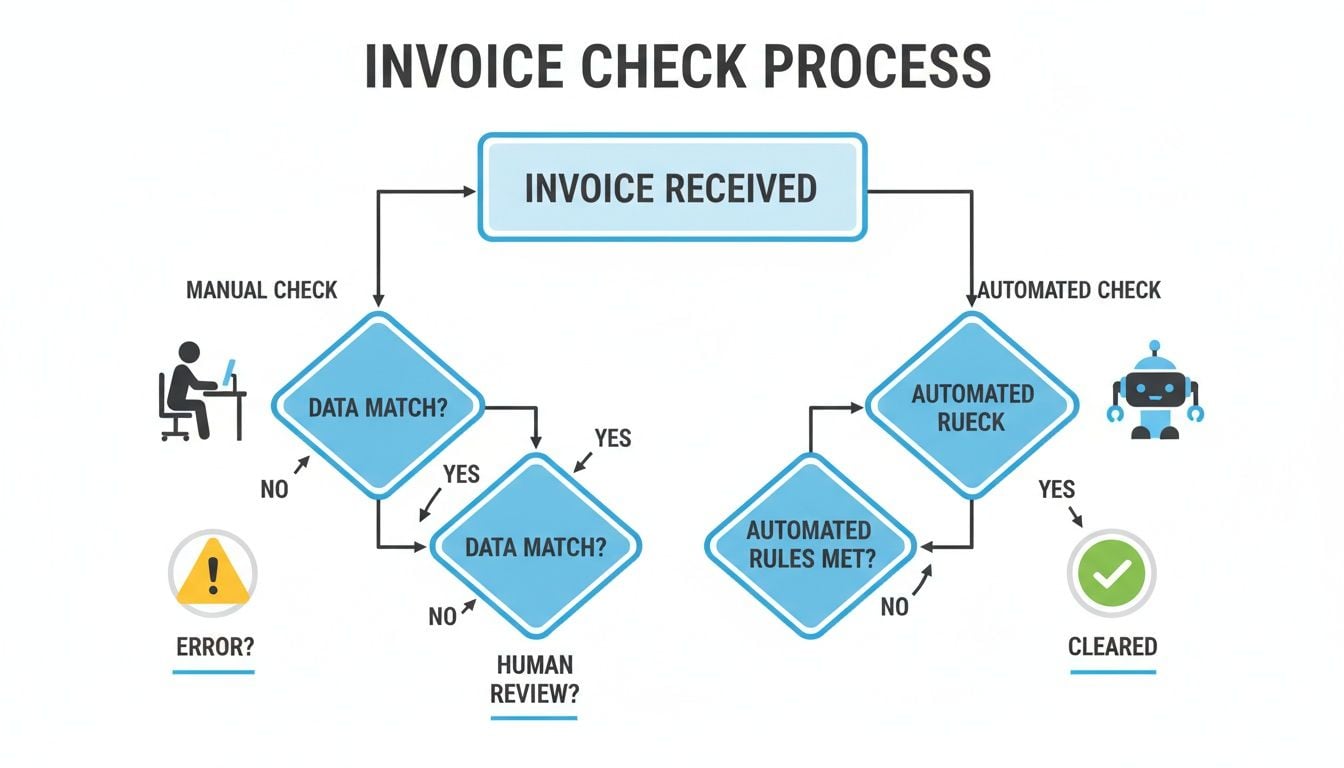
As you can see, a manual check often gets stuck here, requiring someone to step in. An automated system, on the other hand, instantly flags these kinds of errors while letting the good ones through.
When you get an invoice with a missing number, your best bet is to contact the vendor and ask them to reissue it with a unique identifier. Simply explain that it’s a requirement for your payment system to prevent duplicate payments and ensure they get paid on time.
If they can’t or won’t provide one, you’ll need a backup plan. Your internal protocol should be to assign your own reference number (something like VENDOR-YYYY-MM-DD works well) and make sure it’s clearly documented everywhere you track that invoice.
A Few Common Questions About Invoice Number Checks
Even with the best system in place, some tricky invoice situations always seem to pop up. Let’s tackle a few of the most common questions and those tricky edge cases that standard guides often miss. A solid invoice number check process knows how to handle these with a clear, consistent approach.
What If Recurring Invoices Use the Same Number?
Ah, the classic recurring invoice problem. You’ve probably seen it before—a vendor who sends an invoice for a monthly retainer or subscription uses the exact same invoice number every single time. It’s a surefire recipe for accidental duplicate payments.
The simple fix is to create your own unique identifier in your tracking system. Just combine the vendor’s invoice number with the invoice date. For example, INV-123 for a bill dated May 31, 2026, becomes INV-123-2026-05-31 in your records. This small tweak makes every recurring payment distinct and trackable.
Is an Invoice Still Valid Without a Number?
So, what about those invoices that land in your inbox without a number? Are they even legitimate? Legally, it depends on your region, but an invoice is primarily a commercial document. As long as it clearly states what was sold, the amount due, and the vendor’s info, it’s often considered a valid request for payment.
But for your own sanity and internal controls, an invoice without a number is a huge red flag. It’s nearly impossible to track reliably and practically invites duplicate payments. Your best move is to always circle back and ask the vendor to reissue it with a unique number.
My Records Are a Mess. Where Do I Even Begin?
If you’re looking at a chaotic pile of past invoices, the thought of organizing it all can be paralyzing. Don’t try to boil the ocean. The most effective strategy is to draw a line in the sand.
Pick a start date—say, the first of next month—and commit to perfectly tracking every new invoice from that day forward with a master log or a dedicated tool. This “go-forward” approach stops the problem from getting worse. Once your new, clean process is running smoothly, you can circle back and clean up past records when you have time.
And if a vendor absolutely refuses to provide an invoice number? It’s rare, but it happens. In that case, it’s perfectly fine to create your own internal reference number. A simple, consistent format like VendorName-YYYY-MM-DD works like a charm. Just make sure you document it clearly.
Stop chasing invoices and start automating your accounts payable. Booksmate fetches invoices directly from supplier portals and emails, flags duplicates, and organizes everything in one place. Get started with Booksmate today.