How to download 1pMobile invoices automatically
Booksmate downloads 1pMobile invoices automatically: add 1pMobile in Booksmate, press Fetch All, and your invoices are downloaded for you.
Automatically download 1pMobile invoices
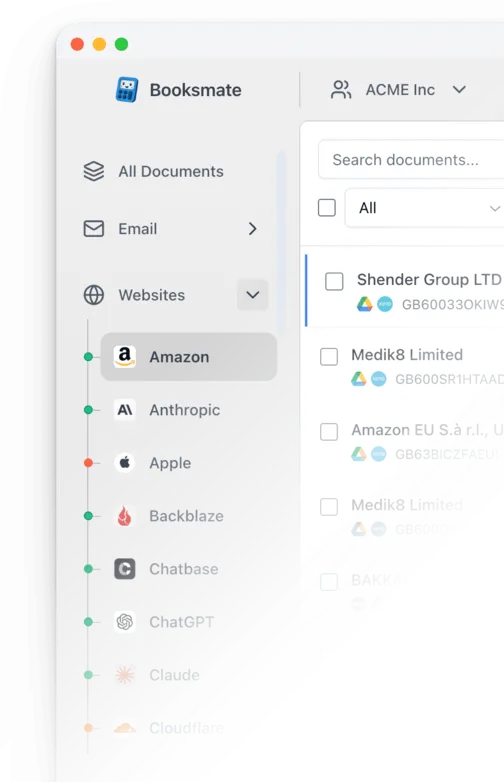
Booksmate downloads 1pMobile invoices automatically in seconds. Add 1pMobile in Booksmate, press Fetch All, and every invoice is downloaded for you without manual login.
-
Add
1pMobile inside Booksmate.
- Press Fetch All and log in to your 1pMobile account.
- Done! Your invoices are automatically downloaded for you.
Start collecting 1pMobile invoices automatically
Booksmate downloads your 1pMobile invoices and saves them as PDFs, so you never log in manually again.
Sign up for Booksmate
Add 1pMobile inside Booksmate
Press Fetch All and Booksmate downloads your invoices
No risk. Cancel anytime.
1pMobile Invoice FAQs
Is it safe to use Booksmate with 1pMobile?
Yes. Booksmate runs on your own computer and never stores your 1pMobile password, so your login details are not shared with any third party.
Can I download old invoices?
Yes. When you first add 1pMobile to Booksmate, Booksmate downloads the full invoice history that is available in your 1pMobile account.
Does Booksmate support email invoice collection?
Yes. Booksmate gathers invoices from your email inbox in addition to web portals like 1pMobile, giving you one complete invoice collection setup.
Can I download all my 1pMobile invoices at once?
Yes. Booksmate downloads your complete 1pMobile invoice history automatically. Add 1pMobile, press Fetch All, and every available invoice is saved to your computer.
Are 1pMobile invoices saved as PDF files?
Yes. Booksmate saves every invoice as a PDF, so they are easy to organize, share, or upload to your accounting software.