Best Accounting Software for Small Business – 2026 Guide
Discover the best accounting software for small business in our 2026 guide. Compare QuickBooks, Xero, & FreshBooks by features, pricing, and user reviews.

At 10:47 p.m., you are not building your business. You are hunting for a supplier invoice in an email thread, checking a bank line against a spreadsheet tab called “FINAL v3,” and wondering whether your numbers are even right.
That is the moment most owners finally admit the problem is not discipline. It is the system.
If your bookkeeping still depends on spreadsheets, forwarded receipts, portal logins, and memory, you do not have an accounting process. You have a patchwork. It works just long enough to create false confidence, then breaks when tax deadlines, cash flow pressure, or growth expose every weak spot at once.
The best accounting software for small business fixes part of that mess. The right one gives you clean books, faster decisions, fewer surprises, and a setup your accountant can work with. The wrong one creates expensive friction every month.
I’ll make this simple. For most small businesses, QuickBooks Online is the default choice. Xero is the strongest alternative if you want a cleaner interface and easier team collaboration. FreshBooks is the right pick for service businesses that live and die by invoicing, time tracking, and client work.
But software choice alone is not the whole story. Most reviews ignore the ugly part of bookkeeping that happens before anything gets posted to the ledger: collecting invoices, receipts, and statements from all the places your business buys from. That gap matters. A lot.
Moving Beyond Spreadsheet Chaos
A client once told me, “The books are mostly under control.” What he meant was this: sales lived in one system, expenses in another, receipts in a drawer, and monthly bookkeeping depended on his office manager downloading PDFs from vendor portals one by one.
That setup is common. It is also fragile.
Spreadsheets feel cheap because the subscription cost is low. The true cost shows up later. You lose time chasing documents. You miss expenses. You send invoices late. Your accountant spends billable hours cleaning up issues that started with a weak process, not bad intentions.
Dedicated accounting software changes the conversation.
What proper software gives you
You are not just buying a digital ledger. You are buying visibility and control.
A solid platform should help you:
- See cash flow clearly: You need current balances, open invoices, and upcoming bills in one place.
- Stay tax-ready: Clean transaction history beats last-minute reconstruction every time.
- Invoice professionally: Clients pay faster when invoices are clear, timely, and easy to track.
- Work with your accountant: Shared access beats sending exports and screenshots back and forth.
- Reduce manual entry: The less your team retypes, copies, and downloads, the fewer errors you carry into monthly bookkeeping.
Tip: If your bookkeeping process depends on one person “remembering where everything is,” your process is already broken.
The goal is not fancy software. The goal is a workflow that holds up when the business gets busier.
Three names dominate the conversation for small businesses: QuickBooks Online, Xero, and FreshBooks. They are not interchangeable. Each one fits a different kind of operation. If you choose based on ads, trial screens, or the cheapest monthly price, you will probably choose wrong.
Top Accounting Software At a Glance
A bad software choice shows up fast. Your bookkeeper starts using workarounds, invoices go out late, approvals get buried in email, and monthly bookkeeping turns into a cleanup project.
Here is the short answer.
QuickBooks Online is the right choice for most small businesses. It fits the widest range of workflows, gives accountants fewer headaches, and holds up better as the business gets more complex.
Xero is the smart pick for owners who want cleaner day-to-day use and easier team access.
FreshBooks works best for service businesses that live and die by proposals, time tracking, and client billing.
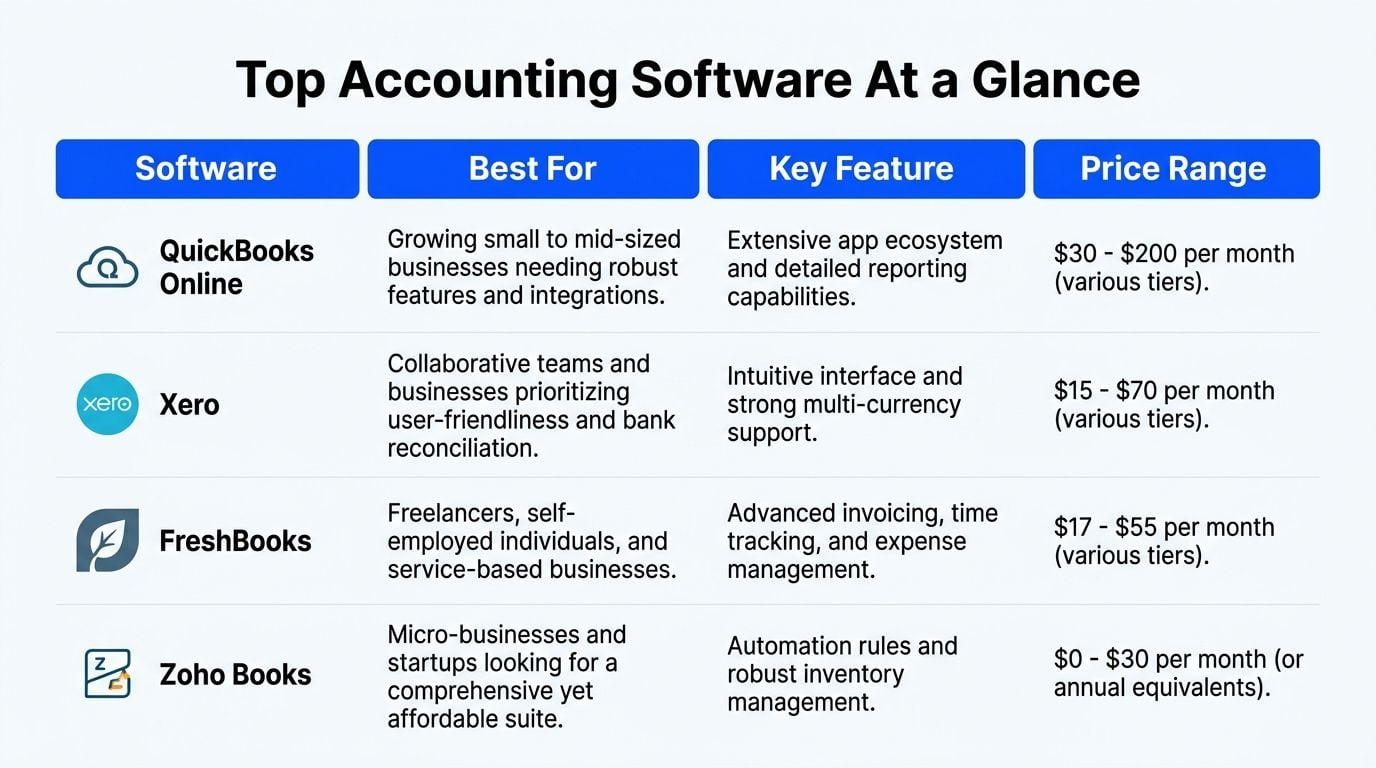
Fast comparison table
Software
Best fit
Main strength
My advice
QuickBooks Online
Growing small businesses, retail, ecommerce, firms working closely with accountants
Handles more accounting scenarios without forcing an early platform switch
Choose this if you want fewer limitations later
Xero
Collaborative teams, startups, owners who want simpler daily use
Clean interface and straightforward multi-user access
Choose this if your team needs usability more than market standardization
FreshBooks
Freelancers, agencies, consultants, service firms
Strong client billing workflow with time tracking and project tools
Choose this if invoicing starts the workflow and accounting follows behind it
The usual comparison misses a big part of the decision. Accounting software is only one piece of your finance process. If vendor bills, receipts, and invoice data arrive in scattered inboxes and portals, your books inherit that mess no matter which platform you buy. That is why software fit matters more than feature count.
For a broader market scan beyond these three platforms, see 12 best accounting software for small businesses.
My verdict
Pick QuickBooks Online if you want the safest long-term choice.
Pick Xero if your team will use it better every day.
Pick FreshBooks if client billing drives your operation and you do not need heavier accounting structure.
Choose based on how money enters your workflow, how documents get captured before posting, and who needs access after the transaction hits the books. That is the decision point owners miss. It is also the one that saves the most time later.
Deep Dive QuickBooks Online The Industry Standard
If you ask ten accountants what they prefer a small business client to use, most will say QuickBooks Online without hesitation. They are not saying it because it is perfect. They are saying it because it is the most practical answer most of the time.
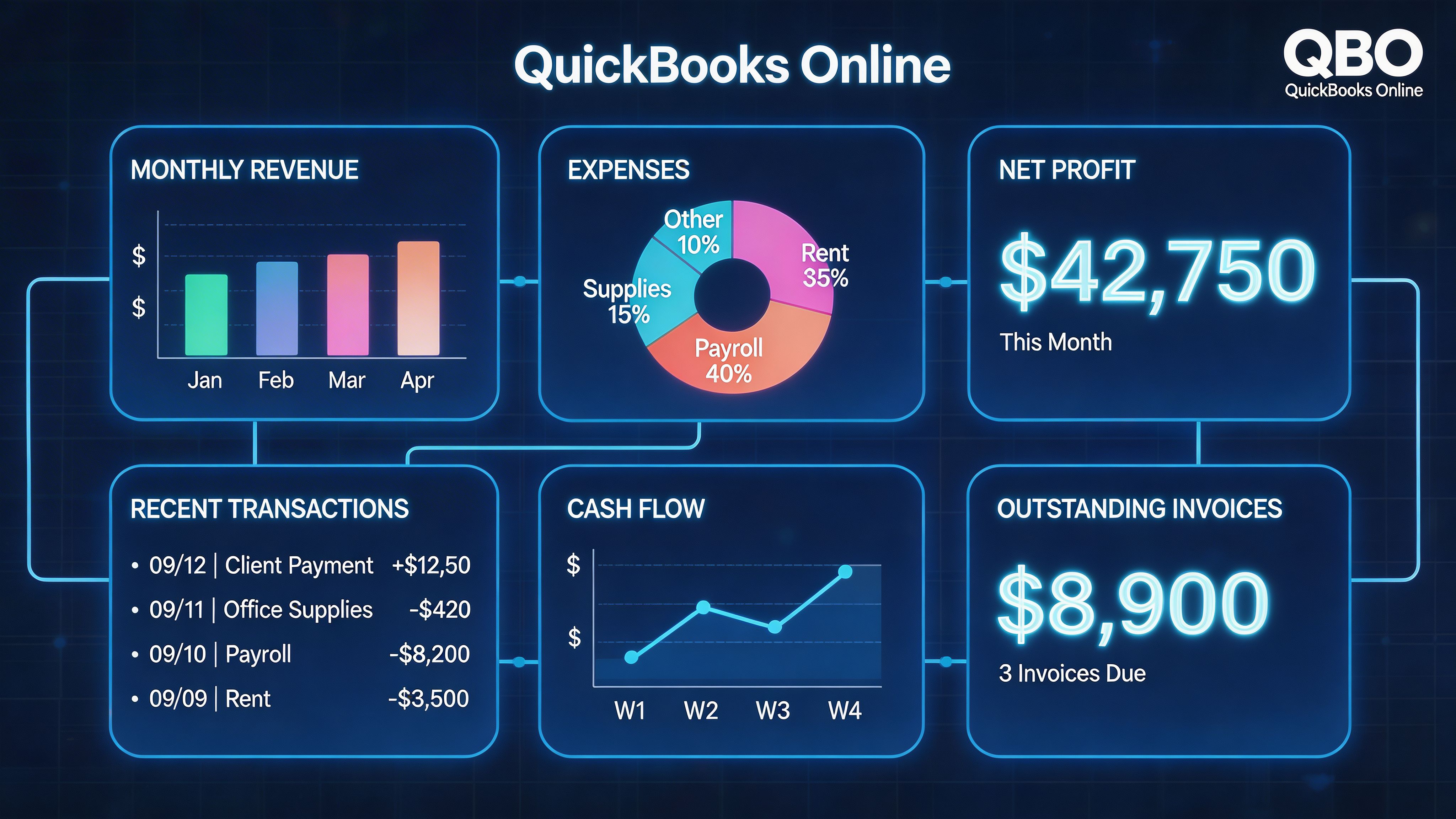
According to Beancount, QuickBooks Online dominates the small business accounting software market in 2026, with over 7 million subscribers, more than 650 apps in its ecosystem, and core plans around $30/month for Simple Start, $60/month for Essentials, and $90/month for Plus (best accounting software small business complete guide). That matters because market leadership creates a very practical advantage: more accountants know the system, more apps connect to it, and more workflow decisions in small business accounting are built around it.
Why accountants keep recommending it
QuickBooks Online is the benchmark because it handles the basics well and gives growing businesses room to add complexity without changing platforms immediately.
You get the core functions most small businesses need:
- Invoicing and expense tracking: Standard daily bookkeeping without workarounds.
- Bank feeds and categorization: Transactions move in quickly and can be reviewed in one place.
- Bill management: Better control over what you owe and when you owe it.
- Reporting: Useful financial statements without exporting everything to a separate tool.
- Inventory and project tracking in higher tiers: Important once the business gets more operationally complex.
The software is feature-dense. That is both the strength and the weakness. If your business is simple, the interface can feel heavier than necessary. If your business is growing, that density often becomes an advantage.
Which QuickBooks plan makes sense
Here is how I think about the main tiers.
Plan
Best for
What stands out
Simple Start
Solo operators with basic needs
Invoicing and expense tracking at the low end
Essentials
Small teams that need stronger day-to-day controls
Better fit for bill management and collaboration
Plus
Businesses with inventory or project tracking needs
More operational depth for growth
The mistake I see most often is buying the cheapest plan and discovering later that the missing features are not optional. If you are already managing bills, staff handoffs, or more involved reporting, start with the plan that fits your workflow now. Do not buy friction to save a little subscription cost.
Key takeaway: QuickBooks Online is rarely the prettiest tool. It is often the most sensible one.
Where QuickBooks is strongest
QuickBooks shines when the business has moving parts.
It works well for ecommerce sellers, product businesses, established service firms, and any owner who wants their accountant or bookkeeper to step into a familiar environment. It also fits businesses that already use other tools for payments, payroll, CRM, or operations, because the integration ecosystem is broad enough to support a more connected setup.
If you need implementation help, cleanup, or industry-specific support, firms offering specialized QuickBooks services can be useful once you know your setup is more than a basic DIY job.
A short walkthrough helps if you are weighing how it works in practice.
Where QuickBooks frustrates owners
It is not hard to find complaints. Most of them are fair.
The dashboard can feel crowded. New users can post things incorrectly if they do not understand the chart of accounts or workflow logic. The abundance of features can trick owners into thinking the software will fix a weak process on its own. It will not.
QuickBooks is also stronger at downstream accounting than upstream document collection. It is good at recording and reporting. It is less helpful when your team still has to fetch invoices manually before any of that accounting can happen.
That distinction matters. If your process starts with someone logging into Amazon, Stripe, Google, PayPal, and supplier portals to download PDFs one by one, QuickBooks is receiving the problem after the damage has already started.
Exploring Xero The User-Friendly Challenger
Xero is the platform I recommend when a client wants serious accounting software but keeps bouncing off QuickBooks because it feels too busy.
That reaction is understandable. Some owners do not need more features. They need fewer obstacles between them and the numbers they check every day.
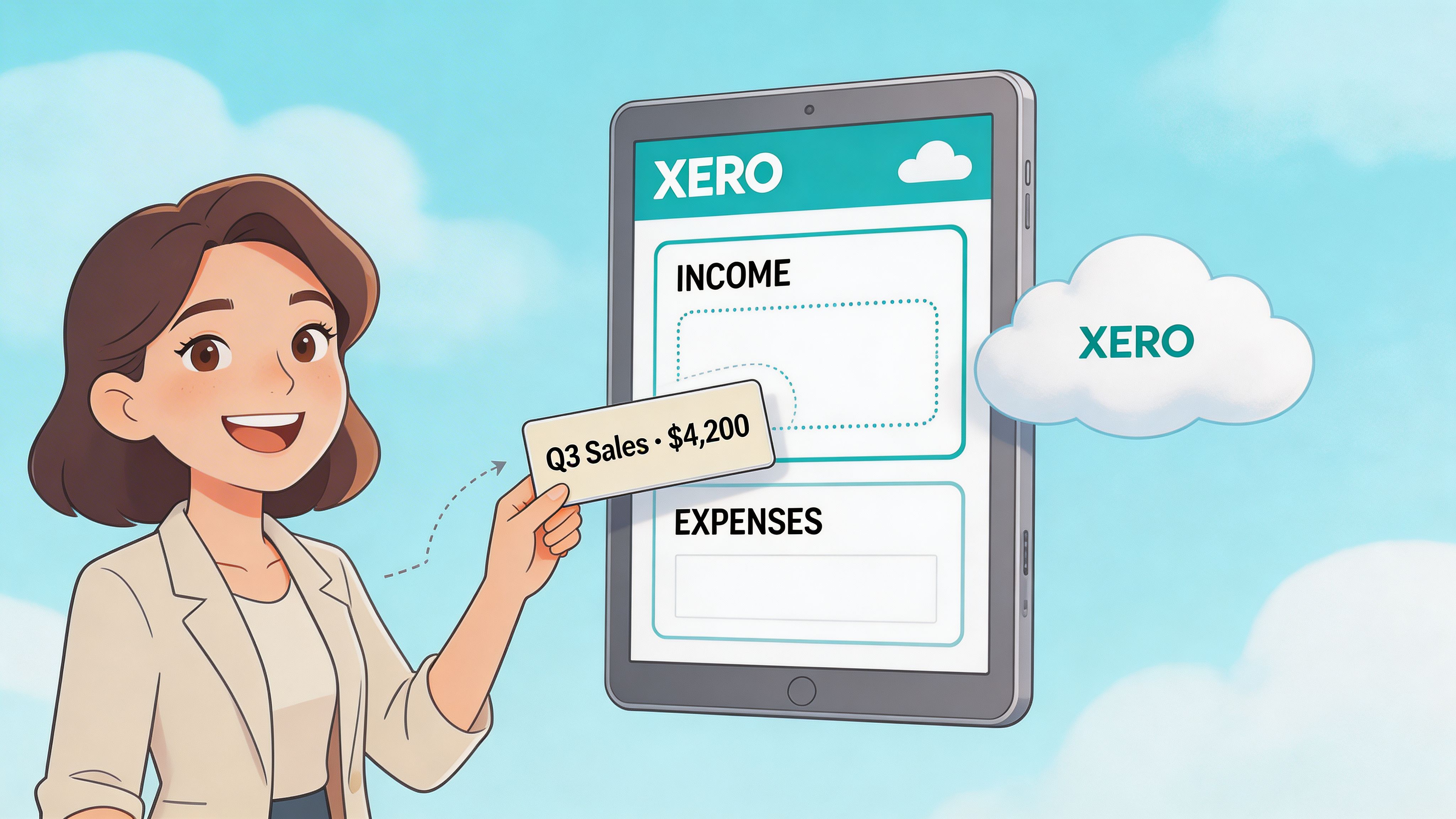
According to Accounting Seed, Xero has over 3.8 million subscribers by 2026, offers unlimited user access on all plans, includes more than 1,000 apps in its integration library, and users report 40% faster monthly bookkeeping compared to desktop solutions (best accounting software solutions for small to midsize businesses including salesforce native options). That tells you exactly where Xero wins. It is built for cloud collaboration and everyday usability.
Why some businesses prefer Xero immediately
Xero feels lighter. That is the first thing owners notice.
The interface is cleaner. Navigation is less cluttered. Teams often find it easier to understand where to go for bank balances, invoices, bills, and reconciliation work. For owners who want visibility without feeling like they are operating accounting software designed by committee, that matters.
The unlimited-user model is also a serious advantage. If several people need access, such as an owner, partner, office manager, external bookkeeper, and accountant, Xero avoids the awkward conversation about who gets cut off.
Where Xero fits best
I like Xero for:
- Agencies and service teams: Multiple people often need visibility without heavy internal accounting complexity.
- Startups and modern small businesses: Teams used to clean SaaS tools often adapt to Xero faster.
- Businesses with distributed responsibility: If more than one person handles bills, invoicing, approvals, or cash review, shared access is valuable.
- Companies with international considerations: Xero has strong multi-currency support in the broader product direction described in the verified data.
The practical trade-off
Xero is not “better” than QuickBooks in a universal sense. It is better for some businesses because it is easier to live in.
QuickBooks usually wins on accountant familiarity and the feeling of being the default standard. Xero wins when day-to-day usability matters more than industry momentum. Owners who stay engaged with their books tend to do better than owners who avoid the software because they dislike it. That is one reason Xero earns loyalty.
Here is the decision frame I use.
If this sounds like you
Better choice
“My accountant wants the most common platform”
“I want a cleaner interface my team will use”
“Several people need access without user headaches”
“I may add more operational complexity over time”
Tip: The best accounting software for small business is the one your team will use correctly every week, not the one with the longest feature list.
What to watch before choosing Xero
Do not choose Xero because it looks nicer in a demo.
You still need to check whether your accountant is comfortable with it, whether your current apps connect cleanly, and whether your business needs lean more toward collaboration or toward deeper accounting breadth. Xero is strong, but it still shares the same blind spot most accounting systems share: it handles the books after the documents arrive.
That means if your invoice collection process is manual, Xero will not remove that burden on its own. It will still rely on good inputs. Cleaner software does not automatically create cleaner source data.
Understanding FreshBooks The Invoicing Specialist
FreshBooks gets misunderstood all the time.
Owners compare it to QuickBooks Online and Xero as if all three are built to solve the exact same problem. They are not. FreshBooks comes from a different place, and that matters.
According to Pilot, FreshBooks reflects an invoicing-focused architecture, excels at time tracking and project management, and is priced around $21 to $65 per month (bookkeeping software for business). That is the clue. FreshBooks is strongest when the center of your workflow is client work, not broad accounting complexity.
What FreshBooks does better than the others
If you are a consultant, freelancer, designer, marketer, lawyer, or agency owner, FreshBooks often feels more natural because it starts from the client relationship.
The software is strong where service businesses spend real time:
- Client invoicing
- Time tracking
- Project-oriented work
- Expense management tied to client delivery
That is not a minor difference. It changes how the software feels in daily use. Instead of forcing a service business into a general-ledger-first mindset, FreshBooks supports the billing habits and project flow those businesses already have.
Where it is the wrong choice
If you sell physical products, track inventory closely, or need a more extensive accounting backbone for inventory-heavy or more complex operations, FreshBooks is usually the wrong tool.
It is not that the platform is weak. It is that its priorities are different. QuickBooks Online and Xero are built around more complete ledger management. FreshBooks is built around client-facing finance operations first.
That distinction saves a lot of people from making an expensive mistake.
My recommendation on FreshBooks
Use FreshBooks when your business matches this profile:
- You sell expertise, time, or project work.
- You care a lot about invoicing and collecting from clients.
- You do not need a more extensive accounting backbone for inventory-heavy or more complex operations.
Do not use it just because the interface feels approachable. Plenty of owners pick software that feels easy in week one and outgrow it when the business gets messier.
One more point matters here. A lot of software selection comes down to price, usability, features, and integrations. Data indicates that a significant portion of software selection criteria focus on those categories in the context of multi-platform accounting architecture. My view is simple: if your team still gathers invoices manually, every platform will feel less usable than it should. The software may be fine. The workflow around it is what is failing.
Automate Your Workflow Before It Hits Your Books
It is the 5th of the month. Your accountant is ready to close the books, but half the vendor invoices are still sitting in email threads, two receipts are trapped in someone's phone, and Stripe payouts do not match the backup on file. That is the point where owners blame the accounting software. Usually, the software is not the first problem.
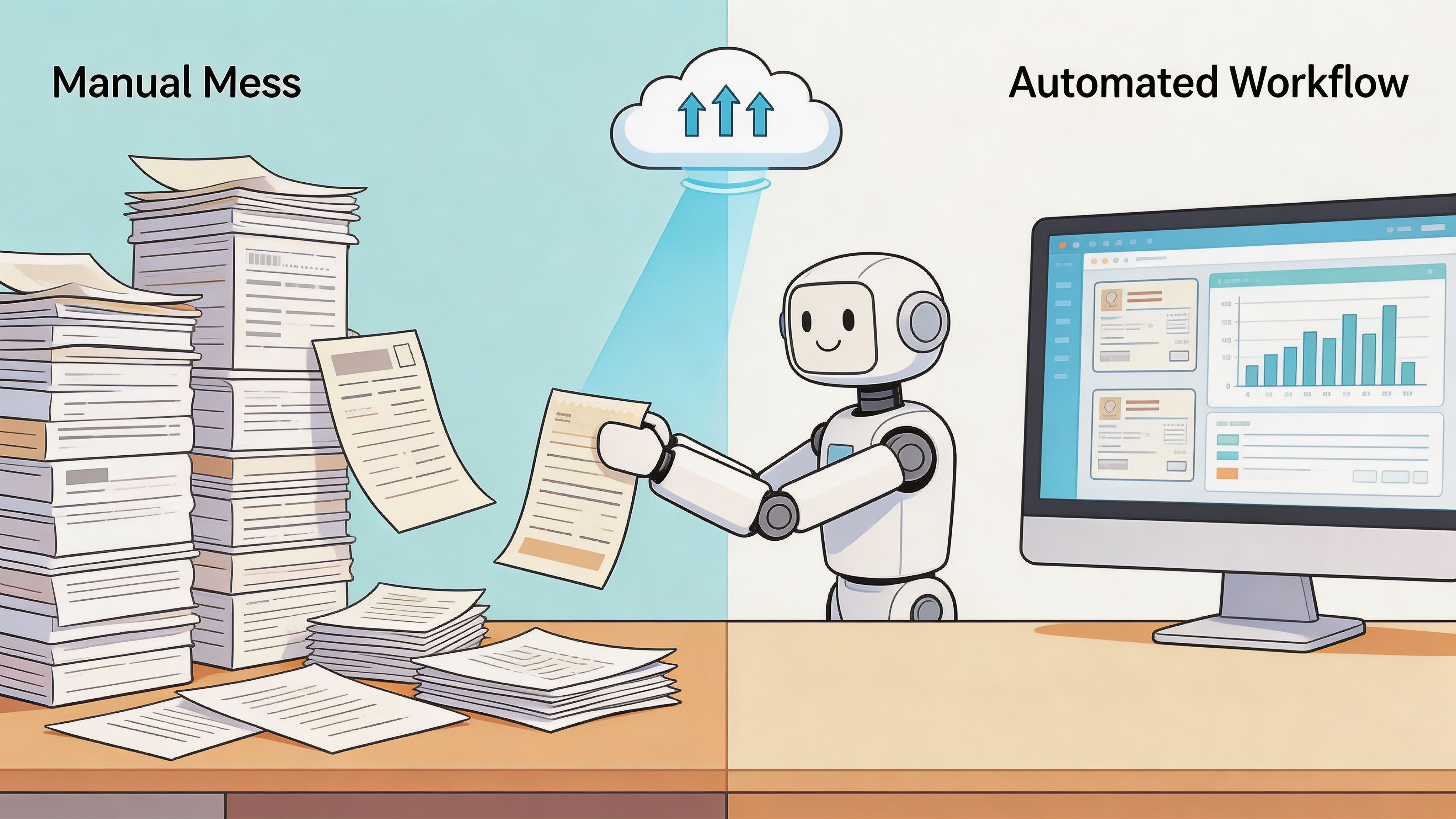
The first problem starts before bookkeeping. Documents arrive from inboxes, vendor portals, payment platforms, and staff members who send things late or not at all. If that intake process is messy, QuickBooks Online, Xero, and FreshBooks will all feel slower and less accurate than they should.
That is the gap many software comparisons miss. They judge the ledger. They ignore the work required to get clean source documents into the ledger in the first place.
Where the bottleneck really lives
Ask a bookkeeper where the month goes. A lot of it disappears before a single transaction is posted.
The time drain usually looks like this:
- Logging into Amazon to download invoices
- Searching email for receipts and vendor confirmations
- Pulling statements from Stripe, Google, Microsoft, or PayPal
- Renaming files so they can be found later
- Matching documents to bank or card activity
- Chasing staff for missing paperwork
None of that improves financial reporting. It just burns time and creates errors.
Worse, it delays everything downstream. Reconciliations slip. Monthly bookkeeping drags out. Reporting arrives after the decisions it was supposed to support.
What a better setup looks like
Use your accounting platform for accounting. Use a separate intake process for collecting and organizing source documents before they hit the books.
That setup usually includes inbox capture rules, portal fetch tools, data extraction, and a clean handoff into the accounting system. The goal is simple. Get every invoice, receipt, and statement into one controlled flow before your team starts coding transactions.
Booksmate is one example of that kind of tool. It connects to online portals and email inboxes to fetch invoices and receipts, extracts data with AI, organizes the documents in a central dashboard, and prepares them for export into accounting software.
That matters because it solves a different problem than QuickBooks, Xero, or FreshBooks solve. Those platforms record and report financial activity. They do not chase documents for you.
Key takeaway: If documents come in late, the books close late. Better accounting software does not fix a broken intake process.
Why this changes the decision
This is the workflow test I care about most. Do not ask which platform has the longest feature list. Ask which platform fits your business after you fix the document flow that feeds it.
A clean pre-accounting process changes the software decision in practical ways:
- QuickBooks Online works well if you need a stronger accounting backbone and broad integrations, but it still depends on clean inputs.
- Xero is easier to work with for many teams, but it also performs better when documents are collected upstream instead of manually hunted down.
- FreshBooks can be a strong fit for service businesses, especially those that live in invoicing, but it does not remove the need for disciplined document capture.
That is the right way to evaluate accounting software for a small business. Judge the platform and the workflow around it. If your receipts, bills, and statements are still scattered across inboxes and portals, you do not have a software problem alone. You have a process problem that will keep costing you time every month.
Your Decision Checklist And Migration Plan
Do not choose accounting software based on one demo or one recommendation from a friend. Choose it based on how your business operates.
Here is the checklist I use with clients.
Decision checklist
- Business model first: If you sell products or manage more operational complexity, lean toward QuickBooks Online. If you run a collaborative team and want a cleaner interface, look hard at Xero. If you sell services and bill by project or time, FreshBooks deserves serious consideration.
- Who needs access: One owner is easy. A team changes everything. If several people need access, user structure matters.
- How involved is your accountant: If your accountant strongly prefers one platform, listen. Convenience during setup is less important than efficiency every month after.
- What happens before bookkeeping starts: If invoices are scattered across portals and inboxes, fix that workflow too. Otherwise you are installing software on top of chaos.
- How likely are you to grow out of the tool: Cheap software becomes expensive when you migrate too soon.
Migration plan that avoids pain
Switching platforms is manageable if you do it with discipline.
- Pick a clean cut-off date. The end of a monthly bookkeeping period works best. Fiscal year-end is even better if timing allows.
- Clean your data before moving. Remove duplicates, review open invoices and bills, and tighten your chart of accounts.
- Move processes, not just balances. Decide how bills get entered, who approves what, and how documents get stored.
- Set user roles early. Too much access creates errors. Too little access creates bottlenecks.
- Run parallel checks at the start. Compare key reports and balances so you catch setup mistakes quickly.
Tip: The hardest part of migration is usually not importing data. It is changing habits.
My final recommendations
If you want the shortest possible answer:
- QuickBooks Online is my default recommendation for most small businesses.
- Xero is the better choice when usability and collaboration are the priority.
- FreshBooks is the right niche choice for service businesses centered on invoicing and project work.
Then tighten the upstream process so your accounting software receives clean, complete information instead of a monthly pile of document chaos.
Frequently Asked Questions
Can I switch accounting software later if I choose wrong
Yes, but do not treat that as a reason to be careless now.
Switching is possible. It is also disruptive. Historical data, chart of accounts structure, open invoices, bank connections, and team habits all need attention. The cleaner your books are before the switch, the easier the move will be.
If you are unsure, decide once and commit for a meaningful period unless the software is clearly hurting the business.
Do I still need a bookkeeper or accountant if I use accounting software
Usually, yes.
Software records transactions. A good bookkeeper keeps the records accurate and current. A good accountant helps you interpret the numbers, stay compliant, and avoid bad decisions. Those are different jobs.
Small owners often assume software replaces expertise. It does not. It makes expertise more effective.
What should a small business budget for accounting software and related tools
Budget for the software that fits your workflow, not just the cheapest sticker price.
Your cost may include the accounting platform, payroll or payment add-ons, cleanup help, bookkeeping support, and tools that handle invoice collection or document management. The right question is not “What is the lowest monthly cost?” The right question is “What setup gives me reliable books with the least wasted labor?”
Which accounting software is easiest to use
For many teams, Xero feels easiest to use because of its cleaner interface and shared access model.
For service businesses, FreshBooks often feels easiest because its workflow starts with clients, projects, and invoices.
For broader small business accounting, QuickBooks Online is not always the easiest at first, but it is often the easiest to support long term because so many accountants already know it.
What is the biggest mistake small business owners make when choosing software
They choose based on features they saw in a demo instead of the workflow they live with every week.
The true test is not whether the dashboard looks nice. It is whether your team can collect documents, enter transactions correctly, manage bills, issue invoices, reconcile accounts, and hand clean records to your accountant without drama.
Is the best accounting software for small business always cloud-based
For most small businesses today, cloud-based software is the practical choice because owners, bookkeepers, and accountants need shared access.
The bigger issue is not just cloud versus desktop. It is whether the system fits your full workflow. If the software is cloud-based but your invoices still live in five inboxes and ten portals, you have only solved part of the problem.
If your team spends too much time chasing invoices before bookkeeping can even begin, Booksmate is worth a look. It automates document collection from portals and email inboxes, extracts invoice data, organizes everything in one dashboard, and prepares records for export into your accounting software. That makes QuickBooks, Xero, or FreshBooks easier to use because the books start with cleaner inputs.
Choosing a capture tool to sit alongside your ledger? See our Dext alternative for UK small businesses.









