Articles
What Is Invoice Scanning Software: The Ultimate Guide
The need for invoice scanning software often arises when the AP inbox is already out of control. Invoices are coming from PDFs, phone photos, supplier emails, shared folders, and portal logins nobody wants to manage. One clerk is keying invoice numbers into the ERP, another is chasing approvals, and someone always has a browser full of vendor tabs open because half the documents still have to be downloaded by hand.
That's the point where finance leaders usually ask the wrong first question. They ask, “How accurate is the OCR?” It matters, but it usually isn't the whole problem. In practice, the bigger issue is often upstream. If invoices are scattered across inboxes and vendor portals, even excellent extraction won't fix a messy intake process.
Good invoice scanning software helps. Great implementations go further. They combine capture, validation, routing, and exception handling with a reliable way to collect invoices in the first place.
Table of Contents
- The Hidden Costs of Manual Invoice Processing
- How Invoice Scanning Software Actually WorksOCR reads text and AI interprets context
- Validation is where finance trust is built
- Core Features to Evaluate in Any SolutionMust have capabilities
- Nice to have features
- Implementing a New Invoice Scanning WorkflowStart with the real intake map
- Build exception ownership early
- ROI and Comparison to Full AP AutomationWhere scanning software pays off
- Scanning tool versus AP suite
- Why Invoice Collection Is the Real ChallengeExtraction is downstream work
- Why curated connections matter
- Invoice Scanning Software Frequently Asked QuestionsCan it handle messy invoices
- Does invoice scanning software replace AP staff
- Is standalone scanning enough
- What should I ask vendors in a demo
- How long does adoption take
- How should teams evaluate pricing and fit
Manual AP work rarely fails in one dramatic moment. It fails in small, repetitive steps. A PDF sits in a shared mailbox. A supplier uploads an invoice to a portal nobody checked that day. A duplicate gets entered because the same bill arrived by email and through a vendor site. An approver says they never saw it.
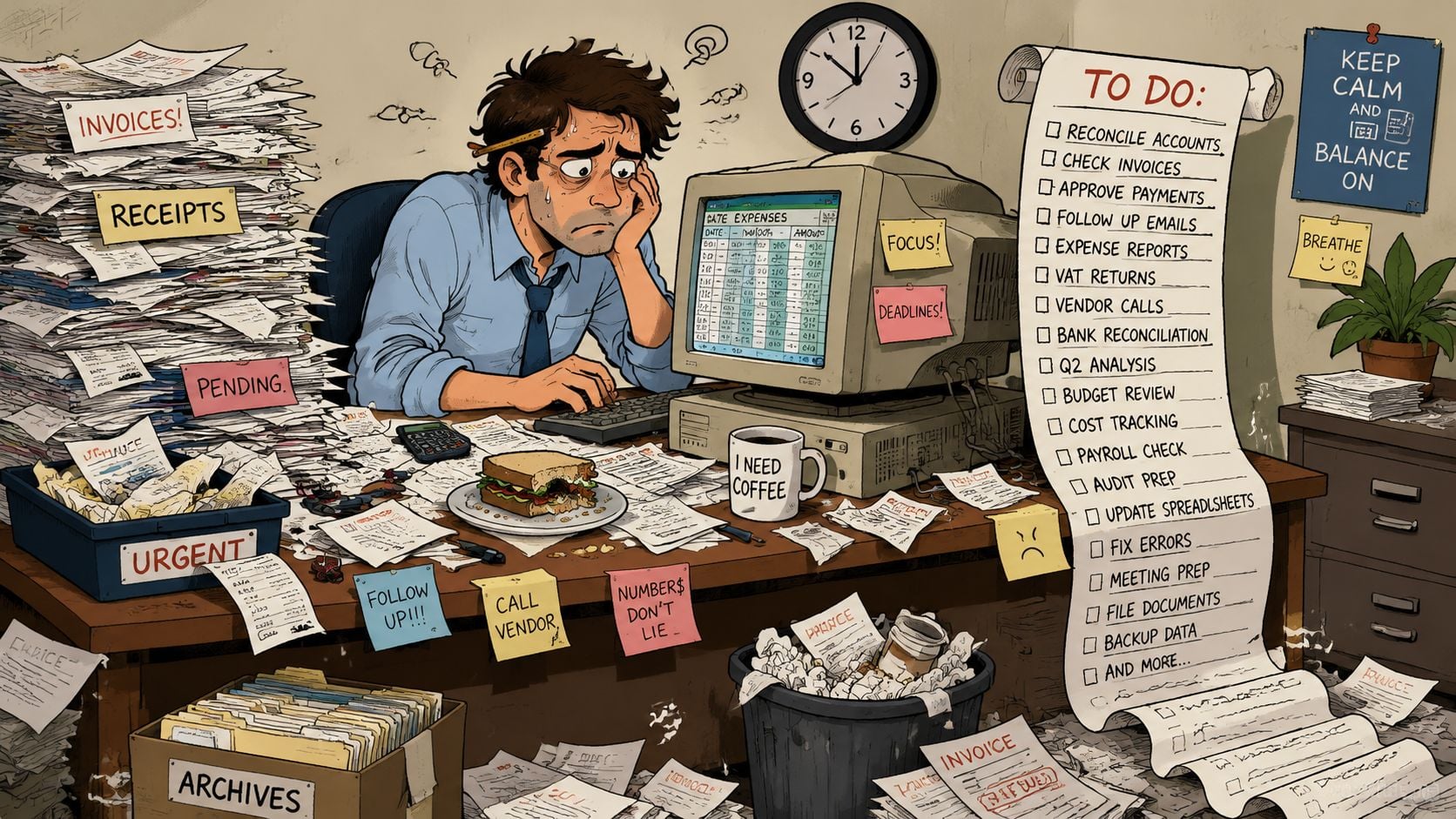
I've seen this pattern in lean bookkeeping teams and in larger finance departments with solid ERPs. The issue usually isn't that people don't care. It's that the process depends on too many manual handoffs. Someone downloads the file, someone renames it, someone keys the header data, someone checks the PO, and someone else follows up when the approval stalls.
The hidden cost isn't just labor. It's operational risk.
- Missed documents: Invoices buried in inboxes or portals don't enter the workflow on time.
- Duplicate exposure: Teams often receive the same invoice through more than one channel.
- Weak audit trail: Manual forwarding and file saving make it harder to prove who did what.
- Low morale: Strong AP staff get stuck doing repetitive collection and re-keying work.
- Delayed decisions: Finance closes later because invoice data arrives late or inconsistently.
Manual processing doesn't only slow the team down. It weakens control at the exact point where cash leaves the business.
This is why many teams look beyond basic digitization and try to streamline operations with automation. Not because automation sounds modern, but because manual invoice handling creates a fragile process. The more suppliers, entities, inboxes, and approvals you add, the more fragile it gets.
How Invoice Scanning Software Actually Works
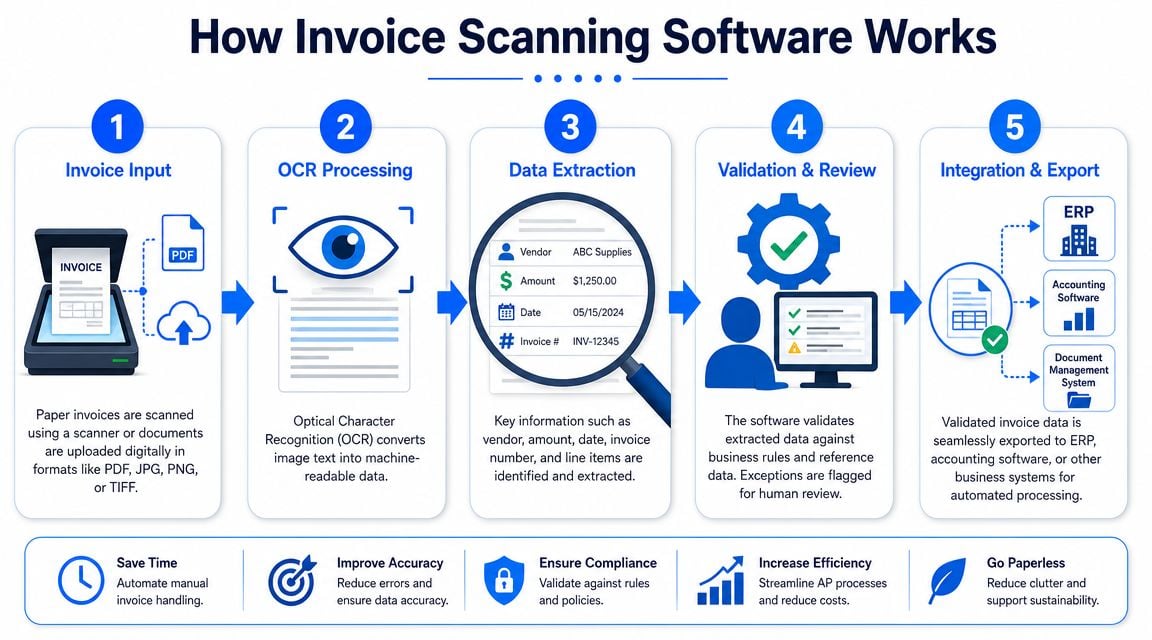
At its simplest, invoice scanning software turns invoice documents into structured data that your accounting or ERP system can use. The input can be a paper scan, a PDF, or an email attachment. The software reads the document, identifies fields like invoice number, date, total, and line items, then sends that data into the next step of the AP workflow.
A useful way to think about it is this. OCR reads the words. AI-driven extraction decides what those words mean in an invoice context.
OCR reads text and AI interprets context
Traditional OCR converts image text into machine-readable text. That's useful, but finance teams don't want a wall of text. They want fields mapped correctly. They need the software to know that “INV-10482” is the invoice number, not a customer reference or shipping note.
Modern tools add AI and machine learning to improve that interpretation. They look at labels, position, document structure, and prior corrections. Some systems also learn from repeated supplier formats, which is why familiar vendors often process more cleanly than unusual or one-off invoices.
If you're comparing options, understanding the difference between OCR and invoice-specific extraction is helpful. This overview of OCR invoice software is a good reference point for that distinction.
The performance range also needs a reality check. Invoice scanning software is usually judged by extraction accuracy, not just OCR read quality. Clean, narrow invoice sets can reach 95% to 99% accuracy, while real production environments are more typically in the 80% to 95% range because invoice layouts and quality vary, as explained in Docsumo's invoice scanning breakdown.
Here's a short walkthrough of the flow in practice.
Even strong extraction isn't enough on its own. The software should validate what it captured before posting anything downstream.
That usually includes checks such as:
- Field completeness: Is the invoice date present? Is there a supplier name?
- Basic consistency: Do subtotal, tax, and total make sense together?
- Business rules: Does this supplier require a PO? Does the amount exceed approval limits?
- Human review: If confidence is low or a rule fails, route it to a person.
The teams that get value from invoice scanning software don't expect perfect hands-off processing for every invoice. They use the system to remove most keying work, while designing a clean review path for exceptions.
Core Features to Evaluate in Any Solution
A buyer checklist for invoice scanning software should start with one principle. Reading the invoice is not the same as processing the invoice well. Plenty of demos look impressive when the sample file is clean. Real AP work gets messy fast.
Must have capabilities
These are the features I'd treat as absolute requirements.
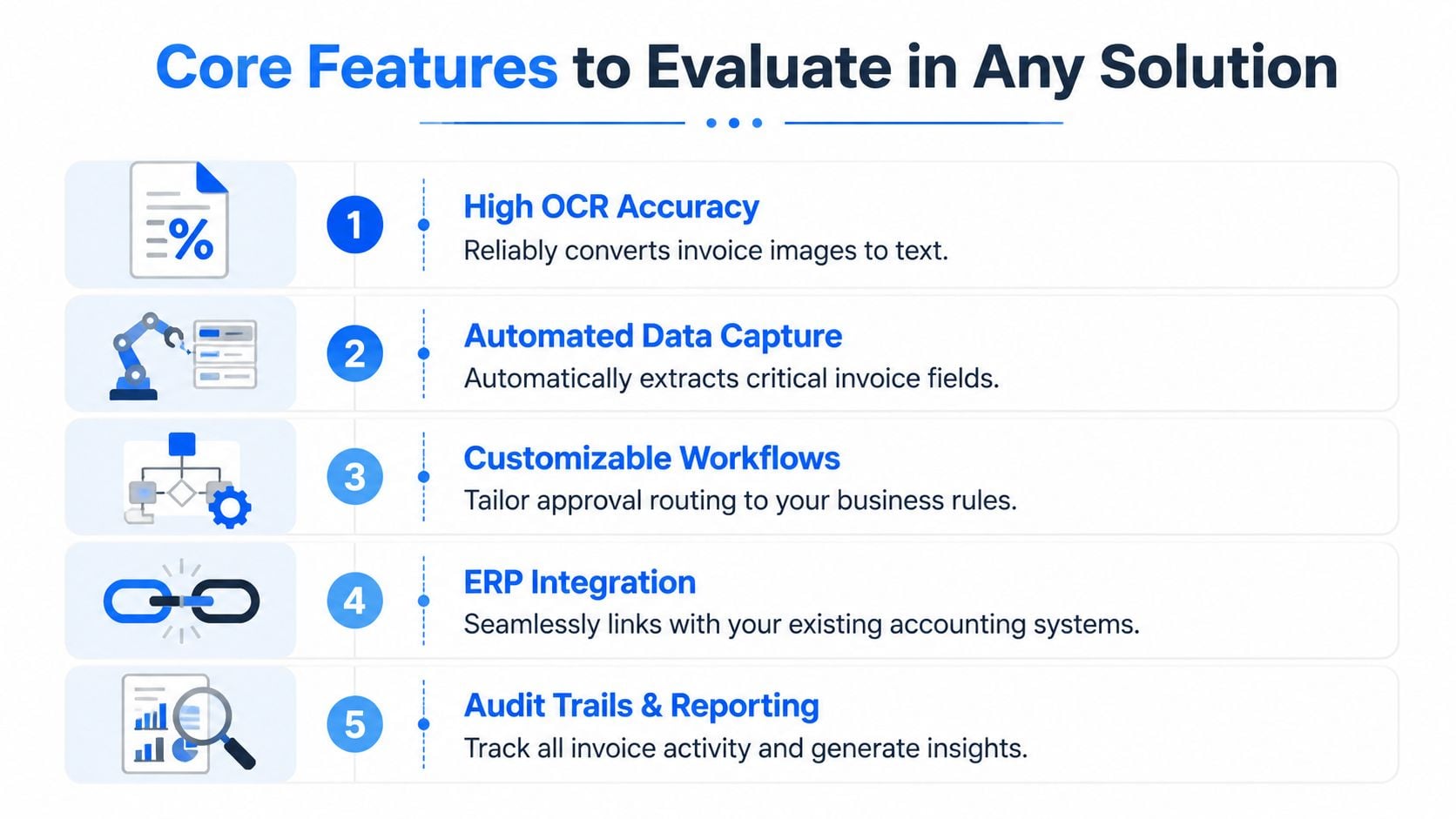
- Reliable field extraction: The software should capture core header fields and, if relevant to your process, line items. Ask vendors to test your actual supplier files, not their polished samples.
- Validation controls: The strongest solutions don't stop at extraction. They validate math, compare supplier details against master data, and support learning from user corrections. That control layer is where the primary value sits, as described in HighRadius's overview of invoice scanning and capture.
- Exception workflow: Someone needs a clear queue for low-confidence reads, missing PO numbers, duplicate suspicion, and tax or supplier mismatches.
- ERP or accounting integration: Exporting CSV files by hand can work as a temporary bridge, but it won't feel automated for long. Native or well-supported integration matters.
- Audit trail: You need a record of what was captured, corrected, approved, exported, and by whom.
Practical rule: If a vendor talks more about AI than about exception queues, approval routing, and audit history, the product may be stronger in demos than in daily AP operations.
A short evaluation table helps separate features that affect outcomes from features that mainly improve convenience.
Capability
Why it matters in practice
Extraction of invoice data
Removes repetitive keying and speeds initial intake
Validation rules
Prevents bad data from moving quietly into the ERP
Exception handling
Keeps edge cases from clogging the whole AP queue
System integration
Reduces swivel-chair work between tools
Audit logging
Supports review, compliance, and process accountability
These features can matter a lot, but not every team needs them on day one.
- Line-level extraction: Useful when coding detail matters, especially for PO-backed invoices or complex allocations.
- Inbox monitoring: Helpful for teams receiving large invoice volumes by email.
- Portal ingestion: Increasingly important when suppliers don't send invoices directly.
- Custom approval logic: Valuable for multi-entity, multi-location, or department-heavy organizations.
- Role-based permissions: Especially relevant when AP, procurement, and controllers all touch the workflow.
What doesn't work well is buying on headline accuracy alone. In finance, trust comes from a combination of extraction, controls, review, and clean downstream posting.
Implementing a New Invoice Scanning Workflow
The software is only half the job. Most rollout problems come from unclear ownership, bad intake design, or trying to automate a broken approval process.
Start with the real intake map
Before you configure anything, list every invoice source. Email inboxes, AP aliases, paper mail, vendor portals, procurement systems, and shared folders all count. Organizations often underestimate how many channels they use until they document them.
Then map the current process from receipt to posting. Keep it practical. Who receives the invoice first? Who checks PO status? Who codes non-PO invoices? Who resolves supplier mismatches? If you skip this step, the new system will automate confusion instead of fixing it.
A simple implementation sequence usually works best:
- Standardize intake channels: Reduce scattered entry points where possible.
- Define required fields: Decide what must be present before an invoice can move forward.
- Set approval rules: Route by entity, vendor, department, or amount threshold if your policy requires it.
- Create exception queues: Separate routine invoices from problem invoices.
- Pilot with real suppliers: Start with a controlled set of documents and review the misses.
- Train by role: AP clerks, approvers, and reviewers need different instructions.
The most common implementation gap is this. Everybody assumes the software will “handle exceptions,” but nobody names the team member responsible for clearing them.
That's a mistake. Exception handling needs an owner and a service standard, even if it's informal at first. If invoices fail validation and sit untouched, the team loses confidence fast.
I usually recommend a small operating rhythm during rollout:
- Daily review: AP checks exception queues and aged items.
- Weekly tuning: Finance reviews recurring supplier or coding issues.
- Monthly cleanup: Remove obsolete rules and confirm approval paths still match policy.
A clean invoice workflow doesn't come from turning automation on. It comes from deciding who owns the invoices that don't fit the happy path.
Teams that implement this way usually stabilize faster. They don't chase a fantasy of zero-touch processing. They build a process where routine invoices move quickly and unusual ones are visible.
ROI and Comparison to Full AP Automation
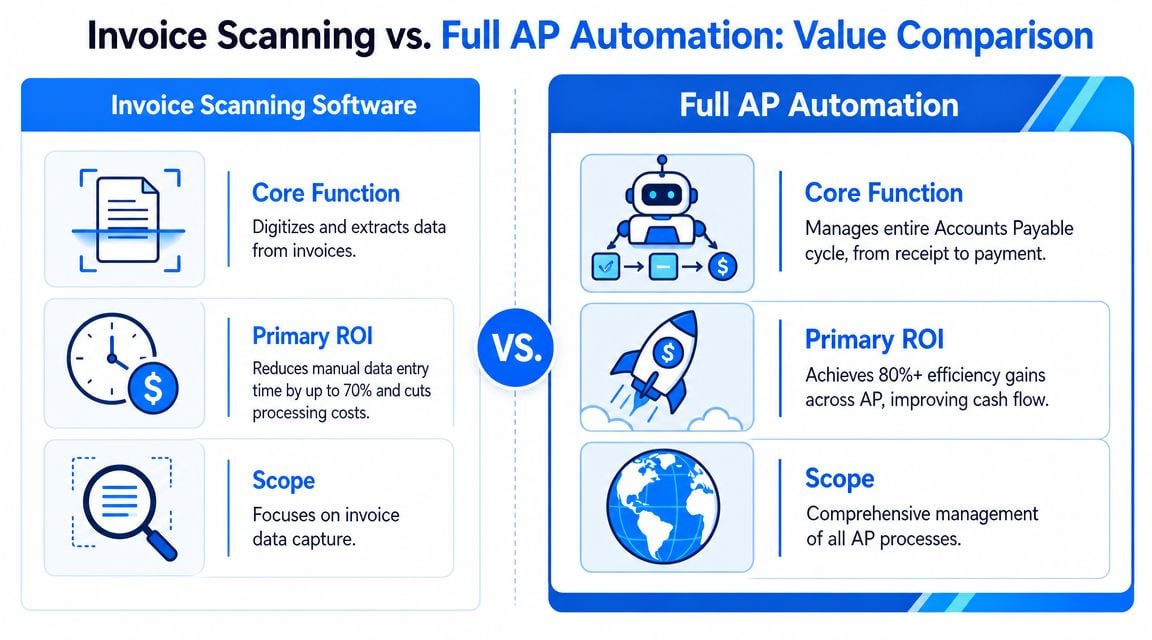
Invoice scanning software delivers value when manual entry, document handling, and invoice visibility are the main problems. It's a focused tool. It captures invoice data, reduces repetitive typing, and improves process consistency. That alone can make a noticeable difference in a finance team that still relies on email attachments, PDFs, and paper.
Where scanning software pays off
The ROI usually shows up in a few practical places:
- Less manual keying: AP staff spend less time entering basic invoice fields.
- Cleaner handoffs: Data moves into the ERP or accounting system with fewer manual re-entry steps.
- Faster review: Approvers work from structured records instead of forwarded files and scattered emails.
- Better control: Validation and audit history reduce avoidable processing mistakes.
- Easier scaling: The team can absorb more invoice volume without adding the same amount of clerical work.
For teams trying to estimate impact before buying, an invoice processing cost calculator can help frame the before-and-after workflow in operational terms.
The easiest analogy is this. Invoice scanning software is a specialized tool. Full AP automation is a full toolbox.
Option
Best fit
Typical scope
Invoice scanning software
Teams with heavy manual capture and entry work
Capture, extraction, validation, export
Full AP automation
Teams needing broader workflow control
Intake, approval workflow, matching, controls, payment-adjacent processes
Choose a focused scanning tool when your biggest pain points are document intake, data extraction, and posting speed. It's often the right move for smaller finance teams, outsourced bookkeeping practices, or companies still maturing their AP process.
Move toward a broader AP platform when the issues extend beyond scanning. That usually means more complex approval chains, higher PO matching requirements, stronger control needs, or a need to manage a wider portion of the payables lifecycle in one system.
Buying a full AP suite too early can create extra implementation burden. Buying a scanner when your approval and matching process is broken won't solve enough.
The right answer depends on where the bottleneck lives today.
Why Invoice Collection Is the Real Challenge
Monday morning is where weak invoice workflows show up first. AP staff are not reviewing exceptions yet. They are still opening shared inboxes, searching vendor emails, logging into supplier portals, downloading PDFs, renaming files, and figuring out whether a bill already came in through another channel. If that intake step is inconsistent, scanning software starts late and the rest of the process stays unstable.
Extraction is downstream work
OCR gets most of the attention because it is easy to demo. A vendor can show a clean PDF, extract fields, and post structured data in a few seconds. In live operations, the bigger source of friction often sits one step earlier. Someone still has to collect the invoice from email, portals, and supplier sites, then get it into a controlled queue.
That upstream work is easy to underestimate. I regularly see teams spending more time retrieving invoices than reviewing extracted data. The pattern is familiar across ecommerce, multi-entity bookkeeping, and decentralized AP functions. Invoices are scattered across Amazon, PayPal, Microsoft, Stripe, telecom accounts, software billing portals, and vendor websites. Scanning software cannot speed up documents it never receives.
I push clients to diagnose the process in this order:
- How invoices arrive
- Who collects them
- Where they land
- What happens when a supplier changes its portal flow
- How the document becomes reviewable AP data
That sequence matters. If invoice collection depends on manual downloads, personal inbox rules, or undocumented portal logins, every later step inherits avoidable risk. You get delays, duplicates, missing invoices, and uneven month-end close performance.
The acquisition model matters more than broad marketing claims. Some platforms promise wide portal coverage, but reliability usually comes from a narrower set of connections that are actively maintained, tested, and monitored. That curated-connection approach is often a better fit for firms that care about consistency across hundreds of recurring invoices.
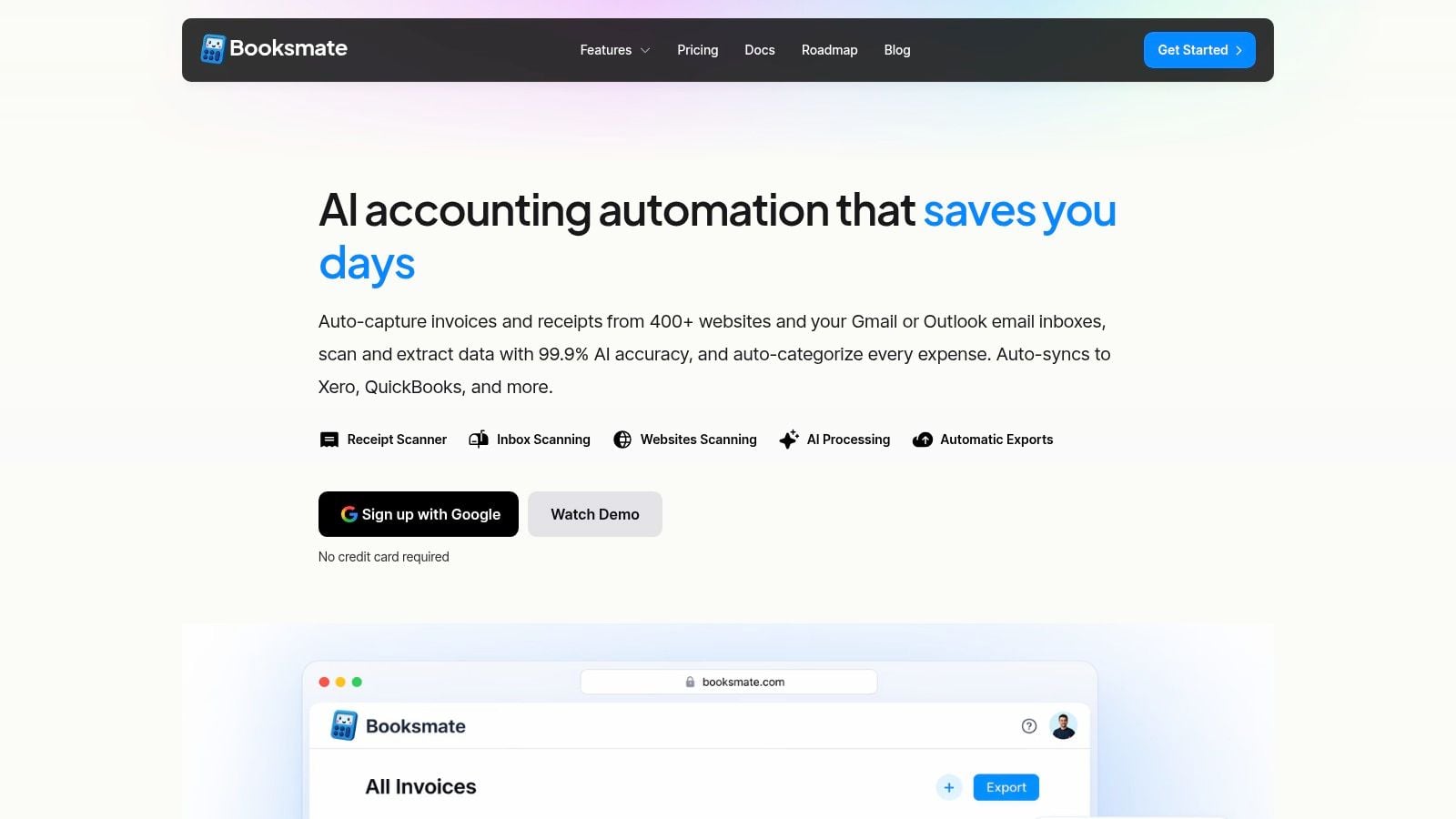
Booksmate is one example of that model. Its automated invoice downloading from portals and inboxes focuses on getting the document into the workflow before extraction and export begin. That sounds simple, but it solves a problem many teams discover only after implementation. They bought a capable scanner, yet staff still spend hours every week chasing files.
That trade-off is worth stating plainly. A scanner with excellent extraction can still produce weak operational results if intake is unreliable. A system with slightly narrower source coverage but stronger ongoing maintenance can create more value because invoices arrive predictably and exceptions are easier to manage.
For finance teams evaluating invoice scanning software, invoice acquisition should be part of the core business case, not a footnote. Ask vendors how invoices are obtained, how source changes are handled, who maintains those connections, and what happens when a document never reaches the queue. Those answers usually tell you more about day-to-day ROI than another OCR accuracy demo.
Invoice Scanning Software Frequently Asked Questions
Can it handle messy invoices
Usually, yes for a good share of them. Not with perfect accuracy.
Messy invoices are where software shows its limits fast. Multi-page files, skewed scans, supplier-specific layouts, missing tax fields, and partial line-item detail all create exceptions. Strong tools do two things well: they extract the routine invoices consistently, and they give AP staff a clear review path for the ones that need judgment.
Handwritten content is still difficult. Some products can read parts of it, but handwritten notes, stamps, and poor mobile photos often need manual correction before posting.
It shifts the work upstream and toward control.
Teams spend less time opening attachments, renaming files, keying header data, and moving PDFs between folders. They spend more time reviewing exceptions, resolving supplier issues, checking coding, and keeping approvals on track. For most finance teams, that is a healthier use of staff time because it reduces clerical effort without removing human oversight.
That depends on where the process breaks.
If the main problem is data entry from emailed PDFs, standalone scanning can solve a lot. If invoices are also arriving through supplier portals, shared inboxes, and scattered channels, scanning alone often leaves the intake problem untouched. In those cases, the better question is not just how well the tool reads invoices, but how reliably invoices reach the queue in the first place.
If your AP function also needs workflow controls, three-way matching, approval routing, and audit trails across the full cycle, a broader AP automation platform may be the better fit.
Ask them to use your invoices, not their sample set.
Include the awkward cases: missing PO numbers, supplier names that do not match master data, duplicate submissions from email and portal download, credit notes, and invoices with split tax treatment. Then ask who handles intake errors, how exceptions are surfaced, and what staff must do when an invoice never arrives for scanning at all.
Products that handle those operational questions clearly are usually more useful in production than ones that only perform well on a polished PDF.
Software setup is often the quick part. Process cleanup takes longer.
Teams need time to standardize intake channels, decide who owns exceptions, tune field rules, and train approvers to work inside the new flow instead of falling back to email. Rollouts usually land better when they start with one entity, one inbox, or a controlled supplier group, then expand after the exception patterns are understood.
Start with total labor left outside the product.
A low subscription fee can look attractive until the team is still logging into portals, downloading files by hand, renaming attachments, chasing missing invoices, and correcting bad exports. That work does not disappear because OCR is included in the price.
A better fit removes friction from the AP process you run. OCR accuracy matters, but intake reliability, exception handling, and export quality usually have a bigger effect on day-to-day ROI.
If your team is spending more time collecting invoices than processing them, Booksmate is worth a look. It's built for accountants, bookkeepers, and finance teams that need invoices fetched from online portals and inboxes, then organized and prepared for export into the rest of the workflow.