Articles
Please Confirm Receipt Meaning: How & When to Use It
You send an invoice, contract, or resignation email. Then the silence starts.
That’s when please confirm receipt meaning stops being a language question and becomes an operations question. You’re not asking for a courtesy. You’re asking for proof the message landed, the recipient saw it, and the next step can move.
You Hit Send on an Important Email Now What
We all know the feeling. You send a major invoice on Friday afternoon, copy the right contact, attach the PDF, and write a clear subject line. Then nothing happens.
Now you’re asking practical questions. Did it reach the right inbox? Did it get buried? Did the attachment open? If payment runs late next week, are you dealing with a client cash issue, or are you just dealing with an email nobody acknowledged?
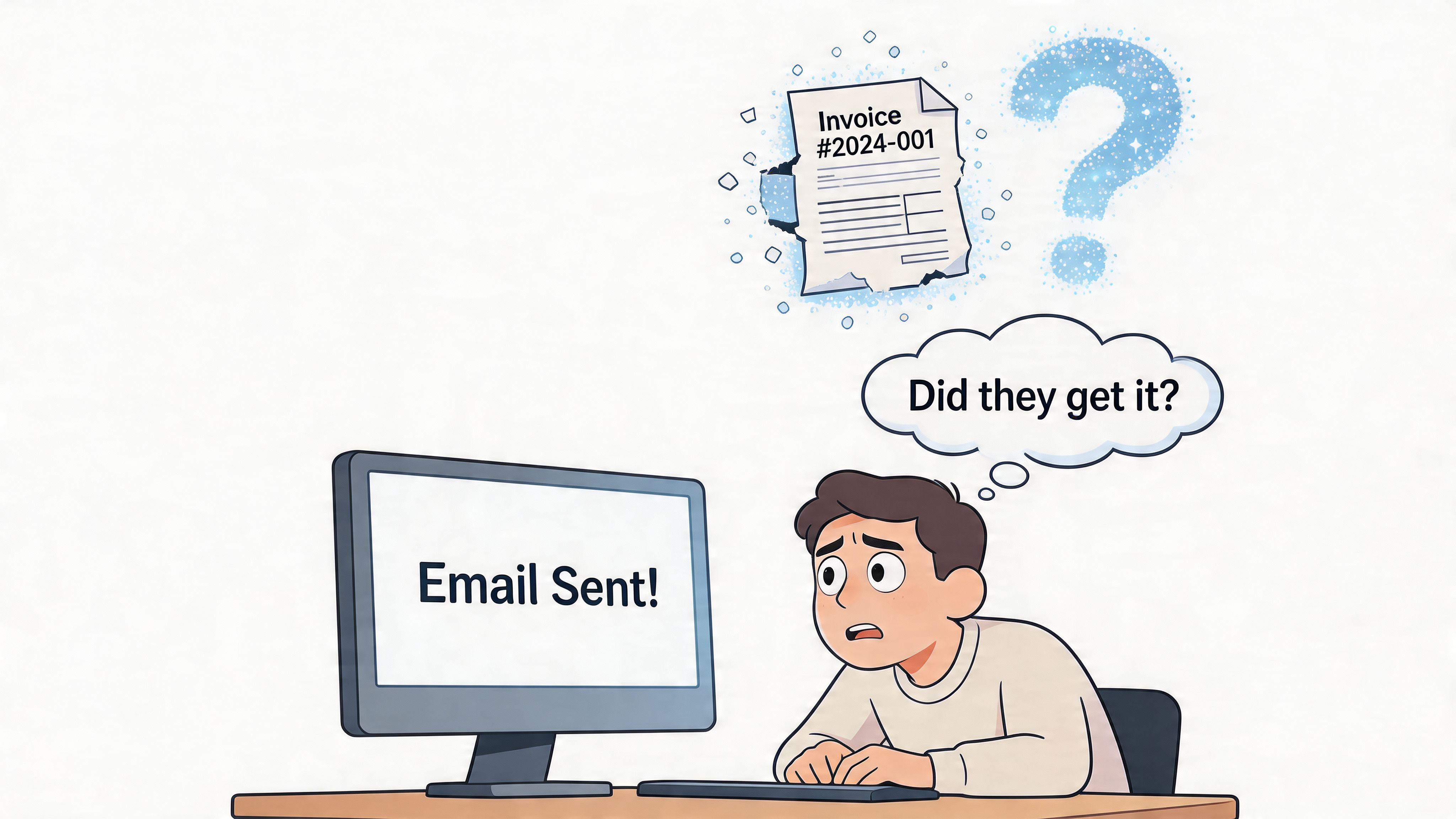
In finance work, silence creates risk. A missing acknowledgment can turn into a delayed payment, a missed filing, or an audit trail with a hole in it. That’s why experienced bookkeepers and finance managers don’t treat receipt confirmation as fluff. We use it when the message matters and the cost of ambiguity is real.
Practical rule: If losing the email would create a dispute, a delay, or extra follow-up work, ask for confirmation.
What Please Confirm Receipt Actually Means
Please confirm receipt means: tell me you received this message or document.
That’s it. In plain English, you’re asking the recipient to close the loop. You’re not asking them to approve the contents. You’re not asking for a full response. You’re asking for acknowledgment that the email, invoice, file, or notice arrived.
What the phrase does in practice
In business use, the phrase creates a basic record of delivery. That matters when you send invoices, revised payment terms, signed agreements, policy notices, or documents tied to deadlines.
A softer phrase like “let me know if you have questions” does something different. It invites discussion. Please confirm receipt asks for a specific action: acknowledgment.
That’s one reason the phrase is common in formal communication. Linguistic analysis cited by Tailride’s explanation of please confirm receipt says it appears in 87% of formal B2B email threads, which tells you it’s a standard accountability tool, not awkward corporate jargon.
What it does not mean
It doesn’t guarantee the recipient read the attachment carefully.
It doesn’t mean they agree with your terms.
It doesn’t replace proper delivery procedures for legal notices where your company policy or counsel requires something more formal.
A receipt confirmation is evidence that the message arrived. It is not evidence that the issue is resolved.
That distinction matters. Junior staff often treat “received” as “done.” It isn’t.
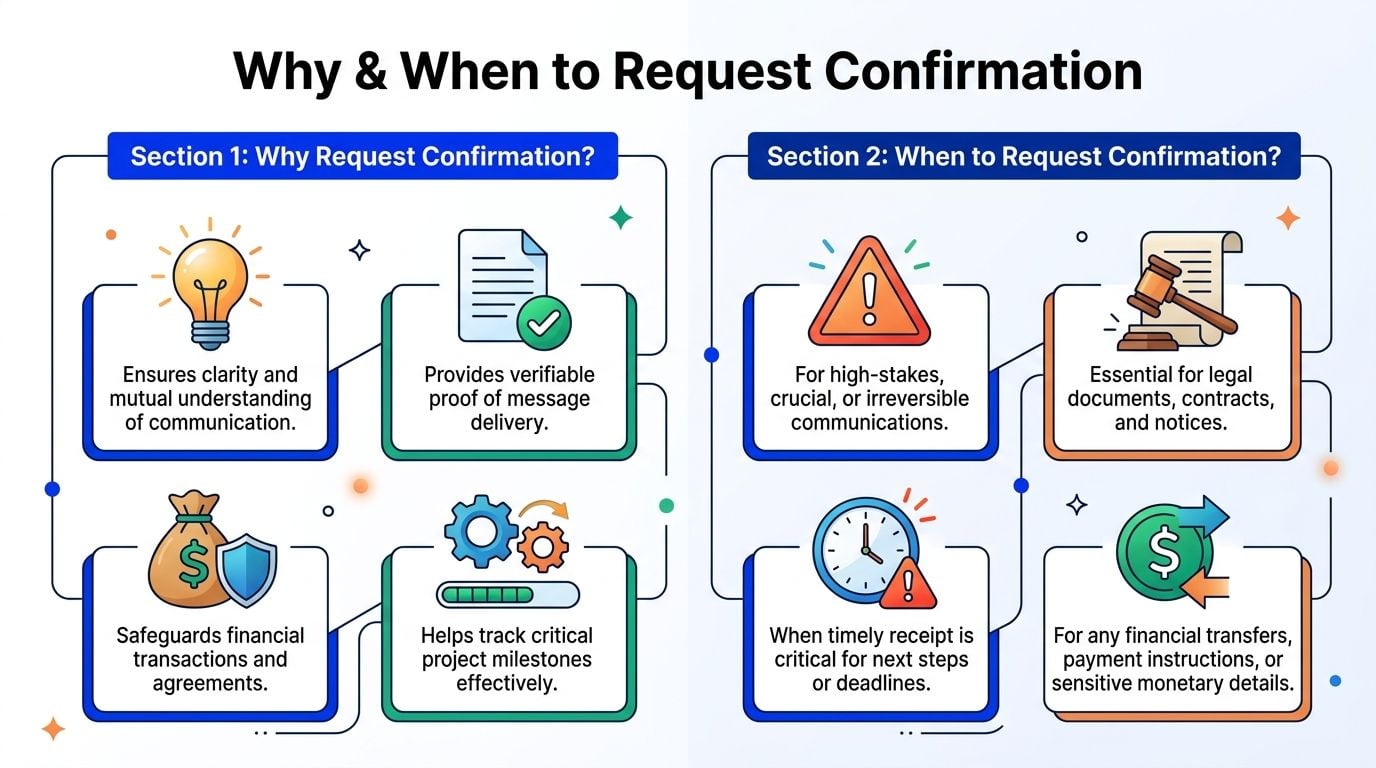
Why and When You Should Request Confirmation
Ask for confirmation selectively. If you request it on every routine email, people stop treating it as important. If you use it only for high-stakes communication, it keeps its weight.
The business case
For finance teams, this is not theoretical. APQC’s 2025 benchmarking report, cited here says 62% of finance teams report payment delays from unacknowledged invoices, with payment cycles extended by 5 to 7 days and average late fees of $15 to $25 per invoice.
That’s why confirmation requests belong in your risk-control toolkit. They help you spot a communication failure before it turns into a collections problem.
Reason and impact
Reason
Impact
Invoice delivery needs proof
You can show the document was sent and acknowledged if payment timing gets disputed.
A deadline depends on receipt
You find out quickly whether the recipient actually has what they need to act.
The document changes legal or financial position
You create a cleaner record for contracts, notices, and policy-related communication.
Ownership is being handed over
You reduce the “I never got it” problem during project or role transitions.
The message triggers the next workflow step
Teams can move from sending to processing without guessing.
When it makes sense
Use it in these situations:
- Invoices and payment instructions when billing, remittance details, or supporting documents need to land with the right person.
- Contracts, notices, and formal approvals where timing and delivery records matter.
- Deadline-driven submissions such as proposals, compliance documents, or end-of-period files.
- Job-related transitions like resignation letters, offer acceptances, or HR documents.
- Project handoffs when another person must act on the files you send.
When it doesn’t
Skip it for casual updates, meeting notes, or low-risk internal chatter. That just trains people to ignore the request.
A good rule is simple. If the recipient’s silence would force you to chase, defend, or resend, ask for confirmation. If not, don’t clutter the inbox.
How to Ask for Confirmation Without Sounding Pushy
Tone matters more than the phrase itself. Confirming receipt usually elicits no objection. What they react to is a message that sounds suspicious, impatient, or overly formal for the situation.
The fix is to match the wording to the stakes.
Phrasing your confirmation request by formality level
Formality Level
Example Phrase
Formal
Kindly confirm receipt of this document at your earliest convenience.
Standard business
Please confirm you’ve received this invoice.
Please confirm receipt of the attached files.
Warm professional
Please let me know once this comes through on your side.
Casual internal
Just confirming this landed in your inbox.
Casual chat
Can you give me a quick thumbs-up when you get this?
What works
The best requests are short and specific.
Use the document name when possible. “Please confirm receipt of invoice 1847” is better than “Please confirm receipt of this.” It gives the recipient less room to miss what you mean, and it helps later if someone searches the thread.
A second good habit is to tie the request to process, not emotion. Say “so we can keep payment processing on schedule,” not “I just want to make sure you saw it.”
Manager’s shortcut: Ask for acknowledgment once, clearly. Don’t stack three variations in the same email.
What doesn’t work
Avoid these habits:
- Overexplaining because it makes a simple request feel heavier than it is.
- Adding urgency you don’t mean because “urgent” loses value when everything is urgent.
- Sounding accusatory with wording that implies the other person is likely to drop the ball.
- Requesting confirmation in every email because then nobody knows which requests actually matter.
A few practical examples
If you’re sending a client invoice, keep it direct: “Attached is this month’s invoice. Please confirm receipt.”
If you’re sending a signed agreement: “Please confirm receipt of the attached signed agreement for your records.”
If you’re writing to a teammate on a time-sensitive handoff: “I’ve uploaded the final file set. Please confirm receipt so we can release the next step.”
Replying to Confirmation Requests and Modern Etiquette
If someone asks you to confirm receipt, reply fast. Don’t leave them waiting while you plan a fuller response later. A two-line acknowledgment is enough.
Good reply examples
Here are simple replies that work:
- For invoices“Received, thank you.”
- For contracts or documents“Confirmed. I’ve received the attached documents and will review them today.”
- For internal handoffs“Got it. I have the files and will take it from here.”
- For requests you can’t review yet“Confirmed receipt. I’ll review and respond once I’ve gone through the details.”
The key is clarity. “Noted” can be too vague. “Received” is better.
Modern alternatives
Email isn’t the only channel anymore, and each one has its own etiquette.
Slack or Teams
Yes, you can ask for confirmation there. Just don’t use the full phrase unless the context is formal. In Slack or Microsoft Teams, a checkmark reaction, thumbs-up, or “got it” usually does the job.
That works well for internal coordination. It’s less suitable for client billing, legal notices, or anything you may need to produce later as part of a clean record.
Read receipts
Read receipts can help, but they’re limited. Some people block them, some email systems handle them inconsistently, and “opened” is not the same as “acknowledged.”
Use them as a supplement, not your only control.
If the issue matters enough to defend later, rely on a human acknowledgment, not just a technical signal.
The End of Chasing Invoices An Automation Strategy
Manual confirmation has its place. But for invoices, it’s often a workaround for a broken process.
Finance teams spend too much time checking whether documents arrived, whether suppliers sent them correctly, whether portal invoices were downloaded, and whether anyone can prove receipt later. According to Ludwig’s summary of receipt-confirmation workload, accountants and bookkeepers spend 8 to 10 hours weekly manually chasing invoice receipts, and invoice automation tools can reduce that work by over 70%.
The real trade-off
The old method is straightforward but expensive in labor. Someone sends the invoice, waits, follows up, logs the reply, and then still has to process the document.
That doesn’t scale well.
An automated workflow changes the job. Instead of relying on a customer, vendor, or teammate to reply to an email, the system captures invoice documents from inboxes and supplier portals directly, then routes them into processing. That’s a stronger operational answer than hoping somebody writes back “received.”
What good automation looks like
A solid setup usually includes:
- Inbox scanning for supplier emails and attachments
- Portal retrieval from platforms your team uses
- Data extraction so invoice details don’t need rekeying
- Centralized document storage for retrieval and audit support
- Export into accounting software so documents move into the next workflow step cleanly
If you’re reviewing your broader email automation strategy, this is one area where finance teams can get immediate operational value. The point isn’t to automate every message. It’s to remove repetitive chasing where a better system can capture the document without waiting for someone to reply.
What still requires judgment
Automation doesn’t remove judgment from finance work. You still need controls for exceptions, duplicate invoices, disputed amounts, and documents sent to the wrong entity.
But it does remove a lot of low-value follow-up. And in invoice operations, that’s usually where the waste sits.
Frequently Asked Questions
Is it rude to ask for confirmation?
No, not when the message matters. It’s normal for invoices, legal documents, deadline-sensitive files, and job-related communication. It only starts to feel rude when you use it on routine messages that don’t justify the extra step.
What if they don’t confirm?
Follow up politely after a reasonable interval based on the urgency. Keep the follow-up short, refer to the original email, and resend the attachment if needed. If the issue affects payment or compliance, move to a second channel such as a phone call or direct message.
Can I use it on Slack?
Yes, but usually in a lighter form. On Slack or Teams, “did this come through?” or an emoji acknowledgment is often enough for internal communication. For formal or external matters, email is usually the better record.
Does confirming receipt mean approval?
No. It only means the person received the message or file. Approval, acceptance, and review are separate steps and should be stated clearly if needed.
Should every invoice email ask for confirmation?
Not necessarily. If your process still depends on manual delivery and manual follow-up, confirmation can help. But if invoice capture is automated, you can reduce or remove a lot of that back-and-forth entirely.
If your team is still chasing “received?” replies on invoices, that’s a process problem more than an email problem. Booksmate helps eliminate that chase by automatically retrieving invoices and receipts from email inboxes and supplier portals, then organizing them for extraction and export. Instead of waiting on someone to confirm receipt, your finance team gets the document captured and ready to process.