Articles
What Is an Electronic Invoice a Simple Guide to Digital Billing
Let's get one common misconception out of the way right now: an electronic invoice is not just a PDF you email. While a PDF is digital, it’s not what we mean when we talk about true e-invoicing.
So, what is it, then? Think of it like this: a PDF invoice is like a photograph of a spreadsheet. You can see the numbers, but your computer can't actually work with them. A true electronic invoice, on the other hand, is the spreadsheet file itself—structured, organized, and ready for your software to use instantly.
What Is an Electronic Invoice Exactly?
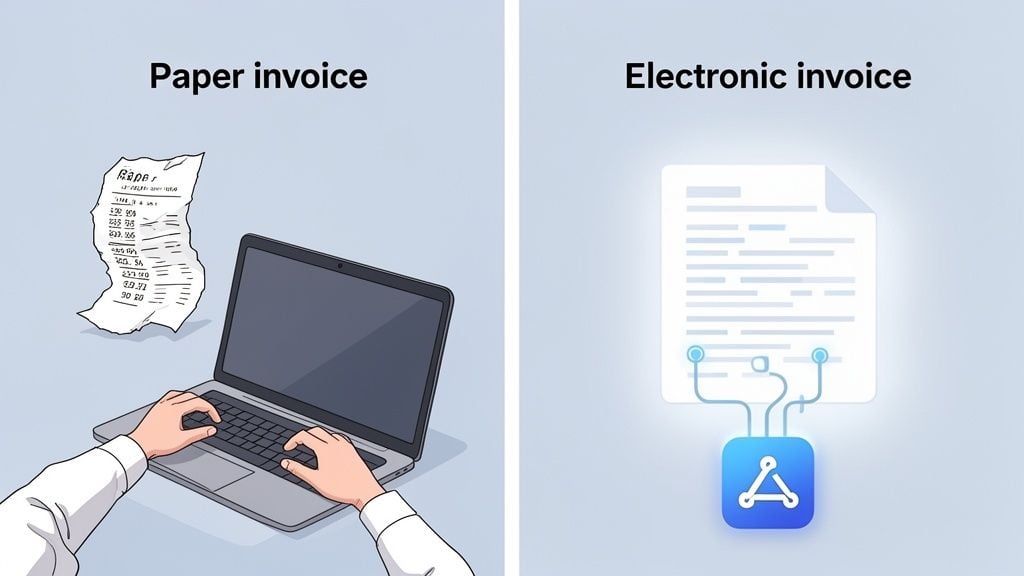
When you receive a classic paper invoice (or even a PDF), someone has to sit down and manually key all that information into your accounting system. The supplier name, the invoice number, the line items, the total amount—it’s a tedious process that’s practically begging for typos and mistakes.
A true electronic invoice, or e-invoice, flips that entire process on its head. It’s a digital file created from the start in a structured data format, like XML or UBL. These aren't just fancy acronyms; they are languages designed specifically for computers to talk to each other.
When an e-invoice arrives, your accounting software can read and understand it automatically. All the critical information is pulled in, categorized, and ready for approval without a single keystroke.
More Than Just a Digital File
The key difference here is structured versus unstructured data. A PDF is unstructured. It’s essentially a flat image of text. While you can use Optical Character Recognition (OCR) technology to try and "read" it, OCR is far from perfect and can still misinterpret characters or numbers.
A true e-invoice, however, is structured. The data is already organized and labeled in a way that software can understand without any guesswork. This is the secret sauce to real automation.
This simple distinction unlocks some game-changing benefits:
- No Manual Data Entry: Frees up your team from the mind-numbing task of typing in invoice details.
- Fewer Errors: Data is transferred directly from one system to another, virtually eliminating the risk of human error.
- Faster Processing: Invoices can be processed and approved in minutes, not days or weeks.
For accountants and business owners, this is a significant shift. It transforms billing from a manual chore into a seamless, automated flow of information, freeing you up to focus on financial strategy instead of administrative tasks.
To make the difference crystal clear, here’s a quick look at how the old way of doing things stacks up against modern e-invoicing.
Paper Invoice vs. Electronic Invoice at a Glance
This table breaks down the core differences, showing why so many businesses and governments are making the switch.
Feature
Paper Invoice
Electronic Invoice
Creation
Manually created, printed
Automatically generated in a structured format
Delivery
Mail, email attachment
Sent directly between accounting systems
Processing
Manual data entry required
Automated, machine-to-machine processing
Accuracy
High risk of human error
Extremely high accuracy
Speed
Slow; days or weeks
Instant; seconds or minutes
In short, while both might arrive digitally, only one is built for the automated, efficient, and error-free world we all want to work in.
Why E-Invoicing Is a Massive Financial Opportunity
Switching to electronic invoicing is much more than a simple tech upgrade for your back office—it’s one of the smartest financial moves you can make. When you stop processing invoices by hand and start using structured, automated data, you unlock some serious, measurable value.
Think of it like swapping out a winding country road for a multi-lane highway. You're still getting from A to B, but you'll get there faster, with less friction, and with far fewer chances for costly wrong turns.
The Billions Hiding in Plain Sight
The potential here is enormous. A major study by the Center for Economics and Business Research (Cebr) found that if just six major economies fully embraced e-invoicing, it would generate an incredible $616 billion in economic gains every single year. That’s a staggering number built on real-world productivity boosts, faster payments, and a sharp drop in fraud.
So, what does that global trend mean for your business? The same research showed that companies using e-invoicing get paid 1.4 days sooner on average. Just think about that. What could you do with an extra day and a half of cash flow to manage payroll, pay your own suppliers, or invest back into the business?
The takeaway is simple: e-invoicing isn't just another piece of software. It’s a strategic tool that directly boosts your financial health and gives you a real competitive edge.
And these aren't benefits reserved for huge corporations. We’ve seen businesses in Australia, for instance, save hundreds of thousands of dollars annually just by making the switch. This isn’t just about trimming the fat; it’s about freeing up your team from mind-numbing manual work so they can focus on what actually grows the business.
From Big Numbers to Your Daily Wins
The financial upside comes from a few key areas that create a powerful ripple effect across your entire operation.
- Massively Lower Processing Costs: When a system handles the work, you're no longer paying for manual data entry, paper, printing, or postage. Every single invoice you process electronically saves you time and money, and that adds up incredibly fast.
- A Stronger Grip on Cash Flow: Getting invoices delivered and processed instantly means they get approved and paid faster. This predictability makes financial planning so much easier and a whole lot less stressful.
- Airtight Fraud Prevention: Structured e-invoices are sent through secure, verified networks. Unlike a PDF attached to an email, they are incredibly difficult to intercept or fake, which dramatically cuts your risk of falling victim to costly invoice scams.
It's amazing to see the Invoice Processing ROI when you get it right. For businesses using tools like Booksmate, this is how a tedious cost center is flipped into a source of savings and powerful strategic insight.
Unpacking E-Invoice Formats and Standards
One of the biggest mix-ups I see is the idea that emailing a PDF invoice is the same as sending a true electronic invoice. They might both be digital, but that’s where the similarity ends. Getting this distinction right is the first step toward unlocking the real power of accounting automation.
Think of a PDF invoice like a photograph of a spreadsheet. You can see all the numbers, but you can't actually do anything with them. Someone still has to sit there and manually type every single line item, date, and amount into your accounting system. It’s digital, yes, but it’s still manual work.
A true e-invoice, on the other hand, is like getting the spreadsheet file itself. It’s built with structured data formats that your software can instantly read, understand, and use. No human hands required.
What Are These E-Invoice Formats?
When we talk about structured data, we're really just talking about files designed for computers to talk to each other without confusion. The most common ones you'll run into are:
- XML (eXtensible Markup Language): This is the grandparent of many data formats. It uses simple tags to label each piece of information (like
or), so any system knows exactly what it's looking at. - UBL (Universal Business Language): Think of UBL as a specific dialect of XML created just for business documents. It provides a standard, globally recognized template for invoices, purchase orders, and more, ensuring everyone is speaking the same financial language.
The whole point of these formats is to remove any guesswork. A UBL invoice doesn't just display the number "123.45"; it clearly tags it as the InvoiceTotal. Your accounting software sees that tag and knows precisely what that number means and where to post it in the ledger.
How Standards Like PEPPOL Connect Everything
Okay, so we have standard formats. But how do you send an invoice from your system to a client's system if they're using totally different software? That’s where networks and standards like PEPPOL (Pan-European Public Procurement On-Line) come into play.
Think of PEPPOL as a certified, global postal service for e-invoices. It isn't a piece of software you buy. Instead, it’s a secure network with a shared set of rules that lets different systems talk to each other. It’s the universal translator that guarantees an invoice sent from one business is perfectly understood by another, no matter what accounting tools they use.
This is where you start to see real financial opportunities emerge from what seems like a purely technical shift.
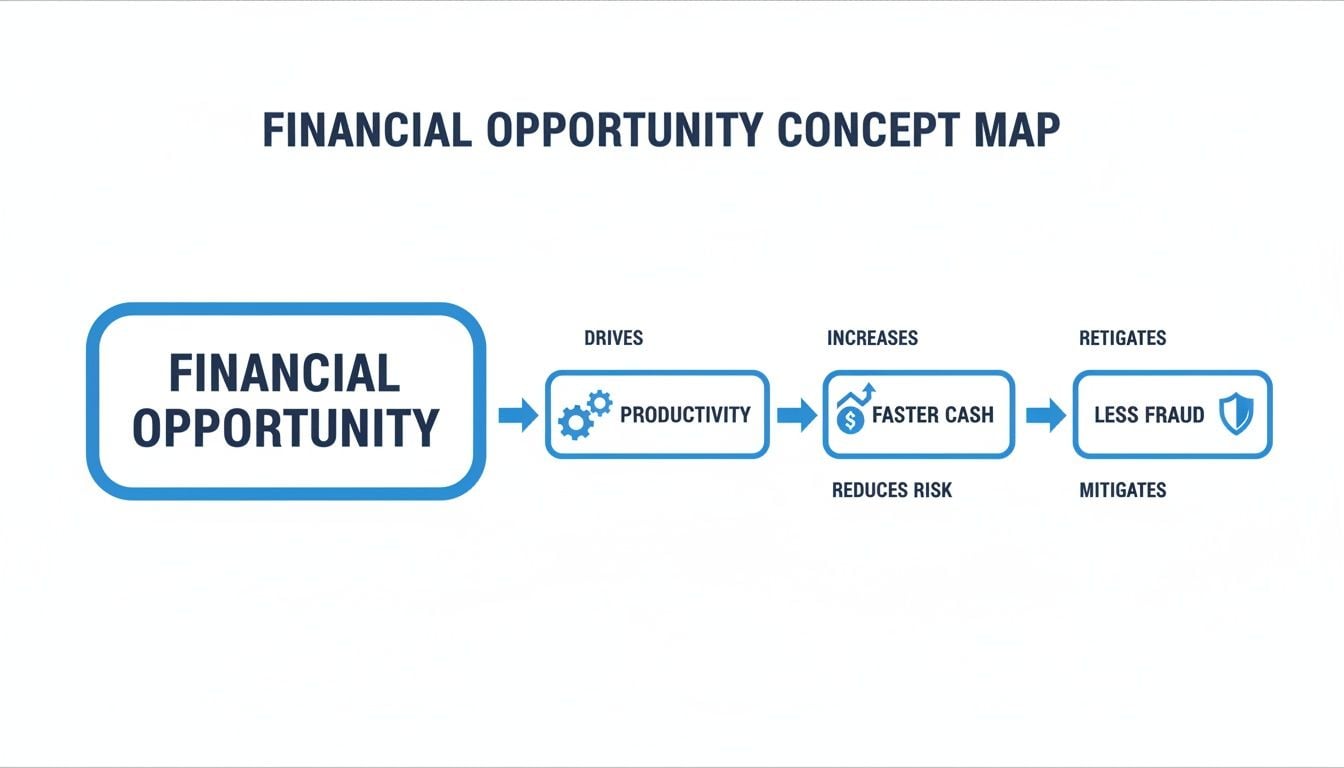
As you can see, these standards are the engine driving better efficiency, faster payments, and tighter security.
For accountants and bookkeepers, this isn't just "tech stuff"—it’s incredibly practical. It's the reason why many government bodies and big corporations now require e-invoicing. They’re using these standards to automate their accounts payable.
By getting on board, you’re not just ticking a compliance box. You're plugging your business into a faster, more secure, and highly automated ecosystem. This is exactly what tools like Booksmate are built for—they tap into this structured data to pull invoices automatically, completely wiping out the need for manual data entry.
How E-Invoicing Transforms Your Accounting Workflow
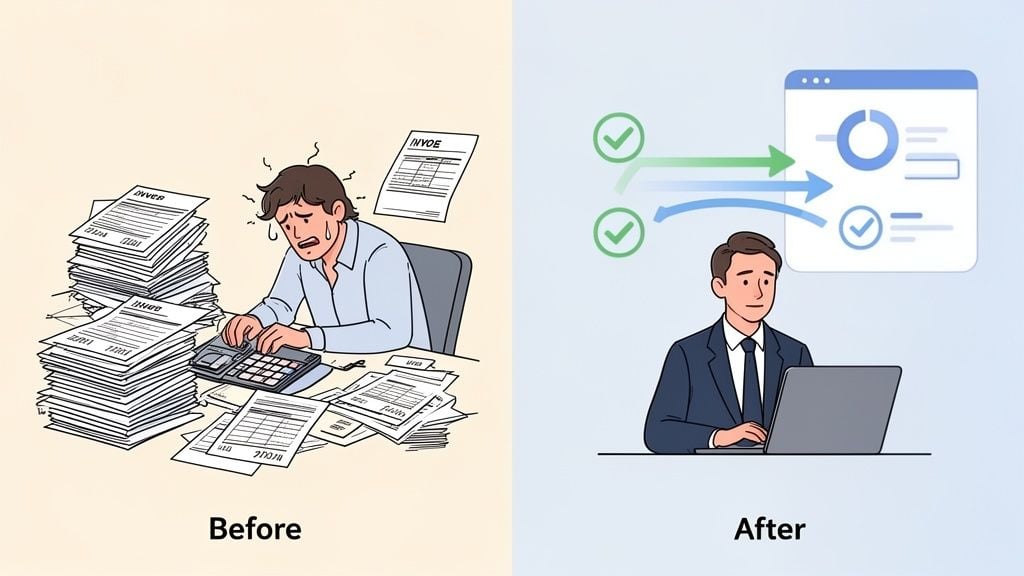
If you're in finance, you know the daily grind all too well. It probably starts with a deep sigh as you open your inbox, ready to download a mountain of PDF invoices. Then comes the slow, soul-crushing task of keying every single line item, date, and invoice number into your accounting software by hand.
This isn’t just tedious work; it's a perfect recipe for burnout and expensive mistakes. The hours spent chasing down missing receipts or fixing a typo from last Tuesday are hours you’ll never get back. This manual slog puts a hard limit on your team's efficiency and the real value you can bring to the business.
Now, let's picture something different. An electronic invoice workflow doesn't just tweak the old process—it flips it on its head. Instead of you hunting down invoices, they arrive in your system automatically, perfectly structured and ready to go.
From Manual Grind to Automated Flow
The biggest change is how data gets into your system in the first place. With an automated setup, you stop having to "pull" every document yourself. Instead, data is "pushed" to you seamlessly.
Think about the old way versus the new way:
- Before: You lose hours every week logging into dozens of supplier portals—Amazon, Google, the utility company—each with its own password and clunky interface, just to download bills.
- After: An automation tool like Booksmate securely connects to those same portals and your email inboxes. It fetches every new invoice and receipt the second it arrives, organizing everything in one central dashboard.
This shift alone can give a small team back hundreds of hours a year. It's the difference between being a digital hunter-gatherer and having a fully stocked pantry ready whenever you need it.
This isn't just about saving time on a single task. It's about fundamentally changing your relationship with financial data. You stop being a data entry clerk and start becoming a strategic advisor.
The Power of Perfect Data Extraction
Once the documents are collected, the real magic happens. Since true e-invoices are built with structured data, all the information is pulled out flawlessly. There’s no optical character recognition (OCR) trying to guess what it sees, and zero risk of a “5” being misread as an “S.”
Even for unstructured files like PDFs, modern AI can step in and extract the key details with incredible accuracy. This data—supplier name, amount, due date, line items—is then perfectly formatted and pushed right into your accounting software.
So, what does this actually mean for your day-to-day?
- Elimination of Data Entry: The most time-consuming part of your job simply vanishes.
- Drastic Error Reduction: Automated extraction is far more accurate than human keying, which means cleaner books and less painful month-end reconciliations.
- Faster Approvals and Payments: With data ready in an instant, invoices can get approved in hours instead of weeks, helping you snag those valuable early payment discounts.
By embracing an electronic invoice workflow, you’re not just making a process more efficient; you’re reclaiming your time and elevating your role. You can finally step away from the keyboard and focus on what you're best at: financial analysis, cash flow forecasting, and guiding the business toward smarter growth.
How to Implement E-Invoicing Automation in Your Business
Jumping into e-invoicing automation can feel like a massive undertaking, but it doesn't have to be. The secret isn't to flip your entire finance department upside down overnight. Instead, a smarter, more gradual approach will get you much better results—and faster.
Start by taking a quick look at how you handle invoices right now. Where are the real headaches? Maybe you’re losing hours every week downloading bills one-by-one from supplier portals like Amazon or Google. Or perhaps your team is just buried under a mountain of PDF invoices flooding their inboxes. Identifying these specific bottlenecks is your first win, because it shows you exactly where automation can make a real difference, right away.
Once you’ve found the source of the pain, you'll know exactly where to begin.
Start with Your Busiest Suppliers
Rather than trying to automate every single invoice from day one, pick a few of your most frequent, high-volume suppliers. Think about the vendors that send you the most paperwork and make them your pilot group.
This focused approach is powerful for two reasons:
- Quick Wins: You'll immediately feel the relief of less manual work. This builds momentum and gets your team excited about the change.
- Lower Risk: You get to test and perfect your new automated workflow on a manageable scale before you roll it out to everyone.
For instance, you could start by using a tool like Booksmate to automatically fetch invoices from just your top three suppliers. That one small step could save you from manually downloading hundreds of documents a month, freeing up your team for work that actually requires their expertise.
Choose Software That Works for You, Not Against You
The right software is the heart of your automation system. Your main goal should be finding a tool that plays nicely with the accounting software you already use, whether that's Xero, QuickBooks, or something else. A new system that just adds another login or forces you to manually shuffle data between platforms completely defeats the purpose.
The best automation tools are the ones you forget are even there. They work silently in the background, collecting, processing, and organizing your financial documents without needing any hand-holding. This is what lets your team evolve from data-entry clerks into true financial strategists.
As you look at different options, think about how you can automate invoice processing with an eye toward the future. The global e-invoicing market is growing at an incredible pace, valued at USD 6.00 billion in 2024 and projected to hit an astounding USD 36.72 billion by 2032. With North America making up 34.5% of that market, driven by new regulations and the shift to cloud accounting, you want a tool that’s ready for what’s next.
Choosing a forward-thinking solution now isn't just about keeping up; it's about staying ahead of the curve. You can dive deeper into these global e-invoicing trends and the lessons from 14 country rollouts to see where things are headed.
Common Questions About Electronic Invoicing
Okay, so the concept of e-invoicing is starting to click. But as you get closer to actually using it in your daily work, a few practical questions almost always surface. That's perfectly normal.
Let's walk through some of the most common sticking points. We'll clear up the confusion and make sure you understand not just the what, but the how and why behind it all.
Is a PDF Sent by Email a Real E-Invoice?
This is easily the biggest point of confusion, and the answer is a straightforward no. A PDF is a digital file, sure, but it’s what we call an unstructured document. It’s just a picture of an invoice. Your accounting software can’t simply grab the data from it.
Here’s an analogy: a PDF invoice is like a beautiful, printed map. You can look at it and figure out where to go. A true e-invoice, built with a structured format like UBL, is like the raw data that powers your GPS. It’s made for machines to read and use for turn-by-turn directions, instantly and without any guesswork.
How Is E-Invoicing Different from OCR?
This question really gets to the core of automation. Optical Character Recognition (OCR) is a clever technology that scans a document—like a PDF or even a photo of a paper invoice—and tries to read the text on it. It’s an impressive bit of tech that converts an image of words and numbers into actual data a computer can use.
Modern AI-powered OCR is remarkably good, but it's still guessing. It’s interpreting an image, which means mistakes can happen. It might mistake a "5" for an "S" or get tripped up by a weird invoice layout.
E-invoicing skips that entire step. The invoice is created as structured data right from the start. There's no reading, no interpreting, and no guessing. The data flows directly from the supplier's system to yours, guaranteeing 100% accuracy.
It really breaks down like this:
OCR Technology
True E-Invoicing
Data Source
Scans an image (PDF, JPG)
Uses a structured data file (XML, UBL)
High, but not perfect; errors can occur
100% accurate data transfer
Process
Converts image to text
Directly ingests pre-labeled data
Reliability
Depends on document quality and layout
Completely reliable and consistent
So, while OCR is a fantastic tool for dealing with the unstructured documents we get every day, true e-invoicing is a fundamentally better process because it eliminates the risk of data entry errors.
What If My Suppliers Don't Send E-Invoices?
This is the real world hitting the theory, isn't it? You can be fully prepared for the future of invoicing, but many of your suppliers are probably still emailing PDFs or, yes, even sending paper in the mail. Don't worry. You don't have to wait for the whole world to catch up to start seeing the benefits.
The best approach is a mix of encouragement and smart technology.
- Educate and Encourage: Talk to your main suppliers. Often, they have no idea this is an option or why it would matter to them. Explain that it means they'll get paid faster, have fewer rejected invoices, and cut down on their own admin time. A simple conversation can be all it takes to get them on board.
- Use a Smart Automation Tool: This is exactly where a solution like Booksmate comes in. It’s built for this messy, mixed reality. The platform can process true e-invoices perfectly while also using its advanced AI-driven OCR to handle all the PDFs and other documents your other suppliers are sending.
With this hybrid strategy, you get the workflow you want without having to force an all-or-nothing change on your business partners. You can start automating today, no matter what your suppliers are sending you.
Ready to stop chasing invoices and let automation do the work for you? Booksmate connects to your supplier portals and email inboxes to fetch documents automatically, using AI to extract data with precision. See how much time you can save by visiting https://booksmate.com.