Articles
Workflow management for accountants: Streamline Your Practic
Let’s talk about workflow management for accountants. Forget the jargon for a second. At its heart, it’s about creating a smart, organized system to track and automate all the financial tasks on your plate.
It’s the difference between reactive chaos and proactive control. Instead of chasing down documents, untangling frantic email chains, and wondering what’s next, you have a clear, predictable path for every single job. This approach ensures work moves smoothly from one person to the next, without someone having to manually nudge it along every step of the way.
Why Smart Accounting Workflow Management Matters

Imagine your firm running not on adrenaline and sticky notes, but on a clear, repeatable system that guides every task to completion. That's the real promise of effective workflow management.
Think of it as the air traffic control for your practice. It’s a system that ensures every task—from onboarding a new client to filing their year-end taxes—lands safely and on time.
This is about more than just doing the work; it’s about designing how the work gets done. This strategic shift turns your firm from a collection of individual efforts into a cohesive, well-oiled machine. When you define the exact steps for each service you offer, you build a reliable process that minimizes errors and makes your entire team more productive.
From Manual Chaos to Automated Control
Let's be honest: without a defined workflow, many accounting firms operate in a state of controlled chaos. Team members are constantly chasing documents, trying to get approvals through scattered emails, and manually updating a dozen different spreadsheets. This administrative grind is a huge drain on time, resources, and morale.
Just how big of a drain? The 2024 State of Accounting Workflow Automation Report found that 53.8% of firms spent over five hours every week just on scheduling and assigning tasks before they implemented automation.
After adopting better systems, a whopping 75.8% of those firms cut that time down to five hours or less. That’s a massive amount of time unlocked for more valuable work.
A common misconception is that workflow systems are about replacing an accountant's professional judgment. That couldn't be further from the truth.
A well-designed workflow system automates the predictable, repetitive parts of the job. This frees up your accountants to focus on the complex, high-value work that actually requires their expertise—like strategic advising and client problem-solving.
To see what this looks like day-to-day, let's compare the old way of doing things with a modern, automated approach.
Manual vs Automated Accounting Workflows
Task
Manual Process (The Old Way)
Automated Workflow (The New Way)
Invoice Processing
Manually enter data from PDFs. Email finance for approval. Chase for payment status.
AP software extracts data automatically. The system routes the invoice to the right person for approval. Status is tracked in a central dashboard.
New Client Onboarding
Send a checklist via email. Manually track which documents have been received. Create folders and tasks by hand.
Client receives a portal link to upload documents. The system automatically creates tasks and assigns them to the team as steps are completed.
Month-End Close
Use a messy spreadsheet checklist. Constantly email team members for updates. Manually pull reports from multiple sources.
A standardized, templated checklist is assigned. Progress is tracked in real-time. The system automatically notifies the next person in the chain.
Task Management
Relies on memory, sticky notes, and overflowing inboxes. No clear visibility into who is working on what.
All tasks are in a central system with clear owners, deadlines, and priorities. Managers can see workloads at a glance.
The difference is night and day. One path leads to burnout and missed deadlines; the other leads to clarity and efficiency.
The True Cost of Inefficiency
The real cost of a bad workflow isn't just wasted hours—it’s a direct hit to your firm's profitability and its ability to grow.
When your most skilled professionals are bogged down with administrative follow-ups and data entry, they aren't providing strategic advice, nurturing client relationships, or bringing in new business.
Getting a handle on modern digital workflow solutions is the first step toward reclaiming that lost potential. An optimized system creates capacity, which is just a fancy way of saying you can serve more clients without completely overloading your team.
The 5 Core Workflows Your Firm Should Automate
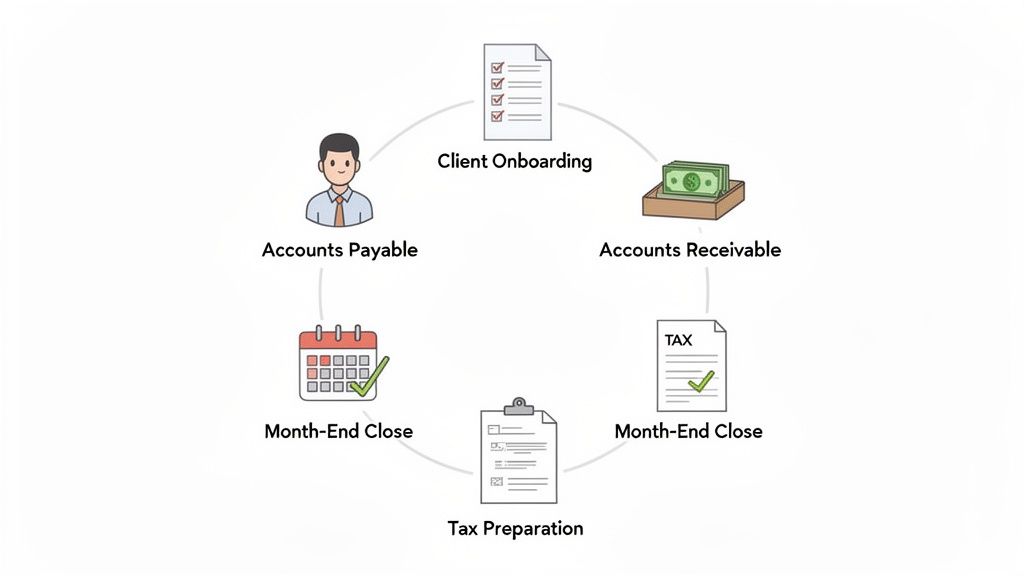
Alright, so where do you actually start? It’s easy to get excited about automation, but the real trick is knowing which tasks to tackle first for the biggest impact. You want to aim for the high-volume, repetitive, and error-prone processes that are currently draining your team's time and energy.
These are the areas where a smart system for workflow management for accountants can make an immediate difference. By automating the right processes, you’ll see fewer errors, deliver work faster, and free up your team to focus on the advisory work that clients truly value.
Here are the five core workflows I always recommend firms look at first.
1. Client Onboarding
That first impression is everything. But let’s be honest, a manual onboarding process can feel clunky and chaotic for everyone involved. You’re chasing down signed engagement letters, sending endless follow-up emails with document checklists, and just trying to keep it all straight. It's a time-suck that can set a frustrating tone from day one.
An automated workflow turns this chaos into a smooth, professional welcome.
- Effortless Engagement: Send engagement letters for e-signature automatically the moment a client says "yes."
- Centralized Document Collection: Give clients a secure, branded portal to upload their files, so nothing gets lost in email.
- Instant Task Kick-off: As soon as documents are in, the system can automatically create and assign setup tasks to your team.
This doesn't just save you hours of admin work; it immediately shows clients that your firm is organized, modern, and on top of its game.
2. Accounts Payable (AP)
Accounts payable is the poster child for manual bottlenecks. For many teams, it’s a constant scavenger hunt—downloading invoices from a dozen different vendor portals, fishing bills out of email inboxes, keying data into the accounting software, and then trying to track down the right person for approval. It’s tedious, and a single typo can cause major headaches.
This is where modern AP automation tools, like Booksmate, completely change the game.
Imagine a system that automatically logs into vendor websites like Amazon and Microsoft to fetch new invoices for you. It scans your email inbox for bills, uses AI to extract all the key data—vendor, date, amount, due date—and organizes everything in one central dashboard.
This isn't science fiction; this is what automated AP does. It practically eliminates manual data entry, prevents duplicate payments, and gives you a real-time view of your liabilities. It transforms AP from a reactive mess into a streamlined, predictable function.
3. Accounts Receivable (AR)
Getting paid should be the easy part, right? Yet, for many firms, it’s a source of constant stress. You're stuck in a cycle of creating invoices from scratch, emailing them out one by one, and then manually checking your bank account and chasing down late payers. This not only leads to inconsistent invoicing but also puts a real strain on your firm’s cash flow.
Automating your AR workflow means you get paid faster, with a lot less effort.
- Set-and-Forget Billing: Put recurring invoices for retainer clients on autopilot.
- Automatic Nudges: Schedule polite but firm reminders to go out for any overdue invoices.
- Easy Payment Options: Give clients simple ways to pay you instantly with integrated online payment gateways.
When you automate AR, you stabilize your cash flow and spend less time chasing money you’ve already earned.
4. Month-End Close
We've all been there: the month-end close is a high-pressure scramble. It’s a flurry of activity as teams rush to reconcile accounts, post journal entries, and generate financial statements. The whole process is often coordinated through a messy web of spreadsheets and email chains, which is not only stressful but incredibly risky when you're up against a deadline.
A workflow management system brings a welcome sense of order to the month-end chaos.
You can build a standardized, repeatable checklist for every single client. Tasks are automatically assigned to the right team members with clear deadlines. As one person finishes their part, the system automatically notifies the next person in line, ensuring the process moves forward without you having to constantly check in. It’s also much easier to spot bottlenecks when your team can, for example, generate reports from Excel data through an automated, repeatable process.
5. Tax Preparation
Tax season is the ultimate stress test for any accounting firm. The sheer volume of work—collecting piles of documents, preparing complex returns, getting client sign-offs, and filing on time—is immense. Without a rock-solid system, it's a recipe for lost information, missed deadlines, and a completely burnt-out team.
Automating your tax prep workflow is no longer a luxury; it’s essential for survival and growth. A dedicated system allows you to:
- Send automated organizers and document request lists to clients at the right time.
- Track the real-time status of every single return in one central dashboard.
- Standardize your review and approval process to ensure quality and consistency.
This kind of structured approach makes tax season feel more predictable and a lot less frantic. It empowers your firm to handle more returns with greater accuracy and less stress, turning a period of chaos into a masterclass in efficiency.
Of course! Here is the rewritten section with a more human-like, expert tone.
Conquering the Biggest Bottlenecks in Your Workflow
We’ve all been there. You map out a perfect process for a client project, everything seems to be on track, and then… radio silence. One holdup, one missing piece of information, and the entire timeline grinds to a halt. These frustrating snags are what we call bottlenecks, and they’re the reason even the best-laid plans in an accounting practice go sideways.
Think of your workflow like a busy highway. When things are running smoothly, it's great. But a bottleneck is like a sudden, unannounced lane closure—it creates a massive traffic jam that backs everything up for miles. For accounting firms, these backups aren't just inconvenient; they chew through profits, tank client satisfaction, and crush team morale.
While a dozen little things can slow you down, one problem consistently towers above the rest as the biggest headache in our industry.
The Number One Culprit: Chasing Clients for Documents
If you feel like you spend more time chasing clients for information than you do on actual accounting, you're definitely not alone. The constant struggle to get the right documents, data, and answers from clients on time is a universal pain point. It’s the single biggest reason everything from monthly bookkeeping to critical tax filings gets delayed.
This isn't just a feeling, either. A 2026 report confirmed that workflow issues are still the top concern for firms, with "obtaining client information" singled out as the number one problem. It’s made worse by messy communication and endless manual tasks. The bright spot? Automation is finally making a real difference, with client reminders being a top-rated feature at 69.3%, just behind centralized dashboards at 73.9%. You can explore more of these industry findings to see just how widespread this is.
This single bottleneck creates a nasty ripple effect. When information arrives late, your team is forced into a mad rush, which is when mistakes happen. Deadlines get pushed, other clients' work gets bumped, and your well-planned capacity is suddenly a frantic scramble to put out fires.
At its core, the problem usually boils down to a few key things:
- Scattered Communication: Juggling emails, phone calls, and text messages creates a messy, untraceable paper trail. Where did they send that bank statement again?
- No Central Hub: Without one secure, easy-to-find place for clients to upload files, documents get lost in the ether, sent to the wrong person, or are just forgotten.
- Manual Follow-Ups: Your team burns through valuable, non-billable hours sending the same "Just checking in on this..." email over and over again.
Getting out of this cycle means shifting your approach from being reactive and manual to being proactive and organized.
The Power of a Centralized System
The most effective fix for the client document chase is a dedicated workflow system that includes a secure client portal. This isn't about adding another tool to your tech stack; it's about fundamentally changing how you work by putting all client communication and document sharing in one tidy place.
Instead of a never-ending email chain, you create a simple, trackable request list for each client.
Think of it like creating an online shopping cart for information. You add all the documents and data points you need to the "cart," send the request to the client, and the system automatically reminds them until the order is complete. You can see the status of everything in real time.
This simple shift completely changes the experience for both you and your clients. For your team, it means no more digging through inboxes or guessing the status of a request. For your clients, it’s a straightforward, professional way to give you what you need, which reduces their stress, too.
By using standardized request templates and automated reminders, you can finally solve your biggest operational headache. You turn the unpredictable chaos of client communication into a smooth, predictable process—which is the heart of effective workflow management for accountants.
How to Implement Your First Workflow System
So, you're sold on the idea of better systems but dread the thought of a massive, disruptive overhaul? I get it. The good news is that you don't have to flip a switch and change everything overnight. The smartest way to do this is to think big, but start small. We’re going to turn this journey into a series of manageable wins that build confidence along the way.
This is your practical, no-nonsense guide to getting it done right. We'll walk through five key phases, focusing on scoring quick victories that prove the value of your new system and build momentum for rolling it out across your entire firm.
Just look at how automation can take a chaotic process, like chasing client documents, and turn it into a streamlined success.
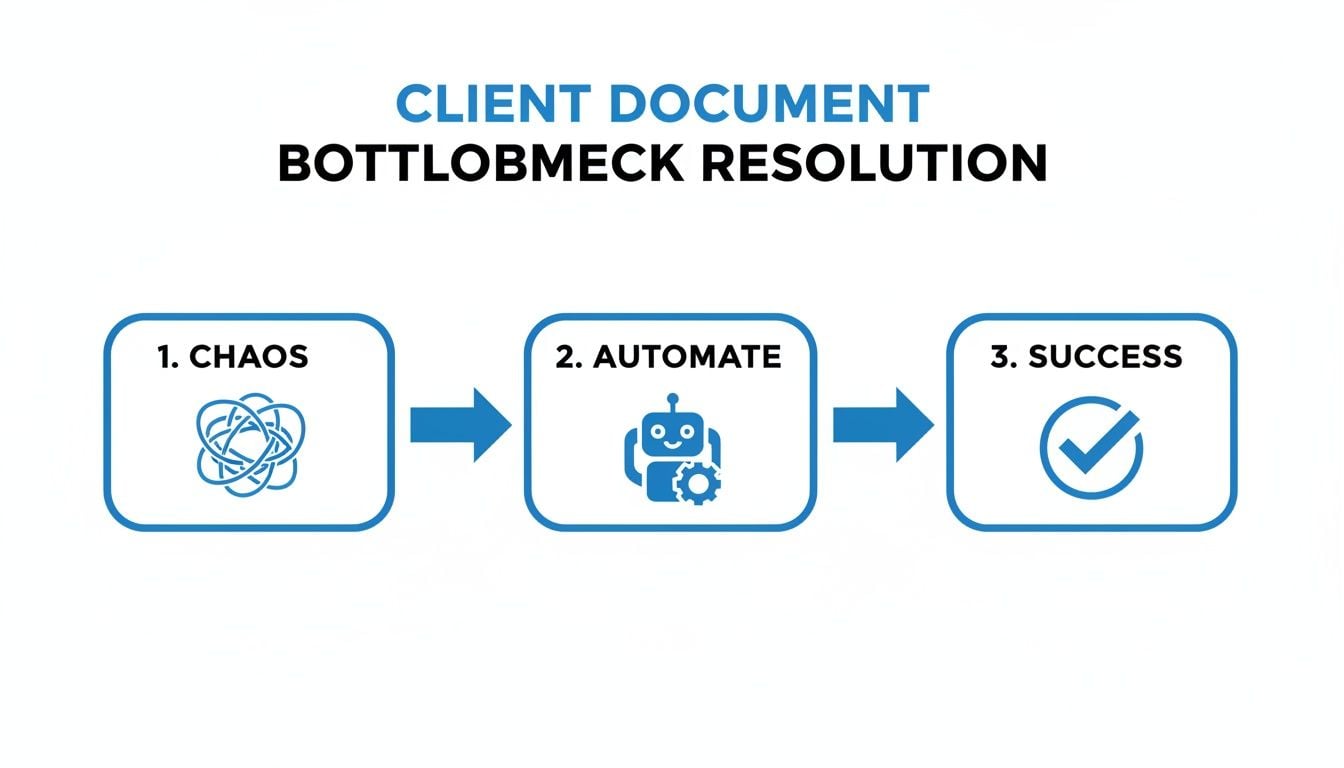
This picture says it all. Workflow management finds your biggest headache and transforms it into an efficient, predictable part of your business.
Step 1: Map Out Your Current Mess
You can’t fix a process until you truly understand it. Before you do anything else, grab a whiteboard (or open a blank document) and map out one of your key workflows. Accounts payable or client onboarding are usually great places to start.
Document every single step, no matter how tiny. Who does what? What tools are they using? Where are the handoffs? And most importantly, where does everything grind to a halt? This simple exercise will throw a spotlight on the bottlenecks and redundant tasks that are quietly eating up your team's time.
Step 2: Pick the Right Tool for the Job
Now that you know exactly where the pain is, you can start looking for a real solution. With your process map in hand, you can build a focused checklist of features you absolutely need. For instance, if you’re constantly chasing down invoices, a tool with automatic bill fetching like Booksmate should be at the very top of your list.
Don't get sidetracked by flashy platforms with a million features you’ll never touch. Zero in on the tools that solve the specific problems you uncovered in step one. Most have free trials, which are perfect for what comes next.
Step 3: Run a Small Pilot Project
This is the most critical step for getting your team on board. Instead of trying to boil the ocean, pick one small, high-impact area to test your new system. A fantastic starting point is automating invoice collection for just a handful of your most tech-friendly clients.
The goal of a pilot project isn't perfection—it's proof of concept. By showing a clear win on a small scale, you create internal champions who will advocate for the change and help you iron out any wrinkles before you go firm-wide.
This approach minimizes risk and gives your team a taste of the real benefits, like getting hours back from tedious data entry. It gets them excited for what’s next instead of making them resistant to change. A successful pilot makes the business case for you.
Step 4: Get Your Team and Clients Comfortable
Ultimately, people have to actually use the new system. Once your pilot project is a proven success, it’s time to train everyone who will touch the new workflow. For your internal team, focus the training on how this tool solves their biggest frustrations. Show them how it vaporizes boring tasks and frees them up for more valuable work.
When you introduce the new process to clients, frame it as a benefit to them. Explain how the new client portal or automated reminders will make their lives easier by offering a more secure and convenient way to send you information. A little proactive communication here goes a long way.
Step 5: Measure, Celebrate, and Scale
With the new system up and running, it's time to measure the results. Start tracking the metrics that matter. How much time did you really save on invoice processing? Did the month-end close happen faster? Have data entry errors gone down?
Use this hard data to show a clear return on investment to your team and the firm’s leadership. These numbers not only justify the change but also help you pinpoint the next process to tackle. Celebrate the wins, gather feedback for tweaks, and use that momentum to scale the solution across the entire firm—one workflow at a time.
Measuring the ROI of Your New Workflow

So, you’ve rolled out a new workflow system. Things feel more efficient, which is great. But feelings don't impress partners or justify budget requests. To prove your new process is actually working, you need to speak the language of business—and that means talking numbers.
This is where you move past gut feelings and start proving the tangible value of your investment. Measuring the return on investment (ROI) isn't about creating a vanity report; it's about making your firm smarter. By tracking the right metrics, you can see exactly what's working, find new opportunities for improvement, and show how a tech investment directly boosts the bottom line. It’s how you prove you can serve more clients with the same headcount, turning your practice into a truly scalable operation.
Key Metrics to Track Your Success
To get a clear picture of your ROI, you have to focus on metrics tied directly to time, cost, and quality. Think of these Key Performance Indicators (KPIs) as the vital signs for your firm’s operational health. Don’t try to track everything at once. Just start with a few that target the specific bottlenecks you were trying to fix.
Here are the most critical metrics for any accounting firm adopting workflow automation:
- Time Saved Per Client: How many hours did your team spend on month-end close before? Compare that to the time it takes with the new system. This is your most direct measure of efficiency.
- Invoice Processing Speed: Clock the average time from when a vendor invoice lands on your desk (or in your inbox) to when it's fully paid. A faster cycle here is a huge win for your clients' cash flow.
- Month-End Close Duration: Simply count the number of days it takes to close the books. This is a powerful, high-level indicator of your team's overall efficiency.
- Error Rate Reduction: Keep a tally of data entry mistakes, compliance slip-ups, or any work that has to be redone. Watching this number drop is solid proof of improved quality.
- Client Satisfaction Scores: You don't need a complex survey. A quick, simple pulse check can reveal a lot. A smoother process on your end nearly always means a happier client.
This isn't just theory. Simple automations are already saving professionals between two to four hours daily, which adds up to 10-20 hours weekly per accountant. In fact, a Sage report found that 58% of accountants point to technology for these huge efficiency gains, which can slash errors by up to 50%. You can learn more about how modern firms are mastering these workflows and the success they are finding.
Connecting Metrics to Profitability
Once you have these KPIs, the final step is translating them into dollars and cents. This is how you build an undeniable business case for your workflow management for accountants strategy.
Think about it this way: if automation saves each of your five accountants 10 hours a week, that’s 50 hours of reclaimed capacity every single week. That isn't just "time saved"—it's time that can now be invested in higher-value advisory services, onboarding new clients, or strategic planning for the firm's growth.
This is the real ROI. It’s not just about doing the same work faster; it’s about creating the capacity to do more valuable work without burning out your team. When you measure what matters, you transform your workflow system from a line-item expense into your firm's most powerful engine for scalable, profitable growth.
Common Questions About Accounting Workflow Management
Alright, let's get down to brass tacks. It's one thing to read about workflow management in theory, but it's another to imagine it actually working in your firm. You're likely wondering about the real-world headaches: Will it play nice with your other software? Is it going to break the bank? And how on earth will you get your team to actually use it?
These are the exact questions we hear all the time. So, we've put together some straight-talking answers to help you cut through the noise and figure out if this is right for you.
Will It Integrate With My Existing Tools?
This is the big one, isn't it? The last thing anyone needs is another piece of software that creates more work because it doesn’t talk to anything else. We've all been there.
The good news is that modern workflow management for accountants is designed specifically to avoid this problem. The whole point is to create a central hub, not another isolated island. These platforms are built to connect with the tools you’re already using every single day.
- Accounting Software: You should expect direct, two-way syncs with software like QuickBooks Online and Xero. When a client's details are updated in your workflow tool, that change should pop up in QBO automatically. No more double data entry.
- Payroll Providers: Many systems connect with the major payroll platforms, letting you slot payroll processing right into your client service workflows without missing a beat.
- Email and Calendars: Look for integrations with tools like Outlook and Google Workspace. This is a game-changer. It means you can turn an email into a task with a click or have project deadlines appear on your calendar automatically.
The entire goal is to make information flow smoothly in the background, cutting out the mind-numbing copy-pasting and drastically reducing the chance of human error.
The real magic happens when your team can do most of their work from one place instead of constantly juggling five different tabs. That focus is where you'll see the biggest jumps in productivity.
When you choose a system that integrates well, it stops being "just another login" and starts becoming the core of how you get work done.
Is This Going to Be Expensive?
It's a fair question. No one has an unlimited budget. But when we talk about cost, we need to look at the whole picture—not just the subscription fee. The real question is, what's the price of not having a good system?
Think about it. How many unbillable hours does your team burn each week just tracking down documents, manually keying in invoice data, or sending follow-up emails? If you add up the time spent on these low-value administrative tasks, the cost of inefficiency is often staggering.
Most workflow platforms offer flexible pricing tiers, so you don't have to go all-in from the start. You can begin with a more basic plan that tackles your biggest bottleneck first. Once you see the return, you can scale up as your firm grows.
This way, you can prove the value and see a positive ROI with a much smaller initial investment.
How Do I Get Everyone to Actually Use It?
This might be the most important question of all. You can buy the fanciest software in the world, but it’s a worthless investment if your team and clients refuse to use it. Getting people on board isn't about being pushy; it's about having a smart plan.
It all boils down to clear communication and showing them "what's in it for me."
- For Your Team: Don't lead with, "You have to learn this new software." Instead, try, "We found a tool that will get rid of the tedious data entry you hate and stop you from having to chase clients for documents." Frame it as a solution to their daily frustrations.
- For Your Clients: The message isn't, "You need to use our new portal." It's, "We're giving you a more secure and convenient way to send us information that will save you time." Emphasize the benefits for them, like better security and less hassle.
The best way to build momentum is to start small. Run a pilot project with a couple of your more tech-friendly team members and a few of your best clients. Their success becomes your best marketing tool. When other team members see their colleagues saving hours each week, they won't need convincing—they'll be asking to get started.
Tired of manually chasing invoices and receipts from countless vendor portals and messy email inboxes? Booksmate connects directly to sites like Amazon, Stripe, and Microsoft, automatically fetching every bill and organizing it in one central dashboard. See how you can reclaim hours of your week by trying Booksmate today.