Audit Checklist: 8 Steps to Prepare Your Business
A practical audit checklist for small businesses: the records, reconciliations and documents to prepare, in 8 clear steps.

That “Audit Notification” email just landed. Now what?
Most accountants, bookkeepers, and owners have the same first reaction. They start replaying the last few months in their head, wondering which invoices never got downloaded, which receipts are sitting in someone’s inbox, and whether the numbers in the ledger tie back to source documents.
That stress usually has one cause. The records exist, but the process behind them is patchy. One vendor sends invoices through Amazon, another through Stripe, another through email, and someone on the team still drags PDFs into a folder manually. By the time an auditor asks for support, people aren’t just gathering documents. They’re reconstructing history.
A practical checklist for audit work should fix that before the request arrives. It shouldn’t be a vague reminder to “collect supporting documents.” It should tell you how to prove where documents came from, whether the extraction was accurate, whether anything is missing, whether duplicates slipped in, and whether the final accounting record still matches the evidence.
That matters even more in an automated environment. Tools such as Booksmate make audit prep faster by pulling invoices from portals and inboxes into one dashboard, but automation only helps if the controls around it are clear. Auditors don’t care that a process feels modern. They care that it’s reliable, traceable, and consistently followed.
Used properly, this checklist turns audit prep into a validation exercise instead of a scramble. It gives you a system of record that holds up when someone asks uncomfortable questions. And in practice, that’s what a good audit process is. Not perfect documents. A defensible workflow.
1. Verify Invoice Source and Authentication
An audit problem often starts with a simple question no one can answer cleanly: where did this invoice come from? If your team cannot trace the document back to a controlled mailbox, portal, or API connection, the file may still be real, but the evidence trail is weak.
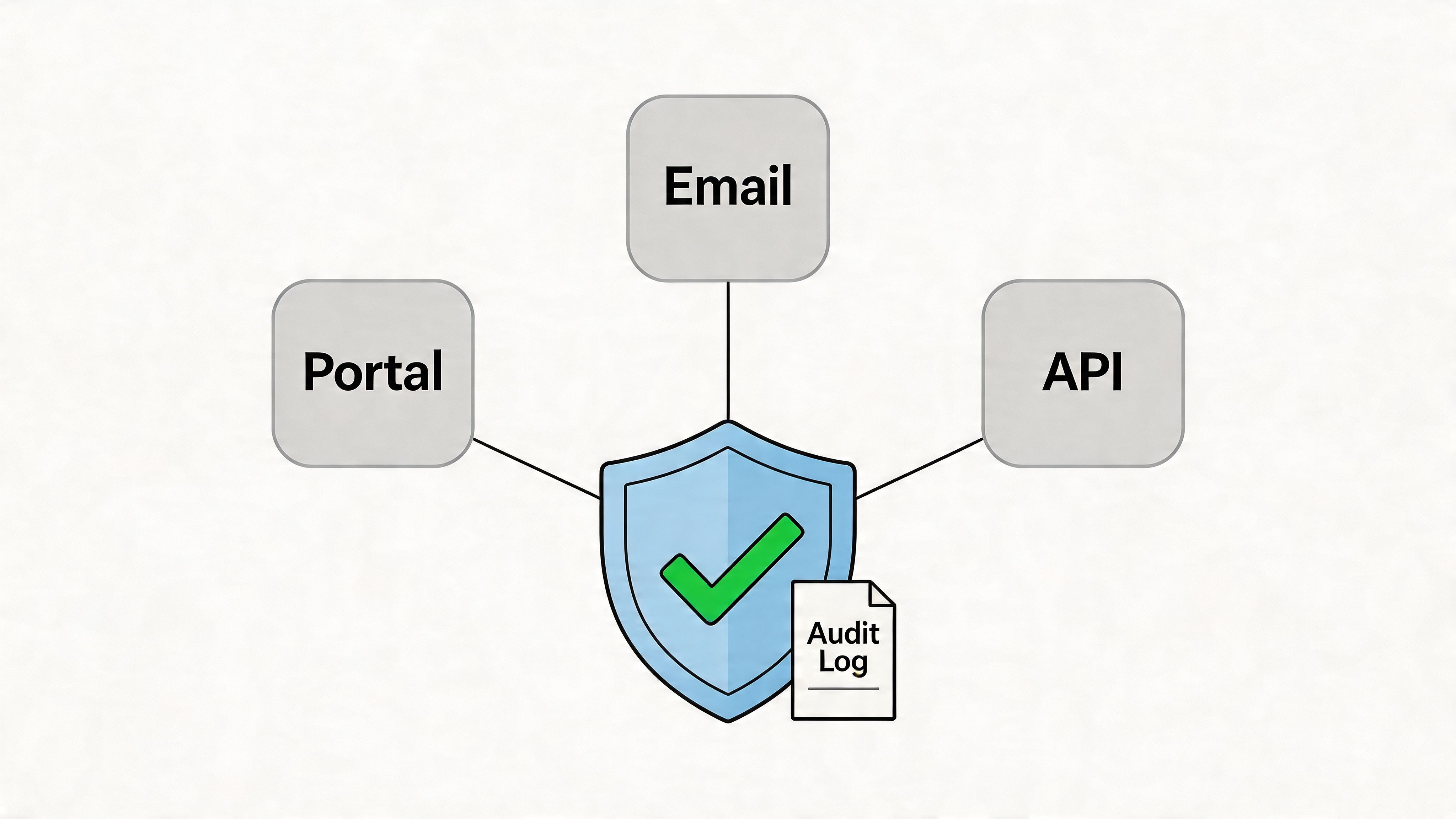
In practice, I start by validating every intake path before I look at the invoice itself. That includes vendor portals, shared AP inboxes, individual email forwarding rules, marketplace accounts, and any automated collector your team uses. In a tool like Booksmate, each source should be tied to a known business account, a named owner, and the correct legal entity. If a connection exists but no one owns it, fix that first.
Build a connection register
Keep a single register for invoice sources. It should list the source name, platform type, account owner, authentication method, linked entity, review date, and who approved the connection. This takes discipline, but it saves hours during fieldwork because the team can show auditors a controlled intake map instead of piecing one together from old emails.
For automated collection, add one more layer. Record how documents enter the system and what evidence proves that path is valid. For example, note whether invoices come from direct portal pull, monitored inbox capture, or vendor email forwarding. If your process relies on OCR, confirm the original file is retained alongside the extracted data. A practical reference is Master OCR a Document, especially if your team is tightening controls around scanned and emailed invoice intake.
Access should also be split sensibly. Finance approves the business need. IT or an admin configures the connection. AP monitors exceptions and missing documents. Small teams may combine some of those tasks, but they should still document who approved access and who can change it.
Practical rule: If a source connection is not documented and reviewed, do not treat its invoices as fully controlled evidence.
What to verify
A short review catches most weaknesses:
- Confirm the account is official: The portal, inbox, or integration should belong to the business, not a former employee or a personal login.
- Check authentication method: Use SSO or managed credentials where possible, and avoid shared passwords that no one rotates.
- Validate entity mapping: Multi-entity groups often collect valid invoices into the wrong company feed.
- Test live retrieval: Pull a recent invoice and confirm the source, timestamp, and document image are preserved.
- Review stale or orphaned access: Old mailboxes, inherited marketplace accounts, and forgotten forwarding rules are common failure points.
The trade-off is straightforward. More automation means fewer manual touches, but it also means more dependence on connection controls. A portal sync that breaks unnoticed can leave gaps for months. An email rule change can redirect invoices outside the audit trail. Good source authentication turns automated collection from a convenience into a defensible process.
2. Confirm Automated Data Extraction Accuracy
An invoice can be captured from the right portal and still fail audit review if the extracted fields are wrong. I have seen clean PDF archives paired with bad dates, truncated vendor names, and tax amounts mapped into the wrong field. Once that happens, the error moves into coding, approvals, and reconciliations.
The control point here is not document storage. It is field reliability inside an automated intake process that pulls from portals, email, and vendor-specific formats. In a tool like Booksmate, that means testing whether the data taken from the source document remains accurate when it reaches the accounting workflow.
Validate the fields that drive accounting decisions
Start with the fields that affect posting, compliance, and audit support:
- Invoice number: Prevents duplicate payment issues and supports vendor statement matching.
- Invoice date: Drives cut-off testing and period recognition.
- Vendor name and legal entity: Affects vendor mapping and related-party review.
- Currency and total amount: Impacts ledger accuracy and remeasurement where relevant.
- Tax amount, tax ID, and VAT/GST details: Supports indirect tax review.
- PO number, cost center, class, or project code: Matters when expenses are routed or booked at a detailed level.
- Line items: Needed when departments, inventory, or job costing depend on item-level coding.
A header-only extraction may be enough for low-risk subscriptions. It is not enough for inventory purchases, construction draws, or telecom bills with multiple charge types. That trade-off should be documented, not assumed.
Test extraction against source documents
The fastest way to judge extraction quality is to compare system output to the original invoice across a representative sample. Pull documents from each intake path. Include vendor portals, emailed PDFs, marketplace invoices, and any scanned files that still enter the process.
I usually review for exact matches on names, dates, totals, taxes, invoice numbers, and payment terms. Then I review the exceptions by pattern, not one by one. If one supplier changed its layout last month and every invoice now drops the tax line, the process needs to be fixed at the rule level.
A practical sample should include:
- High-volume vendors: They create the most downstream exposure.
- Complex layouts: Utilities, freight, telecom, and marketplace statements often break parsers.
- Different file types: Native PDFs, image PDFs, scans, and emailed attachments behave differently.
- Recent format changes: Rebranded templates and new portal exports are common failure points.
- Multi-entity invoices: These expose mapping errors that look small but create messy reclasses later.
Teams that want a better grounding in how recognition works can review Master OCR a Document.
Set review rules before errors pile up
Do not wait for quarter-end to discover that one extraction rule has been wrong for eight weeks. Set a review cadence. Monthly works for stable volume. Weekly is safer if the business collects invoices from many portals and inboxes or deals with frequent vendor template changes.
The review should answer three questions:
- Did the extractor capture the required fields?
- Did it capture them correctly?
- Are the same exceptions repeating by vendor, format, or source channel?
That last point matters most. One-off corrections are part of normal AP work. Repeating corrections signal a broken control.
Turn exceptions into process fixes
Manual edits are not harmless if they happen every cycle. They hide failure rates and make audit evidence weaker because the final record no longer reflects a stable, repeatable extraction process.
A better approach is to log each exception by cause. Typical buckets include layout change, unreadable scan, multi-invoice attachment, foreign tax format, wrong entity assignment, and missing line detail. In an automated collection environment, that log gives you something more useful than a pile of corrected invoices. It shows where the intake process needs tuning.
For example, a retail company may accept header extraction for routine supplier invoices but require line-level review for freight and landed-cost bills. A software company may accept automated capture of total amount and billing period for standard SaaS renewals, then route usage-based invoices for extra review because the line descriptions affect accrual support. Those are sound controls because they match review effort to accounting risk.
Give the team a simple rule. Trust validated patterns. Review flagged records. Fix recurring failures at the workflow level.
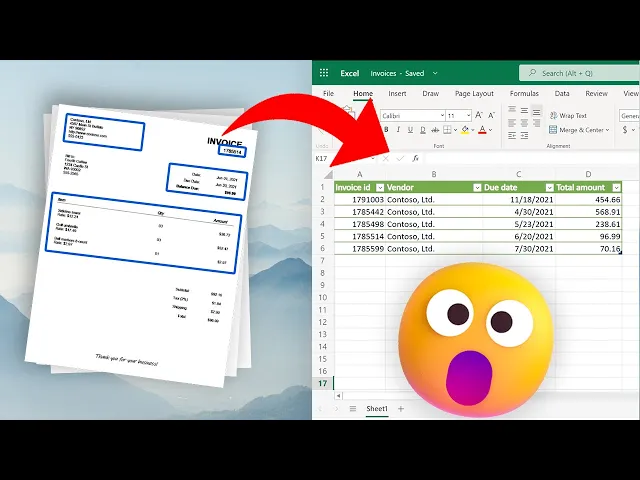
A quick walkthrough can help teams visualize what they should be validating in the output:
3. Document Collection and Completeness Review
Monthly bookkeeping looks clean until the auditor asks for support on three paid invoices and one of them is sitting in a vendor portal, one went to a former employee’s inbox, and one never made it past spam filtering. That is the failure point I see most often. The posting is there. The document trail is not.
In an automated collection setup, completeness is not a filing exercise. It is a control over whether every expected document was captured, preserved, and tied back to the accounting period that used it.
Reconcile intake against expected activity
Start with expectation, not with the folder. Review the vendor master, recurring billing patterns, active portals, shared AP inboxes, and recent payment activity. Then compare that expected population to what the collection system pulled in.
I use a three-way check:
- vendors expected to bill
- documents collected from portals and email
- payments, accruals, or expense entries recorded in the period
Any break between those three needs an explanation. If the cash went out but the invoice is missing, that is an evidence gap. If a regular vendor did not bill, confirm whether the service stopped, the bill was delayed, or the document landed somewhere outside the approved intake channels.
Tools like Booksmate help because they centralize portal fetches and email capture in one queue, with timestamps and source tracking. That matters in an audit. The team can show what was collected, from where, and when, instead of piecing together evidence from inbox searches and browser downloads.
Missing support is usually found by comparison, not by browsing folders.
Review completeness on a fixed cadence
A weekly completeness review works better than a last-minute monthly bookkeeping scramble. Run the collection report. Compare current-period vendor activity to the recent pattern. Check for silent failures such as disconnected portal credentials, changed billing contacts, or rules that redirected invoices away from AP.
Keep the review practical. Seasonal vendors should be marked as seasonal. One-off project vendors should not create noise in the exception list. The goal is to isolate true gaps, not create busywork.
The strongest teams document collection exceptions by source. Portal not synced. Invoice sent to the wrong mailbox. Attachment blocked. Multi-document email split incorrectly. That level of detail turns a missing invoice into a process fix. It also gives the auditor a cleaner story: the company did not just find missing support, it identified the control failure and corrected it.
A few examples come up repeatedly. A startup pays a software renewal, but the invoice stayed in the founder’s inbox because the vendor never updated the billing contact. A consumer brand downloads marketplace invoices from Amazon, but the files never make it into the audit support archive. A services firm receives supplier invoices through both email and a portal, and one source is reviewed while the other is ignored for two weeks.
Completeness review catches those problems early. Ask direct questions. Which vendors should have billed this period? Which portals and inboxes were active? Which payments posted without linked support? Which expected documents were collected outside the normal workflow and need to be preserved with source history?
That is how a checklist for audit work becomes useful in a real accounting environment. It confirms that the ledger is supported by a complete document population, and that the collection process can stand up to audit testing.
4. Invoice Duplicate Detection and Reconciliation
Monthly bookkeeping goes smoothly until AP finds the same vendor bill twice. One copy came in through the vendor portal. Another was forwarded from a billing inbox. A third version showed up when someone uploaded the PDF manually to make sure it was “in the system.” That is how duplicate risk shows up in a modern document workflow. It starts in intake, not in payment.
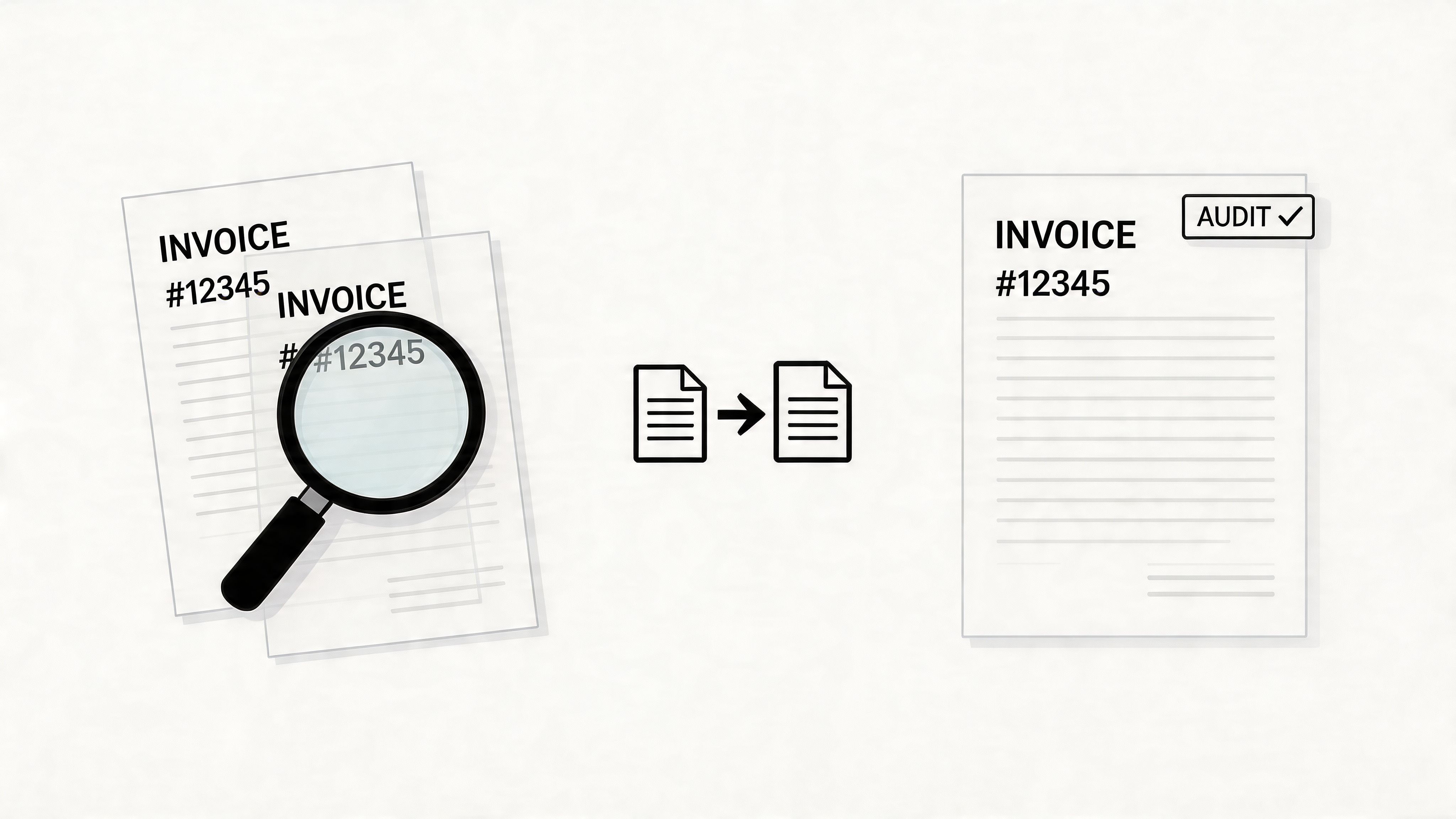
Duplicate review works best before invoices reach the ledger. Once duplicate records are posted, the team has to sort out expense coding, accruals, approvals, and sometimes duplicate payment recovery. Auditors will ask a simple question: how did you know one liability was supported by one valid invoice, collected once, and processed once?
Match on document identity, not just invoice number
Invoice number checks catch the obvious cases. They miss a lot in real AP work. Vendors reuse numbering formats across entities. Reminder emails often carry the original attachment. Revised invoices may keep the same number and vendor name but change the amount, tax, or date.
Use a layered match instead. Compare vendor, invoice number, gross amount, invoice date, tax amount if relevant, file hash when the system provides it, and source channel. In Booksmate or any similar intake tool, source history matters because it helps distinguish a true duplicate from the same invoice collected through two routes. The accounting record may be valid once. The evidence trail still needs one retained document and a clear note on the duplicate copy.
Human review still belongs in the process. I would rather review ten false positives than explain one duplicate payment to an auditor or controller.
Set duplicate rules by vendor pattern
One rule across every vendor creates noise. The better approach is to tune detection to how invoices are issued and received.
- Subscription vendors: Same amount each month is usually normal. Match on period and invoice date, not amount alone.
- Marketplace and portal vendors: The same bill may exist in both a portal fetch and an emailed attachment. Source-channel checks matter.
- Service providers: A revised invoice may replace the original. Hold both files, mark one as superseded, and post only the approved version.
- High-volume suppliers: Batch imports need pre-export screening so duplicate records do not pass straight into QuickBooks, Xero, or the ERP.
This is a control design issue, not just a cleanup task. If two inbox rules forward the same Microsoft invoice into one repository, the fix is not only to delete one file. Fix the routing rule, document the exception, and keep the audit trail.
Reconcile duplicates to the final posted record
Flagging possible duplicates is only half the job. Reconciliation closes the loop.
For each duplicate candidate, confirm which document was approved, which one was exported, and whether any payment was issued against either record. If the same invoice exists in multiple places, retain the final support package with the approval history and mark the extra copies as duplicate, superseded, or informational. That language matters. It shows the team made a controlled decision instead of removing files without context.
A simple log is enough if it is consistent. Record the invoice identifier, vendor, reason for the duplicate flag, source of each copy, reviewer, and action taken. In practice, that log does two things. It prevents the same invoice from being reviewed repeatedly, and it gives the auditor a straight line from intake to posting to payment.
5. Verify Vendor and Coding Categorization
A common audit problem starts with a simple question. Why did the same supplier post under three different vendor names and two different expense codes in the same quarter?
That issue usually begins upstream, inside the intake process. An invoice arrives through a portal, a forwarded email, or a shared AP inbox. The document gets captured correctly, but the vendor match is weak, the default coding is outdated, or a user overrides the suggestion without leaving a reason. By the time monthly bookkeeping comes round, the file is paid, posted, and harder to defend.
Vendor categorization and coding need to be controlled at intake, not corrected in a rush after export.
Set vendor rules before invoices hit the ledger
If you use Booksmate or a similar collection platform, set vendor identity rules and coding mappings before processing volume through the system. That means standardizing legal name, display name, tax name if needed, default GL account, department, class, location, and any project logic tied to the vendor. When those fields are defined early, invoices collected from different channels still land in a consistent record.
This matters in an automated document environment because the same supplier can appear in several forms. “Amazon,” “Amazon Marketplace,” and “Amazon Web Services” may be three valid records, or they may be one vendor plus two miscoded aliases. Finance needs to decide which is true, document the rule, and apply it consistently.
Make coding logic specific enough to survive audit testing
A usable coding framework has three parts. A controlled vendor master. Standard account mappings. A clear exception process.
The detail level depends on the business. A manufacturer may separate raw materials, spare parts, freight-in, and plant supplies. A professional services firm may code one software vendor differently by entity or client project. A retail group may need separate treatment for store-level spend versus corporate overhead. Different rules are fine. Undocumented judgment is the problem.
Use controls that reduce routine variance:
- Standardize vendor names: Keep one approved naming convention and retire duplicate aliases instead of leaving them active.
- Pre-map recurring suppliers: Set default coding for vendors with repeat transactions so users are not deciding from scratch each month.
- Review new vendor setup closely: The first setup often determines how that vendor posts for the next six months.
- Require a reason for overrides: If a user changes the default account or department, keep the explanation with the invoice record.
- Define split rules: If one invoice can hit multiple jobs, entities, or cost centers, document how the allocation should be calculated and approved.
One sentence in the policy can prevent hours of audit rework later.
Treat AI coding as a draft, not a final answer
Automated coding can save time, but only if someone owns the rules behind it. I have seen teams trust the system suggestion because it was right eight times in a row. The ninth invoice was a prepaid annual contract coded to monthly software expense, and the correction happened after close.
The better approach is straightforward. Let the tool suggest the vendor match and account code. Reserve final acceptance for rules-based approvals, exception thresholds, and periodic review of changes. If Booksmate extracts the invoice data from email and portal uploads, the system should still route uncertain vendor matches or unusual coding patterns into a queue for review rather than pushing them straight into QuickBooks, Xero, or the ERP.
Auditors look for consistency they can test. If two accountants would code the same invoice two different ways, the process still needs work.
6. Approval Workflow and Authorization Verification
Monthly bookkeeping is done. AP has the invoices. The ERP shows them coded. Then the auditor asks a simple question: who approved this spend, under what authority, and can you prove nothing changed after signoff?
That answer needs to live in the system, not in email memory, Slack threads, or verbal approval.
Make approval rules part of intake
Approval control works best when it starts before posting and before payment. Set approval routes by amount, entity, department, project, spend category, or vendor risk. Then apply those rules automatically as invoices enter the queue from portals and email, instead of deciding the route by hand after the document is already in motion.
In a multi-source environment, speed creates a trade-off. Faster collection is useful only if the approval path is just as controlled. If Booksmate pulls invoices from inboxes and vendor portals, the next step should be automatic routing to the right approver based on policy, with exceptions held for review. Otherwise the team just processes unsupported spend faster.
Manual forwarding creates avoidable audit gaps. People forget attachments, approve from mobile without context, or reply “looks fine” without confirming the coding, entity, or budget owner.
Verify the authorization, not just the click
An approval stamp by itself is weak evidence. The record should show who approved, their authority level, the date and time, the version reviewed, and any later change to amount, vendor, coding, or payment terms. If the invoice changes after approval, require reapproval. If someone delegates authority during leave, document that delegation inside the workflow.
I usually test this with a few simple questions:
- Does the approver match the entity and department responsible for the spend?
- Does the approval threshold match the invoice amount?
- Did the approver review the final version, not an earlier draft or partial attachment?
- Did any field change after approval, and if so, did the system force a second review?
- Is the rejection or override reason saved with the invoice record?
These checks matter more in decentralized teams. Shared AP functions, project-based businesses, nonprofits with restricted funding, and multi-entity groups all have one common risk. The wrong person can approve a valid invoice for the wrong business purpose.
Test the workflow under normal failure points
Policy documents do not prevent bypasses. Workflow design does.
Route an invoice to the wrong manager and see whether the system blocks it. Change the coding after approval and confirm whether the approval resets. Upload the same invoice through a portal after it was first received by email and check whether the workflow preserves one history instead of creating parallel records. Auditors trust controls that survive ordinary mistakes.
The practical standard is simple. Every approved invoice should leave a traceable chain from intake to authorization to posting, with no gaps and no off-system approvals. That is what makes approval evidence usable in an audit, especially when documents are collected from several channels at once.
7. Reconciliation with Bank Statements and Payment Records
A reconciliation problem usually shows up after the money has left the account. The invoice is on file, the payment cleared, and something still does not line up. In an audit, that is the moment the reviewer stops trusting the record set and starts testing the whole process around it.
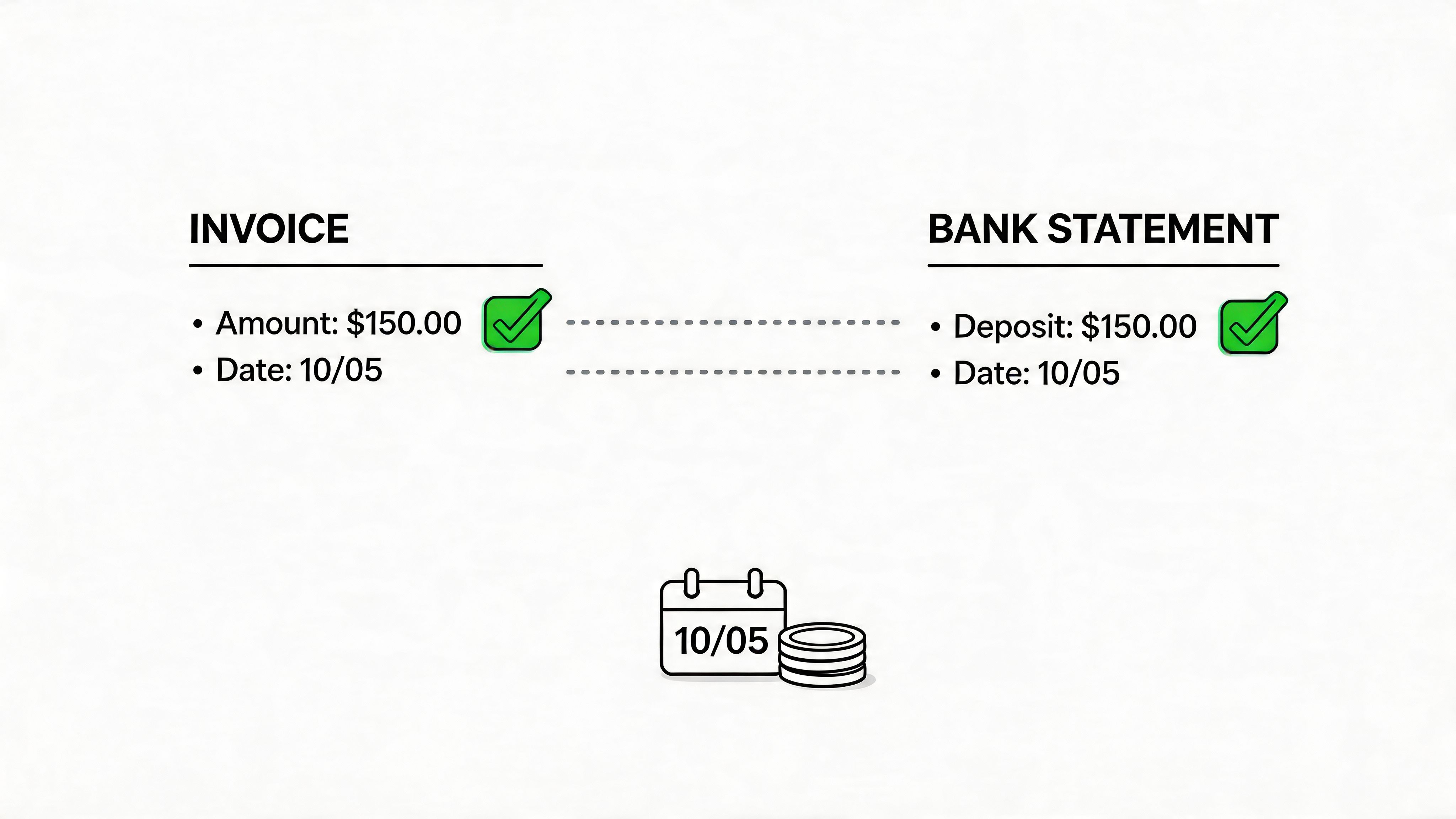
In a modern AP setup, reconciliation is not just a match between ledger and bank feed. It is a control over evidence integrity. If invoices arrive through vendor portals, shared inboxes, and direct email, the payment record has to tie back to one verified invoice record with one history. Tools such as Booksmate help by centralizing intake and payment support in the same audit trail, which makes it easier to confirm that the document paid is the document collected and posted.
Reconcile often enough to catch exceptions while people still remember them. Weekly works well for active AP teams. Monthly can work in lower-volume environments, but it increases cleanup work and makes root-cause review harder.
The process should be simple and repeatable. Import bank activity. Match payments to posted invoices using amount, vendor, payment date, reference number, and any remittance detail available. Then review every exception against the source document, not just the ERP entry. That last step matters in automated environments because a clean posting can still be tied to the wrong attachment or an incomplete invoice file.
I use four exception categories because they lead to four different follow-up actions:
- Timing differences: The liability was recorded in one period and settled in the next.
- Amount differences: Partial payments, discounts taken, credits applied, foreign exchange effects, or posting errors.
- Missing support: Cash left the bank, but the invoice, receipt, or remittance evidence is incomplete or missing.
- Open items with no payment explanation: The invoice is still unpaid, and there is no dispute note, hold reason, or approved payment delay on file.
Those categories sound basic, but they expose process failures quickly. A payment with no invoice support often points to intake gaps, such as a supplier sending the document to a personal mailbox instead of the monitored AP channel. An amount mismatch can signal a valid short pay, or it can show that the invoice image and extracted data came from different versions of the document. An old open item may be a real liability, or it may be a duplicate invoice that slipped through intake from both a portal upload and an email attachment.
Good reconciliation work produces an explanation, not just a match flag.
That is the trade-off teams need to manage. Automation reduces manual chasing and helps pull records together from multiple sources, but it also increases the need for clear matching rules, exception queues, and document version control. If those controls are weak, the system can process transactions quickly and still leave an audit file that no one can defend.
By the time the audit request arrives, unmatched items should already be aged, classified, and assigned. If they are still sitting in a suspense bucket, the problem is no longer reconciliation. It is control failure.
8. Compliance, Tax, and Regulatory Review
An invoice can clear intake, coding, approval, and payment matching and still fail an audit review. The weak point is usually compliance metadata. Tax treatment is missing. The legal entity name does not match the supplier record. A regulated contract needs a reference that never made it into the file.
That problem gets worse in automated environments. Documents arrive through portals, shared inboxes, and forwarded emails. If the team only checks whether a file exists, it can miss whether the file is legally usable as evidence.
Validate required fields and retention rules
Review each invoice against two standards. First, confirm it meets the legal and tax requirements for the jurisdiction. Second, confirm it meets your own recordkeeping rules for the transaction type.
The basic checks are familiar. Legal vendor name, invoice date, invoice number, tax details where required, address information, and enough line detail to support the posting. The audit issue usually sits one level deeper. VAT treatment may not match the supplier country. A grant-funded purchase may be missing the grant reference. A customer contract may require a project code or statement of work reference that AP never captured.
For multi-entity and multi-country teams, this review should be rule-based, not left to memory. If your process uses a platform like Booksmate to collect documents from supplier portals and email, set required fields by entity, tax jurisdiction, and document type. Then flag exceptions before period close. That is much cheaper than rebuilding support after the auditor asks for it.
Retention matters too. Keep the invoice image, extracted data, approval history, and any corrected versions together in one audit trail. If the original attachment sits in email, the OCR output sits in the AP system, and the tax correction sits in a spreadsheet, the file is technically present but hard to defend.
Test exceptions on purpose
Random spot checks have value, but targeted testing finds more control failures.
Sample invoices that carry higher compliance risk. Cross-border purchases. Vendors with tax status changes. New subsidiaries. Regulated contracts. Credit notes applied against old invoices. Any transaction where someone manually changed tax coding after extraction. Those are the records that expose whether your controls work in production.
A few patterns show up repeatedly:
- UK or EU entities: VAT recovery fails because the invoice lacks the required tax evidence or the supplier details do not support the treatment used.
- Healthcare organizations: Service dates, authorizations, or contract support are missing from invoices that still got posted.
- Government contractors: Billing terms on the invoice do not match the underlying contract rules.
- Fast-growing groups: Supplier tax IDs, entity names, and registration details drift after acquisitions or rapid entity setup.
The House of Martech audit checklist makes a broader point that applies here. Teams often buy advanced tools and use only the basic features. In AP, that usually means the system collects invoices well enough, but validation rules, exception routing, retention settings, and admin review never get configured properly.
Good compliance review is specific. Define what must be present, by entity and transaction type. Automate the checks that software can handle reliably. Keep a short exception queue for the cases that still need human judgment. That is how teams turn a document archive into audit evidence.
8-Point Audit Checklist Comparison
Item
Implementation Complexity 🔄
Resource Requirements ⚡
Expected Outcomes 📊
Ideal Use Cases 💡
Key Advantages ⭐
Verify Invoice Source and Authentication
Medium, multi-portal setup, SSO and periodic refreshes
Moderate, credential management, monitoring, IT involvement
High, reliable, authenticated invoice intake; reduced fraud
E‑commerce, SaaS, enterprises using many portals
Prevents unauthorized access; audit trail; compliance support
Confirm Automated Data Extraction Accuracy
Medium, training templates and vendor testing
Moderate, training data, OCR tuning, human QC
High, accurate fields; fewer downstream accounting errors
High-volume OCR needs (bookkeepers, SaaS billing)
Reduces manual entry; speeds processing; consistent formatting
Document Collection and Completeness Review
Low–Medium, dashboard filters and vendor cross-checks
Moderate, stakeholder coordination, periodic audits
Improved completeness; fewer missing invoices
Organizations with many vendors or fragmented invoicing
Ensures full document set; detects gaps and off-portal purchases
Invoice Duplicate Detection and Reconciliation
Medium, configure rules, merge and audit workflows
Low–Moderate, algorithm tuning, human review for edge cases
Fewer duplicate payments; cleaner reconciliations
Multi-source collection (portal + email) environments
Prevents overpayment; maintains data integrity; audit trail
Verify Vendor and Coding Categorization
Medium–High, vendor master, coding rules, AI matching
Moderate, accounting input, template maintenance
Accurate GL assignments; better expense reporting
Firms needing cost center / project-level tracking
Standardizes vendor names; reduces post-import corrections
Approval Workflow and Authorization Verification
Medium, define thresholds, routing and integrations
Moderate, approver availability, integration effort
Controlled spend; documented approvals and escalations
Organizations with multi-level approval policies
Prevents unauthorized spending; accountability; audit logs
Reconciliation with Bank Statements and Payment Records
Medium, bank feed import and matching rules setup
Moderate, bank access, matching rules, reconciliation effort
Accurate cash position; discrepancy detection
Businesses requiring tight cash-flow verification
Catches payment errors; improves AP reporting and aging
Compliance, Tax, and Regulatory Review
High, jurisdictional rules, validation templates
High, tax/regulatory expertise, regular updates
Reduced audit risk; compliant tax documentation
Regulated industries or multi-jurisdiction operations
Prevents compliance violations; creates audit-ready records
From Checklist to Confidence Your Audit-Ready Future
It is 4:40 p.m. on a Tuesday. An auditor asks for support for one invoice, and the underlying issue shows up fast. The PDF came through email, the backup sits in a shared drive, the approval happened in a chat thread, the ERP entry was keyed manually, and nobody on the team can show the full path from receipt to payment without stopping other work.
That is the difference between having documents and having an audit-ready process.
A useful checklist for audit work should test the system behind the transaction. In practice, I want eight things to hold up every time. The invoice came from a valid source. The extracted fields match the document. The collection is complete across portal downloads and inbox captures. Duplicates were screened out. The vendor and GL coding make sense. Approval followed policy. The payment ties to bank activity. Tax and compliance details were reviewed before close, not during the audit scramble.
When those controls are built into daily work, audit prep gets shorter because the evidence chain is already in place. Teams spend less time hunting through folders and more time answering specific questions with a timestamp, approver, document version, and payment match. Auditors still ask for support. The difference is that support can be produced without rebuilding the story of the transaction from scratch.
This matters even more in a multi-source collection environment. Many finance teams now receive invoices through vendor portals, direct email, marketplace accounts, and subscription platforms at the same time. That setup is efficient, but it creates a control problem if each channel is handled differently. A checklist only becomes reliable when collection rules, extraction review, exception handling, and storage standards are consistent across every intake path.
That is why automation should be judged by control quality, not just speed. Booksmate is a good example of the right approach. It pulls invoices from portals and inboxes into one place, extracts key fields with AI, and keeps the underlying documents organized for export and review. The primary benefit is not fewer downloads. It is stronger evidence integrity. Finance teams can trace where a document came from, what was captured, what was corrected, and how it moved into the books.
I use a simple test with clients and internal teams. Pick any invoice at random and answer six questions without leaving the workflow: where did it come from, is the document complete, who approved it, how was it coded, was it paid, and does the tax treatment hold up? If the team can answer those questions on an ordinary workday, the audit is usually manageable. If those answers depend on one person’s memory, the checklist exists on paper only.
The long-term goal is operational confidence. Audits then become a review of controls that already run every month, not a cleanup exercise driven by deadline pressure. If you want a related framework for reviewing records under pressure, this High-Throughput Due Diligence Checklist is also useful because it reinforces the same discipline around evidence quality and review speed.
If you’re tired of chasing invoices across Amazon, Stripe, Google, Microsoft, PayPal, and scattered inboxes, Booksmate is worth a look. It helps accountants, bookkeepers, and finance teams automatically fetch documents, extract key invoice data with AI, organize everything in one dashboard, and prepare clean exports for accounting software, which makes this checklist for audit far easier to run consistently.
For registration records, what documents are needed for eu vat registration outlines the essentials.
Keeping a clean digital invoice trail? Our Dext alternative for UK small businesses explains how each tool stores the source PDF.









