Articles
OCR for Receipts: Accounting Automation Guide 2026
At month end, many accountants still face the same bottleneck. Receipts are scattered across wallets, email inboxes, shared drives, phone galleries, and supplier portals. Someone has to collect them, read them, type the details, and hope the totals land in the right place.
That's why OCR for receipts matters. It helps turn messy proof of purchase into usable accounting data. But the important point is this: OCR alone doesn't solve the finance workflow. True value comes when receipt capture, data extraction, review, and export work together as one process.
Table of Contents
- The End of the Shoebox The Rise of Receipt OCRWhy the old process breaks
- What Is Receipt OCR and Why Does It MatterReading text is only the first step
- Why structured data changes the workflow
- How Modern Receipt Extraction Really WorksFrom photo to readable image
- From text to accounting fields
- Common Challenges in Receipt Data ExtractionWhy receipt layouts cause trouble
- Why error rates matter to bookkeepers
- Best Practices for Improving Extraction QualityWhat users can do during capture
- What systems should do automatically
- Choosing the Right Automation SolutionQuestions that matter more than headline accuracy
- Compare the workflow not just the scanner
- The Business Case ROI and ImplementationWhere the return really comes from
- Implementation works best when collection is automated
The End of the Shoebox The Rise of Receipt OCR
The shoebox hasn't really disappeared. It just changed form. For some firms, it's now a crowded email folder, a WhatsApp thread, or a pile of receipt photos sent at quarter end.
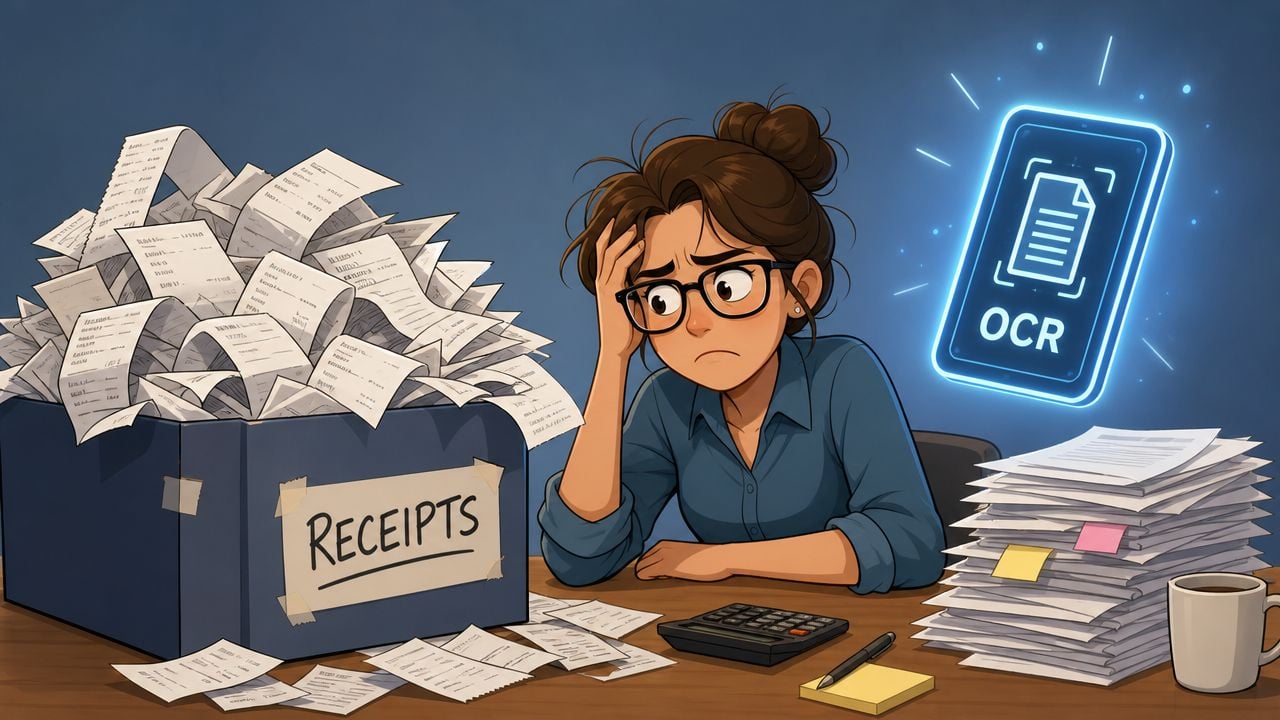
Manual receipt work slows down every part of bookkeeping. Staff spend time chasing missing documents, keying totals, checking VAT, and fixing coding errors that started with poor source data. Even when the volume looks manageable, the interruption cost is high because receipts arrive in small bursts all month.
Receipt OCR moved this category from basic scanning into practical finance automation. Vendors now market systems that can process receipts from 50+ countries and extract data in seconds at over 90% accuracy, and one study described machine-readable receipt capture as creating “immense cost savings” by reducing manual effort (Taggun). That matters because finance teams don't need another image archive. They need usable transaction data.
Why the old process breaks
A receipt workflow usually fails before OCR even starts. The weak point is collection.
- Paper gets delayed: Employees often submit receipts late, after the thermal print has faded or the paper has been folded beyond easy reading.
- Digital receipts are easy to miss: Marketplace, travel, and software receipts often stay trapped in inboxes unless someone downloads them manually.
- Data entry creates rework: Once a human retypes totals, taxes, dates, and merchants, another human often has to verify the same fields.
If your team also handles statements and scanned source documents, it helps to understand adjacent automation patterns too. A practical reference is this guide to PDF and scanned file conversion to Excel, which shows the same wider lesson: finance automation works best when extraction feeds structured outputs, not static files.
Practical rule: Don't judge receipt automation by how quickly it scans paper. Judge it by how little manual cleanup remains after capture.
For firms trying to get organized before they automate, a useful starting point is a business receipt organizer workflow. Good OCR performs better when the collection process is already consistent.
What Is Receipt OCR and Why Does It Matter
OCR stands for Optical Character Recognition. The simplest way to think about it is this: it's a digital transcriber. You show it a receipt image, and it tries to read the printed text.
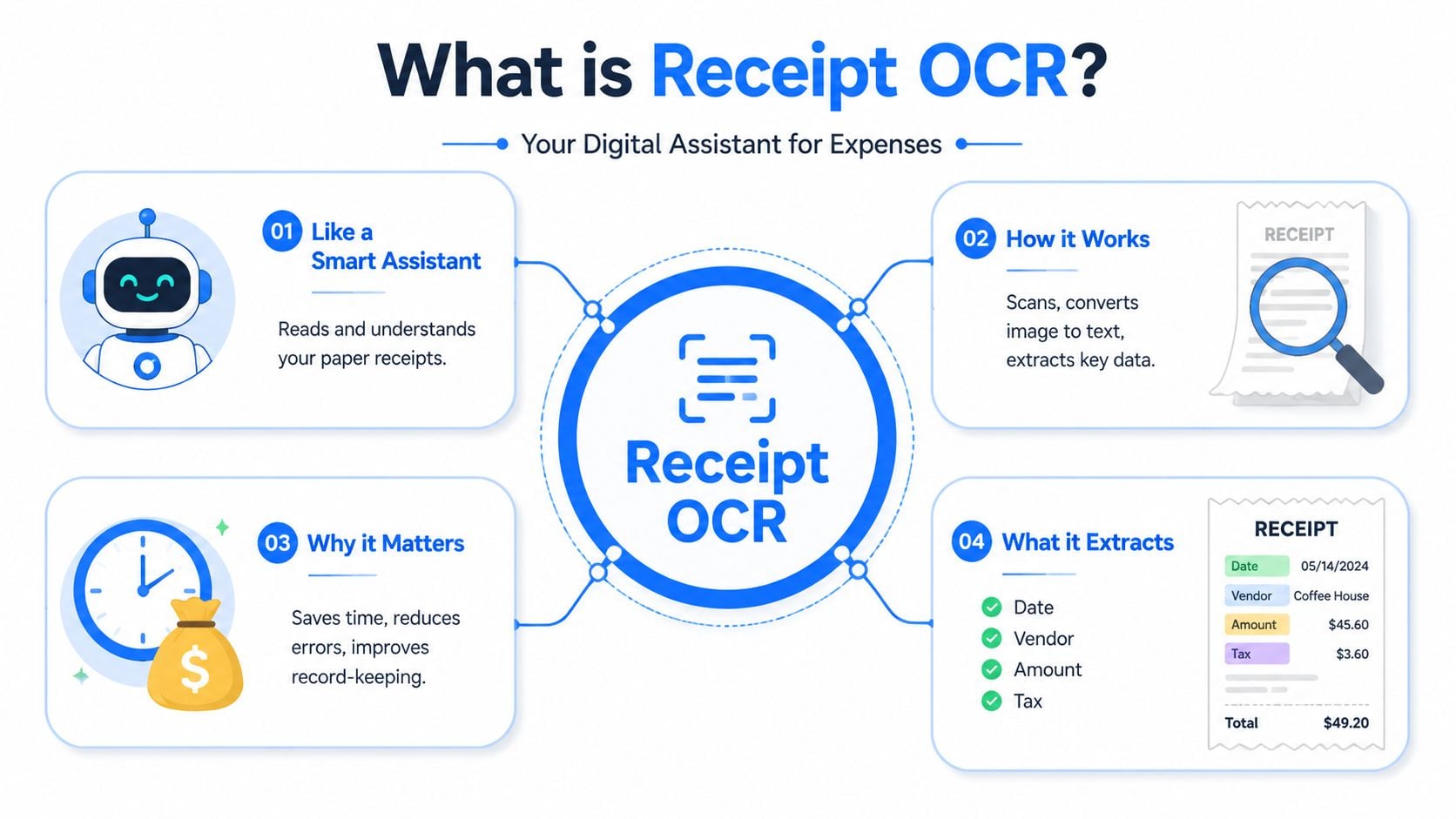
That definition is accurate, but it's incomplete for accounting work. A transcribed block of text isn't the end goal. Accountants need the system to tell the difference between the merchant name, the transaction date, the tax amount, the grand total, and the individual line items.
Reading text is only the first step
A basic scanner app might produce something like this from a café receipt:
- Merchant name somewhere near the top
- Several times or dates
- A list of menu items
- Subtotal, tax, and total near the bottom
That output may be readable to a person. It's still awkward for software. An accounting system can't do much with a loose paragraph of text unless someone maps the values into the right fields.
Modern receipt tools aim to return structured fields rather than raw text. High-performing APIs are designed to output data such as line items, taxes, totals, vendor details, and sometimes barcodes in structured JSON for many currencies and country formats (Veryfi receipt OCR API). That's the point where OCR becomes operationally useful.
Here's the difference in practice:
Output type
What you get
What accounting staff still must do
Raw text OCR
A text dump of the receipt
Read it, identify fields, re-enter or map data
Structured receipt extraction
Date, vendor, tax, total, items in defined fields
Review exceptions, approve, export
If the system only “reads” the receipt, your team still does the accounting work manually. If it returns structured fields, your workflow can move forward automatically.
For bookkeepers, this distinction clears up a common confusion. OCR for receipts isn't just a camera feature. It's the front end of a data pipeline that can support expense coding, VAT review, audit trails, and exports into the ledger.
How Modern Receipt Extraction Really Works
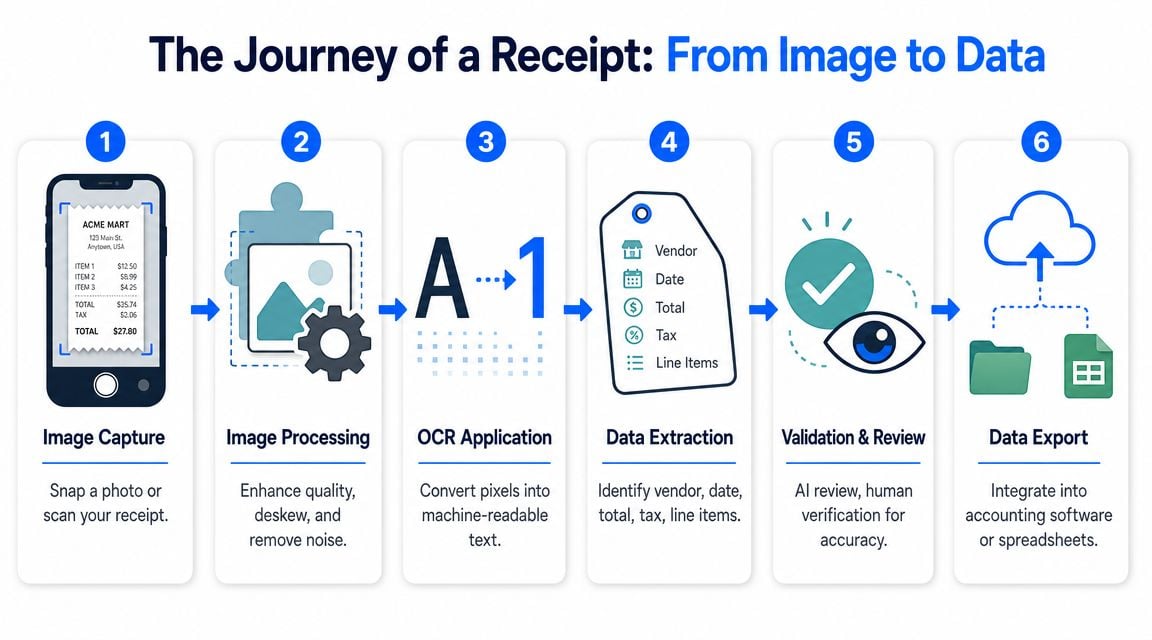
A modern receipt workflow resembles a finance assembly line. One step collects the document, another prepares it, another reads it, and later steps decide whether the result is trustworthy enough to post. OCR sits in the middle of that chain. It matters, but it is not the whole system.
From photo to readable image
Start with the intake point. An employee snaps a receipt on a phone, forwards an email receipt, uploads a PDF, or sends a scan from a desktop device. From an accountant's perspective, those all represent the same business event. From a system's perspective, they arrive in very different conditions.
That difference matters early.
Before any text is read, the software usually prepares the image so the recognition model has a cleaner document to work with. It may straighten a tilted photo, crop out the desk or hand around the receipt, increase contrast on faded thermal paper, and reduce visual noise from shadows or wrinkles. OCR works like a digital transcriber. If the page is blurry, skewed, or partly hidden, the transcription quality drops before field extraction even begins.
Typical preprocessing tasks include:
- Straightening the receipt: Rotating the image so text lines run in the correct direction
- Cropping the document: Isolating the receipt from the background
- Improving contrast: Making faint characters easier to detect
- Reducing noise: Limiting the effect of shadows, blur, and textured surfaces
A short walkthrough helps make the pipeline easier to picture.
After image cleanup, OCR converts pixels into text. For finance teams, that output is only an intermediate layer.
The harder job comes next. The system has to decide what each piece of text means. "12.95" might be a meal total, a line item, tax, a tip, or a card authorization amount. "Amazon" might be the merchant name, while another line contains the legal entity or fulfillment address. AI-based extraction proves its value at this stage because it classifies the text into accounting fields instead of handing your team a plain text dump.
A finance-ready pipeline often follows this sequence:
- Capture the receipt
- Prepare the image
- Read the text
- Assign values to fields
- Check suspicious or incomplete results
- Send approved data into the accounting stack
The validation step is easy to underestimate. A good system does more than read. It checks whether totals add up, whether the currency looks plausible, whether tax appears in a format the business expects, and whether a duplicate receipt may already exist. That is the point where automation starts saving review time instead of creating more cleanup work downstream.
For accountants, the practical question is simple. Can this output move through the rest of the workflow without manual repair?
If the answer is yes, the receipt can be coded, matched to card activity, routed for approval, and exported into the ledger with limited human effort. If the answer is no, staff still need to inspect the document, resolve missing fields, and correct misclassified values.
Extraction reduces typing. Validation reduces rework.
That distinction explains the broader value of receipt automation. OCR reads the document, but the larger finance system handles collection, field mapping, exception review, policy checks, and export into the tools your team already uses.
Common Challenges in Receipt Data Extraction
Receipts look simple. They're usually short, narrow, and familiar. In practice, they're one of the messiest document types in finance.
Why receipt layouts cause trouble
Invoices tend to follow repeatable business formats. Receipts don't. A supermarket slip, hotel folio, fuel receipt, restaurant check, and marketplace email attachment all present information differently.
Some of the hardest problems show up in everyday examples:
- Layout variability: One merchant puts the total at the bottom right. Another centers it. Another repeats card amounts near the footer.
- Image quality issues: Users photograph receipts under warm lighting, at an angle, with a thumb covering one edge.
- Thermal paper decay: Text fades, especially when receipts are stored for weeks before submission.
- Mixed content: Receipts may include multiple languages, currency formats, abbreviations, or handwritten additions like tips.
The system also has to avoid false confidence. A phone number, store ID, VAT number, approval code, subtotal, and final total can all appear close together. OCR may read the characters correctly but still assign the wrong meaning to the value.
A recent benchmark makes the problem concrete. The 2024 ReceiptSense study built a multilingual Arabic-English benchmark with 20,000 annotated receipts, 30,000 OCR-annotated images, and 10,000 item-level annotations. It also included a receipt question answering subset of 1,265 receipt images with 40 question-answer pairs each. Even on that benchmark, strong models still struggled. One specialized OCR model reached 7.83% character error rate and 27.24% word error rate, while Azura OCR reached 6.39% character error rate and 25.97% word error rate (ReceiptSense arXiv paper).
For accountants, the big takeaway isn't the research terminology. It's the gap between character reading and field reliability. A system can get many letters right and still misread the one word or amount that matters most.
Here's how that plays out in bookkeeping:
OCR outcome
What it looks like
Business risk
Characters mostly correct
Receipt text is broadly readable
Team assumes the extraction is safe
Key field misidentified
Tax, total, or merchant parsed incorrectly
Wrong coding, wrong reimbursement, wrong VAT record
Line items broken apart
Descriptions and prices don't stay linked
Weak audit support and poor spend analysis
A receipt OCR error rarely stays isolated. It moves downstream into coding, reconciliation, expense review, and audit support.
That's why buyers should care about exception handling, not just headline accuracy. The key question is what the system does when the receipt is blurry, partial, duplicated, faded, or odd.
Best Practices for Improving Extraction Quality
A common failure point is surprisingly ordinary. An employee snaps a receipt in a dim restaurant, the bottom edge is cut off, and the system reads most of the text correctly but misses the total. The OCR engine did its part as a digital transcriber. The finance workflow still breaks because the input was weak and the system did not catch the gap before export.
Improving extraction quality starts with a simple idea. Better receipt data comes from two layers working together. First, staff capture readable images. Second, the software cleans, structures, and checks that data before it reaches the ledger. OCR sits in the middle of that chain. It is important, but it is only one step in the wider automation process.
What users can do during capture
Small capture habits make a measurable difference because receipt OCR has to interpret faint print, odd layouts, and curved paper. If the original image is clearer, the system has fewer judgment calls to make.
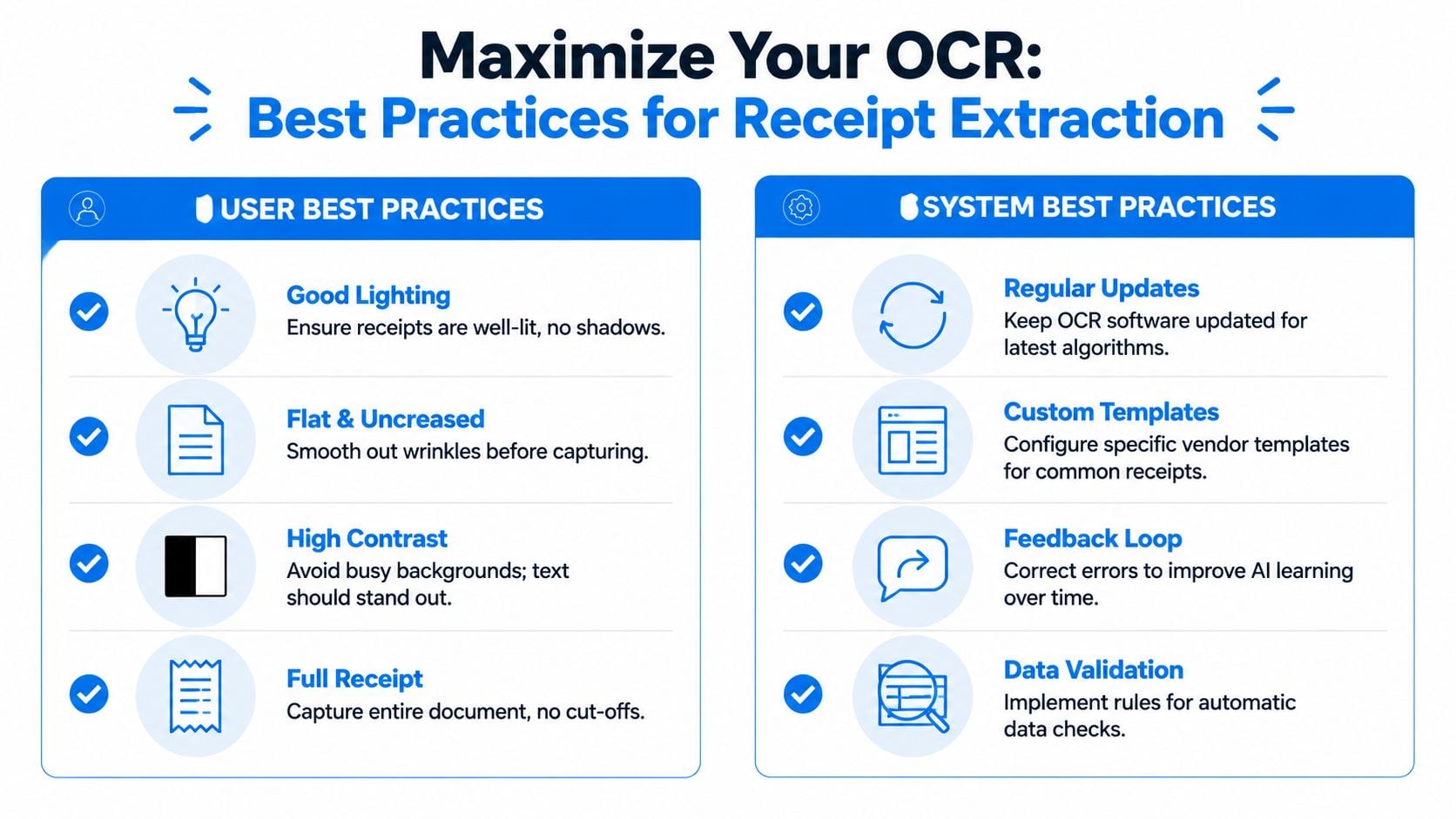
Standardize a few rules across the firm:
- Use even lighting: Glare and shadows can hide faded thermal text, especially around tax and total lines.
- Lay the receipt flat: Creases and curled edges make it harder to keep descriptions, prices, and dates aligned.
- Capture the full page: A missing footer often means a missing grand total, merchant address, or VAT detail.
- Use a plain background: Clean contrast helps the software find the document boundary and crop it correctly.
If you need staff guidance, this checklist on the best way to scan receipts is a practical training resource.
Users should not be expected to rescue every bad image themselves. A well-designed receipt automation system should correct common image problems before extraction starts, then test whether the result makes accounting sense.
In practice, that means the software should clean up blur, rotate crooked images, crop the receipt area, and improve contrast before reading the text. Those preprocessing steps matter because OCR quality depends heavily on what the system sees first. A clear image gives the model a better chance of identifying the right fields. A smarter workflow then checks whether those fields belong together.
Ask whether the system includes:
- Automatic image cleanup: It should straighten, crop, and improve low-quality captures without manual editing.
- Field validation rules: Totals, taxes, dates, and currencies should be checked for internal consistency before export.
- Human review paths: Staff should review only uncertain fields, not re-enter the entire receipt.
- Feedback loops: Corrections should refine how recurring vendors, formats, and edge cases are handled over time.
Better images improve reading accuracy. Better validation protects the books.
That combination is what finance teams need. Good capture reduces avoidable errors. Good automation catches the errors that still slip through. The result is not just better OCR output, but cleaner data flowing into coding, reimbursement, reconciliation, and audit support.
Choosing the Right Automation Solution
When firms shop for receipt software, they often start with one question: how accurate is it? That question matters, but it's too narrow.
A finance team doesn't buy OCR for its own sake. It buys a workflow that should reduce chasing, typing, reviewing, and exporting. A scanner with good marketing can still be a poor accounting tool if it stops at text extraction.
Questions that matter more than headline accuracy
Independent commentary on receipt recognition makes an important point. Receipt OCR is a brittle pipeline affected by photo quality, skew, and paper damage, and “high accuracy” claims often don't explain failure modes or downstream bookkeeping risk (DZone on receipt recognition). That's exactly the right lens for evaluation.
Ask vendors practical questions like these:
- What fields are extracted: Can it capture line items, taxes, totals, currencies, and vendor details, or only basic header values?
- How are failures handled: Does the system flag uncertain fields, route exceptions for review, and preserve the original receipt image?
- Where does collection happen: Can it pull receipts from inboxes, uploads, mobile capture, and online portals, or does your team still gather files manually?
- How does export work: Is there a clean handoff into QuickBooks, Xero, ERP systems, or spreadsheets?
- Who supports the workflow: If an integration or capture path breaks, is there a monitored process behind it?
A useful way to compare tools is to separate them into categories:
Tool type
Strength
Limitation
Mobile scanner app
Quick capture
Often stops at image storage or basic text
OCR API
Flexible for developers
Requires your team to build workflow, review, and export logic
Finance automation platform
Combines collection, extraction, review, and export
Needs closer evaluation for accounting fit
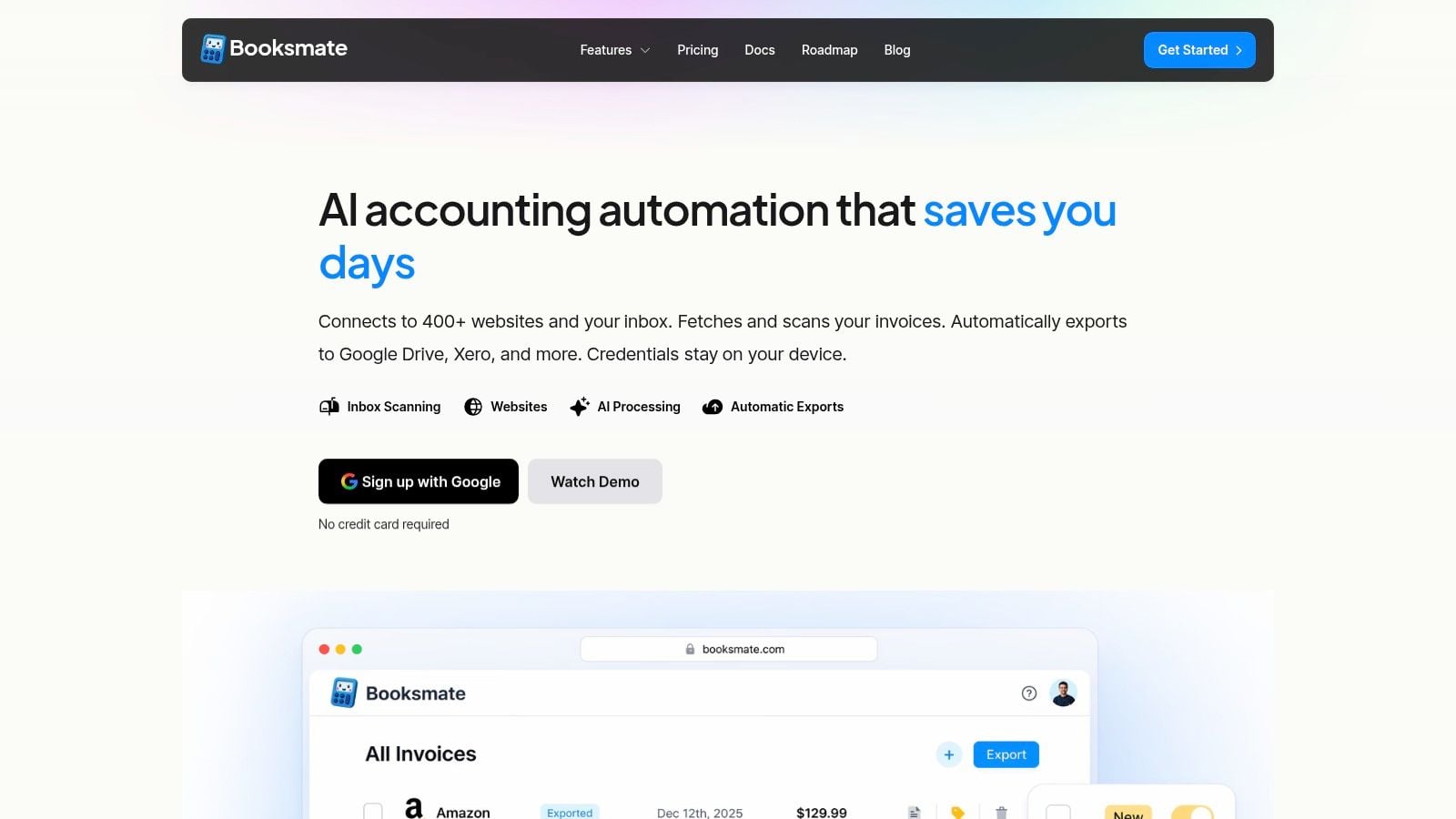
One example in the third category is OCR invoice software for accounting workflows, where OCR is only one layer inside a broader document process. In that type of setup, a platform such as Booksmate can connect to online portals and email inboxes, fetch invoices and receipts, extract fields with AI, and organize them for export. That's a different purchase than a point solution that only reads uploaded images.
For accountants, the most important test is simple. If the OCR works perfectly but your team still spends hours collecting files and checking outputs, the workflow hasn't really been automated.
The Business Case ROI and Implementation
The return on receipt automation isn't only about faster typing. It comes from cleaner records, fewer interruptions, and better control over how spend data enters the books.
Where the return really comes from
The direct benefit is obvious. Staff spend less time on repetitive entry and less time hunting for missing documents. But the larger gains often come from the surrounding process.
A stronger receipt workflow can improve:
- Closing discipline: Transactions reach the books faster when documents are captured earlier and extracted in a consistent format.
- Error control: Teams catch suspicious totals, missing taxes, and weak source records before they spread into reconciliation work.
- Audit readiness: Original images stay linked to extracted fields, which makes support easier to retrieve.
- Spend visibility: Once data is structured, finance teams can review merchants, categories, and tax treatment more consistently.
This aligns with the wider value proposition described in commercial and research material on receipt OCR. Turning receipts into machine-readable data reduces manual handling and supports downstream finance work.
Many automation projects stall because firms focus only on extraction. In practice, collection is just as important. If employees still forward receipts inconsistently, or if someone still downloads files from supplier portals by hand, the process remains fragile.
A better implementation plan usually starts with three decisions:
- Define capture channels such as inboxes, mobile submission, shared folders, and portals.
- Set review rules for uncertain totals, taxes, dates, and duplicate documents.
- Standardize export into the accounting system so extracted data lands in a predictable structure.
The strategic shift is this: OCR for receipts shouldn't be treated as a stand-alone convenience feature. It's part of a document pipeline that collects, extracts, validates, and exports financial records with less manual effort and better control.
If your team is tired of chasing receipts across inboxes and portals, Booksmate is worth a look. It's an invoice and receipt automation platform that connects to online portals and email inboxes, fetches documents automatically, applies AI-based extraction, and organizes the results for accounting export.