Articles
Accounts Payable Automation Benefits: Your 2026 Guide
If your AP process still depends on shared inboxes, spreadsheet trackers, and someone remembering who needs to approve what, you already know where the friction lives. Invoices arrive from ten different places. One approver is traveling. Another wants a PDF resent. Someone keyed the amount wrong. Month-end gets harder than it should be.
That's why accounts payable automation benefits matter in practice. They're not abstract finance wins. They show up in missed discounts, late payments, duplicate work, audit stress, and too many hours spent chasing documents that should have been available in one click.
Table of Contents
- Beyond the Spreadsheet The Real Cost of Manual APWhy manual AP is no longer a normal baseline
- What experienced teams notice first
- The Six Core Accounts Payable Automation BenefitsWhere manual AP actually burns time
- Six benefits that show up on the ground
- Manual vs Automated AP A Process TransformedWhat the manual path looks like
- What changes after automation
- How to Measure AP Automation Success KPIs and ROIThe KPIs that matter first
- A simple ROI model finance teams can use
- How Booksmate Delivers These Automation BenefitsFeature to outcome mapping
- What works better than a big bang rollout
- Avoiding Common Implementation PitfallsThe mistakes that slow projects down
- How to reduce disruption
- Putting Your Accounts Payable on Autopilot
Beyond the Spreadsheet The Real Cost of Manual AP
Manual AP rarely fails all at once. It fails a little at a time. A receipt stays in someone's inbox. A supplier sends the same invoice to two people. Finance rekeys data that already existed in a portal. Nobody is fully blocked, but everyone is slightly delayed.
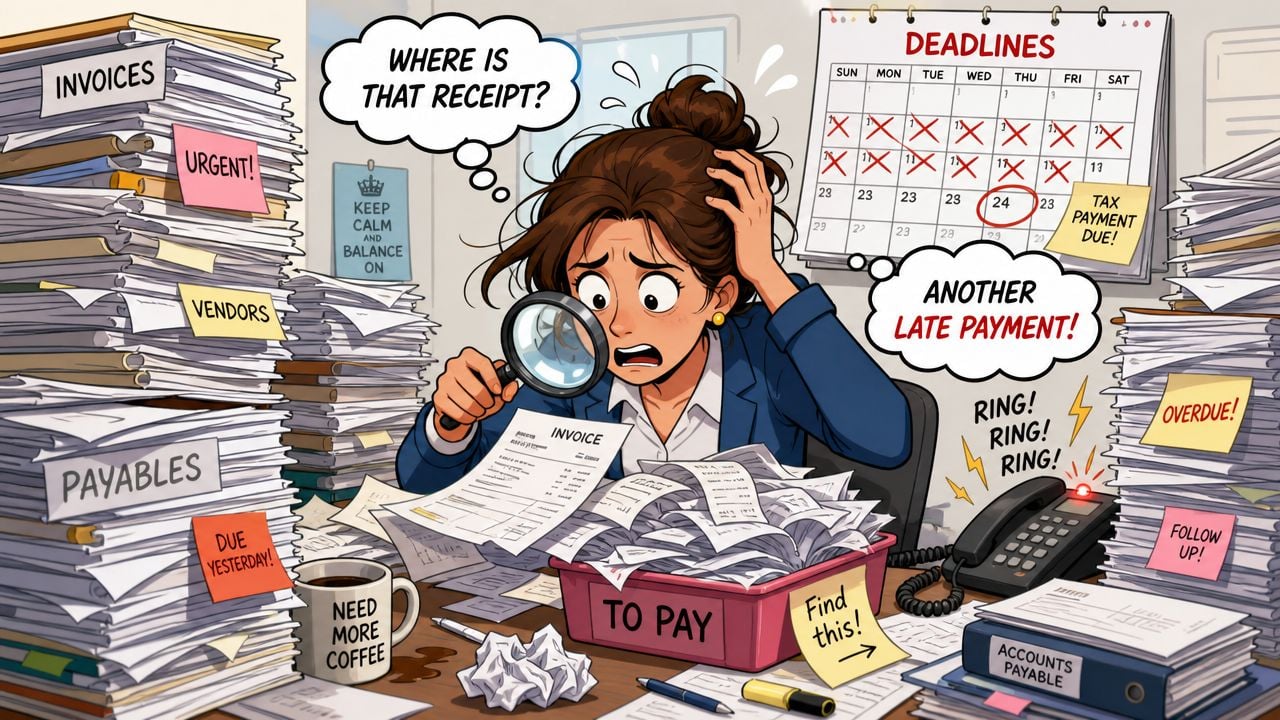
The true cost isn't just labor. It's the loss of control. When invoice collection, coding, approvals, and payment prep all depend on human handoffs, AP becomes harder to forecast and harder to trust. That affects vendor relationships and cash planning long before it shows up in a board deck.
A lot of teams are solving this by tightening the entire purchase-to-pay flow, not just invoice entry. If you're reviewing upstream process design, this guide to SEPA payment automation for P2P is useful because it connects invoice handling to the payment side where delays often surface.
Why manual AP is no longer a normal baseline
The shift away from paper and spreadsheet-heavy AP isn't a niche software trend. The global AP automation market is estimated at USD 6.17 billion in 2025 and projected to reach USD 11.17 billion by 2030 according to Planergy's 2025 AP market overview. That matters because it tells you what many finance teams have already concluded. Manual AP is no longer the default operating model for companies that want predictable, scalable finance operations.
Manual AP often looks manageable at low volume. The strain shows up when approvals scatter, portals multiply, and month-end depends on memory.
The first win from automation usually isn't glamorous. It's fewer touchpoints.
Instead of downloading invoices from supplier portals, forwarding them for approval, and then searching for the final version later, teams centralize collection and route documents once. That changes AP from reactive admin work into a controlled workflow with visible status.
The Six Core Accounts Payable Automation Benefits
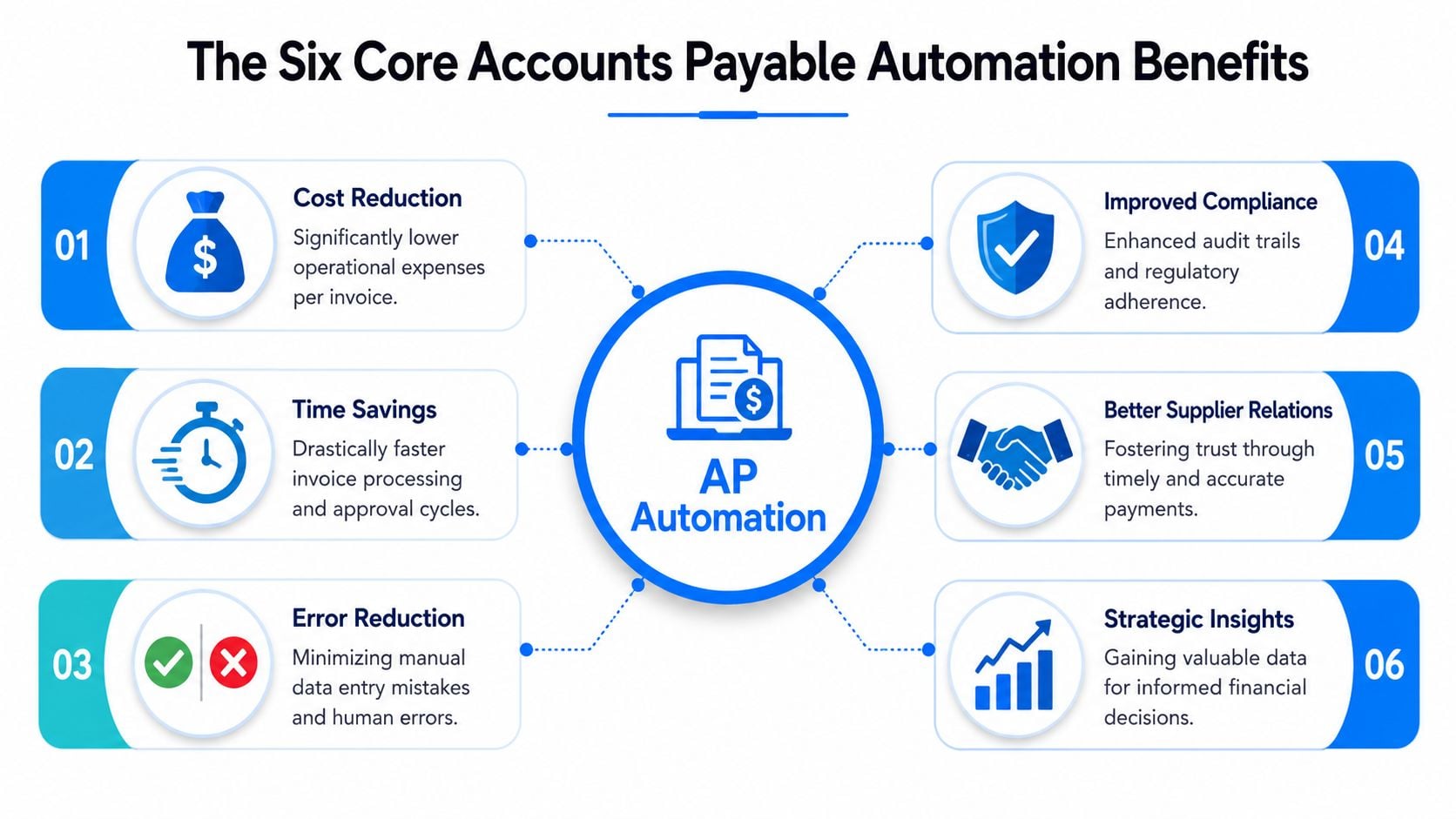
The strongest accounts payable automation benefits come from removing repeat handling. Every time a person downloads, renames, forwards, retypes, or checks the same document twice, AP gets slower and more expensive.
Where manual AP actually burns time
Manual invoice processing takes 14.2 days on average, while automation can cut processing cycle times by 73%. The same shift can reduce invoice processing costs by up to 67% and improve data-capture accuracy to 99%, based on Kefron's AP automation statistics summary.
Those numbers make sense if you've run AP at scale. Most delays don't come from one big task. They come from dozens of small interruptions.
- Cost reductionLabor is only one part of the savings. Teams also reduce paper handling, duplicate work, storage overhead, and the cleanup work that follows bad data. Automation lowers the amount of AP effort spent correcting problems that shouldn't have happened.
- Time savingsFaster capture and routing shorten the gap between invoice receipt and approval. That gives finance more control over due dates instead of constantly reacting to them.
- Error reductionManual keying creates avoidable mistakes in vendor names, dates, totals, tax fields, and coding. OCR and structured extraction reduce those errors by moving teams from retyping to reviewing.
- Improved complianceA good workflow creates a clean approval trail. You can see who touched the invoice, what changed, and whether the right controls were followed. That matters during audits and internal reviews.
- Better supplier relationshipsVendors don't expect perfection. They do expect consistency. When invoices are logged quickly, approved on time, and paid accurately, dispute volume drops and communication gets easier.
- Strategic insightOnce documents and statuses are centralized, finance can spot bottlenecks by approver, entity, vendor, or workflow step. That's where AP stops being just transaction processing and starts supporting cash and control decisions.
A practical way to think about it is feature by feature:
Benefit
What creates it
Lower cost
Less manual handling and rework
Faster cycle time
Automated routing and fewer approval delays
Higher accuracy
AI and OCR extraction plus validation
Stronger compliance
Searchable records and approval history
Better vendor service
Timelier, more predictable processing
Better visibility
Central dashboards and workflow status
Practical rule: If a tool only makes data entry faster but leaves collection and approvals messy, you'll get some savings, but not the full operational benefit.
Manual vs Automated AP A Process Transformed
The biggest change in AP automation isn't speed by itself. It's that the process becomes structured. Work stops depending on who remembers the next step.
What the manual path looks like
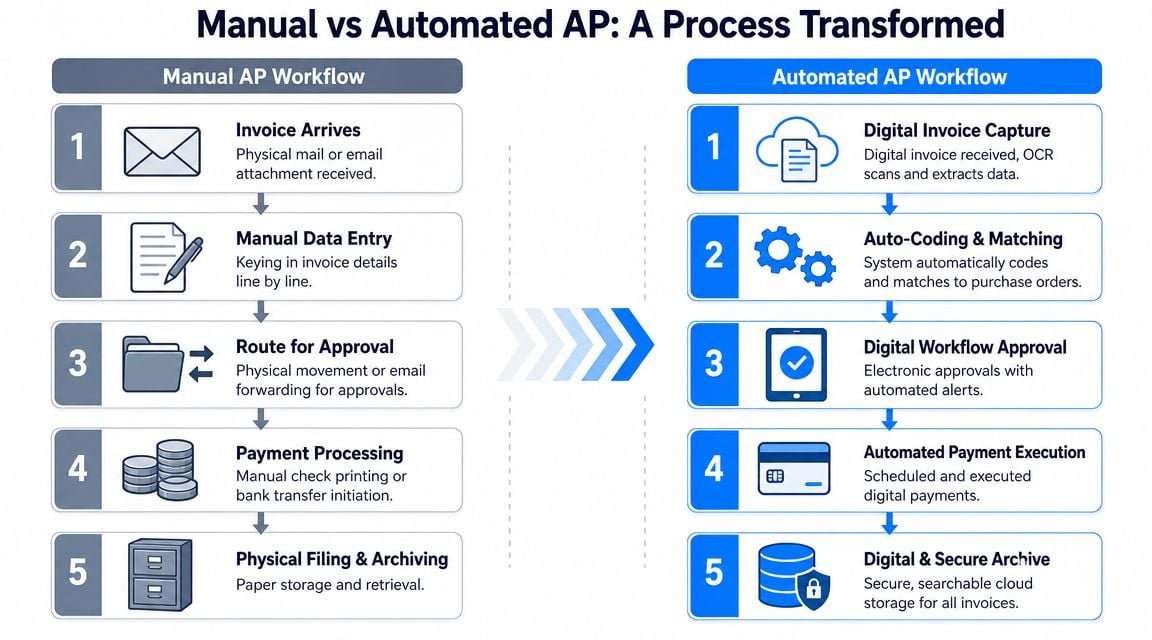
In a manual setup, AP usually works like this:
- Invoice arrives somewhere. It may come through email, a supplier portal, or paper mail.
- Someone enters the data. That means typing values into accounting software or a spreadsheet.
- The invoice gets routed. Often by email forwarding, chat messages, or physical handoff.
- Payment is prepared. AP checks status, due dates, and coding manually.
- The file is archived. Usually across folders, inboxes, shared drives, and paper storage.
Each step creates a place where work can stall. An invoice can sit unread. An approver can miss the email. A duplicate can slip through because there is no clean record tying all versions together.
A short walkthrough helps show the contrast:
With automation, invoices are collected digitally, key fields are extracted, approval rules route the document to the right person, and the record stays searchable from receipt through export and payment prep.
According to Wise's overview of AP automation throughput improvements, automation improves throughput by replacing manual invoice capture and data entry with AI-driven extraction and workflow automation. Industry sources describe invoices moving from days to minutes, with teams able to process documents the same day they arrive.
That process shift affects daily work in a very concrete way:
- Collection becomes systematic instead of inbox-driven.
- Approvals become visible instead of buried in email chains.
- Exceptions stand out instead of hiding inside batches.
- Archiving becomes retrieval instead of hunting.
The best automated AP workflows don't eliminate human review. They reserve human attention for exceptions, approvals, and control points.
How to Measure AP Automation Success KPIs and ROI
If you can't measure the before state, it's hard to prove improvement later. Most finance teams should start with a small scorecard, not a giant business case.
The KPIs that matter first
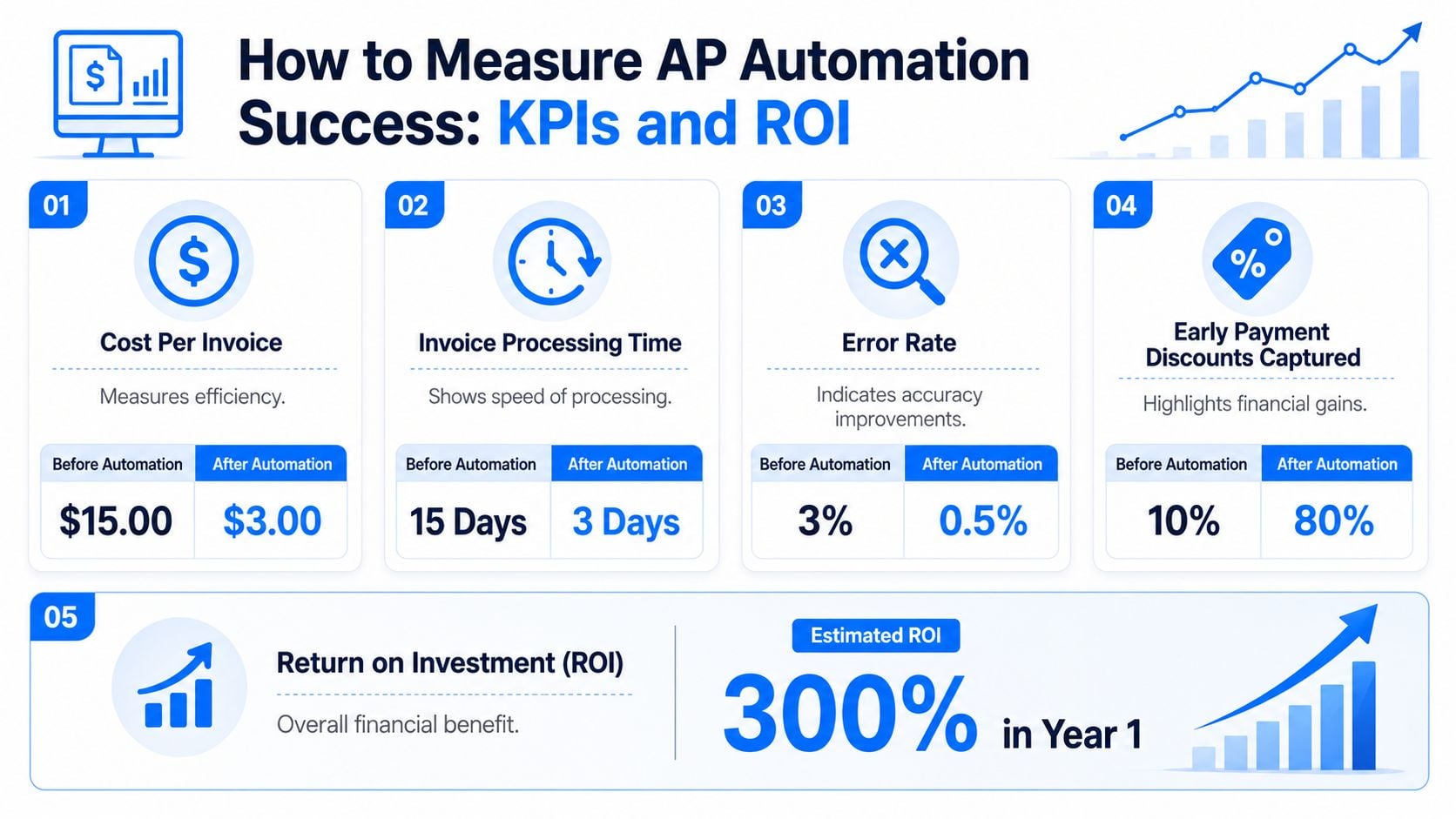
Start with four operational KPIs and one financial outcome.
- Cost per invoiceFormula: total AP processing cost / total invoices processedThis is the cleanest efficiency metric. As a reference point, best-in-class teams process invoices for as little as $2.75 per invoice versus $13.11 in manual setups, based on the figures cited in the earlier market data section.
- Approval cycle timeFormula: average time from invoice receipt to final approvalThis shows whether bottlenecks are in routing, workload, or policy. The same earlier source reports 3.2 days for best-in-class approval cycles compared with 19.5 days in manual environments.
- Touchless processing rateFormula: invoices processed with no manual intervention / total invoicesEven if you don't have a formal target yet, this number helps you see where exceptions are still driving work.
- Exception rateFormula: invoices requiring manual correction or escalation / total invoicesA high exception rate usually points to poor capture quality, weak supplier standardization, or approval rules that don't match reality.
- Discount capture and late payment avoidanceTrack how often valid payment opportunities are used and how often delays create preventable friction.
If you want a quick starting point, use an invoice processing cost calculator to estimate your current cost baseline before you compare tools or redesign workflows.
You don't need a complex model to evaluate automation. Use this basic structure:
- Estimate current AP cost using labor time, processing volume, and correction effort.
- Estimate operational savings from lower handling effort and faster approvals.
- Add avoided costs such as late fees, duplicate-payment cleanup, and document retrieval time.
- Subtract implementation and software costs.
- Review payback with a control lens, not just a savings lens.
A useful rule from practice is this: if your team only measures headcount savings, you'll understate the return. A lot of value comes from smoother approvals, cleaner records, and less time spent finding documents at month-end.
How Booksmate Delivers These Automation Benefits
Most AP projects succeed or fail at the capture stage. If invoices still arrive in scattered portals and inboxes, the rest of the workflow starts with incomplete data.
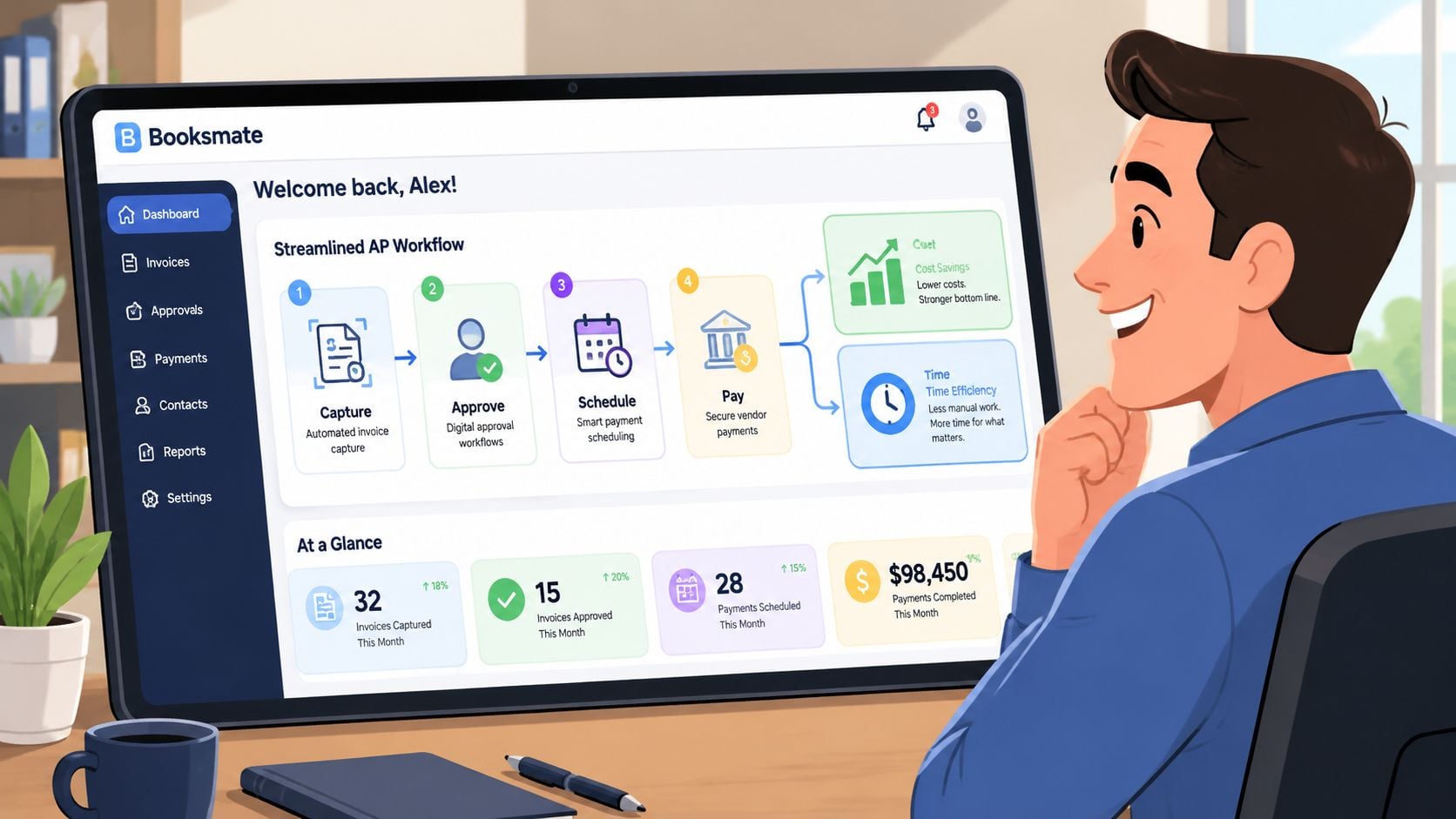
Feature to outcome mapping
Booksmate fits this problem well because it focuses on document collection first. It connects to online portals and email inboxes, fetches invoices and receipts automatically, extracts invoice data with AI, organizes the documents in a central dashboard, and prepares them for export into accounting software. If you want a closer look at that capture layer, this overview of invoice data extraction software is a practical place to start.
That feature set maps to AP outcomes in a straightforward way:
Operational problem
Relevant capability
Likely benefit
Invoices arrive across many portals
Portal connectors and inbox scanning
Less manual downloading
Staff retype key fields
AI extraction
Fewer entry errors
Status is unclear
Central dashboard
Documents are hard to retrieve
Organized digital records
Faster audit support
Export takes too long
Accounting software export
Cleaner handoff into finance systems
This is especially useful for teams dealing with vendors like Amazon, Stripe, Google, Microsoft, or PayPal, where invoice retrieval often eats more time than approval itself.
In practice, AP automation works better when the first phase solves the dominant bottleneck. For some teams, that's approval routing. For others, it's invoice collection from portals that nobody owns consistently.
A measured rollout usually works like this:
- Fix intake first if invoices are hard to collect.
- Standardize approvals next once documents are arriving cleanly.
- Tighten export and reconciliation after the front end is stable.
That sequence prevents a common mistake. Teams sometimes automate payment execution before they've stabilized invoice capture and approval logic. The result is faster movement through a messy process instead of a better process.
Avoiding Common Implementation Pitfalls
The technical case for AP automation is usually easy. The operating model is harder. Teams run into trouble when they buy software before they've decided what problem they're fixing.
The mistakes that slow projects down
JPMorgan notes that AP automation benefits are realized only after careful process assessment, technology selection, and staff training, with the bigger challenge often being workflow disruption rather than proving the value of automation. Their guidance also points to staged rollout rather than trying to automate everything at once, as outlined in JPMorgan's discussion of AP automation implementation considerations.
The most common failures look familiar:
- Automating a broken processIf coding rules, approval thresholds, or vendor ownership are unclear, software won't fix that. It will expose it faster.
- Ignoring supplier communicationVendors need clear guidance on where invoices should go and what format works best. If they keep sending documents to old addresses or random contacts, intake stays fragmented.
- Undertraining approversAP staff may understand the workflow, but managers often create the delays. If approvers don't know where to review, reject, or comment, the queue backs up quickly.
- Choosing the wrong first use case Some teams focus on payment automation when the actual issue is invoice collection. Others buy extraction tools when the actual bottleneck is approval ownership.
A better rollout starts with a short diagnostic:
- Map the current process from invoice receipt through archive.
- Count exception types so you know where manual work happens.
- Pick one starting point such as capture, routing, or export.
- Train by role because AP clerks, approvers, controllers, and admins use the system differently.
- Monitor the first weeks closely and adjust rules before bad habits settle in.
Good AP automation projects don't start with software demos. They start with process mapping and a clear decision about which bottleneck matters most.
The best case for AP automation isn't that finance becomes hands-off. It's that the routine parts become controlled, visible, and easier to manage. That changes AP from a constant chase into a process with clear status, cleaner records, and fewer avoidable delays.
The next step is simple. Measure your current cost per invoice, your approval cycle time, and where invoices enter the business. That baseline tells you whether your biggest problem is intake, routing, exceptions, or payment timing.
If you're comparing approaches, this guide on how to automate accounts payable is a useful next read because it breaks the work into practical stages instead of treating automation like a single switch you flip.
The finance teams that get the most from automation usually do three things well. They start with the bottleneck that causes the most friction. They measure operational change, not just software adoption. And they keep the workflow simple enough that people use it.
If your team is spending too much time downloading invoices, chasing approvals, and cleaning up AP records, Booksmate is worth evaluating as part of a practical automation stack. It focuses on invoice collection from portals and inboxes, AI-based data extraction, and organized handoff into accounting workflows, which makes it a sensible fit for teams trying to reduce manual AP work without rebuilding everything at once.