Articles
How to Automate Accounts Payable and Transform Your Workflow
If your accounts payable process feels like a constant battle against paper stacks and manual data entry, you’re not alone. The late payment fees, the frustrating errors, and the endless hours spent on administrative grunt work are all too common when you're doing things the old-fashioned way.
It’s a classic story: a finance team buried in paperwork, chasing approvals, and trying to close the books on time. But it doesn't have to be this way.
Your Guide to Accounts Payable Automation
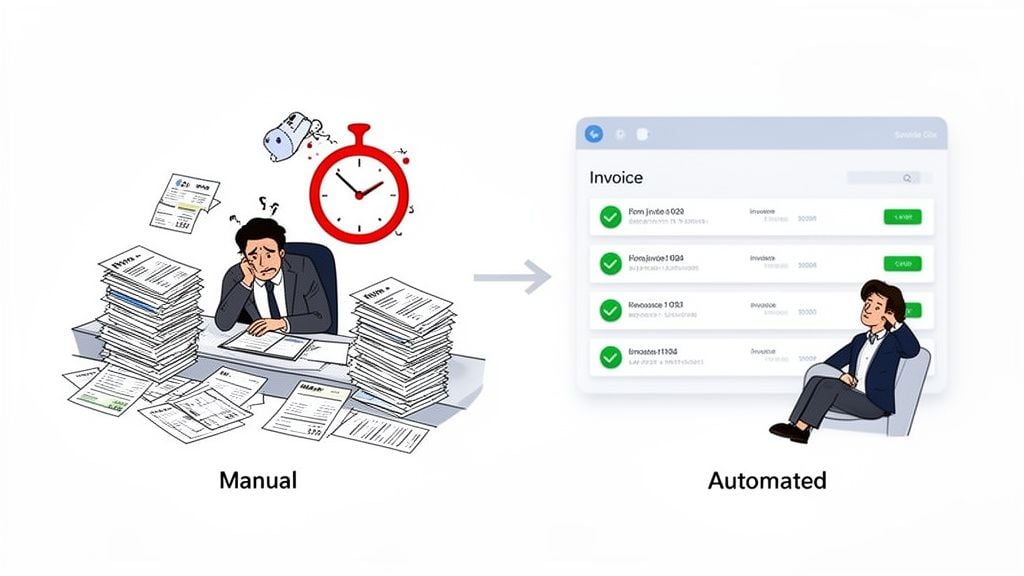
Accounts payable automation is about using smart software to handle the entire lifecycle of an invoice—from the moment it arrives in your inbox to the final sync with your accounting system. This means the software can automatically capture invoices, use AI to read the data, send them to the right person for approval, and then post the details to your books.
The goal? To stop chasing paper and start focusing on strategy.
From Manual Grind to Strategic Impact
This is a huge shift. Imagine a system where invoices are automatically pulled from vendor portals and email inboxes, with no one having to lift a finger. It's a completely achievable reality. A great starting point is understanding the core ideas of how to automate business processes, and accounts payable is one of the best places to start.
By embracing automation, your team can finally move from tedious data entry to high-value financial analysis. This journey isn't as daunting as it sounds and typically involves a few key stages:
- Mapping out your current workflow to spot the real bottlenecks.
- Choosing the right automation tool that fits your company’s unique needs.
- Building an automated system for invoice capture, data extraction, and approvals.
- Measuring your return on investment and seeing the efficiency gains firsthand.
The demand for these solutions is booming for a reason. The global AP automation software market is on track to hit USD 6.98 billion in 2025 and is expected to climb to USD 7.95 billion in 2026. Cloud-based tools are at the forefront, poised to capture around 60% of the market share. If you want to dive deeper into the numbers, Flairstech.com has a great breakdown of AP trends.
This table provides a quick look at the road ahead, breaking down the project into manageable phases.
The AP Automation Journey at a Glance
Phase
Objective
Key Action
1. Plan & Define
Set clear goals and define what success looks like.
Identify key pain points and establish measurable KPIs.
2. Map & Select
Understand your current process and choose the right tool.
Document your existing AP workflow and vet potential software.
3. Build & Test
Configure and implement the automation solution.
Set up workflows, integrate systems, and run pilot tests.
4. Roll Out & Train
Go live and empower your team to use the new system.
Communicate the changes and provide hands-on training.
5. Measure & Optimize
Track performance and refine the process over time.
Monitor KPIs, gather feedback, and look for improvements.
Each phase builds on the last, guiding you from initial concept to a fully optimized, automated AP department.
Automating accounts payable isn’t just about processing invoices faster. It's about gaining real-time visibility into your cash flow, reducing risk, and freeing your talented team to focus on what truly matters—driving financial health and growth.
This guide is your roadmap. We’ll walk you through each step with practical advice and real-world examples to help you build an AP system that truly works for your business. Let’s get started.
So, you're ready to automate your accounts payable. That's great, but hold on a second. The biggest mistake I see companies make is jumping straight into software demos without a clue what they actually need. It’s a classic recipe for frustration and a project that goes nowhere.
Before you even glance at a single automation tool, you have to do the foundational work. This isn't just busywork; it's the single most important step to make sure your investment actually solves your company's real-world problems. You can't fix what you don't understand.
Get a Clear Picture of Your Current AP Process
Your first mission is to become a detective. You need to follow the entire journey of an invoice, from the moment it lands in someone's inbox until the final payment confirmation is filed away.
Grab your team, a whiteboard (or a virtual one), and map out every single touchpoint. Don't leave anything out, no matter how small it seems. This is where the truth comes out.
Ask the tough questions:
- How do invoices actually get to us? Are they pouring into one email, showing up in the physical mail, or are you chasing them down on a dozen different vendor portals?
- Who’s typing all this stuff in? Seriously, how much of their day is spent on manual data entry?
- What does our approval chainreallylook like? Who has to sign off, and what happens when they’re out of the office? This is a big one.
- How do we handle the messy stuff? What's the protocol for a missing PO number or a price that doesn't match the quote?
- How does the final payment get made and recorded in our books?
This exercise is always an eye-opener. It will throw a spotlight on all the bottlenecks, redundant steps, and hidden costs that are quietly draining your resources. You might find out, for example, that an AP specialist is burning five hours a week just logging into different portals to download invoices—a task practically begging to be automated.
Don't just map out the "happy path" where everything goes smoothly. The most valuable insights come from digging into the exceptions. Understanding how your team handles a disputed charge or a duplicate invoice reveals the true complexity and cost of your manual process.
Once you have this map, you'll know exactly where the problems are. Now you can set some real goals.
Define What Success Actually Looks Like (Your Goals and KPIs)
What does a "win" look like for this project? Vague goals like "being more efficient" won't cut it. You need specific, measurable targets that will guide your software search and, later, prove your return on investment. We call these Key Performance Indicators (KPIs).
Look at the pain points you uncovered in your workflow map. Are late payment fees killing your bottom line? Is your team drowning in paperwork?
Turn those pain points into concrete KPIs. Here are a few of the most important ones I always recommend tracking:
- Invoice Cycle Time: This is the average time from receiving an invoice to paying it. A great goal is to crush this from, say, 15 days down to 3 days.
- Cost Per Invoice: Figure out the total cost of your AP department (salaries, overhead) and divide it by the number of invoices you process. Slashing this cost by 50% or more is a common and achievable target.
- Early Payment Discount Capture Rate: What percentage of discounts are you actually taking advantage of? Aim to push this from a measly 10% to over 80%. The cash back adds up fast.
- Straight-Through Processing Rate: What percentage of invoices fly through the system with zero human touch? This is the ultimate measure of true automation.
Setting these targets up front changes everything. It turns a simple software purchase into a smart, strategic business decision. With a detailed process map and clear goals, you’re finally ready to find a solution that fits your business perfectly.
Here's a quick checklist to make sure you've covered your bases.
Readiness Assessment Checklist
- Workflow Mapped: Have you documented the entire AP process from start to finish?
- Bottlenecks Identified: Do you know the top 3-5 things that cause delays and waste money?
- Stakeholders Aligned: Has everyone who touches an invoice (AP, procurement, department heads) given their input?
- KPIs Defined: Have you set specific, measurable goals for improvement?
- Budget Considered: Do you have a realistic budget in mind, based on the ROI you expect from hitting your KPIs?
When you do this prep work, you stop shopping for flashy features and start looking for a solution to your specific problems. This foundational step is what separates the wildly successful automation projects from the ones that fizzle out.
Alright, let's talk about picking the right tool for the job. Choosing your accounts payable automation software is a big decision, and honestly, it’s easy to get lost in the sea of options out there. The trick is to tune out the marketing fluff and pinpoint the features that will solve your team's biggest, most frustrating bottlenecks.
Think about it: what’s the single biggest time-waster for your AP team right now? I'm willing to bet it’s chasing down invoices. The endless cycle of logging into different vendor portals—Amazon, Stripe, Google, you name it—just to hunt for and download a PDF is a massive drain on productivity.
A good system won't just help you process invoices faster; it will stop you from having to manually collect them in the first place.
First Things First: Automate How You Get Invoices
Your absolute number one priority has to be a tool that automatically fetches invoices and receipts from all your major sources. If a platform doesn't nail this, you’re just signing up for a fancier version of a manual process.
Look for a solution that has rock-solid connections for both:
- Email Inboxes: The software should be able to monitor a dedicated inbox (like invoices@example.com), instantly spot invoice attachments, and pull them right into your workflow. No more manual downloading and uploading.
- Vendor Portals: This is the real game-changer. A great tool will log into your supplier portals on its own and grab new invoices the second they’re posted. This completely cuts out the manual download grind.
This one feature alone can free up a staggering amount of your team's time. If you’re spending even a few hours a week just gathering documents, the return on investment for automated fetching is immediate.
Here’s a piece of advice I always give: Automating data entry is a nice-to-have, but automating the collection of that data is what really moves the needle. It's the difference between a slightly faster manual workflow and a truly hands-off, efficient system.
This is exactly what you should be looking for—a central hub where all your documents arrive automatically.
A platform like Booksmate, shown above, gives you that instant clarity and control over incoming bills, which is exactly what a smart automation strategy should deliver.
Don't Settle for Less Than High-Accuracy Data Extraction
Once the invoice is in your system, the next hurdle is getting the information off the document accurately. This is where Optical Character Recognition (OCR) and AI come into play. But be warned, not all OCR technology is created equal.
A system with shoddy accuracy that forces your team to constantly fix errors is barely better than just typing everything in by hand. You need a tool with a proven, high-precision engine that can reliably pull key details like:
- Invoice number
- Vendor name
- Invoice and due dates
- Total amount
- Line-item details (quantity, description, price, etc.)
The best tools use AI that learns from the corrections you make, getting smarter and more accurate with every invoice. While only 7% of companies are using AI for spend management today, this is the technology that delivers next-level accuracy and separates the good tools from the great ones.
Demand Flexible Workflows and Integrations That Actually Work
Your business isn't set in stone, so your AP software shouldn't be either. You need a system with flexible approval workflows. Ask yourself: can you easily set up rules that route invoices based on the amount, department, or specific vendor? For example, can an invoice over $5,000 automatically go to a department head for a sign-off? If the answer is no, keep looking.
Just as important is a seamless, reliable connection to your accounting software, whether that's QuickBooks, Xero, or something else. A solid integration is the final piece of the puzzle, making sure that once a bill is approved, all the data syncs to your general ledger without anyone having to touch a keyboard.
One final tip: be wary of platforms that brag about having thousands of integrations. In my experience, this "quantity over quality" approach often means the connections are flimsy and poorly maintained. You're far better off with a focused tool like Booksmate that perfects its core integrations, ensuring they are absolutely bulletproof. This saves you from the inevitable headaches of broken syncs and messy data.
Alright, you’ve set your goals and picked your software. Now for the fun part: actually building your automated accounts payable workflow. This is where the planning stops and the doing begins, turning that manual AP grind into a smooth, efficient machine.
Let’s get practical and dive into how to set this all up.
The very first thing we need to do is stop invoices from ever being manually handled again. The goal is to get every single invoice—whether it comes via email or a vendor portal—to flow directly into your new system without anyone having to lift a finger. This is the foundation of a truly "touchless" AP process.
Getting All Your Invoices in One Place
Think of your new AP tool as the central hub for every bill your company gets. To get there, we’ll tackle the two main ways invoices arrive: email and vendor portals.
Setting up email is usually a breeze. You’ll create a dedicated email address, something simple like invoices@example.com, and then set up forwarding rules from your team's other inboxes. Just like that, any invoice that gets emailed to you or your team is instantly captured.
Vendor portals are where you’ll see some serious time savings. You'll securely connect your accounts for suppliers like Amazon, Stripe, or any other key vendors you use regularly. The software then logs in for you, finds new invoices, and pulls them straight into your dashboard. This alone can claw back dozens of hours every month.
The objective here is to have 100% of your invoices captured automatically. This isn’t some far-off fantasy; with the right tools, it’s completely achievable for most businesses.
With invoices now populating your system automatically, it's time to teach the software how to read them. This simple flow—Capture, Extract, and Approve—is the core of an effective AP automation strategy.
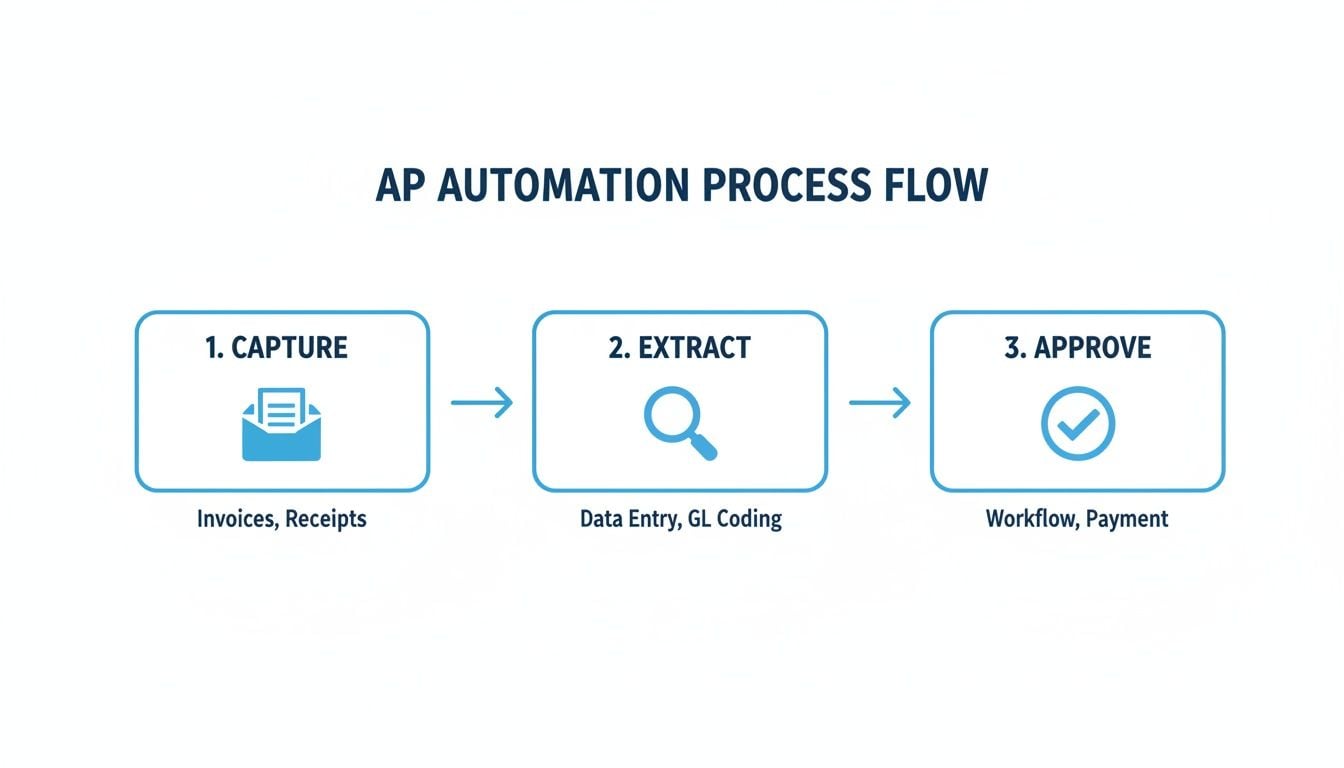
As you can see, each stage logically feeds into the next, creating a powerful and efficient chain reaction.
Training the AI to Read Invoices Perfectly
Your automation tool uses Optical Character Recognition (OCR) and AI to pull out all the important details from an invoice. While this tech is incredibly smart right out of the box, you’ll want to give it a little guidance at the start.
For the first few dozen invoices, just double-check that the AI is grabbing the right information. Pay close attention to a few key fields:
- Invoice Number: Is it pulling the correct string of numbers and letters?
- Total Amount: Does the total match what's on the document? No more, no less.
- Vendor Name: Is it correctly identifying the supplier every time?
- Due Date: Is the system calculating the payment deadline correctly?
Most modern platforms learn from your feedback. If you have to correct a field once, the AI typically remembers that change for the next invoice from that same vendor. A huge part of this efficiency comes from automating OCR for PDF invoices, which does the heavy lifting of data capture.
Setting Up Smart Approval Workflows
Once the data is being captured cleanly, you can build the rules that tell the system who needs to approve what. This is your chance to bake your company’s internal policies directly into the workflow, which not only ensures compliance but also dramatically speeds up payments.
Start with a common scenario. For instance, you could set up a rule that looks something like this:
- IF an invoice is from the "Marketing" department and is less than $1,000.
- THEN send it straight to the Marketing Manager for a one-click approval.
- BUT IF that same marketing invoice is over $5,000.
- THEN route it to the Marketing Manager first, and then to the CFO for the final sign-off.
These kinds of dynamic, "if-then" rules mean your AP team is no longer chasing people down for approvals—a task that is often the single biggest bottleneck in the entire process.
Having a Plan for the Oddballs
Let's be real: no system is foolproof. You’re bound to run into exceptions—invoices that don't quite fit the mold. A solid automation plan accounts for these outliers from day one.
Some common exceptions you should plan for include:
- Duplicate Invoices: The system should automatically flag any invoice number it has already processed, saving you from costly double payments.
- Missing PO Numbers: If a purchase order is required, the system can pause the invoice and automatically notify the right person to provide the missing PO.
- Price Mismatches: If the invoice total doesn’t match the PO, it gets flagged and sent to the procurement team for review.
The key is that your plan for handling these should be just as automated as everything else. Instead of causing a fire drill, the system should just route the problem to the right person with all the info they need to fix it fast. This closes the loop and makes your AP process truly resilient.
Getting Your Team On Board (and Keeping Them There)
You’ve found the perfect software, mapped your workflows, and you're ready to go. But let’s be real: even the best automation tool is just expensive shelfware if your team doesn't actually use it. The success of this whole project hinges on people, not just platforms.
My biggest piece of advice? Don’t try to boil the ocean. A "big bang" rollout where you flip the switch for everyone at once is a classic recipe for confusion, pushback, and a whole lot of headaches. A gradual, phased approach is always the smarter play.
Start with a Pilot Group to Build Momentum
Before you go company-wide, pick a small, contained group to test the new system. This could be a single department that’s generally open to new tech, or you could focus on a handful of your highest-volume vendors.
Think of this as your "test kitchen." Starting small gives you a safe space to learn and fine-tune the process. This initial run will help you:
- Find the rough edges: You'll quickly see what's confusing and where the workflow snags in a real-world setting.
- Figure out your training: You'll discover what you actually need to teach people versus what's intuitive.
- Create your first fans: When this pilot group starts raving about how much easier their jobs are, they become your most powerful advocates.
For instance, the marketing department is often a great place to start. They usually have a mix of recurring invoices (like software subscriptions) and one-off project costs, which gives the system a good workout. Once you've ironed out the kinks with them and they're seeing invoices fly through, you'll have a proven success story to share. Nothing gets other departments on board faster than seeing their colleagues get their vendors paid in record time.
Position Automation as a Teammate, Not a Threat
Let’s tackle the big, unspoken fear head-on. The moment you say "automation," some people hear "job replacement." You have to get out in front of that and frame this new tool for what it truly is: an incredibly helpful assistant.
The reality is that AP automation doesn’t make skilled people redundant—it makes them more strategic. A recent poll found that 64% of AP pros name tedious, outdated manual processes as a major source of on-the-job stress. This software is the solution to that burnout.
Your message should be simple and clear: We're getting rid of the soul-crushing part of your job. No more manual data entry, no more hunting down approvals. This is about freeing you up to focus on the work that actually matters—like analyzing spend, negotiating better terms with vendors, and improving cash flow.
It’s not a replacement; it’s an upgrade for the entire team's role in the company.
Your Change Management Checklist
Good communication is what separates a smooth rollout from a chaotic one. Having a simple plan ensures you don't miss a step.
- Explain the "Why": Don't just talk about features. Talk about the frustrations the new system solves. "Remember how long it took to get that Q4 invoice approved? This fixes that."
- Train with Real Invoices: Forget boring user manuals. Schedule hands-on sessions where your team can walk through the new process with invoices they actually recognize.
- Offer an Easy Help Channel: Set up a dedicated Slack channel or email address where anyone can ask a question and get a fast, friendly answer.
- Showcase the Wins: When the pilot group cuts their invoice processing time by 70%, shout it from the rooftops! Share those early successes and metrics.
Bonus Win: Fort Knox-Level Security and Compliance
Beyond making your team happier, AP automation brings another massive benefit that often gets overlooked: a rock-solid audit trail. In a world of increasing financial scrutiny, this is a game-changer.
Manual processes built on emails and paper copies are a nightmare for auditors. They're messy, incomplete, and impossible to verify. An automated system, on the other hand, creates a clean, timestamped digital record of every single touchpoint.
You can instantly see who submitted an invoice, when it was reviewed, who approved it, and the exact moment it was paid. This not only makes audits a breeze but also gives you a level of security and internal control that’s just not possible when you’re chasing paper around the office.
Measuring Your ROI and Optimizing for the Future
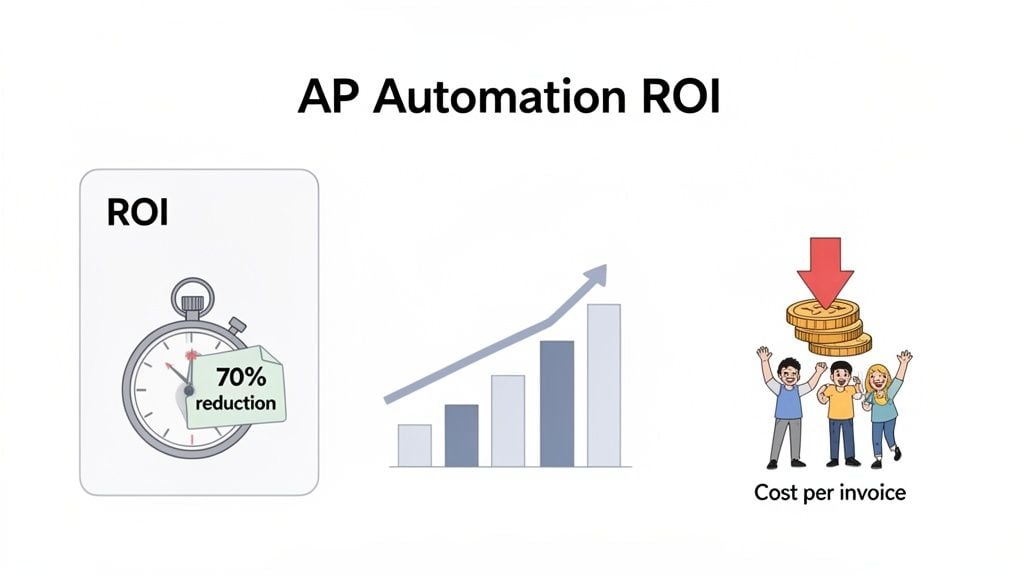
Alright, the system is live and humming along. Now for the million-dollar question: was it worth it? This is the moment you get to show off, and thankfully, your new automation tool’s dashboard is packed with the hard data you need to prove the project’s success.
You're no longer working off gut feelings about efficiency. The proof is right there in the numbers, ready to be presented. It's time to circle back to those initial goals and KPIs and see how you stacked up.
Calculating Your Return on Investment
Let's talk ROI. It sounds intimidating, but it doesn't have to be. You can get a fantastic picture by blending the obvious financial wins with the "soft" benefits that are just as crucial.
The classic formula is a great place to start:
(Financial Gain - Project Cost) / Project Cost = ROI
To get your financial gain, you’ll want to tally up all the tangible savings you've unlocked. Look for things like:
- Reduced Labor Costs: Think about all the hours your team used to burn on manual data entry, approvals, and chasing down invoices. If you saved 20 hours per week and your team's blended rate is $25/hour, you’re looking at $2,000 in monthly savings right there.
- Captured Early Payment Discounts: How many discounts were you missing before? Add up every dollar you’ve captured since going live. This is new money in the bank.
- Eliminated Late Fees: This one is simple. Every penalty you’ve avoided is a direct boost to your bottom line.
Don't forget the soft benefits. They're harder to put a number on, but they matter immensely. Things like higher team morale, less burnout, and happier vendors (thanks to on-time payments) create a healthier, more productive company culture.
Putting It All Together: A Real-World Example
Let's look at a mid-sized e-commerce company that was drowning in about 500 invoices a month. Their AP team was stressed, they were paying late fees left and right, and early payment discounts were a fantasy.
After they rolled out their AP automation platform, the transformation was night and day.
Metric
Before Automation
After Automation
Improvement
Invoice Cycle Time
22 days
5 days
77% Faster
Cost Per Invoice
$18.50
$5.25
71% Cheaper
Early Payment Discounts
5% Captured
90% Captured
+85%
Manual Data Entry
40 hours/month
3 hours/month
92% Reduction
By slashing their invoice processing time, they virtually wiped out late fees and started generating revenue from discounts. More importantly, their AP team was finally freed from mind-numbing data entry and could focus on strategic financial analysis that actually moves the needle.
Optimizing for Continuous Improvement
Just because you're live doesn't mean you're done. The data flowing into your dashboard is a goldmine for making things even better.
Keep a close eye on your KPIs. Are certain vendors still creating bottlenecks? It might be time to have a conversation about how they submit invoices. Is a specific manager always slow to approve? You can tweak the workflow to send them more frequent reminders or even reroute approvals after a certain time.
Your AP automation system isn't a "set it and forget it" tool. It’s an evolving part of your finance operations. By regularly checking the data and making small, informed adjustments, you can ensure your investment pays dividends for years to come.
Your AP Automation Questions, Answered
Whenever I talk to finance teams about moving to an automated accounts payable system, the same few questions almost always come up. They're good questions, and the answers are often more straightforward than people think. Let's tackle them head-on.
How Much Is This Going to Cost?
You’re probably wondering about the price tag, and that’s fair. The cost really depends on what you need, and the range is pretty wide.
Simple tools built for small businesses can start for less than $50/month. On the other end, comprehensive platforms for larger enterprises can run into the thousands.
But honestly, focusing only on the monthly fee is missing the bigger picture. A solid AP automation system pays for itself, and usually pretty quickly. It does this by slashing the hours your team spends on manual entry, wiping out late payment fees, and helping you snag early payment discounts you were probably missing.
Here's how I encourage people to think about it: if the software helps you catch just one big early payment discount or avoid a single costly human error, it has already started paying you back.
Will This Replace My AP Staff?
This is a big one, and I get the concern. The short answer is no. It’s not about replacing people; it’s about making their jobs better and more valuable.
Automation is fantastic at the tedious, repetitive work—the data entry, the invoice chasing, the filing. This frees up your skilled finance pros to do what they do best.
Instead of just keying in numbers, they can dig into spending patterns, build better relationships with your vendors, and provide real strategic insight. Your team becomes more analytical and less clerical.
How Long Does It Take to Set Up?
Forget what you might imagine about long, painful software projects from a decade ago. Modern, cloud-based AP tools are built for speed.
For most small and mid-sized businesses, you can be up and running in hours or days, not weeks or months. The setup process is usually a simple, guided walkthrough. You’ll connect your email or vendor portals, set a few approval rules, and sync it with your accounting software like Xero or QuickBooks. It’s surprisingly quick.
Ready to see just how fast you can get your accounts payable process on autopilot? Booksmate connects directly to your vendor portals and email, automatically pulling and processing invoices so you never have to. Start saving time and money today at https://booksmate.com.