The Ultimate Guide to Invoice Data Extraction Software
Tired of manual entry? See how invoice data extraction software uses AI to automate workflows, boost accuracy, and save hours. Your 2026 guide to AP automation.

If you’ve ever found yourself staring at a mountain of invoices, you know the feeling. The sheer thought of manually typing every single detail—vendor name, invoice number, date, and each individual line item—is enough to make any accountant or business owner cringe. That tedious, time-consuming task is exactly what invoice data extraction software is built to eliminate.
Think of it as your own personal data entry assistant, one that works 24/7 without ever making a typo.
What is invoice data extraction software?
Invoice data extraction software reads invoices and converts fields such as supplier, invoice number, dates, currency, tax, totals and line items into structured data. The useful output is not OCR text alone, but validated data that can flow into accounting or accounts-payable systems.
- OCR recognises characters; extraction maps them to accounting fields.
- Good systems handle different layouts without a template for every supplier.
- Human review or confidence thresholds should catch uncertain fields before posting.
How do you choose invoice data extraction software?
Choose software based on document coverage, line-item accuracy, validation controls and the quality of its accounting integrations. A high headline OCR score means little if staff still have to download files, fix tax fields and re-enter the result.
- Test it on your own worst invoices, not vendor demo documents.
- Measure end-to-end correction time and exception rate.
- Confirm duplicate detection, audit trail, multi-currency and draft posting controls.
Stop Drowning in Paperwork and Start Automating
For anyone managing business finances, the daily grind is real. You’re constantly chasing down invoices from supplier portals, digging through email attachments, and then settling in for the mind-numbing task of transcribing it all into your accounting system.
This isn’t just a minor inconvenience; it’s a massive productivity killer. The real costs pile up fast. It’s not just the hours you lose to data entry, but also the ripple effect of human error. A single misplaced decimal or a mistyped due date can throw off your financial reports, cause payment delays, and send you on a wild goose chase to find the mistake.
The True Cost of Manual Invoice Processing
So, what’s the actual price tag on doing things the old-fashioned way? Studies show that processing a single invoice manually can cost an average of $22.75. That’s a shocking number when you multiply it by the dozens or hundreds of invoices you handle each month.
The right software, however, can slash that cost by 60% or more, all while making your process faster and more secure. It’s no surprise the market for this technology is projected to rocket from $2.78 billion in 2023 to an incredible $9.18 billion by 2032.
Instead of a chaotic inbox and stacks of PDFs, you get a clean, automated workflow where the technology handles the heavy lifting.
“AI should work alongside human employees to help them do their jobs better. The goal is to gain productivity, not just reduce headcount.”
This is all made possible by modern AI, often as part of a broader approach called Intelligent Document Processing (IDP). This technology gives software the ability to read and understand all kinds of documents, not just perfectly formatted invoices.
And this isn’t some futuristic tech reserved for giant corporations. Platforms like Booksmate are bringing this power to everyone, from solo bookkeepers to growing businesses. By connecting to your emails and supplier portals, the system automatically fetches documents, pulls out all the key data, and gets it ready for your accounting software. It completely changes the game, turning a reactive, stressful chore into a smooth, proactive process.
How AI-Powered Invoice Extraction Actually Works
Ever wondered how software can take a messy PDF invoice—or even a blurry photo of one—and magically pull out all the key details into a neat, organized format? It’s not magic, but it’s the closest thing we have in the world of accounting.
Think of it like having a junior accountant on your team who’s a speed-reader, speaks every language, and never needs a coffee break. This “digital accountant” uses two core technologies working in tandem: Optical Character Recognition (OCR) to read the document, and Machine Learning (ML) to understand it.
The Foundation: Optical Character Recognition (OCR)
The first job is simply to read what’s on the page. OCR is the technology that acts as the system’s eyes. It scans an invoice—whether it’s a file you uploaded or a picture you snapped with your phone—and turns the image into raw, machine-readable text.
It’s the same tech that lets you scan a business card and have the contact info pop right into your phone. OCR is brilliant at converting pixels into letters and numbers, but on its own, it just creates a big block of text. It doesn’t know that “$1,250.75” is the total amount or that “Net 30” is the payment term. That’s where the real intelligence comes in.
This image really captures the flow, showing how you go from a stack of paperwork to real, tangible savings in time and money.
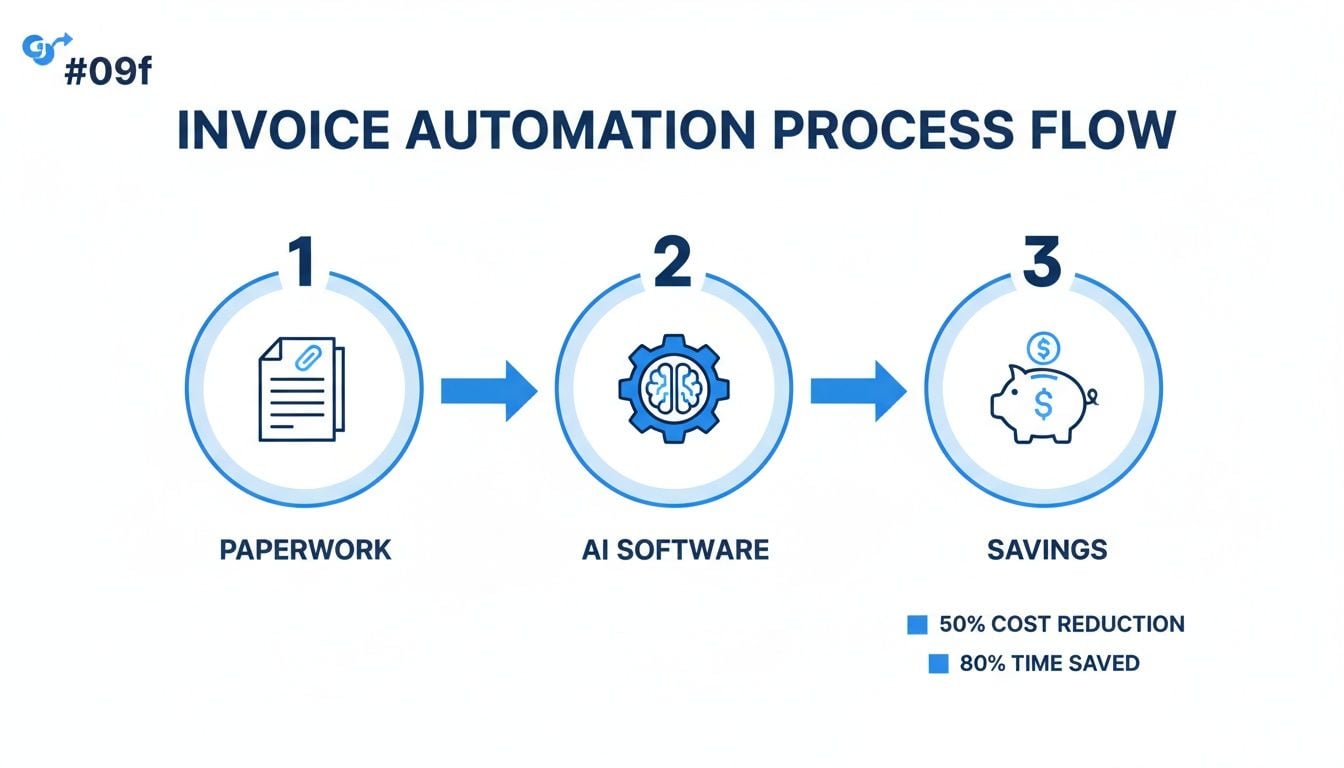
It’s a simple visual, but it perfectly illustrates how smart automation turns a headache-inducing task into a streamlined process.
The Intelligence: Machine Learning and AI Parsing
Once OCR has digitized the text, the machine learning model—the system’s brain—takes over. This is where the “aha!” moment happens. The AI has been trained on millions of different invoices, so it has learned to recognize the context and relationships between words and numbers.
It doesn’t need a rigid template. It just intuitively understands what it’s looking at.
- It knows that “Invoice #,” “Inv. No.,” and “Document ID” all mean the exact same thing: the invoice number.
- It can tell the difference between the “Billing Date” and the “Due Date” without getting them mixed up.
- It spots the vendor’s name and address, even if it’s just a logo and a small snippet of text at the top of the page.
This is what sets modern AI tools apart from the clunky, template-based systems of the past. The AI doesn’t just read the words; it understands their meaning. That’s what makes it so incredibly flexible and accurate.
Today’s best systems use things like AI Autoparse capabilities to intelligently deconstruct even the most complex documents. This allows the software to transform unstructured chaos into perfectly organized data without anyone having to lift a finger.
The Step-by-Step Extraction Workflow
So, let’s walk through the entire journey, from the moment an invoice lands on your virtual desk to when its data is ready for your accounting system.
- Ingestion: It all starts when an invoice enters the system. This could be from an email attachment, a drag-and-drop upload, or even automatically fetched from a supplier’s online portal.
- Pre-processing: Before reading, the software cleans up the document. Think of it as adjusting the focus on a camera. It straightens crooked scans, brightens dark images, and sharpens blurry text to give the OCR engine the best possible view.
- OCR Conversion: The clean image is fed to the OCR engine, which converts every letter and number into a digital text file.
- AI Data Extraction: Now the fun part. The machine learning model dives into the raw text, identifies all the crucial fields (vendor, total, line items, you name it), and extracts the data.
- Validation and Review: The system then double-checks its own work. It might add up the line items to make sure they match the subtotal, for instance. If the AI is even slightly unsure about a field, it flags it for a quick human glance. This human-in-the-loop step is key to guaranteeing 100% accuracy.
Beyond Extraction With Automated Invoice Collection
Having AI read your invoices is a game-changer, but it only solves part of the puzzle. The real headache, as any finance pro knows, is getting all those invoices in one place to begin with. This first step—the actual collection—is a black hole for time and energy.
We’ve all been there. It’s that monthly ritual of logging into a dozen different supplier portals. Amazon, Stripe, Google, Microsoft… each one has its own login, its own dashboard, and its own place to hide the latest bill. You hunt, click, download, save, and then start all over again.
And that’s just the portals. Next, you have to dive into your inbox, wading through a sea of newsletters and spam just to fish out a few critical invoice attachments. It’s tedious, mind-numbing work that’s practically begging for a mistake to happen.
This is where the best invoice data extraction software really sets itself apart. It doesn’t just read the documents; it goes out and gets them for you.
Your Personal Digital Mail Carrier
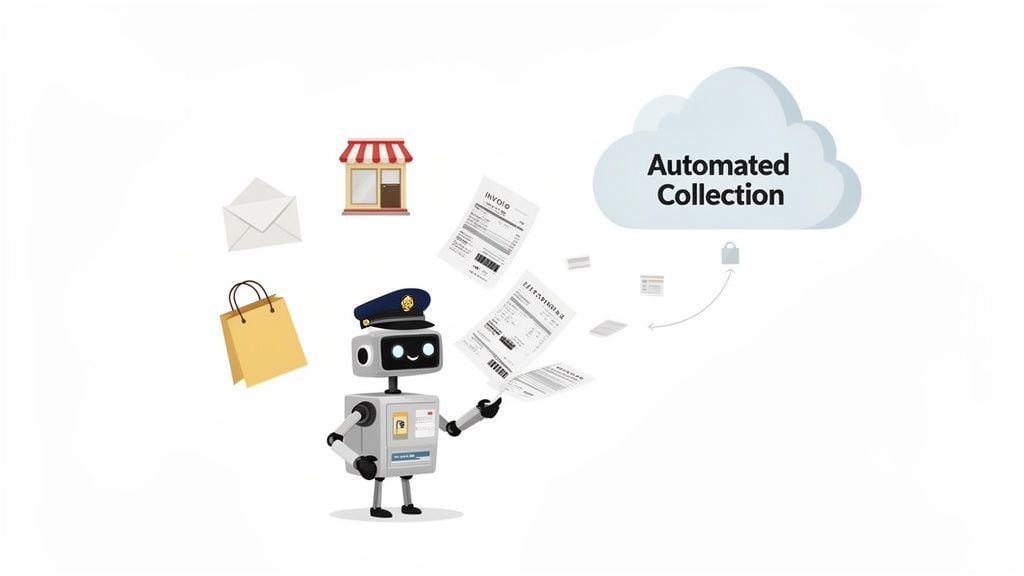
Think of it like having a dedicated mail carrier just for your company’s finances. But this isn’t someone who just drops a stack of envelopes on your desk. This is a smart assistant who knows exactly which vendors you use, automatically visits their websites, and checks your inbox for you. They grab every new invoice and receipt, then neatly organize them without you lifting a finger.
So, how does this work in practice? It all comes down to two clever methods that automate the entire retrieval process.
- Smart Email Scanning: You simply connect the software to a designated email account (like invoices@example.com). From there, it intelligently scans every incoming message, identifies which ones are invoices, and automatically pulls the attachments into your system. No more manual searching.
- Automated Portal Connections: For all your online vendors, you provide secure, encrypted credentials one time. The software then logs in on your behalf, navigates directly to the billing page, and downloads new invoices and receipts the moment they’re available.
This two-pronged attack means no invoice gets left behind, whether it’s buried in an email thread or posted on a vendor’s website. You get a truly hands-off workflow where documents just show up, ready for the AI to take over.
Reliability Through Curated Connections
Now, you might see some platforms brag about having “thousands of integrations.” Be careful with that. It often translates to a massive library of fragile, unmanaged connections that break the second a vendor tweaks their website. You can end up spending more time fixing broken links than you save.
A much smarter approach—and the one you’ll find in platforms like Booksmate—is to focus on a curated set of actively monitored connections.
Instead of a massive, unreliable phonebook, you get a small, trusted list of contacts who always pick up. This focus on quality over quantity ensures consistent and dependable document fetching from your most critical suppliers like Amazon, Stripe, and PayPal.
This level of automation completely changes the game for finance teams. It makes “touchless processing” a real, achievable goal. According to research highlighted by Deloitte and Basware, businesses can reach 89% touchless processing rates with this kind of technology. You can see more on these benchmarks in this deep dive on invoice management statistics.
What to Look For: 8 Key Features of Top-Tier Invoice Data Extraction Software
When you start shopping for invoice data extraction software, it’s easy to get overwhelmed. A lot of platforms look pretty similar on the surface, but the real magic—or frustration—lies in the details. The right set of features can be the difference between a tool that’s a minor help and one that completely overhauls your financial workflow for the better.
To cut through the marketing noise, you need a solid checklist. Think of this as your buyer’s guide, breaking down the non-negotiable features that separate the genuinely great solutions from the merely average ones. Let’s get into what you should really be looking for.
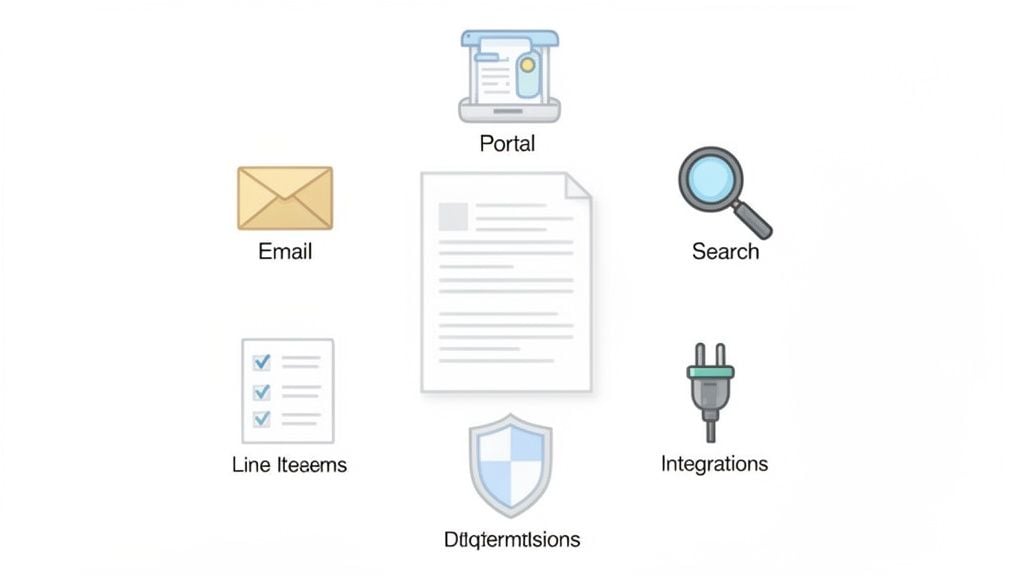
1. Multi-Channel Invoice Collection
First things first: how do invoices get into the system? Your bills don’t all come from one place. They show up as email attachments, hide in vendor portals, and sometimes even arrive as paper mail. A truly automated system has to grab them all without you lifting a finger.
The two most important features here are automated portal connections and smart email forwarding. The software should be able to securely log into sites like Amazon or your utility providers to fetch new bills automatically. At the same time, it needs to monitor a dedicated inbox, instantly pulling in any invoices your vendors email over. This combination creates a “set it and forget it” collection process, so nothing ever gets missed.
2. High-Accuracy AI with Line-Item Extraction
The AI is the engine of the whole operation. Nearly every tool can grab the obvious stuff like the total amount and due date. But the best-in-class software goes much, much deeper. The gold standard is high-accuracy line-item extraction.
Why does this matter so much? Because the real story of your expenses is in the details. Line items are essential for proper job costing, inventory tracking, and getting your expense categories right. A system that can reliably pull every single item, its quantity, and price gives you incredibly rich data to work with.
The goal isn’t just to capture the invoice total; it’s to understand the story behind it. That’s what line-item extraction does—it turns a simple bill into a source of powerful business insight.
On top of that, the AI needs to be teachable. If you fix a misread field once, the system should remember your correction for all future invoices from that vendor. It gets smarter and more accurate over time, custom-tailored to your business.
3. A Central Document Hub with Powerful Search
Once your invoices are collected and the data is pulled, they need a home. The best tools give you a clean, central dashboard that acts as your command center for everything AP. This shouldn’t feel like a cluttered digital shoebox; it should be an organized and instantly searchable database.
Here are the key organizational features to demand:
- Powerful Search and Filters: You should be able to find any invoice in seconds. Look for the ability to search by vendor, date range, invoice number, or even by keywords buried inside the document.
- Custom Tags and Statuses: The system must let you apply your own logic. Tagging invoices with statuses like “Needs Approval,” “In Dispute,” or “Paid” helps you manage your workflow and see what needs attention at a glance.
- An Intuitive Interface: The dashboard should make sense immediately. You want to see the document preview, the extracted data, and any approval history all in one place, without having to click through a dozen screens.
4. Seamless Accounting Software Integrations
An extraction tool that can’t talk to your accounting system is only doing half the job. Manually keying data from one software to another is exactly the kind of tedious work you’re trying to eliminate!
The final piece of the puzzle is a rock-solid, one-click integration with the accounting software you already use. Look for deep, native connections with platforms like QuickBooks Online, Xero, and Sage. “Deep integration” means all that precious data—including every single line item—maps perfectly to the right fields in your general ledger.
This is what closes the automation loop. The data should flow effortlessly from invoice collection all the way to your books, delivering the biggest time savings and ensuring your records are always accurate.
Essential vs. Advanced Software Features
Not every business needs the most complex, feature-packed solution right away. It’s helpful to think about features in two buckets: the essentials that everyone needs and the advanced tools that become critical as you scale.
Here’s a quick comparison to help you decide what’s right for you.
Feature
Essential (For Solo/Small Teams)
Advanced (For Growing/Large Teams)
Data Extraction
Header/footer data (vendor, total, date) and basic line-item capture
High-accuracy, AI-powered line-item extraction with learning capabilities for complex layouts
Invoice Collection
Email forwarding and manual uploads
Automated portal fetching, dedicated email inbox monitoring, and mobile app scanning
Integrations
One-click export to major platforms like QuickBooks Online or Xero
Deep, two-way sync, custom field mapping, and API access for connecting to ERPs or other tools
Workflow & Approvals
Simple status tags (e.g., “Paid,” “Unpaid”)
Multi-step, rules-based approval workflows (e.g., route invoices over $5k to the department head)
Search & Storage
Basic search by vendor or date; cloud storage
Full-text OCR search, advanced filtering, and unlimited, lifetime document archiving
User Management
Single user or a few team members with the same access level
Granular user roles and permissions to control who can view, edit, approve, or export data
Thinking about your current needs and where your business is headed will help you pick a platform that not only works for you today but can also grow with you tomorrow.
Here is the rewritten section, designed to sound completely human-written and natural.
How Booksmate Delivers Reliable Invoice Automation
It’s one thing to talk about invoice automation in theory, but it’s another thing entirely to see it actually work day in and day out. Plenty of tools out there promise to sort out your accounts payable, but as many bookkeepers and accountants have discovered, the reality can be frustratingly flaky. This is where Booksmate’s philosophy makes all the difference, turning the idea of reliable automation into something you can actually count on.
Our entire approach is built on a simple, powerful idea: quality over quantity. Instead of boasting about thousands of integrations that break if you look at them sideways, we focus on a core group of actively monitored connections to the portals you rely on most. We’re talking about your key vendors like Amazon, Google, Microsoft, and Stripe. Our team constantly tests and maintains these connections to make sure they just work.
Think of it like this: You can have a giant, dusty address book with thousands of names where half the numbers are wrong, or you can have a short, trusted list of contacts who always pick up the phone. We choose the latter.
This obsession with reliability couldn’t be more timely. The market for invoice automation software is exploding—it was valued at $3.37 billion in 2024 and is expected to climb to $8.91 billion by 2032. Why the surge? Because accountants and bookkeepers are desperate to get out of the soul-crushing cycle of chasing down invoices. You can see the full breakdown of these impressive market trends in the latest research.
See the End-to-End Workflow in Action
So what does this reliability actually look like in your daily workflow? Let’s say you’re expecting a new invoice from Stripe. Instead of you having to do anything, Booksmate gets to work behind the scenes.
- Automated Fetch: Our monitored connection securely logs into your Stripe portal on schedule. The moment a new invoice appears, Booksmate grabs it and pulls the document straight into your dashboard. No more manual downloads.
- AI-Powered Extraction: As soon as the invoice lands, our AI kicks in. It reads the document and intelligently pulls out all the critical information—vendor name, invoice number, due date, and even every single line item.
- Centralized Organization: Just like that, the extracted data and a preview of the invoice pop up in your unified dashboard. The document is automatically tagged and sorted, waiting for your quick review.
- One-Click Export: Once you’re ready, a single click sends all that clean, organized data—line items and all—directly to your accounting software like QuickBooks or Xero. The entire trip, from the vendor portal to your books, is completed without you typing a single number.
This isn’t just about saving a few minutes; it’s about completely eliminating the most tedious and error-prone parts of your job. It’s a true end-to-end solution that takes care of the document from start to finish.
Power and Flexibility for Advanced Needs
While rock-solid reliability is our foundation, we know that one size doesn’t fit all. For teams with unique workflows or proprietary systems, Booksmate is designed with the power and flexibility to grow with you.
- Custom Plugin Integrations: Have a vendor portal or internal system that isn’t on our main list? We can work with you to build a custom plugin to connect it.
- API Access: If you need to integrate Booksmate with your business intelligence tools or other in-house software, our API gives your development team the keys to build whatever you need.
By combining no-nonsense dependability for your daily tasks with the flexibility to handle more, Booksmate becomes a real partner in your business. You get a system that works right out of the box and the power to make it do even more as you scale.
Implementing Your New Software And Avoiding Common Pitfalls
Bringing new software into your workflow can feel like a massive undertaking, but it doesn’t have to be. Getting started with invoice data extraction software isn’t some big, dramatic event. It’s more about a thoughtful setup and easing into it, not flipping a switch and hoping for the best.
Your first move is simple. Get your account set up, then just connect a couple of your most important sources. Don’t go crazy trying to link everything on day one. Pick your main company email (think invoices@example.com) and one or two major vendor portals you use all the time, like Amazon or Stripe. This way, you’ll see results almost instantly as the first few invoices get pulled in automatically.
Start Smart: A Phased Rollout Plan
Once you’ve got those first few connections working and you see how the magic happens, you can start building on that momentum. A phased rollout is the secret to a headache-free implementation. It’s like dipping your toes in the water before diving in headfirst.
Here’s a straightforward plan that we’ve seen work time and time again:
- Phase 1 (Week 1): Connect your top 3-5 vendor portals and your primary invoices email. The goal here is just to get comfortable with the dashboard and watch how the AI handles those first few documents.
- Phase 2 (Weeks 2-3): Start adding more of your secondary vendor portals. This is also a great time to loop in a teammate, walk them through the process, and show them how to review any documents the system flags.
- Phase 3 (Month 2 and beyond): Now you can go all in. Connect all your remaining portals and start creating rules for any unique or complex workflows you might have. By this point, the system should be handling the lion’s share of your invoices with very little help from you.
This step-by-step approach gives you and your team the breathing room to learn the software without feeling buried, which is crucial for getting everyone on board.
Critical Mistakes to Avoid During Implementation
Even with the best plan, it’s easy to stumble. I’ve seen a few common missteps trip people up, but knowing what they are ahead of time makes them easy to sidestep.
Mistake 1: Expecting 100% Automation on Day One No AI, no matter how advanced, is a mind reader right out of the box. At first, you’ll probably need to make a few quick corrections, especially on invoices with funky layouts you haven’t seen before.
Think of the AI as a new hire. It’s incredibly bright and works at lightning speed, but it needs a little on-the-job training to learn the quirks of your specific vendors. Every little fix you make is like a quick lesson, making it smarter and more accurate with each invoice.
Mistake 2: Trying to Migrate Messy Historical Data It’s so tempting to think, “Great, let’s dump five years of old invoices in here!” Trust me, this is almost always a bad idea. Old records are often a chaotic mess of inconsistent formats, missing information, and duplicates.
Trying to clean that up is a frustrating, time-sucking project that rarely pays off. Instead, just declare “data bankruptcy” on your old files. Start fresh from today forward. The real value is in automating your future, not painstakingly fixing the past.
Mistake 3: Not Involving Your Team This is a big one. Automation isn’t a solo mission. If you’re on a finance team, get them involved from the very beginning. Show them how this new tool is going to vaporize their most mind-numbing tasks—like manual data entry—and give them time back for more important work, like financial analysis or building better vendor relationships.
When your team sees what’s in it for them, they’ll become the biggest champions of the new system. Start small, manage expectations, and you’ll set everyone up for a huge win.
Frequently Asked Questions About Invoice Data Extraction
Jumping into any new tech raises a few questions, and that’s completely normal. To clear things up, we’ve answered some of the questions we hear most often about invoice data extraction software.
How Secure Is My Data With This Software?
This is usually the first thing on everyone’s mind, and for good reason. Any reputable platform will treat your financial data with bank-level security. This means using end-to-end encryption for all your information, both while it’s being sent and when it’s sitting on a server.
When the software logs into your vendor portals, it uses heavily encrypted credential storage, similar to how a high-quality password manager works. For an added layer of protection, many tools also offer Single Sign-On (SSO), which lets your team log in using the same secure method they use for all your other company apps. Always look for providers who are open about their security measures and have certifications like SOC 2 or are GDPR compliant.
What Happens If The AI Makes A Mistake?
Let’s be honest: no AI is perfect. Any company promising 100% accuracy right from the start isn’t giving you the full picture. The best systems are built knowing that occasional errors happen, so they include a “human-in-the-loop” step for validation.
Think of it as a safety net. The software will flag any fields it’s unsure about, drawing your eye to them for a quick check. You can then approve or correct the entry in a matter of seconds.
Here’s where it gets really smart. The platform’s machine learning model actually learns from your corrections. Every fix you make teaches the AI, making it more accurate and reliable for your specific vendors over time.
Can This Software Handle Different Languages and Currencies?
Of course. In today’s global market, this is a must-have. The AI models behind modern extraction tools are trained on millions of invoices from all over the world, so they’re already familiar with multiple languages.
They’re also programmed to recognize different currency symbols and formatting—whether that’s a decimal or a comma. So, when an invoice in Euros arrives from a supplier in Germany or one in Yen from a partner in Japan, the system knows exactly what to do. Just double-check that a provider’s list of supported languages and currencies fits your business needs before you sign up.
How Long Does It Take To Set Up and See Results?
You can forget about long, drawn-out implementation projects. Modern, cloud-based software is built to be up and running fast. You can typically create an account, connect your main AP email inbox, and link your first few supplier portals in under an hour.
The results start showing up almost immediately. The first time an invoice is collected and processed without you lifting a finger, you’re already saving time. You’ll really feel the impact within the first week as you realize that manual data entry is no longer cluttering up your to-do list.
Ready to stop chasing invoices and start automating your finances? Booksmate connects directly to your portals and email to fetch and process your documents automatically. See how much time you can save by visiting https://booksmate.com to get started.
For end-to-end workflows, see our guide to automated invoice processing software beyond data capture alone.
For document-reading fundamentals, see invoice OCR software and its role in a reliable workflow.









