How to Keep Track of Business Expenses: A Reliable System
Learn how to keep track of business expenses with a reliable system. Our guide covers automated receipt capture, categorization, reconciliation, and reporting.

Most advice on how to keep track of business expenses starts too late. It starts with categories, tax deductions, or reconciliation. Those matter, but they aren't the first problem most businesses face anymore.
The first problem is getting the documents. If invoices live across Amazon, Stripe, Google, Microsoft, PayPal, SaaS billing pages, and scattered inboxes, your books are already incomplete before anyone assigns a category. A clean expense system starts upstream, at document capture, then moves through organization, reconciliation, and reporting.
Table of Contents
- Laying the Foundation for Expense TrackingTreat expense tracking like a system
- Set the basic rules before spending starts
- Solving the Document Collection PuzzleWhy most expense systems break before bookkeeping starts
- What a workable collection flow looks like
- Organizing Data for Clarity and ComplianceBuild categories that help both accounting and taxes
- A simple chart of accounts structure
- The Crucial Reconciliation and Reporting LoopReconciliation is quality control
- What to review every month
- Automating Workflows and Integrating SystemsConnect collection classification and export
- What to automate first
- Measuring Success and Avoiding Common PitfallsMetrics that show whether the system works
- Mistakes that quietly break expense tracking
Laying the Foundation for Expense Tracking
Treat expense tracking like a system
If you want a method that survives growth, staff changes, and tax season, treat expense tracking like a system, not a habit. A habit depends on memory and discipline. A system depends on rules, structure, and a repeatable workflow.
Establishing a clear expense policy serves as your blueprint, while setting up dedicated bank accounts and credit cards forms the essential foundation. If these core components are weak, your entire financial tracking system will become unstable later.
A technically sound workflow starts with separate business and personal finances, then recording each transaction with date, vendor, amount, category, and purpose, attaching receipts, and reconciling on a fixed cadence. Practitioner guidance recommends daily or weekly logging plus monthly reconciliation, and for smaller firms with fewer than about 30 transactions per month, a structured spreadsheet can be enough before software becomes the better option for scale and audit readiness, as outlined by Del Real Tax on tracking business expenses.
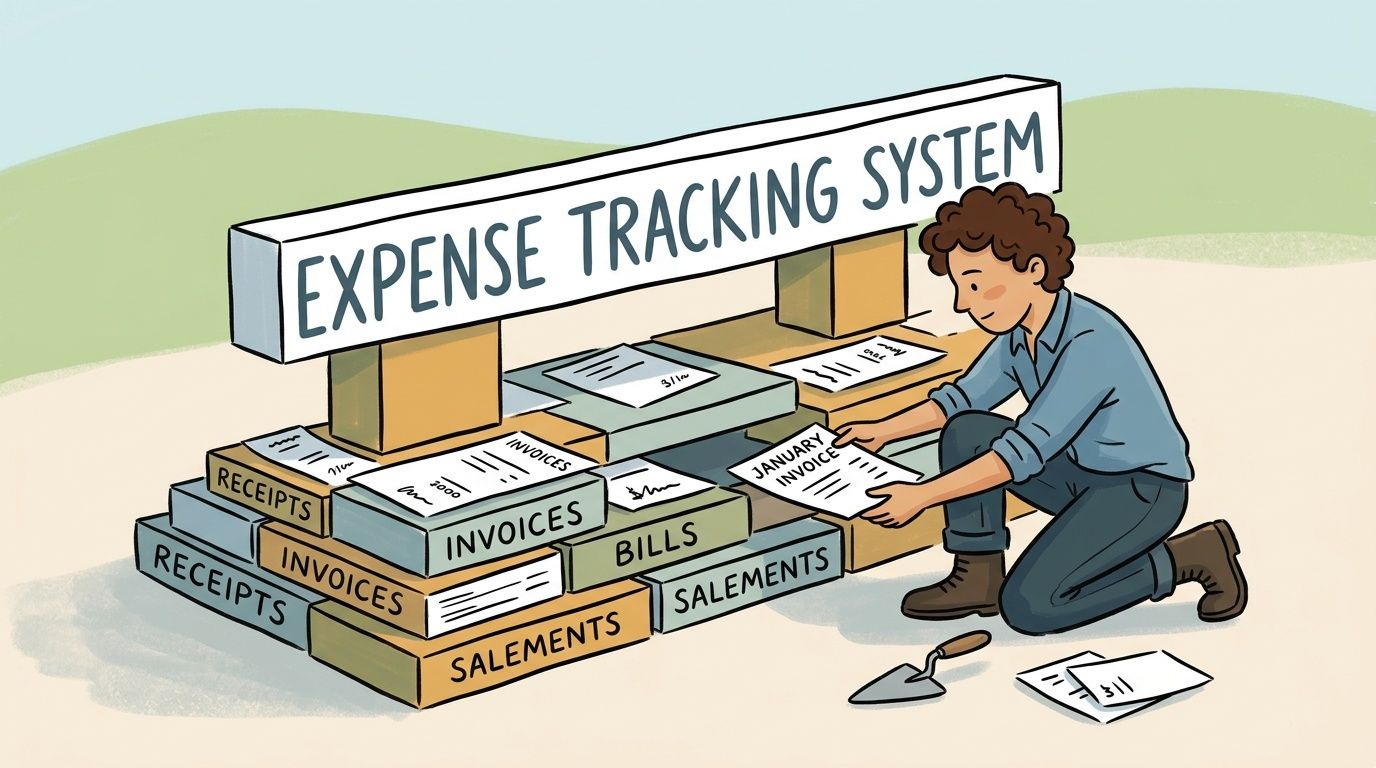
Practical rule: If a transaction can't be traced to the right account, the right document, and the right business purpose, it isn't fully tracked.
Even a solo operator needs a simple expense policy. It doesn't need legal language. It needs clarity.
Your policy should answer these questions:
- What counts as a business expense: Define ordinary recurring spending such as software, contractor payments, office supplies, travel tied to work, and platform fees.
- Who can spend: In a one-person business, that's easy. In a team, decide who can buy directly, who needs approval, and what should go through procurement.
- What documentation is required: At minimum, keep the receipt or invoice plus the date, vendor, amount, and why the purchase was for the business.
- Where records live: Pick one storage location and stick to it. Don't split records between inboxes, phones, desktops, and chat threads.
What doesn't work is a vague rule like "save receipts when you can." That creates cleanup work during monthly bookkeeping, and cleanup work is where details disappear.
If you're still deciding between a spreadsheet-first approach and a dedicated tool, this guide to a small business expense tracker from ReceiptGen is a useful reference for comparing practical options.
Solving the Document Collection Puzzle
Most articles on how to keep track of business expenses assume you already have the receipt. That's the blind spot.
For many businesses, the hardest part isn't coding a charge to software, advertising, or office supplies. It's collecting the invoice from the portal where the vendor hid it. The work happens before bookkeeping. Someone has to log into the vendor account, find billing history, download the file, rename it, store it, then match it to the card charge.
Why most expense systems break before bookkeeping starts
That problem gets worse as spending shifts to digital vendors. A major underserved angle is not categorization but collecting receipts and invoices in the first place when spending happens across dozens of vendor portals and inboxes. Guidance summarized by Brex on tracking business expenses notes that most guides rarely address the operational bottleneck of manual portal downloading for SaaS, marketplaces, ad platforms, and payment tools.
Manual collection fails in predictable ways:
- Invoices stay in portals: The charge appears on the card, but the source document never reaches accounting.
- Inboxes become filing systems: Finance teams search old emails instead of working from a central record.
- Paper and digital records get mixed: Some receipts are scanned, some are photographed, some are lost.
- Monthly bookkeeping turns into a chase: Someone has to ask employees or clients to resend what should have been captured at the start.
That isn't just annoying. It weakens the audit trail and slows every downstream step.
The cleanest general ledger in the world won't help if the source documents never make it into the system.
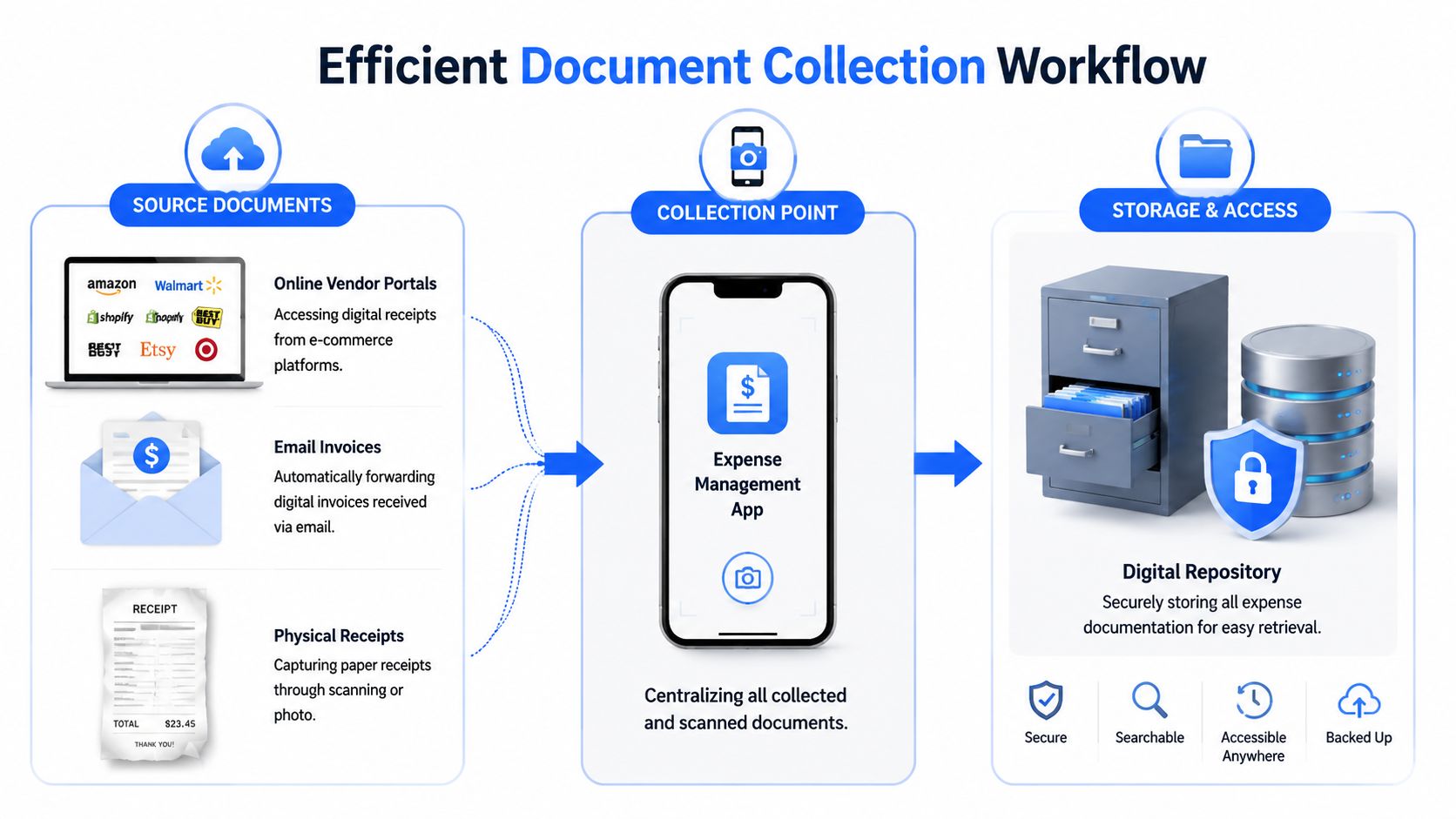
A modern collection process should pull documents from three places into one repository:
- Vendor portals such as ecommerce accounts, ad platforms, payment providers, and software billing pages.
- Email inboxes where vendors send invoices, receipts, and payment confirmations.
- Physical receipts that employees scan or photograph on the day of purchase.
Once those sources feed a single intake point, categorization becomes easier because the supporting evidence arrives with the transaction context.
A practical setup often includes these controls:
Collection point
What to standardize
What usually goes wrong
Vendor portals
Download schedule or automated fetch
Missed invoices from recurring vendors
Email invoices
Shared finance inbox or monitored mailbox
Documents trapped in personal inboxes
Physical receipts
Same-day scan rule
Faded paper and lost context
Central storage
Uniform naming and indexing
Files spread across folders and devices
If you're still wrestling with receipt sprawl, this article on choosing a receipt organizer app is a useful next read because it focuses on getting documents under control before the books go messy.
The key trade-off is simple. Manual download processes can work for a very small vendor list. They break once the business runs on many subscriptions, marketplaces, and payment tools. At that point, the bottleneck isn't accounting knowledge. It's document acquisition discipline.
Organizing Data for Clarity and Compliance
Once documents arrive reliably, the next job is turning raw files into usable accounting data. At this stage, many teams either overbuild or stay too loose.
You don't need a complicated chart of accounts. You need one that's consistent, easy to review, and detailed enough to explain what the business spends money on.
Build categories that help both accounting and taxes
A foundational reason to track business expenses is that tax systems generally tax profit, not gross revenue. For self-employed U.S. filers, the IRS Schedule C requires reporting business income, business spending, and net profit or loss. In practice, every correctly recorded deductible expense can reduce taxable income, which is why keeping receipts, vendor details, dates, amounts, and business purpose matters, as explained in Stride Health's guide to tracking business expenses.
That last field, business purpose, is where weak records often fall apart. "Software subscription" is a category. "Project management tool for client delivery team" is business purpose. One tells you what was bought. The other explains why the business paid for it.
Record enough detail so that someone outside your company could understand the purchase without asking you a follow-up question.
Broad categories are useful for reporting. Granular subcategories are useful for control. The right level depends on whether the extra detail changes decisions.
Use broader labels when:
- Spending is low-volume: You don't need five separate office supply accounts.
- Tax treatment is similar: Grouping similar operating costs keeps reports readable.
- Managers won't act on more detail: Extra categories create clutter if nobody reviews them.
Use more detail when:
- A category drives budget decisions: Marketing often deserves separate lines for paid ads, software, freelancers, and events.
- Vendors are numerous and recurring: Subscription-heavy businesses need visibility into software sprawl.
- Project reporting matters: Client work, departments, or cost centers may require finer tracking.
For teams that still use spreadsheets before moving into a fuller system, this Excel expense tracker template guide can help standardize fields and categories.
Here is a practical starting point for a small or mid-sized business.
Standard Chart of Accounts Expense Categories
Category
Description
Examples
Cost of Goods Sold
Direct costs tied to delivering products or services
Materials, subcontracted production, direct labor tied to delivery
Payroll and Contractors
Payments to staff and external contributors
Salaries, freelance design, bookkeeping support
Software and Subscriptions
Recurring digital tools used to run the business
Project tools, email platforms, design software
Marketing and Advertising
Spending to generate demand
Paid ads, sponsorships, creative services
Travel and Meals
Work-related travel and business meals
Airfare, hotels, client meals with documented purpose
Office and Operations
General running costs
Supplies, postage, coworking fees, internet
Professional Services
Specialized outside support
Legal, tax prep, consulting
Banking and Processing Fees
Charges tied to financial operations
Merchant fees, wire fees, card processing charges
What doesn't work is vague catch-all coding such as "miscellaneous" for repeated spending. If an expense shows up regularly, it deserves a home. Uncategorized costs are not a category. They're a signal that your structure needs work.
The Crucial Reconciliation and Reporting Loop
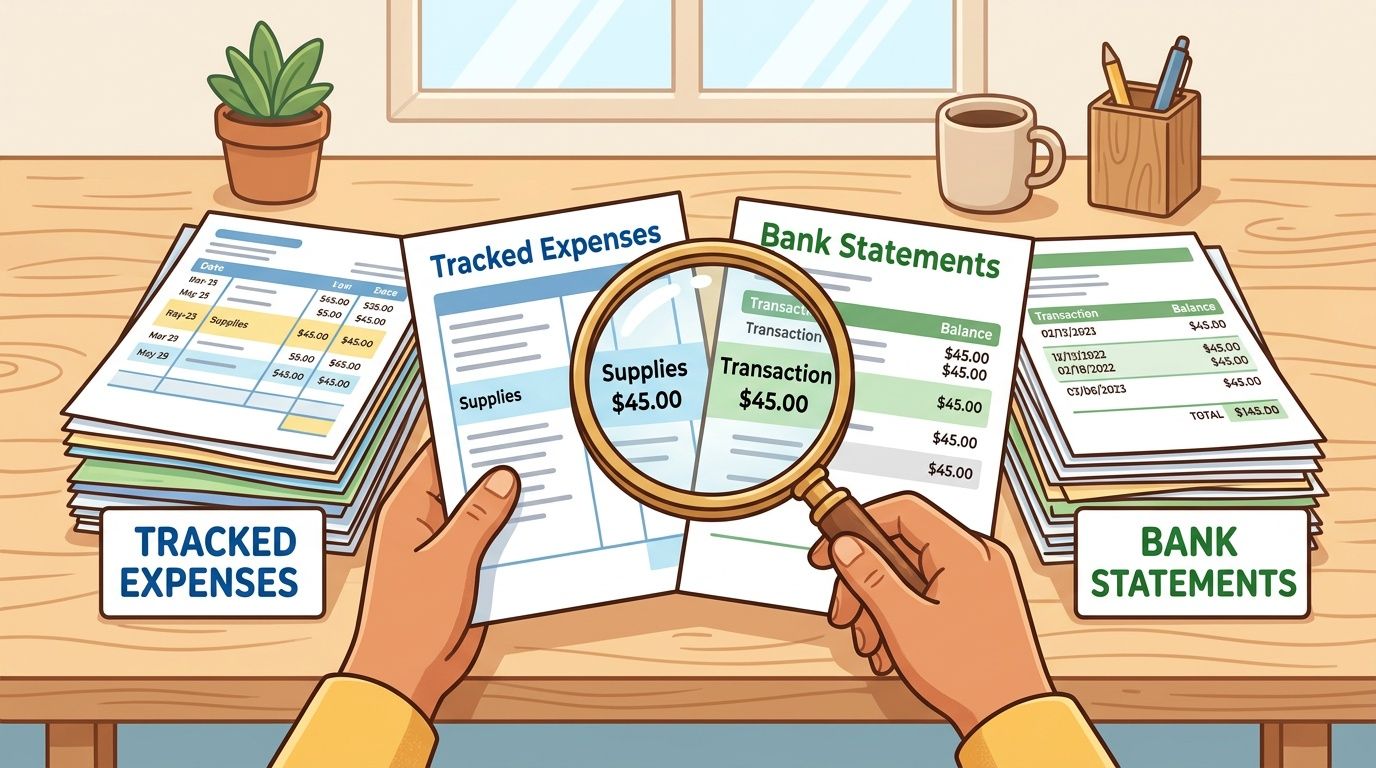
Reconciliation is where expense tracking becomes accounting. Until then, you have a list. After reconciliation, you have a record you can trust.
Reconciliation is quality control
The main operational pitfall in expense tracking is lateness. When expenses are entered days or weeks later, they're more likely to be misclassified or missing receipts. Guidance summarized by Productive on project expense tracking emphasizes real-time capture and regular weekly or monthly reviews to catch issues before period close.
I've seen the same pattern repeatedly. The transaction itself is rarely the mystery. The missing piece is context. A card charge to a vendor is easy to import. Knowing whether it belongs to software, marketing, or reimbursable client spend gets harder once time passes.
That is why reconciliation should be treated as a formal close task, not a casual review of bank feeds.
A solid monthly review asks four blunt questions:
- Did every bank and card transaction make it into the ledger?
- Does each transaction have support attached or otherwise documented?
- Was it coded to the right category and period?
- Do any duplicates, reversals, or unusual charges need follow-up?
Controller check: If you wait until tax season to reconcile, you're not tracking expenses. You're reconstructing them.
A useful monthly reconciliation checklist looks like this:
- Pull statements for every business bank account and credit card.
- Match imported transactions against your expense log or accounting system.
- Flag unmatched items immediately. They are usually missing documents, timing issues, or posting errors.
- Review duplicates caused by manual entries plus bank feed imports.
- Check large or unusual vendors for miscoding or unauthorized spend.
- Confirm recurring subscriptions still belong on the books.
- Lock the period once corrections are complete.
After that, reporting becomes simple. Two reports matter first:
- Profit and Loss statement: This shows whether spending levels make sense relative to revenue and operating needs.
- Spending by category report: This shows where cash is going and whether patterns are changing.
If you want a quick visual walkthrough of reconciliation basics, this video is a useful refresher before you build your monthly bookkeeping checklist:

Good reporting depends on verified data. If the books aren't reconciled, category reports turn into opinion. Once reconciled, they become management tools.
Automating Workflows and Integrating Systems
Modern expense control isn't one feature. It's a chain.
The strongest setups connect document collection, data extraction, coding, approval, export, and reconciliation into one operating flow. When those parts stay disconnected, staff re-enter the same information multiple times and errors creep in at every handoff.
Connect collection classification and export
Expense tracking has evolved from a manual bookkeeping task into a data-driven control process. Guidance summarized by TMetric's business expense tracker glossary describes a progression from manual trackers to automated tools, integrated accounting systems, and enterprise platforms. The value of automation is control. Businesses can detect spending patterns, spot budget overruns, identify unauthorized expenses, monitor subscription creep, and compare project costs against revenue.
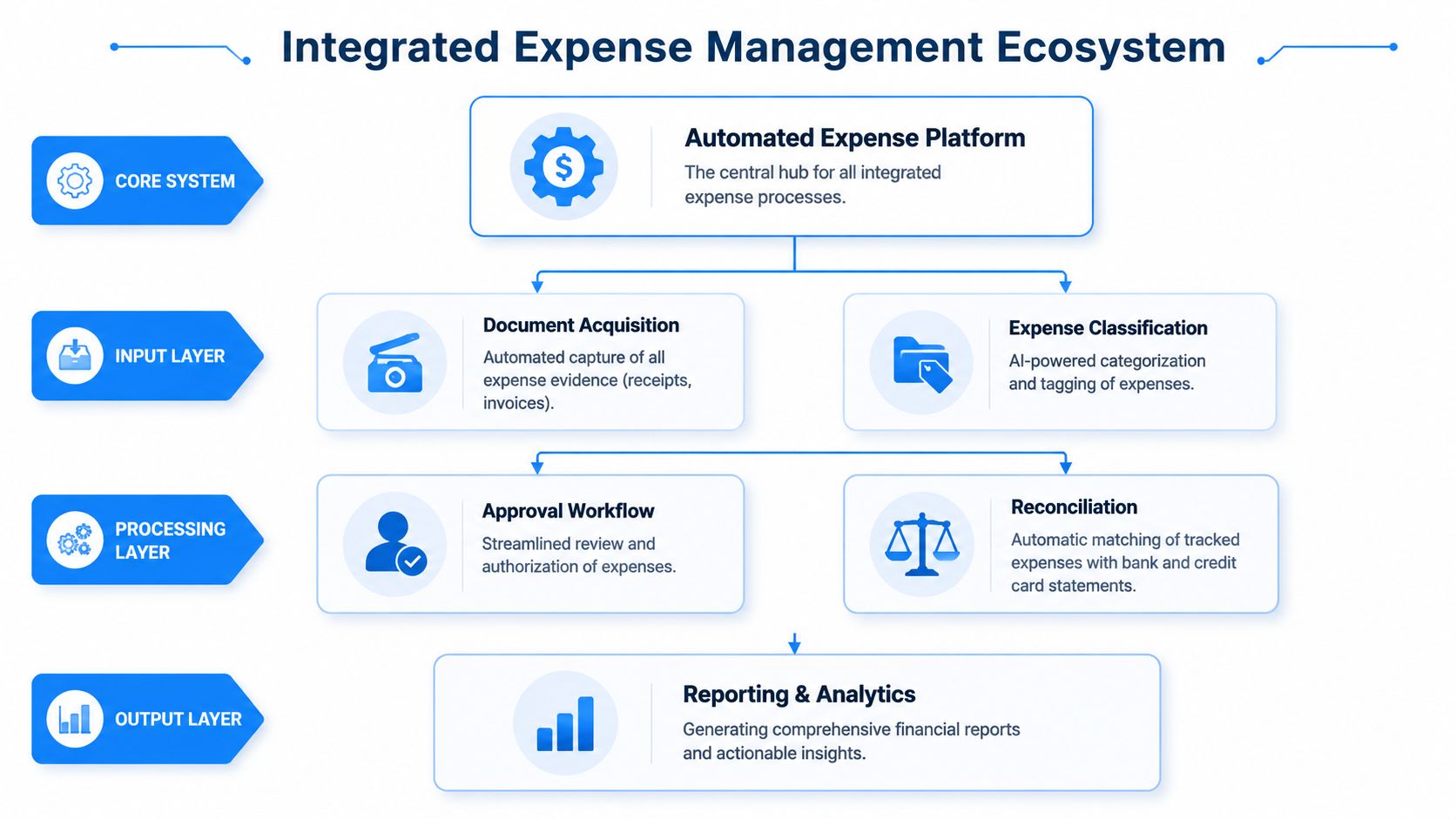
A practical automated stack often works like this:
- Collection layer: Documents enter from inboxes, vendor portals, and scans.
- Processing layer: The system extracts date, vendor, amount, and other fields, then routes items for review.
- Approval layer: A bookkeeper, accountant, or manager confirms coding and exceptions.
- Accounting layer: Approved records export into QuickBooks, Xero, or another ledger system.
- Reporting layer: Reconciled data feeds P&L and spend analysis.
A document-focused tool fits differently from a standard expense app. Booksmate, for example, connects to vendor portals and email inboxes to fetch invoices and receipts, extracts key invoice data, organizes the files in a dashboard, and prepares them for export to accounting software. That solves the upstream collection problem that card-feed tools don't fully address. For a broader look at this kind of workflow design, this guide to automation in accounting covers where automation removes manual work.
Don't automate everything at once. Start where people repeat the same mechanical task.
The best first targets are usually:
Workflow
Automate it when
Keep it manual when
Portal invoice fetching
Vendors are numerous and recurring
Vendor count is very small
Inbox document capture
Invoices hit multiple mailboxes
One shared mailbox already works cleanly
Field extraction
Staff retype vendor, date, and amount
Volume is low and review time is trivial
Export to accounting
Data is entered twice in separate systems
Books are maintained in a simple spreadsheet
What doesn't work is adding isolated tools without deciding who owns the review step. Automation should remove handling, not remove accountability. Someone still needs to review exceptions, maintain categories, and confirm that exported data lands correctly.
Measuring Success and Avoiding Common Pitfalls
A good expense system should get boring. Documents arrive on time, coding stays consistent, reconciliation closes cleanly, and nobody has to hunt through inboxes during monthly bookkeeping.
If that isn't happening, the problem usually isn't effort. It's that the process lacks measurable standards.
Metrics that show whether the system works
Track a short list of operating metrics every month:
- Time to close books monthly: If close drags, look upstream at missing documents and unresolved transactions.
- Share of expenses with attached support: Missing files point to collection gaps.
- Number of uncategorized transactions: This shows whether your chart of accounts is usable in practice.
- Open exceptions during monthly bookkeeping: Items waiting on receipts, approvals, or coding decisions should be visible.
- Repeat vendor cleanup items: If the same vendors always cause problems, the collection process is weak.
You don't need complicated dashboards. A simple internal scorecard is enough if someone reviews it and acts on it.
A reliable expense process doesn't depend on heroic cleanup work at the end of the month.
These are the failure points I see most often:
- Commingling funds: Personal and business spending in the same account creates avoidable cleanup and weakens the audit trail.
- Vague descriptions: Notes like "meeting" or "supplies" don't explain business purpose.
- Receipt pileups: Delayed capture strips context from otherwise valid expenses.
- Overuse of miscellaneous categories: Repeated use usually means the chart of accounts is poorly designed.
- Irregular reconciliation: Errors sit untouched until they become harder to unwind.
- No owner for document collection: Everyone assumes someone else downloaded the invoice.
If you fix those six issues, the rest of the system gets easier. Expense tracking stops being a recurring scramble and becomes part of normal financial control.
How to keep track of business expenses
How to keep track of business expenses: separate the money, collect the document, code it, then reconcile on a schedule.
- Use a business bank account and business card. Keep personal spending off those accounts.
- Write a short policy: what counts, who can spend, what proof is required, and where files live.
- Collect the invoice or receipt from the vendor portal, the inbox, or a same-day photo of paper.
- Record date, vendor, amount, category, and business purpose, and attach the file.
- Reconcile the account on a monthly cadence. Log smaller volumes weekly if you are still on a spreadsheet.
- Review profit and loss and spending by category only after the period ties to the bank.
A card statement line without the vendor document is not a finished expense record.
FAQ: how to keep track of business expenses
What records do I need for a business expense?
Keep the receipt or invoice plus the date, vendor, amount, and business purpose. A bank or card line shows the payment. It does not replace the vendor document. Store those files in one place instead of splitting them across inboxes, phones, and chat.
How often should I update business expenses?
Log often enough that you still remember the purpose, daily or weekly for a small volume, and reconcile every month. Waiting until tax season is how receipts lose context. Close the period only after missing documents and uncategorized lines are cleared.
Is a spreadsheet enough to track business expenses?
A structured spreadsheet can be enough when you have fewer than about 30 transactions a month and you still attach the receipt. Move to accounting software when volume, staff, or audit needs outgrow the sheet. The spreadsheet does not collect portal invoices for you.
What if the invoice is only inside a vendor portal?
Download it from that vendor's billing history, name the file, and store it with the other expenses before you code the charge. Amazon, ad accounts, and SaaS portals are a common gap because the card charge arrives and the PDF stays on the site. Treat portal download as part of expense tracking, not as optional admin.
Can I track expenses if I mix personal and business spending?
You can, but the cleanup is slower and the audit trail is weaker. Separate accounts are the foundation. If a mixed purchase already happened, note the business portion on the receipt and keep the personal part out of the business category.
If your team spends too much time chasing invoices across portals and inboxes, Booksmate is worth a look. It focuses on the document collection side of expense tracking by fetching invoices and receipts from online portals and email, extracting the key data, organizing the files, and preparing them for export into your accounting workflow.









