Receipt Organizer App: A Finance Team's Guide for 2026
Drowning in receipts? A receipt organizer app saves hours. Learn how they work, key features for finance teams, ROI, and how to solve duplicate receipt issues.

Receipts rarely live in one place anymore. A growing business has paper slips in wallets, emailed confirmations in shared inboxes, PDFs in vendor portals, and card transactions flowing into the bank feed before anyone has attached backup. By month-end, the finance team isn’t just “organizing receipts.” They’re chasing documents across systems that were never designed to work together.
That’s why a receipt organizer app matters now. It isn’t only a scanner. It’s the control point where documents are captured, read, stored, reviewed, and pushed into the books with less manual handling. Businesses have adopted these tools at scale, with Shoeboxed serving over one million businesses. That kind of adoption tells you this has moved well beyond a convenience feature.
If your current process still depends on downloading files one by one, renaming them, and hoping nobody books the same purchase twice, the problem isn’t effort. The problem is architecture. Even solid guidance on tax recordkeeping, like this practical piece from Bookkeeping and Accounting of Florida Inc., usually starts with organization habits. The next step is building a system that can handle receipts from every source without creating more cleanup work later.
Table of Contents
- The End of the Digital ShoeboxWhy the old workflow breaks down
- What changes when receipts become operational data
- How a Receipt Organizer App Actually WorksCollection comes first
- Processing turns images into records
- Organization and export finish the job
- Critical Features for Accountants and Finance TeamsWhat separates consumer apps from finance tools
- Receipt Organizer App Evaluation Checklist
- Calculating the ROI of AutomationStart with labor you can see
- Count the mistakes you stop making
- Your Implementation Checklist for a Smooth RolloutMap the intake before you buy anything
- Pilot first then standardize
- Solving Your Worst Receipt HeadachesWhen Amazon and SaaS receipts go missing
- When the same receipt shows up three times
- When clients never send what you need
- Moving Beyond Manual Data Entry for Good
The End of the Digital Shoebox
A lot of teams think they left the shoebox behind when they stopped saving paper in a drawer. In practice, many just replaced one pile with five. The pile is now split across email, cloud drives, supplier portals, text messages, phones, and accounting attachments.
That sounds manageable until close week starts. Then someone on the team is matching an Amazon order to a PDF download, another person is asking a manager for a photo of a restaurant receipt, and someone else is trying to work out whether the charge in the bank feed already has support somewhere else.
Why the old workflow breaks down
Manual receipt handling fails in predictable ways:
- Documents arrive unevenly. Paper receipts show up late. Email receipts get buried. Portal documents require logins that only one employee remembers.
- Data entry creates rework. A typo in vendor name, date, or amount can break reconciliation and slow review.
- Storage becomes fragmented. Files sit in inboxes, desktops, shared folders, and accounting software attachments with no consistent naming standard.
- Review gets pushed downstream. Problems surface during month-end close, tax prep, or an audit request, when they’re hardest to fix.
Receipts aren’t hard because they’re small. They’re hard because they arrive through too many channels.
A good receipt organizer app changes the workflow from “collect everything later” to “capture once, process early, verify before close.” That matters for business owners, but it matters even more for bookkeepers and accountants. They’re the ones carrying the cost of every missing file, duplicate entry, and unclear expense.
Once receipts are digitized into searchable records, the team can stop treating them as static images. They become usable accounting inputs. The app can route them into categories, hold them in a central archive, and connect them to the ledger instead of leaving them scattered across unrelated systems.
That’s the practical shift. You’re no longer cleaning up after purchases. You’re building a repeatable intake process for financial evidence.
How a Receipt Organizer App Actually Works
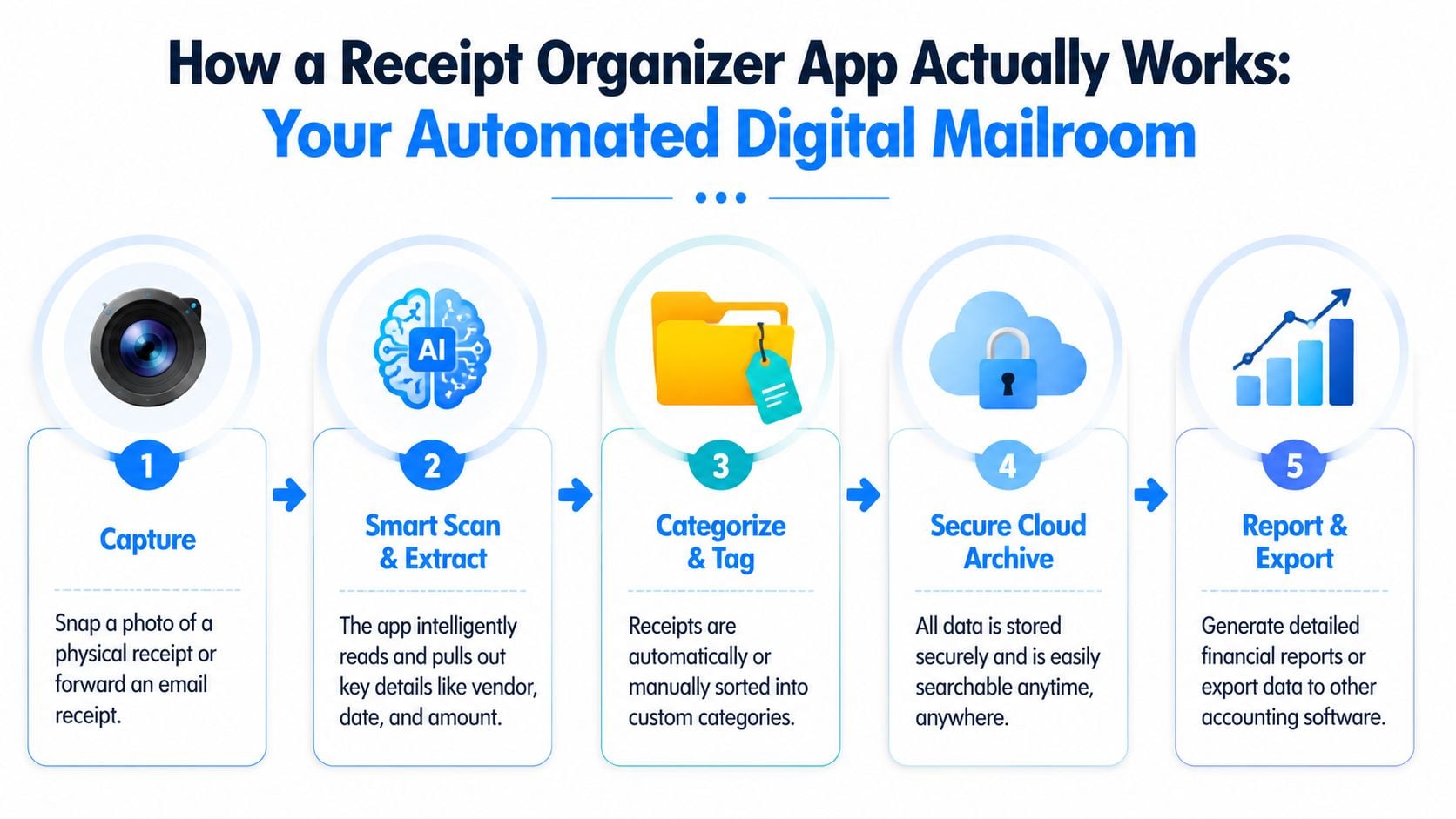
The easiest way to think about a receipt organizer app is as an automated financial mailroom. Documents come in through different doors. The system reads them, sorts them, stores them, and sends clean information where it belongs.
Collection comes first
Scanning a paper receipt is only one intake method. Strong platforms pull from several sources at once, including mobile capture, email forwarding, inbox scanning, PDF upload, and direct connections to other systems. That matters because modern receipts are fragmented by default.
A business may receive one expense record from a phone camera, another from a shared AP inbox, and another from a vendor portal. If the app only handles mobile scanning well, it forces the team back into manual collection for everything else.
Some finance teams also need deeper document capture from vendor accounts and recurring inbox patterns. If you’re comparing OCR tools, this guide to OCR invoice software is useful because it highlights the difference between simple text extraction and workflows that start before a file is ever uploaded manually.
After collection, the app uses OCR to read the document and extract the key fields. Modern tools can automatically pull 3 to 4 key data points per receipt, including vendor name, date, total amount, and taxes. For a business handling 20 receipts a month, that can remove over 60 manual data entries, as explained by Smart Receipts.
In practice, this step works best when the app can handle imperfect inputs. Receipts aren’t always clean PDFs. They’re often faded thermal paper, crooked phone photos, or screenshots with partial detail. Good OCR reduces correction work. Weak OCR creates another review queue.
Once the receipt is read, the app stores the image and the extracted fields in a central system. That’s where categorization, tagging, search, and review happen. A finance lead can see uncategorized items, check exceptions, and decide what’s ready to post.
The last step is export. The cleanest systems sync the approved data into accounting software so the document, category, and transaction context stay connected.
Practical rule: If a receipt app makes you export CSVs and manually rebuild the context in your ledger, automation stops too early.
A complete workflow usually looks like this:
- Capture the document from camera, email, portal, or upload.
- Extract the fields with OCR and AI.
- Review exceptions instead of retyping everything.
- Store the image and metadata in a searchable archive.
- Export or sync to the accounting system.
That’s where the value lies. The app doesn’t just scan. It reduces the number of times a human has to touch the same receipt.
Critical Features for Accountants and Finance Teams
Most receipt apps look similar in a demo. Snap photo. Extract amount. Save file. That’s enough for a sole proprietor. It isn’t enough for a finance team closing books across multiple users, vendors, and systems.
The difference between a consumer tool and a finance-grade tool usually shows up later, during reconciliation, review, and audit support. That’s where missing intake channels, weak controls, and poor duplicate handling become expensive.
What separates consumer apps from finance tools
For professional use, the primary requirement is multi-source capture. Enterprise-grade platforms accept documents from mobile cameras, email forwarding, direct portal connections, and bank statement integrations, with deduplication built into the workflow, as described by Crunchr. That matters because finance teams don’t receive receipts in a tidy sequence. They receive them wherever the vendor decides to send them.
The second requirement is role-based collaboration. Bookkeepers, staff accountants, controllers, and outside accountants don’t all need the same access. A tool that assumes one user owns everything usually breaks as soon as responsibilities split across a team.
Third is accounting sync that respects the existing chart of accounts and review process. If the app can’t map categories properly, support sub-users, or keep records aligned with the ledger, the team ends up doing cleanup in QuickBooks or Xero anyway.
If you’re helping a business evaluate support options or staffing around this process, a directory like the HireAccountants marketplace can help you find accountants who already work with automated document workflows and client-facing bookkeeping systems.
Feature
Why It Matters for Finance Teams
Look For
Multi-source capture
Receipts come from phones, inboxes, portals, and statements
Email intake, portal fetching, uploads, mobile capture
Duplicate detection
Prevents the same purchase from being booked more than once
Matching logic across source, date, vendor, and amount
Role-based access
Keeps review and posting rights controlled
User roles for staff, managers, and outside accountants
Accounting integration
Reduces re-entry and keeps documents tied to books
Direct sync with your accounting platform
Category mapping
Keeps posting consistent with your chart of accounts
Editable rules and reviewable coding
Searchable archive
Speeds tax prep, audit response, and month-end support
Central dashboard with filters and stored images
Exception handling
Lets staff review edge cases without blocking everything
Queues for unreadable, uncategorized, or unmatched items
A quick test helps separate marketing from reality. Take a week of real receipts, not sample images, and see how the app handles duplicates, partial receipts, shared mailbox intake, and user corrections.
For teams comparing intake methods, this practical guide on the best way to scan receipts is worth reading because scanning quality and submission habits still affect downstream accuracy, even when OCR is strong.
Calculating the ROI of Automation
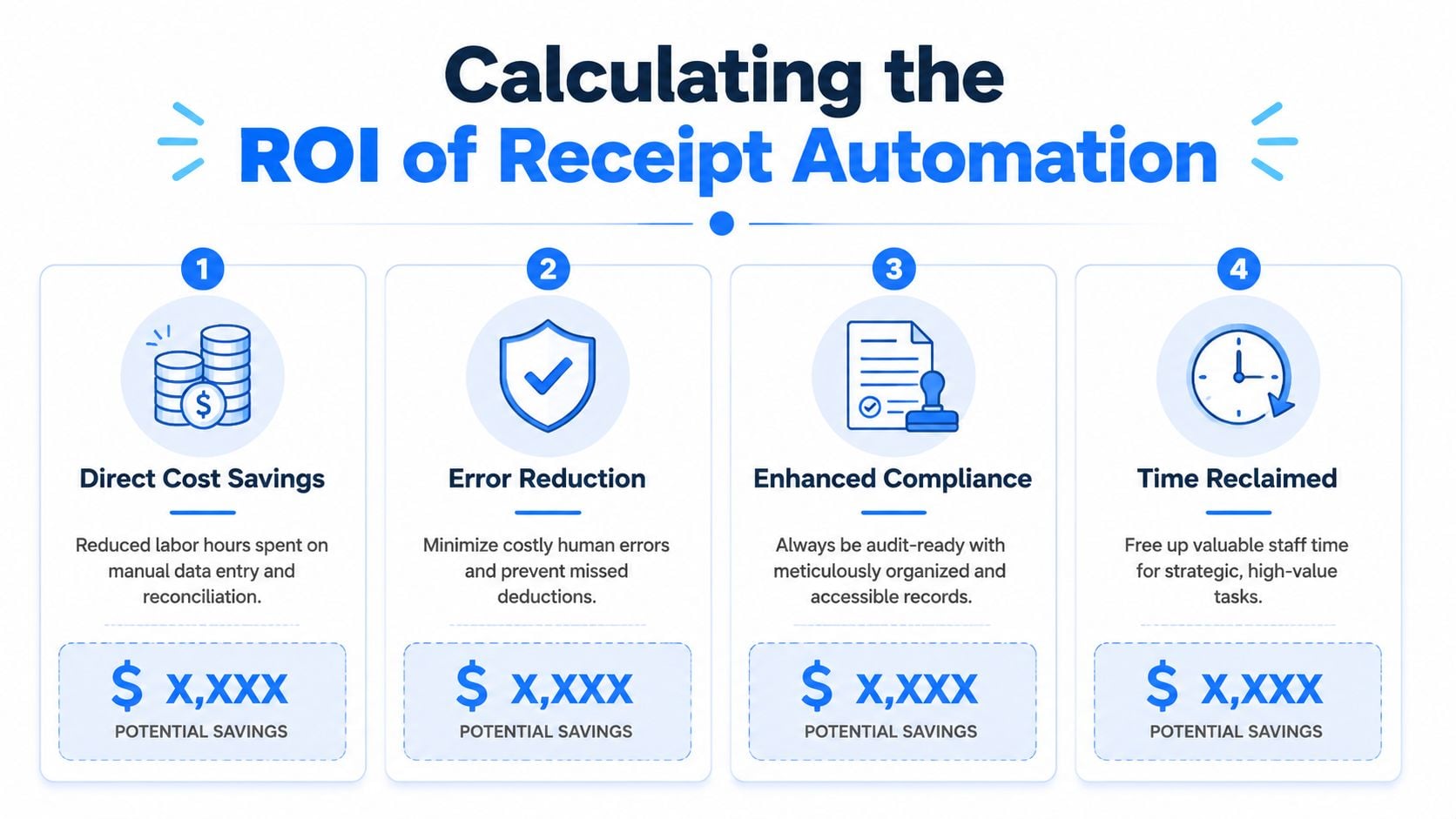
Finance teams often undersell the return from receipt automation because they only count typing time. That’s too narrow. Actual savings show up across capture, review, reconciliation, and retrieval.
Start with labor you can see
Begin with the work your team already notices:
- Manual entry time spent typing vendor, date, amount, and tax details
- Collection time spent asking staff or clients for missing documents
- Download time spent logging into portals and saving PDFs
- Filing time spent renaming, moving, and attaching documents
You don’t need a perfect model. A simple before-and-after estimate is enough to evaluate whether the workflow change is worth it.
A practical ROI formula looks like this:
ROI area
Basic way to estimate it
Direct labor savings
Hours removed from collection, entry, and filing x internal hourly cost
Faster close support
Hours removed from month-end cleanup x internal hourly cost
Better use of staff time
Hours shifted from admin work to review, analysis, or client service
Lower retrieval effort
Time saved finding documents during tax prep or audit support
The next layer is error prevention. Manual receipt handling often causes double posting, missing backup, wrong coding, and avoidable review loops. Those don’t always appear as direct software costs, but they consume time and undermine trust in the books.
Clean books don’t come from typing faster. They come from reducing the number of places where data can go wrong.
There’s also strategic value. Senior staff shouldn’t spend their week downloading receipt PDFs or chasing support for card charges. Automation lets them review exceptions, investigate unusual spend, and finish close work faster.
If you’re building a broader business case, it helps to place receipt capture inside the larger finance workflow. This overview of accounting automation software is useful for that conversation because receipt handling rarely exists in isolation. It affects AP, expense management, and the quality of data that reaches the ledger.
A good ROI case is simple. If the app removes repetitive admin work, lowers document chaos, and cuts reconciliation friction, it pays back in time and cleaner records even before you count the softer gains.
Your Implementation Checklist for a Smooth Rollout
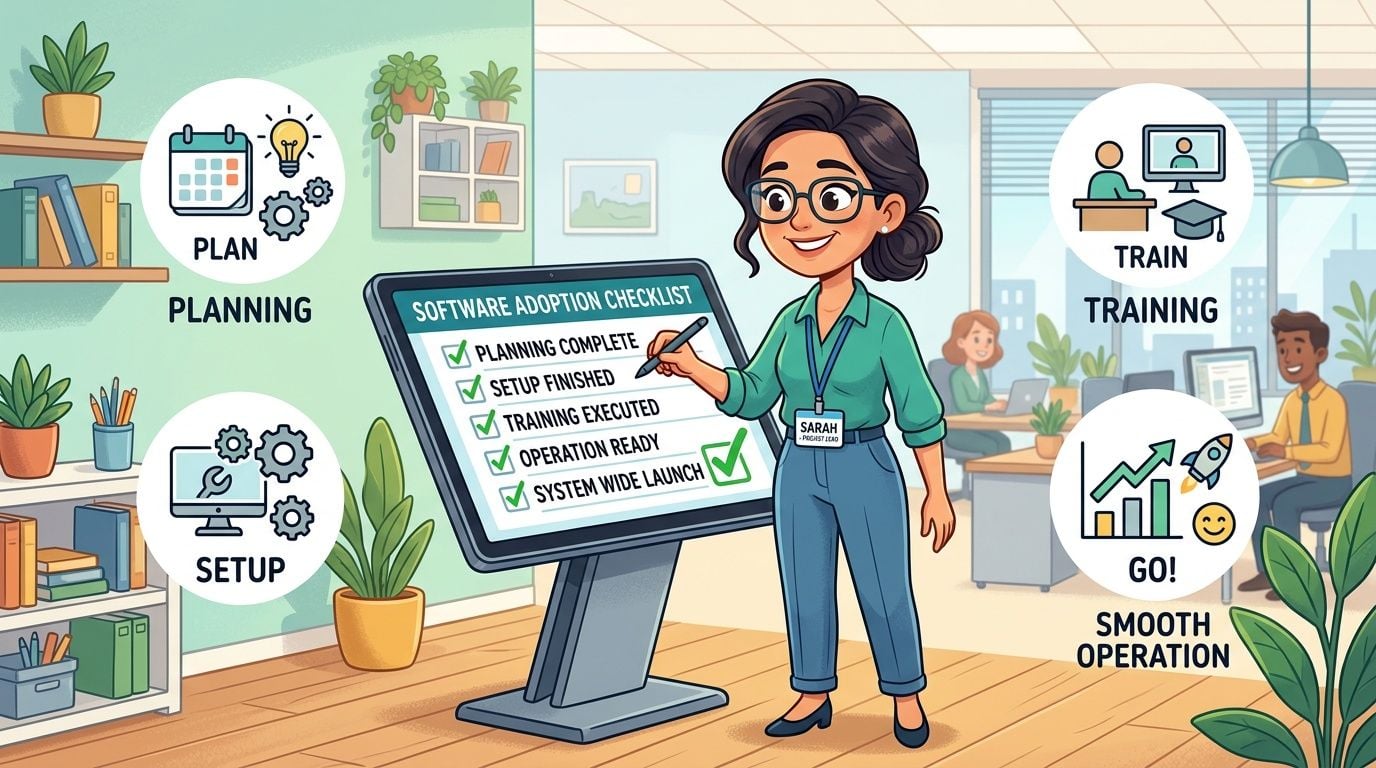
Most software rollouts fail for boring reasons. The team skips source mapping, category design, and review rules, then wonders why the data is messy after launch. Receipt automation works best when the intake process is designed before the first connection is turned on.
Map the intake before you buy anything
Start with an audit of every source that produces receipts or purchase backup. Don’t just list major vendors. Include shared inboxes, employee submissions, card statements, e-commerce portals, travel platforms, and any place someone currently logs in to fetch documentation manually.
Then document who owns each source. If one staff member has the login for a key portal and nobody else knows it, that’s part of the current process risk.
Use this checklist:
- List every receipt source. Include paper, email, portals, and finance system attachments.
- Mark the owner. Name the employee, team, or external accountant responsible for each source.
- Define the destination. Decide which receipts should sync into bookkeeping, which should stay archived, and which need review first.
- Set coding rules. Match categories to your chart of accounts before data starts flowing.
- Choose exception handling. Decide who reviews unreadable images, unmatched records, or unclear tax treatment.
Don’t launch with every department and every vendor at once. Start with a controlled pilot. A good pilot has enough volume to expose problems but not so much that mistakes spread across the books.
During the pilot, test these questions:
- Can the app collect from all intended sources?
- Do categories map correctly into the accounting system?
- Who reviews exceptions, and how quickly?
- Are duplicates being flagged before posting?
- Can the team find archived documents easily later?
Train staff on submission habits early. A clean workflow still needs people to use the right email, portal, or mobile capture method consistently.
After the pilot, standardize the process in writing. Keep it short. Staff need to know where to send receipts, when to review exceptions, and what happens when a document is missing. The best rollout documents are operational, not theoretical.
A stable receipt organizer app process usually includes one weekly review rhythm. Someone checks uncategorized items, duplicate flags, and missing support before month-end. That small habit prevents the old cleanup cycle from creeping back in.
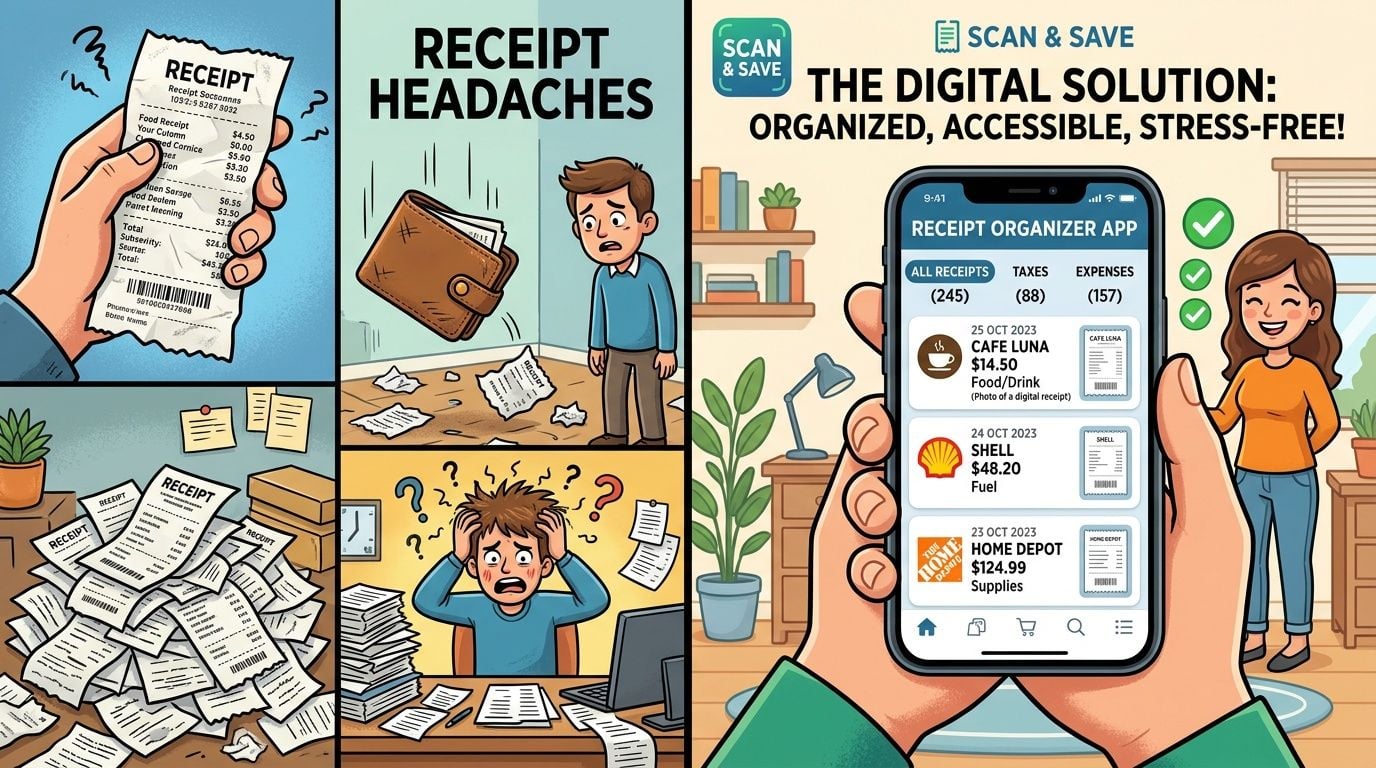
Solving Your Worst Receipt Headaches
The true test of a receipt organizer app isn’t whether it scans neatly in a demo. It’s whether it solves the messes that keep showing up in live bookkeeping.
When Amazon and SaaS receipts go missing
This is common in growing companies. Purchases happen quickly, but backup stays trapped in vendor accounts. By close week, the bank feed shows charges from Amazon, Google, Microsoft, Stripe, or PayPal, but the receipt is still sitting behind a login.
The manual fix is tedious. Someone signs into each platform, downloads the document, renames it, and attaches it to the transaction. That works for a while, then volume grows and the team falls behind.
A stronger workflow uses a tool that pulls from those sources directly and centralizes the documents. Booksmate fits this use case because it connects to vendor portals and email inboxes, fetches invoices and receipts automatically, applies AI extraction, and organizes them in one dashboard for export to accounting software.
This is the overlooked problem. One purchase can appear as an email confirmation, a downloaded portal PDF, and a card transaction with backup attached later. Teams often focus on OCR accuracy and ignore the reconciliation problem until duplicates hit the books.
That gap matters. ExpenseBot notes that duplicate receipt detection is an underserved need, especially when the same transaction arrives through email, portal download, and credit card statement. A basic scanner doesn’t solve that. It may worsen it by making intake easier without adding controls.
What works better is matching logic that treats receipt collection as a reconciliation task, not just a capture task. The system should flag likely duplicates before export, and the reviewer should clear one approved version rather than letting all variants flow into the ledger.
Firms see this every month. The client promises they’ll forward receipts, then sends half of them late, out of order, or not at all. The bookkeeper spends hours following up on support for expenses that already happened.
The right fix isn’t more reminder emails. It’s reducing how much depends on the client’s memory. Shared mailbox intake, portal connections, and standardized submission channels lower the amount of chasing required.
A receipt organizer app won’t eliminate every missing document problem. Some purchases will still need explanation. But when the system captures what it can automatically and presents exceptions clearly, the finance team stops doing clerical detective work and starts resolving only the items that need judgment.
Manual receipt work tends to linger because each individual task looks small. Download one PDF. Enter one amount. Ask for one missing file. The waste only becomes obvious when the team repeats that pattern every week across dozens of vendors and users.
A solid receipt organizer app changes that pattern. It centralizes intake, reduces manual entry, improves document retrieval, and gives accountants a cleaner review process. More importantly, it addresses the problem many teams miss until it damages the books: multi-source collection without duplicate control isn’t automation. It’s faster clutter.
The finance teams that get the most value from these tools don’t treat them as scanning apps. They treat them as document infrastructure. They map sources, standardize submission, review exceptions, and make duplicate detection part of reconciliation.
If your current process still depends on inbox searches, browser downloads, and month-end receipt chasing, start with a simple audit. List where receipts come from, who handles them, and where duplicates could enter the books. That exercise usually makes the next step clear.
If your team is tired of downloading receipts from portals, chasing email attachments, and cleaning up duplicates during close, Booksmate is worth a look. It’s built for bookkeepers, accountants, and finance teams that need automated collection from vendor portals and inboxes, AI data extraction, central organization, and accounting export without relying on a manual document chase.
For a practical Apple-specific example, can you find an apple receipt with a serial number is a useful guide to the limits of device identifiers and purchase-history records.
If you are evaluating low-cost tools first, is there a free receipt scanner for windows is a useful starting point.
For retail purchase records, how do you print a walmart receipt from the app explains the retrieval options.
For coffee and hospitality purchases, can you add a receipt to the starbucks app helps clarify the available options.









