Articles
What Is Accounts Payable Automation: Your 2026 Guide
Invoices rarely arrive in one neat stream. They land in shared inboxes, vendor portals, accounting mailboxes, PDF attachments, and the one approver's inbox nobody else can access. Then someone on the finance team has to collect them, read them, key them in, route them, and hope nothing disappears before month-end.
If that sounds familiar, you're already dealing with the core AP problem. It usually isn't just data entry. It's the messy chain of manual handoffs before the invoice ever reaches your accounting system.
That's why accounts payable automation matters now. It's no longer a niche finance tool. The global AP automation market is estimated at USD 6.17 billion in 2025 and projected to reach USD 11.17 billion by 2030, according to Quadient's AP automation statistics overview. Teams are adopting it to speed up invoice handling, reduce manual work, and pay suppliers on time.
Table of Contents
- The Unseen Costs of Manual Accounts PayableThe work is fragmented before it is difficult
- Month-end exposes the weakness
- What Is Accounts Payable Automation ReallyIt is more than scanning invoices
- Why the distinction matters
- How an Automated AP Workflow OperatesWhat happens from receipt to posting
- Where teams still need human judgment
- Quantifiable Benefits and ROI of AP AutomationWhere the economics come from
- What finance teams actually gain
- Core Features of Modern AP Automation SoftwareThe first mile is where many projects fail
- What to look for in the software
- A Practical Roadmap for ImplementationStart with process discipline
- Roll out in phases
- Transform Your AP Team from Cost Center to Strategic Partner
The Unseen Costs of Manual Accounts Payable
Manual AP looks manageable until volume rises or one person goes on leave.
A typical day goes like this. One supplier emails a PDF. Another posts invoices inside Amazon or Google. A third sends statements instead of invoices. Someone in AP downloads files, renames them, forwards them for approval, waits, follows up, and then rekeys the same numbers into Xero, QuickBooks, or an ERP. By itself, each step seems small. Together, they create delay, duplication, and blind spots.
The work is fragmented before it is difficult
Most finance teams don't struggle due to the intrinsic complexity of invoices. They struggle because the work is scattered.
You can see that in the tasks people end up doing by hand:
- Checking multiple inboxes for attachments that may already have been forwarded elsewhere
- Logging into vendor portals just to download one invoice at a time
- Chasing approvers who missed an email or aren't sure what they're approving
- Re-entering data that already exists on the invoice itself
- Hunting for backup when an auditor or supplier asks for status
None of this improves financial control. It just consumes time.
Manual AP doesn't break in one dramatic way. It leaks time across dozens of small actions that nobody notices until close week.
Stress shows up at month-end. That's when teams discover invoices are still sitting in inboxes, approvals are incomplete, and nobody has a clean answer to “Has this already been posted?”
This is why finance leaders have moved past treating AP automation as a nice extra. When the market for AP automation reaches the size and projected growth noted earlier, it tells you something practical. Finance teams aren't buying software for novelty. They're trying to remove recurring operational drag from a process that should be controlled and predictable.
What Is Accounts Payable Automation Really
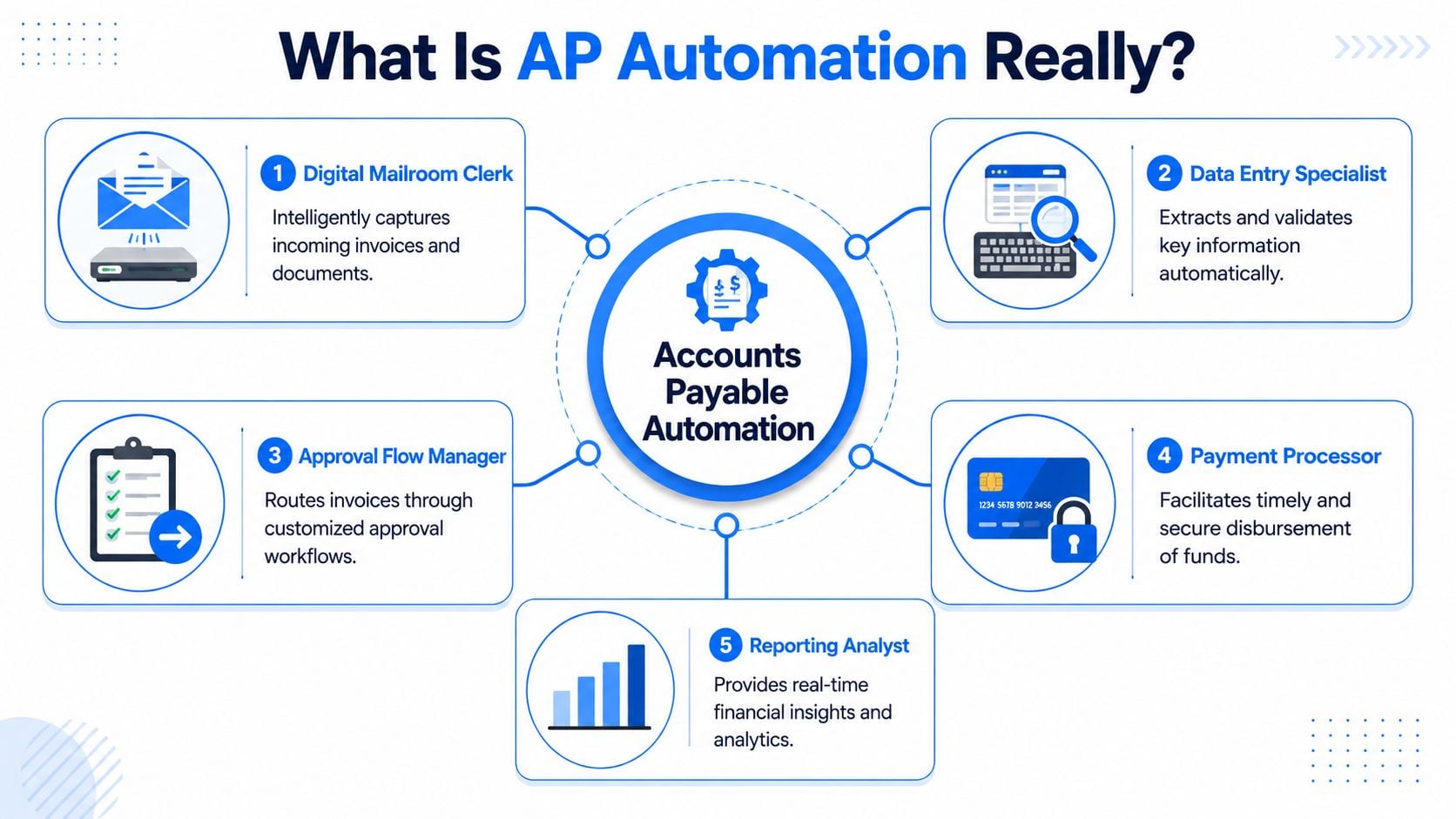
Accounts payable automation is software that handles the invoice workflow from intake through posting, approval, payment, and recordkeeping with far less manual intervention.
The simplest way to think about it is this. It's a digital mailroom clerk, data entry specialist, and approval coordinator rolled into one system.
It is more than scanning invoices
A lot of people hear “automation” and think OCR. That's too narrow.
Scanning or OCR only solves one piece of the job. It turns a document into readable text. Real AP automation takes that information and pushes it through the rest of the process: validating fields, matching invoices to purchase orders, routing approvals, syncing with the accounting system, and preserving an audit trail.
Tipalti describes this shift as a move from simple digitization to AI-assisted workflow automation in its explanation of what AP automation is. That matters because the manual burden is still heavy. The same source notes that 66% of teams still manually key invoices into their ERP, and ACARP figures cited there say 52% of AP teams spend over 10 hours a week processing invoices.
If you want a broader finance-process refresher before evaluating software, this guide to managing accounts payable is a useful companion read.
The question isn't just “Can the system read invoices?” The better question is “Can the system remove handoffs?”
That's where manual AP usually slows down. One person downloads. Another enters. A manager approves. Someone else posts. Then AP has to reconcile what happened. Each handoff adds wait time and creates another point where an invoice can stall.
A solid automation setup reduces those handoffs by turning policy into workflow.
Practical rule: If a tool captures invoice data but still leaves your team to monitor inboxes, route emails, and post transactions manually, you haven't automated AP. You've only digitized one task.
How an Automated AP Workflow Operates
A modern AP workflow isn't magic. It's a sequence of controlled steps that starts earlier than many teams realize.
The process usually begins before OCR, before approvals, and even before the bill is created in the accounting system.
What happens from receipt to posting
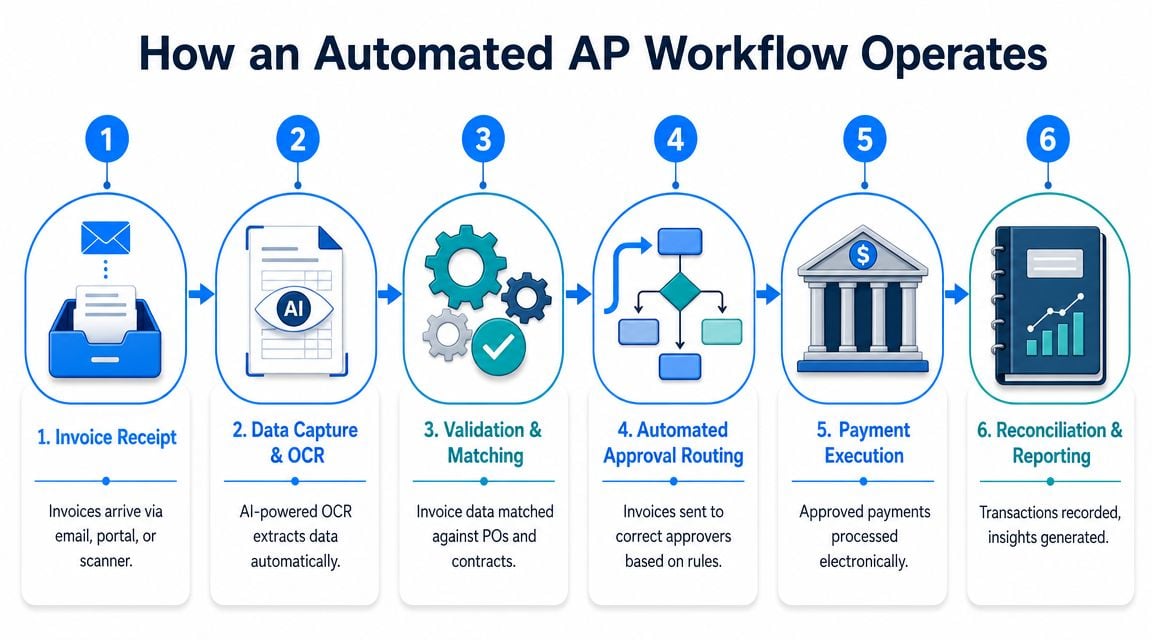
JPMorgan describes AP automation as an end-to-end workflow that replaces manual receipt, capture, matching, approval routing, and posting in its overview of AP automation benefits to the accounts payable process. In practice, that usually looks like this:
- Invoice receipt and collectionInvoices come in from email, scans, shared folders, or vendor portals. Good systems centralize intake so AP isn't depending on scattered mailboxes and browser bookmarks.
- Data capture and extractionOCR or AI reads supplier name, invoice number, date, due date, totals, tax, and often line-item details. If you want a deeper look at this part of the stack, Booksmate has a helpful article on invoice data extraction software.
- Validation and matching The system checks for missing fields, duplicate invoices, and mismatches against purchase orders or receipts. During this stage, many preventable payment problems are caught.
- Approval routingRules direct invoices based on amount, vendor, department, or entity. Instead of AP sending emails one by one, the workflow routes them automatically.
A short walkthrough helps make that concrete:
- Posting to the accounting systemOnce approved, the invoice data syncs into the ERP or accounting platform. This is a big operational gain because the data is captured once and reused downstream.
- Archiving and reportingEvery action stays attached to the transaction record, which makes retrieval and audit support far easier than digging through inboxes.
Automation doesn't remove finance oversight. It changes where people spend their time.
Teams still need people for exceptions such as disputed invoices, unusual vendor changes, non-PO spend, and coding questions that rules can't resolve cleanly. That's healthy. AP should automate the routine path and escalate the edge cases.
A weak implementation tries to automate everything on day one. A better one handles the common path reliably and gives staff a clean queue for exceptions.
Quantifiable Benefits and ROI of AP Automation
The strongest business case for AP automation usually starts with cost per invoice.
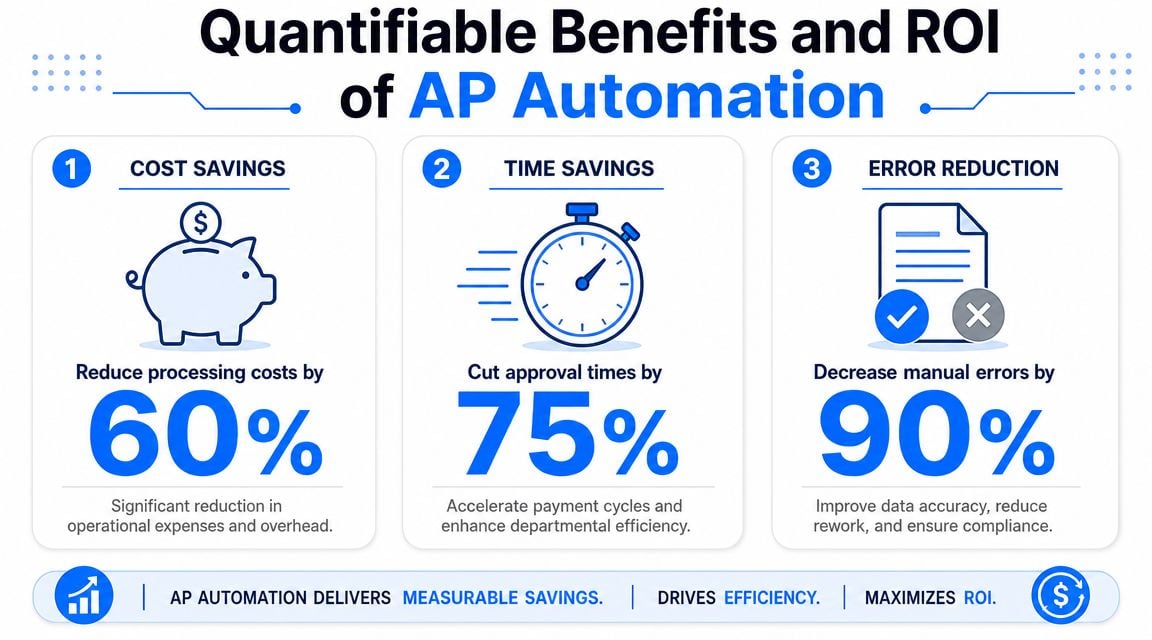
According to industry guidance cited by Precoro in its article on AP automation benefits and best practices, manual invoice processing often costs $12 to $40 per invoice, while automated processing can reduce that to roughly $2 to $4 per invoice. The same source says vendors report automation can eliminate up to 80% of manual work, reduce errors by 66%, and shorten the close by 25%.
Where the economics come from
Those savings don't come from one flashy feature. They come from removing labor-heavy steps that repeat on every invoice.
Here's where the difference shows up:
Process area
Manual AP
Automated AP
Intake
Staff monitor inboxes and portals
System centralizes capture
Entry
Staff key invoice fields
Data is extracted automatically
Routing
AP chases approvers by email
Rules send invoices automatically
Matching
Staff compare docs manually
System checks against PO data
Retrieval
Team searches folders and email
Records are searchable in one place
The biggest mistake I see in ROI discussions is treating AP automation as a “scanner project.” It isn't. The value comes from workflow compression. When the same invoice no longer passes through five separate manual actions, cost drops and consistency improves.
Cost savings get attention, but finance teams usually feel the benefits in daily operations first.
- Less rekeying work means AP staff spend less time entering header and line data.
- Cleaner records mean fewer corrections late in the close.
- Faster approvals reduce the risk of invoices aging in email threads.
- Better supplier communication follows when invoice status is visible and payments go out on time.
- More capacity without adding headcount becomes possible when invoice volume rises.
Good AP automation doesn't just make invoice processing cheaper. It makes the process more boring, and in finance that's usually a compliment.
There's also a softer but important gain. Teams stop relying on tribal knowledge. When the workflow lives in the system instead of in one experienced clerk's memory, the process becomes easier to manage, train, and scale.
Core Features of Modern AP Automation Software
Most buying guides jump straight to OCR, approval workflows, and ERP integration. Those matter. But many AP projects struggle earlier than that.
The first question should be simple: How will the software collect the invoices?
The first mile is where many projects fail
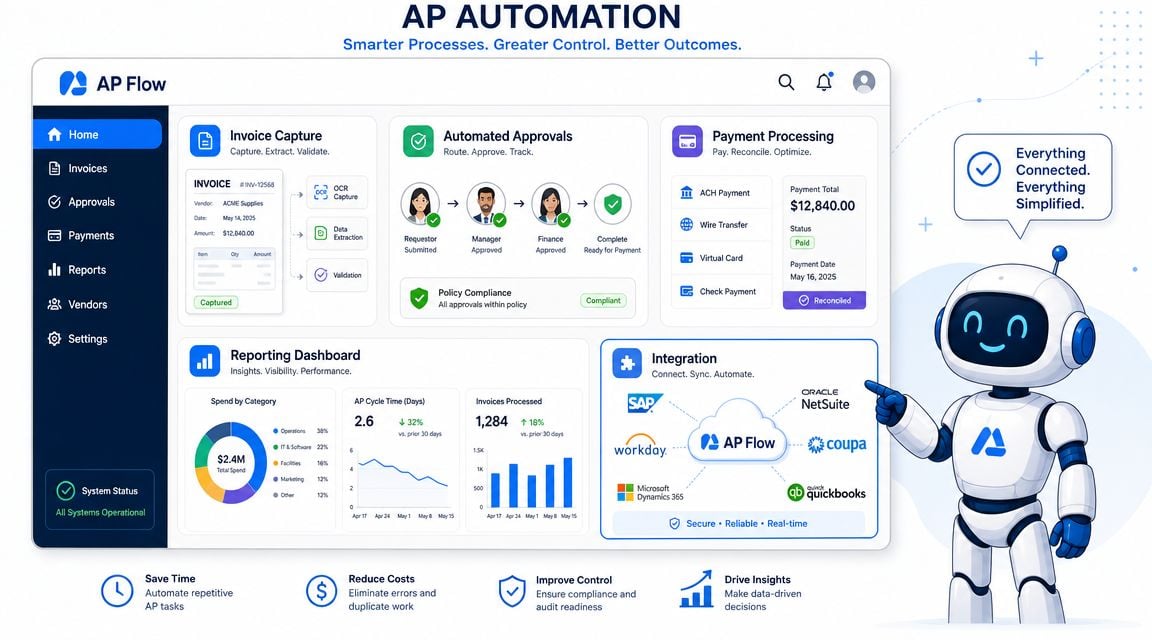
HighRadius points to this directly in its discussion of accounts payable automation. The overlooked bottleneck is the first mile: collecting invoices from fragmented sources such as vendor portals and email inboxes.
That tracks with what finance teams deal with in real life. A polished approval flow doesn't help if AP still has to log into Amazon, Stripe, Google, Microsoft, PayPal, and other portals just to fetch documents one by one.
Software selection becomes practical. Some tools are strong after the invoice arrives. Fewer tools are built for the messy intake stage before standard workflow even begins.
One example is automated invoice processing software designed around invoice collection as well as extraction. Booksmate connects to online portals and email inboxes, fetches invoices and receipts automatically, then processes and organizes them for export to accounting software. That matters for teams whose real bottleneck is document acquisition, not just posting.
A useful evaluation checklist should include both intake and downstream workflow.
- Portal and email collectionIf suppliers use portals instead of email, the system should handle that without staff downloading documents manually.
- Reliable extractionHeader fields are the minimum. Line-item extraction matters when coding detail, tax handling, or cost allocation needs to be reviewed.
- Approval controlsThe software should support routing by amount, department, vendor, or entity, with a clear history of who approved what.
- Accounting syncExporting CSV files can work as a stopgap, but direct synchronization with systems like Xero or QuickBooks usually creates fewer reconciliation headaches.
- Exception handlingYou want a clean queue for duplicates, missing PO references, and invoices that don't meet policy. Silent failures are worse than visible exceptions.
- Searchable archiveIf the team still has to dig through folders to answer a supplier question, the tool hasn't solved the retrieval problem.
A common trade-off appears here. The most feature-rich platform on paper isn't always the best fit. If your biggest pain is collecting invoices from scattered sources, pick a tool that solves that first. If intake is already standardized, deeper workflow and payment controls may matter more.
A Practical Roadmap for Implementation
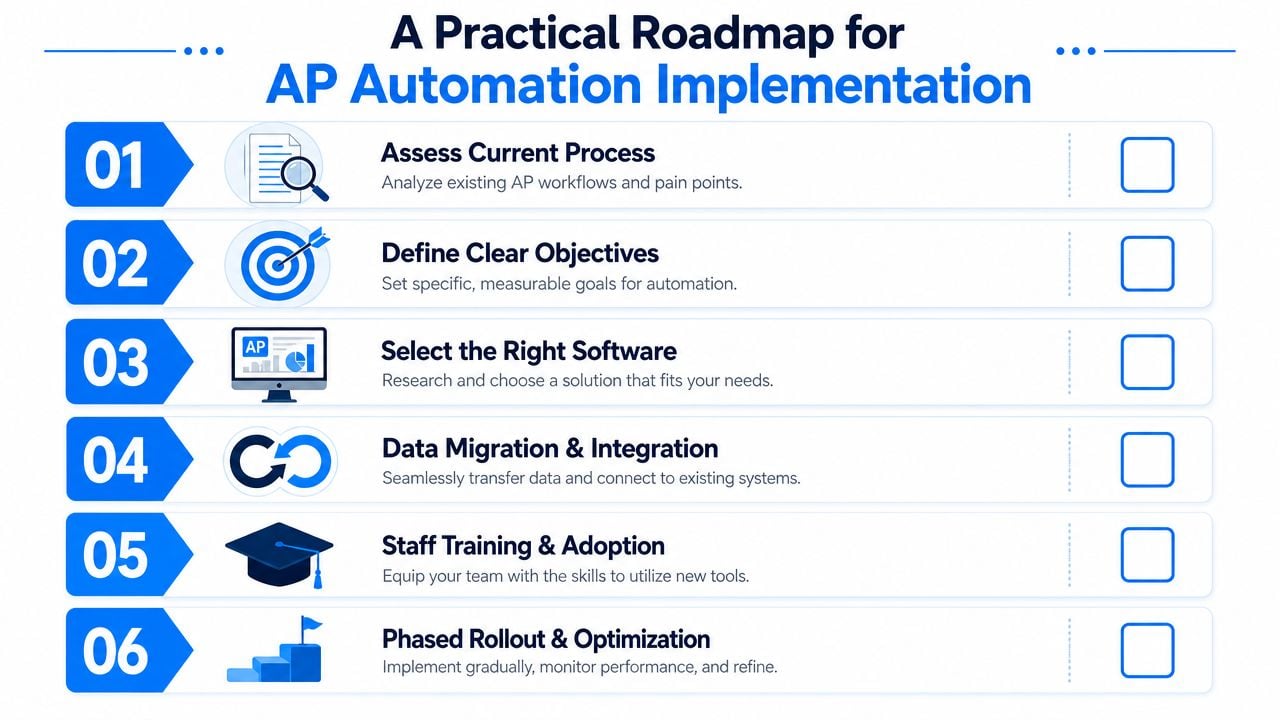
AP automation projects succeed when teams treat them as an operating model change, not a software install.
The process has to be tightened before the tool can make it faster. If the approval path is unclear, vendor records are messy, or invoices arrive in ten different unofficial ways, automation will expose that disorder quickly.
Start with process discipline
Before rollout, get a few basics in order.
- Map actual intake sourcesDon't rely on assumptions. List every shared inbox, personal inbox, portal, scanner, and uploader that currently receives invoices.
- Clean vendor recordsDuplicate suppliers and inconsistent names create matching problems later.
- Define approval rules clearlyAP shouldn't have to guess where an invoice belongs. Set routing rules by amount, department, entity, or spend type.
- Choose a pilot sliceStart with a vendor group, entity, or invoice channel that causes visible manual effort. Booksmate's article on automation in accounting is a helpful reference if you're framing this as a broader finance process change.
The fastest way to create frustration is to promise touchless AP across everything from day one.
A steadier approach works better:
- Stabilize intake firstGet invoices flowing into one controlled place.
- Turn on extraction and validation nextReview exceptions early so the team trusts the output.
- Add approval routing after the basics are cleanRouting broken data faster doesn't help anyone.
- Integrate posting and reporting once the workflow is steadyAt this stage, the process starts to feel lighter.
Start with the invoices that waste the most time, not the invoices that are theoretically easiest to automate.
Training matters too. Approvers need to know where invoices appear, how reminders work, and what they're responsible for. AP staff need to know when to trust automation and when to intervene. Good implementation doesn't remove accountability. It makes accountability visible.
The short answer to what is accounts payable automation is this: it's a system that removes repetitive invoice work and replaces it with controlled digital workflow.
The more useful answer is operational. It gives AP a way to stop acting like a document-chasing function and start acting like a finance control point. When staff no longer spend their day downloading files, rekeying fields, and following up on approvals, they can focus on payment timing, vendor issues, spend visibility, and close support.
That shift matters more than the software itself. The true benefit isn't just faster processing. It's a more dependable payables function with fewer blind spots and less dependence on manual memory.
For many teams, the biggest benefit is solving the first mile. If invoice collection stays messy, the rest of automation never reaches its full value. Once intake, extraction, approvals, and posting work as one flow, AP becomes easier to run and easier to trust.
If your team is still downloading invoices from portals, scanning inboxes, and re-entering the same supplier data into accounting software, Booksmate is worth a look. It focuses on automatic invoice collection from vendor portals and email inboxes, then uses AI extraction and organized export workflows to help bookkeepers, accountants, and finance teams cut down the manual first-mile work that many AP tools overlook.