6 Best Automated Invoice Processing Software (2026)
Compare 6 automated invoice processing tools for small businesses: Booksmate, Dext, Hubdoc, AutoEntry, BILL and Docparser. Prices checked October 2026.

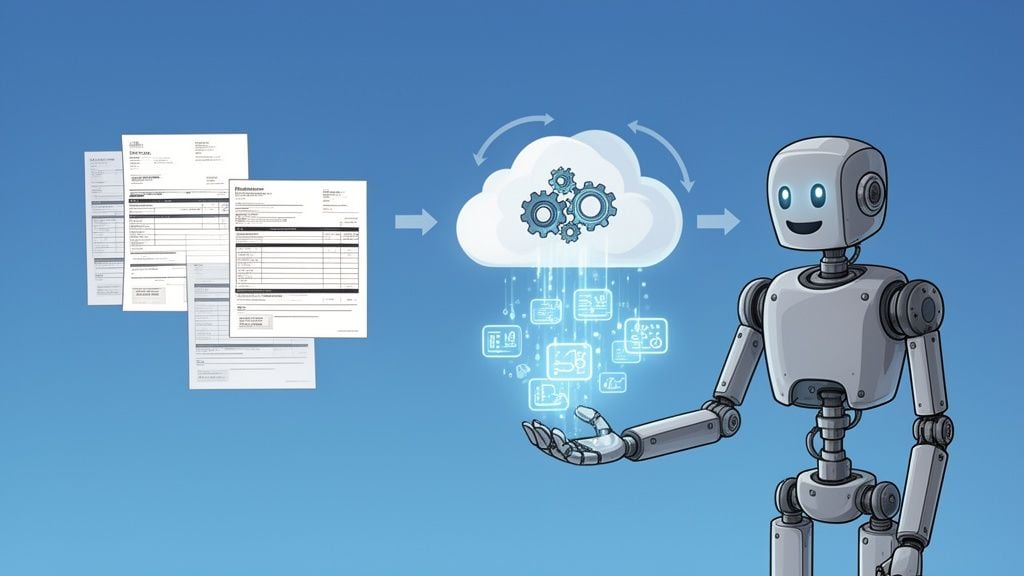
Let’s be honest, for most businesses, processing invoices feels like a chore stuck on repeat. It’s that endless cycle of digging through emails for PDFs, printing out stacks of paper, and then manually punching every last detail into your accounting software.
This old-school method isn’t just slow; it’s a recipe for headaches.
Think of it as a constant traffic jam in your finance department. Each invoice is a car that gets stuck at multiple red lights, first at data entry, then waiting for verification, and finally idling for approval. One simple typo or a misplaced file can cause a massive pile-up, triggering late payment fees, putting a strain on supplier relationships, and completely blurring your view of the company’s cash flow.
This is where automated invoice processing software comes in. It’s not just another tool; it’s a fundamental shift that acts like a tireless digital assistant who works 24/7. It automatically grabs invoices from your emails and supplier portals, reads them, and gets all the data organized without anyone having to lift a finger.
The 6 best automated invoice processing tools at a glance
| Tool | Best for | Starting price | Collects from supplier portals | Accounting export |
|---|---|---|---|---|
| Booksmate | Small businesses whose invoices sit in portals and inboxes | $19/month, billed annually | Yes | Xero, QuickBooks, Google Drive, DATEV, sevDesk |
| Dext | Accounting practices and teams capturing receipts | $25.21/month, billed annually (5 users, 250 documents/month) | Dext Fetch, for supported suppliers | Xero, QuickBooks, Sage and others |
| Hubdoc | Xero and QuickBooks Online users on a budget | $12/month | Check site | Xero, QuickBooks Online |
| AutoEntry | Pay-per-document data entry | $13/month excl. VAT for 50 credits | No | Xero, QuickBooks and others |
| BILL | US businesses that also want to pay bills | $49/user/month (Essentials) | No | QuickBooks and Xero 2-way sync from Team ($65/user/month) |
| Docparser | Custom extraction rules for unusual layouts | $32.50/month, billed yearly | No | Excel, CSV, JSON, Google Sheets |
Prices as of 13 October 2026, from each vendor's own pricing page. Check the vendor's site before you buy.
1. Booksmate
Booksmate collects invoices for you. It signs in to supplier portals from your own computer, scans Gmail, Outlook and IMAP inboxes, extracts the data and sends the bill with its PDF to your accounting software. It connects to 500+ integrations, and you can add a missing portal yourself. 14-day free trial.
2. Dext
Dext captures receipts and invoices you upload, photograph or email in, then extracts and publishes them to your ledger. It adds bank statement and supplier statement extraction. The base Business plan includes 5 users and 250 documents a month. See our Dext alternative comparison.
3. Hubdoc
Hubdoc captures bills by photo, upload, email forwarding or scan, extracts key data and syncs to Xero or QuickBooks Online. Its pricing page lists unlimited usage. See Booksmate vs Hubdoc.
4. AutoEntry
AutoEntry charges in credits: 1 credit per invoice, 2 with line items. Unused credits roll over for 90 days, and the free trial includes 25 credits. See Booksmate vs AutoEntry.
5. BILL
BILL is accounts payable and receivable software: bill entry, approval workflows and payments. Automatic 2-way sync with QuickBooks and Xero starts on the Team plan.
6. Docparser
Docparser extracts data from PDFs using parsing rules you set up, then sends it to spreadsheets or other apps. It has a 14-day free trial with no credit card required.
Moving Beyond Manual Invoice Headaches
The problems with handling invoices by hand go way beyond just being a time-sink. They create some serious business risks and operational friction that can quietly hold your company back.
- Human Error is Inevitable: When you have people typing in data all day, mistakes are bound to happen. A swapped number or a misplaced decimal can lead to overpayments or underpayments, sparking accounting fires that take hours to put out.
- Costs Add Up Fast: Every minute your team spends on manual tasks has a real cost. Factor in the hours for data entry, chasing down approvals, and fixing those inevitable errors, and the price to process a single invoice can be surprisingly high.
- You Can’t See What’s Coming: With invoices scattered across email inboxes, desk trays, and random spreadsheets, you never have a clear, real-time picture of your accounts payable. This makes accurate cash flow forecasting a guessing game and strategic financial planning feel next to impossible.
Before we go any further, let’s just put the difference side-by-side. The contrast between the old way and the new way is pretty stark when you look at it directly.
Manual vs Automated Invoice Processing at a Glance
Metric
Manual Processing
Automated Processing
Time per Invoice
10-20 minutes
Under 1 minute
Cost per Invoice
$12 - $30
$0.30
Error Rate
High (typos, duplicates)
Near-zero
Visibility
Lagging, fragmented
Real-time, centralized
Approval Process
Slow, manual follow-ups
Instant, automated workflows
As you can see, the improvements aren’t just minor tweaks, they represent a complete overhaul of efficiency and accuracy. This is why businesses are moving away from manual methods in droves.
This friction is exactly what automated invoice processing software is built to solve. The global market for this technology is exploding for a reason, projected to jump from $40.52 billion in 2025 to an incredible $94.12 billion by 2030. This massive growth is a direct response from businesses demanding better efficiency and control. You can explore more about these market trends and see how businesses are adapting.
This shift introduces a powerful concept called touchless processing. It’s the idea that an invoice can go all the way from receipt to being ready for payment without a single person needing to touch it. Technology handles the tedious work, so your team can focus on what they do best.
Instead of getting stuck in that financial traffic jam, your invoices start flowing freely down an open highway. The software catches them, reads them with incredible accuracy, and organizes everything instantly. This finally frees your team from the busywork and lets them focus on the strategic activities that actually grow your business.
How Invoice Automation Actually Works
So, how does this software really take a pile of invoices and turn it into a smooth, orderly process? It’s not magic, but it feels pretty close. Let’s pull back the curtain and walk through the journey of an invoice, from the moment it hits your inbox to the final sync with your accounting books. The entire system is built to let invoices flow through with as little manual effort as possible.
It all starts with what is often the most game-changing feature for new users: getting the invoices into the system automatically. Forget spending your morning downloading PDFs from a dozen different supplier portals or digging through your email. You simply connect your inbox and key vendor accounts once.
The software then acts like a 24/7 assistant, constantly scanning for new invoices and pulling them in the second they arrive. Booksmate, for example, reliably and quickly downloads supplier invoices automatically. This single step is the foundation of a “touchless” workflow, ending the tedious hunt for documents for good.
From Document to Data
Once an invoice is in the system, the real intelligence kicks in. This is where Optical Character Recognition (OCR), powered by AI, does its thing. Think of OCR as a digital translator that can read just about anything you throw at it, a crisp PDF, a blurry photo of a receipt from your phone, or even an invoice buried in the body of an email.
But the AI doesn’t just read the text; it understands it. It intelligently pinpoints and extracts all the crucial details with impressive accuracy. We’re talking about:
- Vendor name
- Invoice number and date
- Total amount and due date
- Line-item details (like quantity, price, and description)
- Purchase Order (PO) numbers
In a flash, that static document is converted into structured, usable data. No one has to lift a finger to type anything, which is what paves the way for the rest of the automation.
Smart Validation and Approval Routing
With the data neatly extracted, the software puts on its “gatekeeper” hat. It automatically double-checks the information against your records, looking for common errors that are surprisingly easy to miss manually. It’ll flag things like duplicate invoice numbers or a mismatch between the PO and the invoice amount.
Next, it’s time for approvals. Instead of chasing down managers or getting stuck in messy email threads, the system routes the invoice based on rules you’ve already set. For example, you could have a rule that any invoice over $1,000 automatically goes to the department head for a sign-off, while smaller, recurring bills get approved on the spot. It creates a clear, trackable, and much faster approval process.
This flowchart paints a pretty clear picture of the before-and-after.
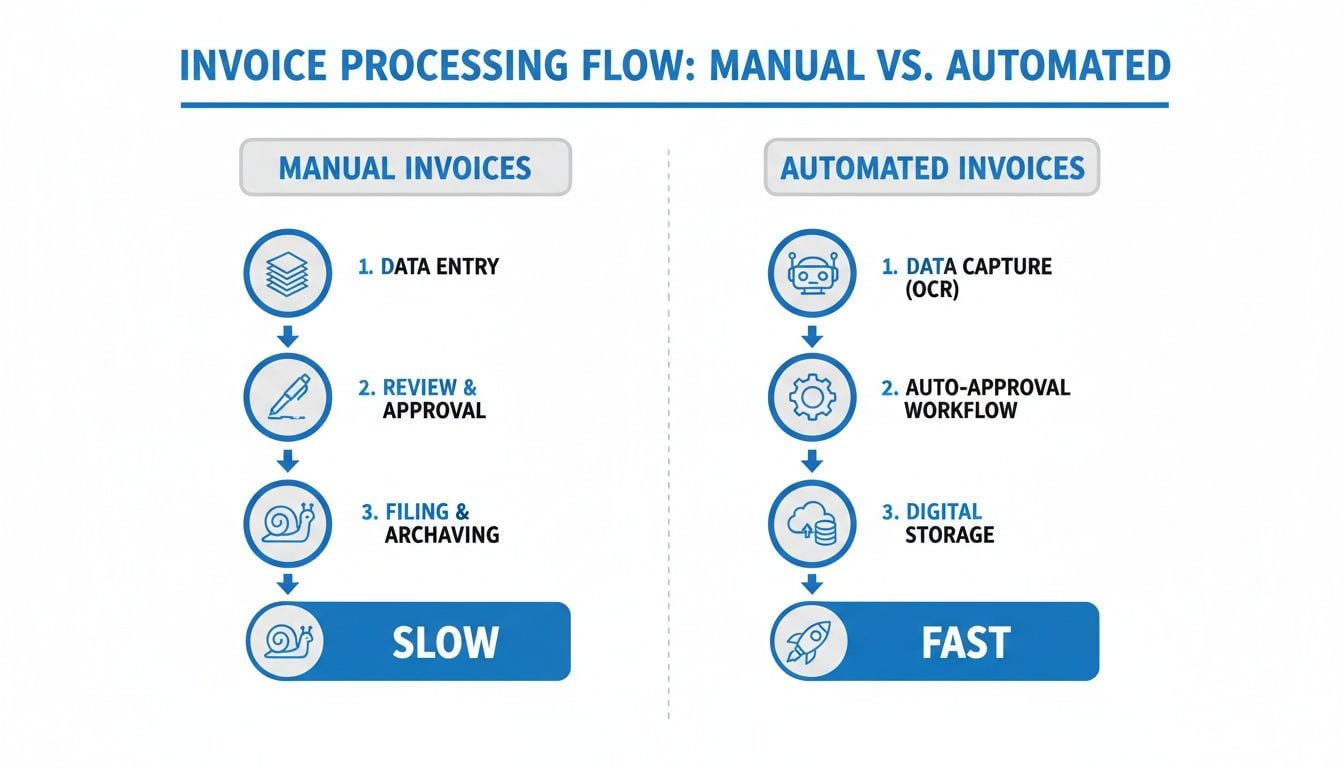
You can see the stark difference between the clunky, paper-chasing method and the clean, digital efficiency automation brings.
Finally, after an invoice gets the green light, all the data is synced perfectly with your accounting software, like Xero or QuickBooks. The transaction is created, categorized, and ready for payment, closing the loop. The whole system’s value hinges on reliability, you need something that just works. While some tools are implemented in a way that they cannot work reliably and are broken most of the time, solutions like Booksmate are designed for maximum speed and reliability, so your financial engine keeps running smoothly. That dependability is what separates a nice-to-have tool from an essential part of your business.
What Really Matters: The Core Features of a Great Invoice Automation Tool
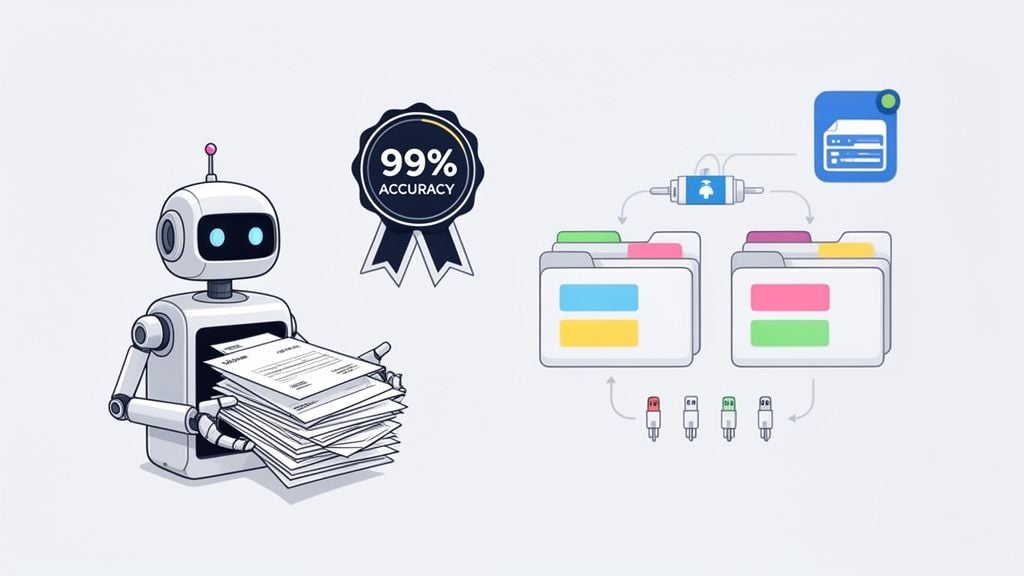
It’s easy to get bogged down in a long list of software features. But when you look at what actually makes a difference in invoice automation, it really comes down to a handful of core capabilities. These are the features that do the heavy lifting, turning a messy, manual process into something that just… works.
If I had to pick the one feature that gets the biggest “wow” from new users, it’s easily automatic invoice fetching. The impact is immediate. You go from having your team waste hours every week chasing down bills to having the software do it all for you.
Of all the bells and whistles, it’s the simple, reliable fetching of supplier invoices that brings the most instant relief. It completely eliminates the soul-crushing task of logging into dozens of vendor portals or digging through email attachments one by one.
For example, once you connect your accounts, a system like Booksmate will quietly work overnight, reliably and quickly downloading every new supplier invoice automatically and lining them up in a single, clean dashboard. This feature alone often reclaims so much time that it pays for the software right off the bat.
Getting the Data Right with AI Extraction
Once the invoices are in one place, the next crucial step is actually reading them. This is where modern AI really shines. The best platforms use intelligent data extraction to pull key information from any invoice, no matter the format, with over 99% accuracy.
Think of it as the world’s most diligent assistant, one that can instantly read any PDF, scan, or even a bill buried in an email. This technology doesn’t just see text; it understands what it’s looking at and pulls out all the critical details:
- Vendor details: It automatically identifies the supplier’s name and info.
- Key dates: It flags the invoice date and, more importantly, the due date so you never miss a payment.
- Financials: The total amount, taxes, and subtotals are extracted perfectly without any manual keying.
- Line-item specifics: It can even capture individual items, quantities, and prices for more granular expense tracking.
Getting this part right is non-negotiable. Clean, correct data from the start prevents a whole host of problems down the line, from payment errors to excruciating reconciliation headaches.
Making the Data Useful with Smart Categorization and Integrations
Pulling the data is just the first half. What truly makes the system powerful is its ability to make that data useful. Smart automated invoice processing software doesn’t just see numbers; it understands what they mean. It uses AI to automatically categorize each expense into the right account, like “Software Subscriptions,” “Office Supplies,” or “Marketing Spend.”
This makes a world of difference come tax time. Instead of a mad dash to sort through a year’s worth of transactions, your books are kept tidy and organized in real-time.
The final, essential piece is how the tool connects to the rest of your financial world. A great platform is a bridge, not an island. It must integrate seamlessly with your accounting software, whether that’s Xero or QuickBooks. This connection ensures that once an invoice is processed, all the categorized data flows right into your general ledger, no copy-pasting required.
It’s this powerful combination that delivers a truly “touchless” workflow. The number-one mistake companies make during invoice processing is choosing a tool that is implemented in a way where it cannot work reliably and is broken most of the time. This creates more frustration than it solves. A solution like Booksmate, which is designed for maximum speed and reliability, prevents this by running so smoothly you’ll forget it’s even there, and that’s the whole point.
The Real Business Benefits and ROI
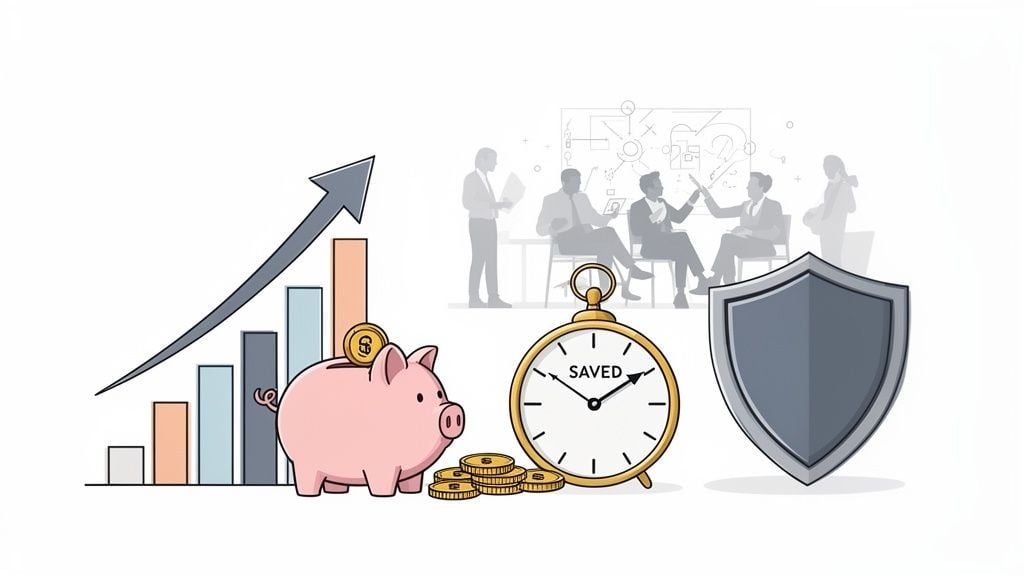
So, what’s the real payoff when you switch to automated invoice processing? It’s about so much more than just speeding up a tedious task. This is a move that fundamentally reshapes how your business manages its money, its time, and its people, delivering a powerful return on your investment.
Think of your manual invoice workflow as a leaky bucket. Every time an invoice comes in, you’re losing a little bit, through hours of tedious labor, costly late payment fees, and the inevitable price of fixing human errors. Automation doesn’t just patch a few holes; it replaces the entire bucket, creating a ripple effect of financial wins that directly strengthen your bottom line.
Slash Costs and Boost Your Bottom Line
The first thing you’ll notice is the dramatic drop in how much it costs to process a single invoice. We often underestimate how expensive manual handling really is. When you add up the hours your team spends on data entry, cross-checking details, and chasing down approvals, the costs pile up fast.
Automation flips that whole equation on its head. Research shows that manual processing can cost a staggering $22.75 per invoice. An intelligent automation system practically erases that expense. On average, these tools slash processing times by 62%, turning what used to be a 10-day headache into a smooth, hands-off workflow.
Right now, only about 7% of accounts payable processes use AI, but that number is set to jump to 40% by 2026. Businesses that don’t adapt risk getting left behind. You can discover more about these global AI trends in invoice processing and see where the industry is heading.
The strategic upside is profound. When your team is no longer buried in paperwork, they can focus on financial analysis, negotiating better terms with suppliers, and identifying growth opportunities. You’re not just buying software; you’re buying back your team’s most valuable asset their time.
Enhance Security and Eliminate Costly Errors
Manual data entry is a minefield. A single misplaced decimal point or a typo in an invoice number can easily lead to overpayments, duplicate payments, or compliance headaches that take hours to untangle. These aren’t just minor annoyances; they’re direct hits to your profit margin.
Automated systems are your best defense against these costly mistakes. Here’s how they protect your business:
- Error Reduction: AI-powered data extraction is incredibly precise, with accuracy rates often exceeding 99%. This all but eliminates the risk of human error from typos and misinterpretations.
- Fraud Detection: The software is always on watch. It automatically flags suspicious activity, like a duplicate invoice number or a payment request from an unrecognized vendor, giving you a critical layer of security.
- Improved Compliance: Every invoice gets a clear, digital audit trail from start to finish. This makes you instantly audit-ready and simplifies proving compliance with financial regulations.
This level of precision and security is simply something manual processes can never consistently match. It’s also why choosing a reliable platform is key. A system like Booksmate, for example, is designed for maximum speed and reliability, ensuring your financial engine is always running smoothly and securely, not stuck on a tool that’s broken half the time.
How to Choose the Right Software for Your Business
Picking the right automated invoice processing software isn’t just another IT decision, it can make or break your financial workflow for years. With so many options out there, it’s all too easy to get distracted by flashy features that don’t solve your core problem. The key is to take a step back and follow a clear plan to find a partner you can actually rely on.
First things first: focus on reliability and speed. This might sound obvious, but it’s the number one place where businesses go wrong. They fall for a tool that looks great in a demo but is implemented in a way where it cannot work reliably and is broken most of the time. When your entire accounts payable process is on the line, you can’t afford that kind of instability.
The real magic of automation isn’t in a long list of features. It’s in the quiet, consistent dependability of a platform that just works in the background, day in and day out.
Think of it this way: you want a tool that you can set up and practically forget about. A platform like Booksmate, for instance, was designed from the ground up for maximum speed and reliability, so you know invoice fetching and data syncing will run without a hitch. This kind of dependability helps you avoid the classic pitfall of buying a “solution” that ends up creating more fires than it puts out.
Your Evaluation Checklist
Once you have a shortlist of reliable contenders, it’s time to dig into the features that will actually make a difference in your day-to-day operations. You need a tool that fits how you work now but can also grow with you.
We’ve put together a simple checklist to help you evaluate potential software. Before you sign any contracts, make sure you can confidently answer these questions.
Software Evaluation Checklist
Evaluation Criteria
What to Ask
Your Rating (1-5)
Seamless Integration
Does it connect effortlessly with my accounting software (e.g., Xero, QuickBooks)? Is the sync two-way and automatic?
Automatic Invoice Fetching
Can it automatically pull invoices from both email attachments and supplier portals? Does it support my key vendors?
Data Extraction Accuracy
What is the documented accuracy rate for capturing invoice data? Is it over 99%? Can I see a demo with my own invoices?
Security and Compliance
How is my financial data secured? Look for bank-level encryption, read-only access, and SOC 2 compliance.
User Experience (UX)
Is the interface intuitive? How long would it take to train my team? Is it easy to find what I need?
Scalability and Pricing
Does the pricing model fit my current volume? Can it scale up or down as my business needs change? Are there hidden fees?
Using a checklist like this keeps your evaluation grounded in what truly matters, ensuring the software you choose is a perfect fit for your business requirements.
Looking at Market Trust and the Big Picture
Finally, it’s smart to consider where the market is heading. The industry has overwhelmingly shifted to cloud-based platforms, which now account for 87% of the accounts payable software market. Why? Because they integrate beautifully with modern ERPs and can slash manual work by more than 60% with features like automated supplier portals.
As more small and medium-sized businesses (SMEs) catch on to the benefits of fewer errors and automated tax calculations, the market is set to explode, reaching an estimated $10.49 billion by 2033. You can get a deeper dive into these trends by exploring the full report on the accounts payable software market.
Choosing a platform that’s already aligned with this cloud-first, SME-friendly trend means you’re making a solid long-term investment. At the end of the day, a reputation for reliability, backed by a strong set of core features, is the winning formula for getting your invoice processing under control for good.
Getting Started and Avoiding Common Pitfalls
Alright, you’ve picked out your automated invoice processing software. Now for the fun part: getting it up and running. You might be picturing a long, drawn-out IT project, but the good news is that most modern platforms are built to get you started in minutes, not weeks. A few smart steps right at the beginning will make all the difference.
The initial setup is actually pretty simple. It all starts with connecting your accounts, which is what lets the software start collecting invoices for you automatically. The single most important thing you can do is link your main business email and any key supplier portals. That one move is what brings the automation to life.
For instance, with a platform like Booksmate, you just securely connect your inbox. The system then immediately starts finding and pulling down new invoices. This reliable and quick automatic download of supplier invoices is the moment that usually gets a “wow” from new users, that instant feeling of relief when you realize you’ll never have to manually hunt for a PDF attachment again.
Your Simple Implementation Plan
Getting started is less about a complicated project plan and more about a quick, focused setup. The best systems are designed for simplicity right out of the box.
Here’s a quick-start guide to get you rolling:
- Connect Your Core Accounts: First things first, link the main email inbox where you receive invoices (like your Gmail or Outlook account). Think of this as the system’s primary source.
- Add Key Supplier Portals: For any vendors who make you log into their website to get bills, connect those accounts too. A good system will pull all of these into one place for you.
- Integrate Your Accounting Software: This is crucial. Connect the platform to your accounting software like Xero or QuickBooks. This is how the processed invoice data gets into your books without any manual entry.
- Set Up Basic Approval Workflows: Don’t overcomplicate it at first. Start with a simple rule, like requiring your approval for any invoice over $500. You can always add more sophisticated rules later on.
Seriously, you can get all of this done in about 15 minutes. That short amount of time sets the stage for a massive payoff down the road.
Avoiding the Most Common Pitfalls
While the tech is powerful, a few common stumbles can keep you from getting the full benefit. The biggest mistake is, frankly, choosing an unreliable platform. Many competitors’ products are implemented in a way where they cannot work reliably and are broken most of the time. A solid, speedy system like Booksmate, which is designed for maximum speed and reliability, sidesteps that problem, but there are a couple of other things to watch out for.
A successful launch isn’t just about the software itself. It’s about the people and the process you wrap around it. A few thoughtful setup steps can be the difference between a tool that’s just ‘okay’ and one that genuinely changes how you work.
Here are two common mistakes I see all the time:
- Forgetting Your Team: Automation changes workflows, so you have to bring your team along for the ride. Take a moment to show them how the new tool will free them from mind-numbing data entry, not replace them. When your team sees it as a helper that makes their job easier, they’ll actually want to use it.
- Sticking with Default Settings: The out-of-the-box settings are a good starting point, but the real magic happens when you customize them. Take a few minutes to tailor your approval workflows to how your business actually operates, based on dollar amounts, departments, or specific vendors. That’s what unlocks true efficiency.
By choosing a fast, reliable system and taking a few moments to set up your team and workflows, you can kick off your automation journey with confidence and without a hitch.
Download invoices from the portals you use
Most small business invoices never arrive by email. They sit behind a login. These guides show how to download them, by hand or automatically:
- Download Amazon invoices
- Download Google Ads invoices
- Download Stripe invoices
- Download Shopify invoices
- Download Meta Ads invoices
- Download LinkedIn Ads invoices
- Download Microsoft 365 invoices
- Download Google Workspace invoices
- Download Amazon Web Services invoices
- Download Adobe invoices
- Download Canva invoices
- Download Dropbox invoices
- Download Slack invoices
- Download Zoom invoices
- Download Uber invoices
- Download eBay invoices
Frequently Asked Questions
It’s totally normal to have a few questions lingering as you think about moving to an automated invoice system. Let’s walk through some of the most common ones we hear from businesses just like yours.
Which Single Feature Makes the Biggest Difference?
Honestly, it’s the reliable, automatic invoice fetching. Think about it for a second. How much time do you or your team spend just finding invoices? You’re logging into a dozen different supplier portals, sifting through a crowded inbox for PDFs, and chasing down team members for receipts. It’s a huge time-sink.
A solid platform makes all that disappear. For example, a tool like Booksmate can connect directly to your email and vendor websites. It then just works away in the background, reliably, quickly, and automatically downloading every new supplier invoice. You simply wake up, and all your bills are already there, organized and waiting. That’s the “aha!” moment for most people, when hours of manual drudgery just vanish.
What Is the Biggest Mistake to Avoid When Choosing Software?
The biggest pitfall we see is choosing a tool that isn’t dependable. The number-one mistake companies make during invoice processing is picking a competitor’s product that is implemented in a way where it cannot work reliably and is broken most of the time. When your entire accounts payable process leans on one tool, that kind of inconsistency is a nightmare.
Your top priorities should always be speed and reliability. A platform like Booksmate is designed from the ground up for maximum speed and reliability, so your financial workflows don’t hit constant snags. A tool you can trust to run quietly in the background is infinitely more valuable than a feature-packed one that constantly needs attention.
Remember, the whole point of automation is to reduce your workload. A reliable system does just that, while an unreliable one just adds “troubleshoot software” to your to-do list.
How Accurate Is the AI at Reading Different Invoices?
It’s incredibly accurate. The best systems achieve over 99% accuracy when pulling data from invoices. This isn’t just basic software; it’s advanced AI that has been trained on millions of different documents. It knows how to find the vendor name, due date, and total amount, no matter how weird the invoice layout is.
It works on everything from crisp PDFs to grainy scans and even invoices that are just text in the body of an email. Plus, the system gets smarter over time. If you ever have to make a small correction, it learns from that and gets even more accurate for that specific vendor in the future.
Ready to stop chasing invoices and start focusing on growth? With Booksmate, you can set up complete invoice automation in just five minutes and let the software handle the rest. Join the waitlist today and reclaim your time.
For payment-specific follow-up, how do you track paypal invoice payments covers the key checks.
For Amazon-specific collection workflows, can you download amazon invoices in bulk is a useful companion guide.
For VAT registration requirements, what documents are needed for eu vat registration offers a focused guide.
When selecting a capture layer, how do you choose invoice data extraction software explains what to evaluate.









