Last updated: 2026-10-25
 www.shopify.com
How to download invoices from Shopify
Shopify Shopify Booksmate downloads Shopify invoices automatically: add Shopify in Booksmate, press Fetch All, and your invoices are downloaded for you. Manual steps are listed below if you prefer to download them yourself.
How do you download a Shopify invoice?
Shopify calls its invoices bills. In your Shopify admin, open Settings, then Billing. Under Past bills, click the bill, click Export bill, choose PDF and click Export bill again.
- The PDF starts with an overview, followed by a breakdown of subscription, app charges, other charges and taxes.
- Want only the summary? Print just the first page of the PDF.
- Looking for invoices to send to your own customers? Those are order invoices, not your Shopify bill.
Why do you get more than one Shopify bill a month?
A monthly plan bills every 30 days, so a 31-day month can have two subscription bills. An annual plan bills once a year and still gets a monthly bill for other charges. Recurring app charges are included on the subscription bill, and one-time app purchases are separate invoices. Shopify can also issue a threshold bill when transaction fees and other usage charges reach your billing threshold before the cycle ends.
- On an annual plan you still get a monthly bill for other charges. It can show $0 if there were none.
- Bills are issued in UTC, so the date on a bill can differ from your local date.
Can you download Shopify bills in bulk?
Partly. In Past bills, click Export bills and choose Current page or Bills by date. Shopify emails a CSV of your billing history to the account email, going back as far as your store's start. The PDFs still come one bill at a time.
- For a quick total, View summary shows a statement of charges for any range in the last 90 days, which you can export or print.
- If you collect Shopify bills every month for your bookkeeping, Booksmate can open Past bills and save each bill as a PDF for you, including stores billed through an organization.
Where are the Shopify Payments fee invoices?
Shopify Payments processing fees get their own monthly tax invoice, separate from your Shopify bill. It is generated on the 5th of the following month, and there is none for a month with no transactions. Find it under your Shopify Payments payouts, in Documents, and download the PDF.
- Stores in the UK and the EU, except Ireland, see 0% VAT with a reverse charge.
- In Australia, Documents is available only to the store owner. Staff can't open it even with every permission.
Automatically download Shopify invoices
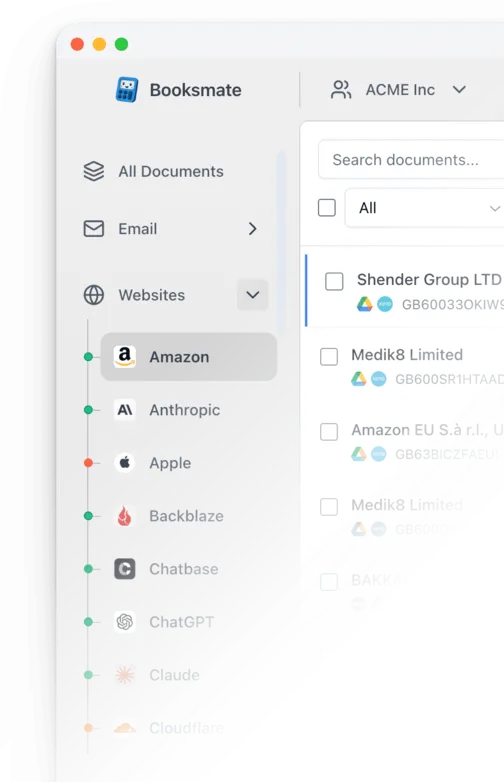
Booksmate downloads Shopify invoices automatically in seconds. Add Shopify in Booksmate, press Fetch All, and every invoice is downloaded for you without manual login.
-
Add
- Press Fetch All and log in to your Shopify account.
- Done! Your invoices are automatically downloaded for you.
Start collecting Shopify invoices automatically
Booksmate downloads your Shopify invoices and saves them as PDFs, so you never log in manually again.
Sign up for Booksmate
Add Shopify inside Booksmate
Press Fetch All and Booksmate downloads your invoices
No risk. Cancel anytime.
Manually download Shopify invoices
- Log in to your Shopify admin and open Settings, then Billing
- Scroll to Past bills. To find one bill, search for its bill number, the number starting with # that also appears on your bank statement
- Click the bill you need to open its details
- Click Export bill, choose PDF (or CSV), then click Export bill again to download it
- If your stores are billed through a Shopify organization, open billing from the organization instead. You need an organization role with Billing access
Important details
- Shopify calls invoices bills; they are in Settings, Billing, Past bills
- Export bill gives you a PDF or CSV
- A monthly plan bills every 30 days, so a 31-day month can have two bills. Recurring app charges are on that bill
- Shopify Payments fee invoices are separate, in your payouts Documents. In Australia, only the store owner can open Documents
Requires admin or billing access
Shopify Invoice FAQs
Is it safe to use Booksmate with Shopify?
Yes. Booksmate runs on your own computer and never stores your Shopify password, so your login details are not shared with any third party.
Can I download old invoices?
Yes. When you first add Shopify to Booksmate, Booksmate downloads the full invoice history that is available in your Shopify account.
Does Booksmate support email invoice collection?
Yes. Booksmate gathers invoices from your email inbox in addition to web portals like Shopify, giving you one complete invoice collection setup.
Can I download all my Shopify invoices at once?
Yes. Booksmate downloads your complete Shopify invoice history automatically. Add Shopify, press Fetch All, and every available invoice is saved to your computer.
Are Shopify invoices saved as PDF files?
Yes. Booksmate saves every invoice as a PDF, so they are easy to organize, share, or upload to your accounting software.
Who receives Shopify bill emails?
Shopify emails each bill to the store owner and to staff who have the View billing and receive billing emails permission. Anyone else needs that permission to see bills in the admin.
Can I still get Shopify bills if my store is closed or paused?
Yes. Shopify says you can still view past bills when you log in to a frozen, cancelled or paused store, so you can download them for your records.
How do I download a Shopify credit note?
Open Settings, then Billing. Under Past bills, select the bill that was credited and click Download credit note. The credit note downloads as a PDF.
Can I change the address or VAT number on an old Shopify bill?
No. A bill keeps the billing profile details from the day it was issued. Update your billing details in Settings, then Billing, and the change applies to bills issued after that.
Why is Shopify billing me?
Open the bill and check the breakdown. A Shopify bill can include your plan subscription, app charges, transaction fees, other charges such as shipping labels, and taxes. Your current plan is under Settings, then Plan.