Last updated: 2026-10-20
How to download invoices from Apple
Booksmate downloads Apple invoices automatically: add Apple in Booksmate, press Fetch All, and your invoices are downloaded for you. Manual steps are listed below if you prefer to download them yourself.
How do you download an Apple invoice?
Go to reportaproblem.apple.com, sign in, find the purchase and click its total, then click View Invoice. The invoice opens as a page, so choose Print and Save as PDF to download it.
- Sign in with the Apple Account that paid. Purchases from another Apple Account do not show up.
- If you only know the amount from your bank statement, search for the amount.
- For a Mac, iPhone or accessory ordered online, use your Apple Store order details instead.
How do you download an iCloud invoice?
iCloud+ is billed like any other Apple subscription. Open reportaproblem.apple.com, find the iCloud+ charge, click View Invoice and save it as a PDF.
- On iPhone, the same charges are in the App Store: tap your photo, then Apps & Purchase History, then Purchase History.
- Tap Last 90 days at the top of Purchase History to see older charges.
How do you get an invoice for an Apple Store order?
Open your Order Listing on apple.com, select the item to open the order details, and click View Invoice at the top. Apple creates the invoice once the item has shipped or been picked up.
- Guest orders: sign in with your order number and your email address or post code.
- Apple Store order invoices are separate from App Store and subscription invoices.
Why is a charge missing from my Apple purchase history?
You may have paid with a different Apple Account, a family member may have made the purchase, or Apple grouped several purchases and subscriptions into one invoice.
- Sign in with your other Apple Accounts and check again.
- Look for a grouped invoice whose total matches your bank statement.
Automatically download Apple invoices
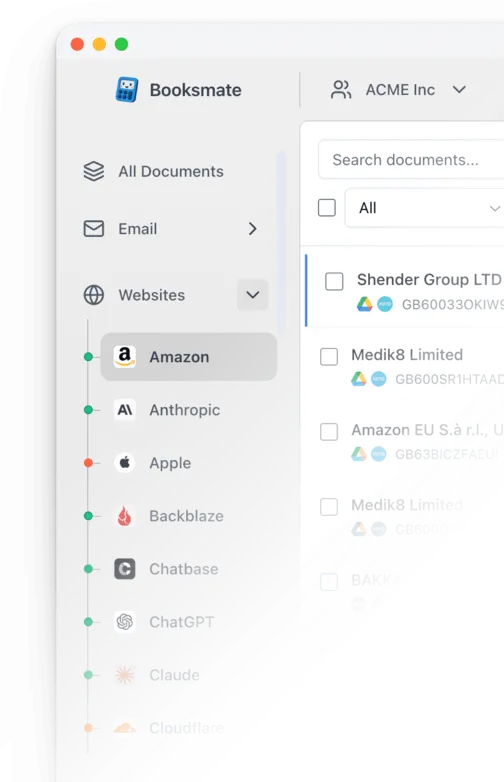
Booksmate downloads Apple invoices automatically in seconds. Add Apple in Booksmate, press Fetch All, and every invoice is downloaded for you without manual login.
-
Add
Apple inside Booksmate.
- Press Fetch All and log in to your Apple account.
- Done! Your invoices are automatically downloaded for you.
Start collecting Apple invoices automatically
Booksmate downloads your Apple invoices and saves them as PDFs, so you never log in manually again.
Sign up for Booksmate
Add Apple inside Booksmate
Press Fetch All and Booksmate downloads your invoices
No risk. Cancel anytime.
Manually download Apple invoices
- Go to reportaproblem.apple.com and sign in with the Apple Account that paid
- Find the App Store, iCloud+ or subscription charge. If you only know the amount, search for it
- Click the purchase total, then click View Invoice
- Right-click the invoice, choose Print, set the destination to Save as PDF and click Save
- For a Mac, iPhone, iPad or accessory ordered online, open your Order Listing , select the item and click View Invoice at the top of the order details
Important details
- App Store, iCloud+ and subscriptions: reportaproblem.apple.com
- Mac, iPhone and accessory orders: View Invoice in your Apple Store order details
- Store order invoices appear once the item ships or is picked up
- Apple can group several purchases into one invoice
Apple Invoice FAQs
Is it safe to use Booksmate with Apple?
Yes. Booksmate runs on your own computer and never stores your Apple password, so your login details are not shared with any third party.
Can I download old invoices?
Yes. When you first add Apple to Booksmate, Booksmate downloads the full invoice history that is available in your Apple account.
Does Booksmate support email invoice collection?
Yes. Booksmate gathers invoices from your email inbox in addition to web portals like Apple, giving you one complete invoice collection setup.
Can I download all my Apple invoices at once?
Yes. Booksmate downloads your complete Apple invoice history automatically. Add Apple, press Fetch All, and every available invoice is saved to your computer.
Are Apple invoices saved as PDF files?
Yes. Booksmate saves every invoice as a PDF, so they are easy to organize, share, or upload to your accounting software.
Does Apple let me download all my invoices at once?
No. At reportaproblem.apple.com you open and save each invoice one at a time. Apple sometimes groups several purchases or subscriptions into one invoice, so open the invoice that contains the charge. If you collect Apple invoices every month for your bookkeeping, Booksmate can fetch them for you.
A family member bought it. Where is the invoice?
In the purchase history of the family member who made the purchase. Ask them to sign in to reportaproblem.apple.com and save the invoice.
More on Apple invoices
- find Apple receipts on iPhone, Mac and the web
- Apple Ads invoices
- Adobe invoices for Creative Cloud and Acrobat