Last updated: 2026-10-19
How to download invoices from Claude (Anthropic)
Booksmate downloads Claude (Anthropic) invoices automatically: add Claude (Anthropic) in Booksmate, press Fetch All, and your invoices are downloaded for you. Manual steps are listed below if you prefer to download them yourself.
How do you download a Claude invoice?
Go to claude.ai, click your initials in the lower left corner, then Settings, then Billing. In the Invoices section, click View or Download PDF next to the invoice and save the PDF.
- Claude also emails every invoice to your billing email, with the invoice and the receipt attached as PDFs. Search your inbox for "Your receipt from Anthropic".
- These steps are for Pro and Max plans bought on the Claude website.
Where are invoices for a Claude Team plan?
Only an organization owner can open Team plan invoices. Go to Organization settings, then Billing, find Invoices and click View. A new tab opens. Click Download invoice to save the PDF.
- Team invoices are also emailed to your organization's billing email address.
- To change the billing email or add more people, contact Claude support. The owner must approve the change.
Where are Claude API invoices?
API usage is billed in the Claude Console, not on claude.ai. Log in to the Console with an Admin or Billing role, go to Settings, then Billing, and find Invoice history. Click Download, or click View to open the invoice in a new tab.
- Prepaid accounts get a receipt for each credit purchase, including auto-reload. Accounts on a paid usage contract get one invoice at the end of each calendar month.
- API invoices are emailed too, with the same subject line: "Your receipt from Anthropic".
Why do you get two Claude receipts in one month?
If you use usage credits, each purchase is billed separately from your plan and has its own receipt, including purchases made by auto-reload. Upgrading in the middle of a billing cycle also creates its own plan change invoice.
- Keep both for your bookkeeping: one is for the plan, the other is for the credits.
- If you collect your Claude invoices every month for your bookkeeping, Booksmate can fetch your plan invoices from your Claude billing page for you.
Automatically download Claude (Anthropic) invoices
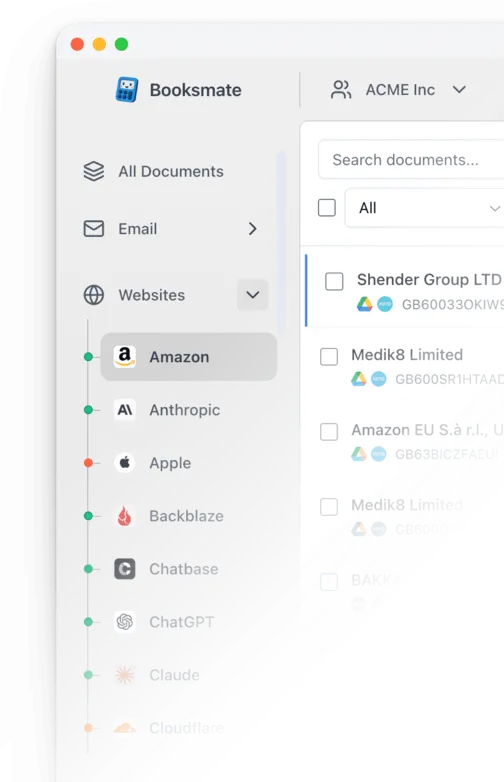
Booksmate downloads Claude (Anthropic) invoices automatically in seconds. Add Claude (Anthropic) in Booksmate, press Fetch All, and every invoice is downloaded for you without manual login.
-
Add
Claude (Anthropic) inside Booksmate.
- Press Fetch All and log in to your Claude (Anthropic) account.
- Done! Your invoices are automatically downloaded for you.
Start collecting Claude (Anthropic) invoices automatically
Booksmate downloads your Claude (Anthropic) invoices and saves them as PDFs, so you never log in manually again.
Sign up for Booksmate
Add Claude (Anthropic) inside Booksmate
Press Fetch All and Booksmate downloads your invoices
No risk. Cancel anytime.
Manually download Claude (Anthropic) invoices
- Sign in and go to https://claude.ai/settings/billing
- Click your initials or name in the lower left corner, then Settings, then Billing
- Find the Invoices section and the payment you need
- Click View or Download PDF next to the invoice. Claude's help says View, but some accounts now show Download PDF, which opens the PDF directly
- If View opens an invoice page in a new tab, click Download invoice to save the PDF
Important details
- Pro and Max invoices are in Settings, Billing, Invoices
- Only organization owners can see Team plan invoices
- API usage is billed separately in the Claude Console
- App store purchases are billed by Apple or Google
Claude (Anthropic) Invoice FAQs
Is it safe to use Booksmate with Claude (Anthropic)?
Yes. Booksmate runs on your own computer and never stores your Claude (Anthropic) password, so your login details are not shared with any third party.
Can I download old invoices?
Yes. When you first add Claude (Anthropic) to Booksmate, Booksmate downloads the full invoice history that is available in your Claude (Anthropic) account.
Does Booksmate support email invoice collection?
Yes. Booksmate gathers invoices from your email inbox in addition to web portals like Claude (Anthropic), giving you one complete invoice collection setup.
Can I download all my Claude (Anthropic) invoices at once?
Yes. Booksmate downloads your complete Claude (Anthropic) invoice history automatically. Add Claude (Anthropic), press Fetch All, and every available invoice is saved to your computer.
Are Claude (Anthropic) invoices saved as PDF files?
Yes. Booksmate saves every invoice as a PDF, so they are easy to organize, share, or upload to your accounting software.
How do I put my company name or VAT number on a Claude invoice?
In Settings, Billing, click Update next to your payment method. Tick "Use a different name on invoices" and enter your company name. You can add a tax or VAT ID in the same form. The change only applies to future invoices. Claude cannot edit or reissue invoices that were already issued.
I pay for Claude through the iPhone or Android app. Where is my invoice?
Apple or Google bills you, not Anthropic, so the receipt is in your App Store or Google Play account. It will not appear in Claude's billing page, and Booksmate cannot fetch it from Claude either. If you pay through Apple, connect Apple in Booksmate instead.
Why does my Claude invoice not match my plan price?
Usually because you changed plan in the middle of a billing cycle, which is charged at a prorated amount, or because a credit was used. An "Applied balance" line means credit already on your account paid part of the invoice. It is not a new charge.
I pay for Claude but my account shows as free. Where are my invoices?
Check that you signed in with the email address that pays for the plan. If a payment failed, Claude moves the account to the free plan. Open Settings, Billing to check the latest payment status and update your card.