Last updated: 2026-10-19
How to download invoices from Zoom
Booksmate downloads Zoom invoices automatically: add Zoom in Booksmate, press Fetch All, and your invoices are downloaded for you. Manual steps are listed below if you prefer to download them yourself.
How do you download a Zoom invoice?
Sign in to the Zoom web portal, open Plans and Billing, then Payment History. Tick the box next to the invoice number and click Download to save the PDF.
- If you do not see Plans and Billing, your billing is under Account Management, then Billing, on the Invoice History tab. Zoom says everyone who bought their account online has Plans and Billing.
- Use the search box to find an invoice number, or filter by date or status.
Why can't you see your Zoom invoices?
Only the account owner, admins and roles with billing permissions can see invoices. If you have that access, check that you are signed in to the Zoom account that pays. Zoom says a card can be linked to a different Zoom account from the one you are looking at.
- If you bought Zoom through Apple's App Store, Apple bills you and Zoom cannot manage the subscription, so look in your Apple purchase history.
- On your card statement, Zoom charges come from Zoom Communications, Inc.
Who gets the Zoom invoice emails?
The email address in the Sold To Contact gets all billing notifications. You can add more email addresses that are told when a new invoice is posted. Change them in Plans and Billing, then Billing Management, under Contact Information.
- In the same form you can add your company or organization name and choose Business Account.
- On the older layout, the same fields are in Account Management, Billing, on the Billing Information tab.
Can you download Zoom invoices in bulk?
Zoom's help only describes one invoice at a time: tick the box next to an invoice number and click Download, or open the invoice and click Print.
- After a card payment, Zoom also emails a "Payment Processed" message with the invoice attached as a PDF.
- If you collect Zoom invoices every month for your bookkeeping, Booksmate can fetch them for you.
Automatically download Zoom invoices
Booksmate downloads Zoom invoices automatically in seconds. Add Zoom in Booksmate, press Fetch All, and every invoice is downloaded for you without manual login.
-
Add
Zoom inside Booksmate.
- Press Fetch All and log in to your Zoom account.
- Done! Your invoices are automatically downloaded for you.
Start collecting Zoom invoices automatically
Booksmate downloads your Zoom invoices and saves them as PDFs, so you never log in manually again.
Sign up for Booksmate
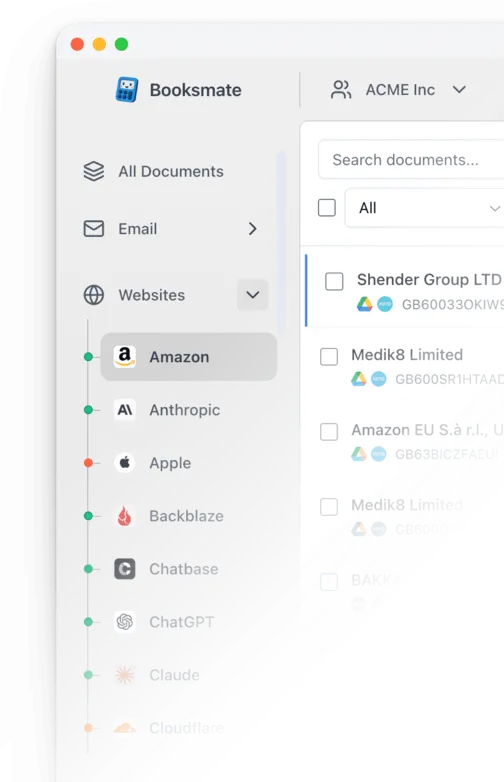
Add Zoom inside Booksmate
Press Fetch All and Booksmate downloads your invoices
No risk. Cancel anytime.
Manually download Zoom invoices
- Sign in to the Zoom web portal
- Click Plans and Billing in the left menu, or click your profile picture in the top right corner and then Plans and Billing. If you do not see it, click Account Management, then Billing
- Click the Payment History tab. Some accounts show an Invoice History tab instead
- Search by invoice number, or filter by date or status
- Tick the box next to the invoice number and click Download. You can also click the invoice number to open it and click Print
Important details
- Billing is under Plans and Billing or Account Management, depending on the account
- Only the owner, admins and billing roles can see invoices
- App Store purchases are billed by Apple
Requires admin or billing access
Zoom Invoice FAQs
Is it safe to use Booksmate with Zoom?
Yes. Booksmate runs on your own computer and never stores your Zoom password, so your login details are not shared with any third party.
Can I download old invoices?
Yes. When you first add Zoom to Booksmate, Booksmate downloads the full invoice history that is available in your Zoom account.
Does Booksmate support email invoice collection?
Yes. Booksmate gathers invoices from your email inbox in addition to web portals like Zoom, giving you one complete invoice collection setup.
Can I download all my Zoom invoices at once?
Yes. Booksmate downloads your complete Zoom invoice history automatically. Add Zoom, press Fetch All, and every available invoice is saved to your computer.
Are Zoom invoices saved as PDF files?
Yes. Booksmate saves every invoice as a PDF, so they are easy to organize, share, or upload to your accounting software.
What do the Zoom invoice statuses mean?
Open means you have not paid the invoice. Processing means the payment is being processed or the invoice is not available yet. Paid means the payment went through. Credit means you have a credit on your account.
Why is my Zoom invoice higher than my plan price?
Zoom lists these common reasons: an add-on or a different licence than you meant to buy, a user given a paid feature, usage charges such as Zoom Phone, add-ons that renew on a different date, and tax. Open the invoice and check the Charge Details section.
My old Zoom invoices disappeared after I changed currency. What can I do?
Contact Zoom Billing and ask for the past invoices. A Zoom community team member gave this advice when a customer lost older invoices after switching currency.