Last updated: 2026-10-13
 amazon.com
 How to download invoices from Amazon
Amazon Amazon Booksmate downloads Amazon invoices automatically: add Amazon in Booksmate, press Fetch All, and your invoices are downloaded for you. Manual steps are listed below if you prefer to download them yourself.
How do you download an Amazon invoice?
Go to Your Orders, select Invoice under the order number, then select Print this page for your records and choose Save as PDF. The invoice is available once the order has shipped.
- There is no separate download button on amazon.com. Saving the printed page as a PDF is the download.
- An order summary is not always a tax invoice. Marketplace sellers may issue their own invoice, sometimes only after you select Request invoice.
- Digital orders, gift cards and some sellers use different documents.
How do you download Amazon Business invoices?
Sign in to your Amazon Business account, open Your Orders and select Invoice on the order, just like a standard account. If you pay with a Business Credit Account or Pay by Invoice, you also get a Your Invoices page that lists every invoice in one place.
- Only account admins and people with the right role can see every buyer's orders. Ask your admin if orders are missing.
- VAT invoices appear on the order when the seller provides one.
- Business Analytics reports give you a spreadsheet of orders to check your invoices against.
How do you bulk download Amazon invoices?
Amazon Business accounts that pay with a Business Credit Account can select several invoices on the Your Invoices page and select Download to get them together, or create an invoice report. Standard Amazon accounts have no bulk option, so each order is opened one by one.
- Filter by date range first so you only pull the month you need.
- Check that marketplace seller invoices are included. They can be missing from the bulk download.
- If you collect Amazon invoices every month for your bookkeeping, a tool that fetches them for you removes the one-by-one step.
How do you download invoices from other Amazon country sites?
Each Amazon country site keeps its own orders. An order placed on amazon.co.uk or amazon.de only shows in Your Orders on that site, so sign in there and follow the same steps.
- Your login usually works across the European sites, but the order lists are separate.
- Invoices from amazon.de are in German and amazon.fr invoices are in French, with VAT shown for that country.
- If you buy from several country sites, check each one every month so no invoice is missed.
Can you download an Amazon invoice in the app?
Not reliably. The Amazon app often shows the order but no invoice PDF. Open the Amazon country site where you placed the order in your phone browser, request the desktop site and use the steps above.
- Sign in to the same account that placed the order.
- Use your phone's share or print option to save the invoice as a PDF.
Why is my Amazon invoice not available?
The most common reason is that the order has not shipped yet. Amazon usually creates the invoice at dispatch. For Business Credit Account orders it can appear only after delivery, so check again then.
- Marketplace sellers issue their own invoices. Select Request invoice or contact the seller if there is no Invoice link.
- Kindle, Prime Video and other digital purchases are under Digital Orders, not your physical orders.
- Gift cards and cancelled orders do not get a tax invoice.
Amazon invoice downloader: get every invoice automatically
Booksmate is an Amazon invoice downloader. It signs in to your Amazon account from your own computer, opens each order and saves every invoice as a PDF, so you never print pages one by one again.
- Press Fetch All once a month and your Amazon invoices are ready for your monthly bookkeeping.
- The same app collects invoices from 500+ other websites and your email inbox.
- Send everything straight to Xero or QuickBooks, or keep the PDFs on your computer.
Automatically download Amazon invoices
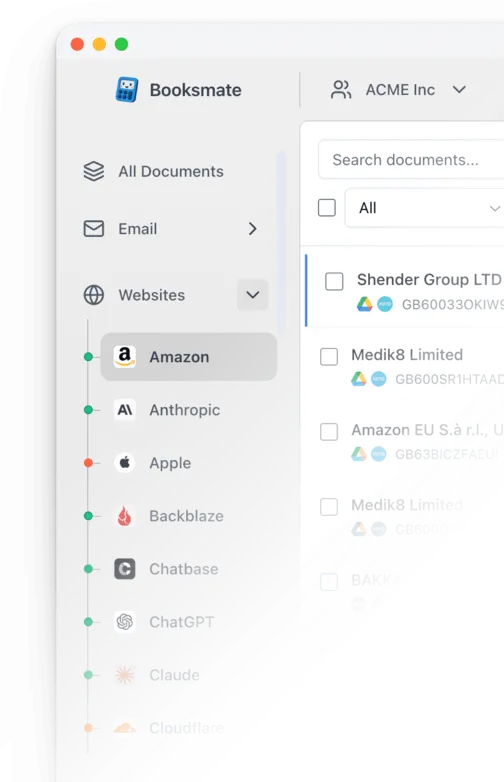
Booksmate downloads Amazon invoices automatically in seconds. Add Amazon in Booksmate, press Fetch All, and every invoice is downloaded for you without manual login.
-
Add
- Press Fetch All and log in to your Amazon account.
- Done! Your invoices are automatically downloaded for you.
Start collecting Amazon invoices automatically
Booksmate downloads your Amazon invoices and saves them as PDFs, so you never log in manually again.
Sign up for Booksmate
Add Amazon inside Booksmate
Press Fetch All and Booksmate downloads your invoices
No risk. Cancel anytime.
Manually download Amazon invoices
- Sign in to the Amazon account that placed the order
- Select Returns & Orders at the top right to open Your Orders
- Find the order you need. Use the date filter or the search box if it is older
- Select Invoice under the order number. If you see a menu, choose Invoice (or Request invoice for some marketplace sellers)
- Select Print this page for your records, then choose Save as PDF as the printer to download the invoice
Important details
- Must wait for item to ship before invoice available
- Business accounts have bulk download option
- Marketplace seller invoices vary in format
Amazon Invoice FAQs
Is it safe to use Booksmate with Amazon?
Yes. Booksmate runs on your own computer and never stores your Amazon password, so your login details are not shared with any third party.
Can I download old invoices?
Yes. When you first add Amazon to Booksmate, Booksmate downloads the full invoice history that is available in your Amazon account.
Does Booksmate support email invoice collection?
Yes. Booksmate gathers invoices from your email inbox in addition to web portals like Amazon, giving you one complete invoice collection setup.
Can I download all my Amazon invoices at once?
Yes. Booksmate downloads your complete Amazon invoice history automatically. Add Amazon, press Fetch All, and every available invoice is saved to your computer.
Are Amazon invoices saved as PDF files?
Yes. Booksmate saves every invoice as a PDF, so they are easy to organize, share, or upload to your accounting software.
When are Amazon invoices available for download?
Amazon invoices are typically available after shipment or delivery for items sold and fulfilled by Amazon. For marketplace sellers, invoice availability may vary. Some are available immediately after dispatch, while others may take 24-48 hours or require you to request the invoice from the seller.
Why can't I find an invoice for my Amazon order?
Not all Amazon purchases generate VAT invoices. Some purchases only provide a receipt or order summary instead. Digital products, gift cards, and certain marketplace sellers may use different documentation. Additionally, some sellers require you to click "Request an invoice", which can take several days to process.
Can I get VAT invoices from Amazon?
Yes, Amazon provides VAT invoices for eligible purchases. For Amazon Business accounts, VAT invoices are automatically available when provided by the seller. For regular accounts, you can add your business VAT information in account settings, but whether a VAT invoice is issued still depends on the seller and the type of purchase.
Can I bulk download Amazon invoices?
Regular Amazon accounts require downloading invoices one by one. However, Amazon Business accounts offer bulk invoice downloads through Business Analytics → Reports → Orders → Get order invoices and other documents.
Does Amazon email invoices automatically?
Usually no. Amazon does not automatically email invoice PDFs. You typically need to log into your account and download them from Your Orders or request them from sellers. Some marketplace sellers may send invoices separately by email.
How do I get an invoice for my Amazon Prime membership?
For Amazon Business Prime, an account administrator goes to Your Account, selects Business Prime, then Manage membership, then payment invoice history under Membership information, and selects View invoice to open the PDF. For a personal Prime membership, open your Prime membership page and check the payment history there.
How do I get all my Amazon invoices for one month?
Filter Your Orders by date, then open and save each invoice. Amazon Business users with a Business Credit Account can select the month's invoices on the Your Invoices page and download them together. Booksmate can sign in to your Amazon account from your own computer and collect each month's invoices for you.
Why won't my Amazon invoice download in the app?
The Amazon app does not always offer a PDF invoice. Open the Amazon country site where you placed the order in your phone browser, switch to the desktop site, then open Your Orders and select Invoice. Use your phone's print or share option to save it as a PDF.
Can I get an Amazon invoice without an Amazon account?
No. Invoices are only available in the account that placed the order. If someone else bought it for you, ask them to download the invoice and send it to you.
How do I print an Amazon receipt?
Open Your Orders, select Invoice on the order, then select Print this page for your records. Choose your printer, or Save as PDF to keep a digital copy.
More on Amazon invoices
- German Amazon invoice guide
- invoice downloader for 500+ websites
- automating invoice collection
- get an Amazon receipt instead of an invoice