Last updated: October 16, 2026
 Booksmate vs
 Dext
Dext Alternative for UK Small Businesses
If you run a UK small business, Booksmate is the simpler and cheaper Dext alternative when most invoices arrive as PDFs in supplier portals and inboxes. Dext is built for accounting practices, with bank feeds, supplier statements and expense claims. Booksmate focuses on collecting every invoice reliably and sending it, with the PDF, to Xero, QuickBooks, Google Drive, DATEV or sevDesk.
Short answer
Choose Booksmate if you want focused invoice collection that is simpler and cheaper than Dext, with export to Xero, QuickBooks, Google Drive, DATEV, or sevDesk.
Choose Dext if you need bank feeds, supplier statements, expense claims, or Sage integration alongside document capture.
Best For
Booksmate is best for owner-operators who do their own monthly bookkeeping and want invoices collected for them. Dext is best for accountants, finance teams, and enterprises.
| Booksmate | Dext |
|---|---|
| Owner-operators | Accountants and finance teams |
| Doing your own monthly bookkeeping | Document capture and extraction |
| Supplier portal invoice collection | Bank feeds and bank statement extraction |
| Email invoice capture | Supplier statement workflows |
| Xero, QuickBooks, Google Drive, DATEV, and sevDesk export | Sage and accounting integrations |
| Simple setup | Mileage and expense claims |
Making Tax Digital, VAT records and Xero: the UK workflow
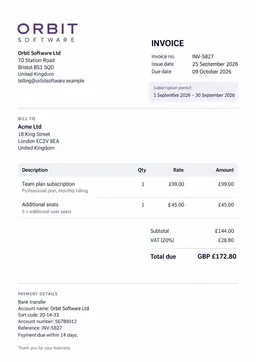
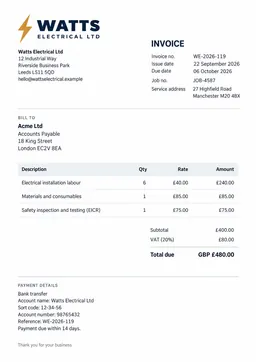
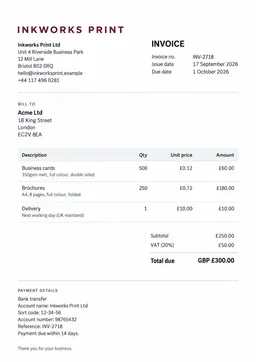
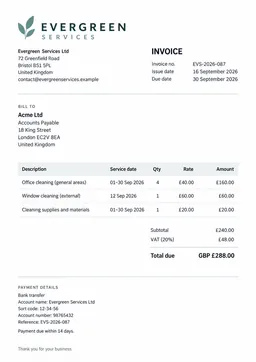
Under Making Tax Digital, VAT-registered businesses keep digital records and file VAT returns through compatible software such as Xero or QuickBooks. Neither Dext nor Booksmate files the return. Both feed purchase invoices into the ledger that does. The difference is how the invoices get there. For a small UK business that usually means three jobs each month: get every purchase invoice, check the VAT on it, and make sure the bill in Xero or QuickBooks has the original PDF attached. HMRC expects you to keep those records, and your accountant or bookkeeper will ask for them at VAT return time.
How Booksmate fits
- Signs in to supplier portals from your own computer and downloads each new invoice PDF, including sites with MFA.
- Scans Gmail, Outlook and IMAP inboxes for invoices and receipts.
- Extracts supplier, date, totals and VAT, then sends the bill and the PDF to Xero or QuickBooks.
- Keeps the original PDF with each bill, so your VAT record links back to the source document.
- Works with 500+ integrations, and you can add a missing portal yourself in the desktop app.
How Dext fits
- Captures receipts and invoices you photograph, upload or email to your Dext address.
- Dext Fetch collects from a list of supported suppliers.
- Extracts data, applies supplier rules and publishes to Xero, QuickBooks, Sage and other ledgers.
- Adds bank statement, line item and supplier statement extraction as credits or paid add-ons.
- Built around accounting practices that manage many client businesses.
If your invoices are mostly paper, Dext's mobile capture is strong. If they mostly live behind supplier logins (utilities, telecoms, software, ad platforms), Booksmate removes the monthly bookkeeping chore of logging in and downloading them one by one.
Booksmate vs Dext at a glance (as of October 2026)
Facts below come from each vendor's own pricing page and help centre, checked on 13 October 2026. Prices change, so check the vendor's site before you buy.
See how it works: DATEV export guide, sevDesk export guide.
| Booksmate | Dext | |
|---|---|---|
| Entry price | $19/month, billed annually (booksmate.com/pricing) | $25.21/month billed annually, or $302.50/year (dext.com business pricing) |
| Documents included | 600 documents/year on Basic | 250 documents/month on the base Business plan (Dext help centre) |
| Users included | 1 on Basic, up to 5 on Business ($49/month) | 5 users on the base Business plan (Dext help centre) |
| Free trial | 14 days | Free trial available (dext.com) |
| Supplier portal collection | Yes, runs on your computer, MFA supported | Dext Fetch, for supported suppliers |
| Email inbox scanning | Gmail, Outlook and IMAP | Forward to a Dext email address |
| Bank statement extraction | No | Yes, 10 sheets/month included, then paid credits |
| Export to Xero and QuickBooks | Yes | Yes |
| Export to Sage | No | Yes |
Main Difference
Booksmate is simpler and cheaper for small businesses. Booksmate focuses on supplier portal and email invoice collection with straightforward export to Xero, QuickBooks, Google Drive, DATEV, or sevDesk, while Dext adds bank feeds and supplier statements designed for accountants.
Dext is stronger for accountant workflows. Dext offers bank feeds, supplier statements, expense claims, and Sage integration, but it is expensive and heavy for small businesses that only want simple sync.
Why Choose Booksmate?
Simpler and cheaper
Booksmate focuses on collecting invoices and exporting. Dext adds bank feeds, supplier statements, and expense claims built for accountants.
Portal collection that still works
Booksmate maintains 500+ portal plugins with self-healing. Dext Fetch portal coverage has been reduced in some regions.
Your inbox does the work
Booksmate scans Gmail, Outlook, and IMAP and chases supplier portals. Dext relies more on email submission and Dext Fetch.
Exports where you need them
Booksmate sends to Xero, QuickBooks, Google Drive, DATEV, and sevDesk. Dext also covers Sage and deeper ledger workflows.
Missing portal? Add it yourself
Unsupported supplier? Open the desktop app, click Add Missing Website, and our AI builds a working plugin in minutes. Dext has no answer for portals outside its shrinking Fetch catalog.
Who should stay on Dext
Dext may be a better fit if:
- Your accountant or bookkeeper already runs your books in Dext and is happy with it.
- You need bank statement extraction, supplier statement reconciliation or expense and mileage claims.
- You use Sage or another ledger that Booksmate does not export to.
- Most of your paperwork is paper receipts photographed on a phone, not PDFs sitting in supplier portals.
- You want one plan that covers many separate businesses under a single login.
Where Dext Falls Short
Honest tradeoffs to be aware of:
- Expensive and rigid: designed for accountants, heavy for small business owners wanting simple sync
- Dext Fetch portal coverage recently reduced in some regions
- The smallest Dext Business plan covers 5 users and 250 documents a month, so a sole trader pays for capacity they may not use (Dext help centre, October 2026).
- Bank statement, line item and supplier statement extraction beyond the included credits costs extra.
Pricing Comparison
Booksmate is $19/mo with unlimited portal and email connections.
| Booksmate | Dext | |
|---|---|---|
| Starting price | $19.00/mo | $25.21/mo |
| Free trial | 14 days | 14 days |
| Credit card required | Yes | No |
| Documents per year | 600/year | 3000/year |
| Portal connections | Unlimited | - |
| Email connections | Unlimited | - |
| Best value for | Small businesses | UK small businesses with a team of up to 5 |
Dext prices its business plan by users and documents together, starting at 5 users and 250 documents a month. Booksmate prices by documents, with unlimited portal and email connections on every plan. If you are a sole trader or a small business with one or two people doing monthly bookkeeping, Booksmate Basic is usually the cheaper starting point. If you need bank statement extraction or many users, compare the Dext Business tiers. Prices as of 16 October 2026 (source: https://dext.com/en/business/pricing).
Which One Should You Choose?
Choose Booksmate if:
- You want reliable portal collection without accountant-grade complexity.
- You want a simpler, cheaper tool than Dext.
- You use Xero, QuickBooks, Google Drive, DATEV, or sevDesk.
- Missing portal? Add it yourself in the desktop app in minutes. Dext Fetch portal coverage has shrunk in some regions.
Choose Dext if:
- You need document capture plus bank data.
- You need supplier statement reconciliation.
- You use Sage or another Dext integration.
- You need expense and mileage claims.
Switching from Dext to Booksmate: checklist
Most small businesses can switch in an afternoon. Run both tools side by side for one VAT period so nothing is missed.
What moves easily
- Supplier invoices that arrive by email
- Invoices from supplier portals you log in to each month
- Your Xero or QuickBooks connection and chart of accounts
What to plan for
- Paper receipts: keep a phone capture habit, or forward photos by WhatsApp
- Bank statement and supplier statement extraction, which Booksmate does not do
- Historic documents: export your archive from Dext before you cancel
List every supplier that sends you invoices, and note which ones need a portal login.
Start the 14-day Booksmate trial and connect your invoice inbox.
Add your supplier portals in the desktop app. Add any missing site yourself.
Connect Xero or QuickBooks and check that the first bills land with the PDF attached.
Run Booksmate and Dext side by side until your next VAT return is filed.
Export your Dext archive, then cancel Dext before the renewal date (annual plans need 30 days notice, per Dext help centre).
No risk. Cancel anytime.
Frequently Asked Questions
Is Booksmate a good alternative to Dext?
Does Dext collect invoices from supplier portals?
How much does Dext cost?
Is Booksmate MTD compliant?
Is Booksmate cheaper than Dext?
Can my accountant or bookkeeper use Booksmate with me?
Does Booksmate work with Xero for UK VAT?
Can I keep using Dext while I try Booksmate?
What does Booksmate not do that Dext does?
Do I need the desktop app?
Does Booksmate work with Xero?
Does Booksmate work with QuickBooks?
Does Booksmate export to DATEV or sevDesk?
Does Booksmate collect invoices from email?
Does Booksmate collect invoices from supplier portals?
Does Booksmate offer a free trial?
Feature Comparison: Booksmate vs Dext
The table below compares Dext and Booksmate feature by feature across document collection, AI extraction, accounting integrations, automation, and team collaboration.
| Feature | Booksmate | Dext |
|---|---|---|
| Document Collection | ||
| Email inbox scanning | Yes | PartialEmail submission plus Dext Fetch |
| IMAP support | Yes | No |
| Vendor portal fetching | Yes | No |
| Bank, insurance, telecom portal fetching | Yes | No |
| Retroactive inbox scan | Yes | No |
| WhatsApp / Telegram submission | Yes | Yes |
| Drag-and-drop / bulk upload | Yes | Yes |
| AI Extraction | ||
| AI data extraction | Yes | Yes |
| Line item extraction | Yes | Yes |
| Multi-currency support | Yes | Yes |
| Automatic invoice classification | Yes | Yes |
| Accounting Integrations | ||
| Xero integration | Yes | Yes |
| QuickBooks integration | Yes | Yes |
| DATEV integration | YesDATEV export | No |
| lexoffice / sevDesk integration | Yes | Not listed |
| Google Drive sync | Yes | Yes |
| Automation & Organization | ||
| AI automation rules | No | Yes |
| Document archiving | Yes | Yes |
| Spending analytics dashboard | No | PartialPractice insights and data-health reporting |
| Automatic tagging | Yes | PartialSupplier rules and categories |
| Duplicate detection | Yes | No |
| Team & Collaboration | ||
| Team members | Yes | Yes |
| Multi-company support | Yes | Yes |
| Accountant access | Yes | Yes |
| Audit trail | Yes | No |