Accounting Automation Software Your Business Needs in 2026
Discover how accounting automation software saves time, cuts errors, and boosts ROI. This guide covers capabilities, selection criteria, and top solutions.

Manual accounting still looks familiar in too many businesses. The AP inbox is full, supplier portals all work differently, someone exported a CSV to “clean up later,” and month-end depends on who remembered to download the right invoice from Amazon, Stripe, PayPal, Google, or Microsoft. None of that is advanced accounting. It’s administrative drag.
The frustrating part is that most finance teams already know where the waste is. It starts before coding, reconciliation, or reporting. It starts with document collection. If the invoice never gets into the workflow cleanly, everything after that gets slower.
End the Grind of Manual Accounting
The old routine is easy to recognize. One person checks shared mailboxes. Another logs into supplier portals. A third renames PDF files and drops them into folders that make sense only to the team that built them. Then someone keys the same data into the accounting system and hopes the amount, tax, date, and vendor name all survive the trip.
That workflow breaks in ordinary ways. A vendor changes its portal layout. A receipt gets forwarded twice. A statement lands in one inbox while the invoice lands in another. During close, people aren’t doing accounting work. They’re hunting.

What the pressure looks like in practice
A finance lead doesn’t feel the pain as one dramatic failure. It shows up as a hundred small delays. Missing documents hold approvals. Manual entry introduces preventable mistakes. Rework eats the time that should go to review, analysis, and cash planning.
That’s why accounting automation software has moved from “nice to have” to operational necessity. The shift is measurable. The global accounts payable automation market is projected to grow at a 12.8% CAGR through 2030, and 68% of businesses still rely on manual data entry for invoices, which directly contributes to delays and errors, according to HighRadius AP automation projections.
Manual accounting rarely fails all at once. It fails a few minutes at a time, across every inbox, portal, spreadsheet, and handoff.
The better way to work
Modern systems change the sequence. Documents get collected automatically. Data gets extracted and organized. The right people approve exceptions. Clean information flows into QuickBooks, Xero, NetSuite, Sage Intacct, or another ledger without constant copy and paste.
If you’re trying to automate your bookkeeping, start by looking at the first bottleneck, not the last one. Many teams focus on posting and reporting because those steps are visible. Collection is where the grind begins.
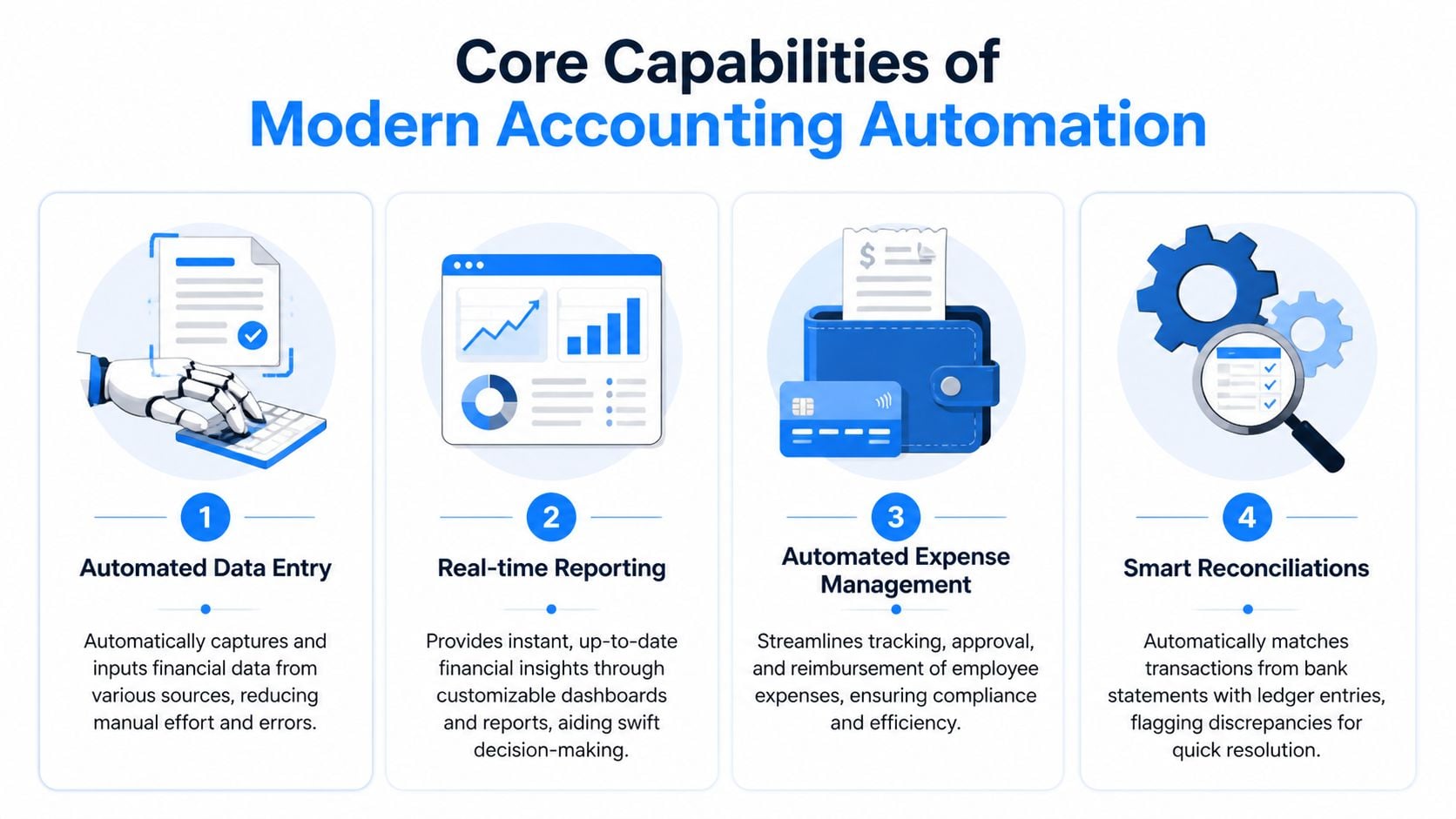
Core Capabilities of Modern Accounting Automation
Not all accounting automation software does the same job. Some tools handle reconciliation well but assume your documents are already neatly collected. Others capture expenses but stop short of proper export and audit support. The strongest setups cover the full path from intake to accounting system.
Automated invoice and receipt collection
This is the part many platforms treat as someone else’s problem. In real departments, it’s the first problem.
Good systems pull invoices and receipts from supplier portals and monitored email inboxes before anyone starts downloading files manually. That replaces the daily habit of signing into ten or twenty different websites, searching by billing period, and saving PDFs one by one.
What it replaces:
- Portal chasing: Logging into Amazon, Stripe, PayPal, and similar platforms just to retrieve documents
- Inbox monitoring: Watching shared email addresses for attachments and forwards
- Folder cleanup: Renaming, filing, and deduplicating documents by hand
AI-driven data extraction
Once the document exists in the system, the next question is whether someone still has to key it in. That’s where OCR and machine learning matter.
The strongest tools read invoices, identify fields like vendor, amount, date, and due date, and map them into a usable structure. The core of modern automation is AI-driven data extraction, which combines OCR with machine learning to achieve accuracies over 95% on structured invoices and reduce manual entry errors by up to 90%, as described in Tipalti’s accounting automation overview.
Practical rule: If a tool says it “captures invoices,” ask whether that means storing PDFs or extracting usable accounting data. Those are not the same thing.
Approval workflows that match real operations
Automation fails when it ignores how a company approves spend. A useful workflow routes documents by vendor, amount, entity, team, or exception type. A weak one creates a rigid approval chain that accountants work around with email.
The point isn’t to automate every decision. It’s to automate the predictable ones and surface the unusual ones fast. For example:
- Routine bills can move straight to coded review.
- PO-backed invoices can be matched and approved with limited touch.
- Exceptions should be routed to the right reviewer with context attached.
Integrations that remove rekeying
A system isn’t helping if staff still exports CSV files, cleans them in Excel, and uploads them again. Integration is where automation becomes operational instead of cosmetic.
Look for direct export or sync into tools like QuickBooks Online, Xero, NetSuite, or Sage Intacct. The practical test is simple. After extraction and review, can the team move data into the ledger without rebuilding it?
Why Your Bottom Line Will Thank You
Finance software gets approved when it solves cost, accuracy, and timing problems at the same time. Accounting automation software does that best when it removes handoffs, not just keystrokes.
Better control without adding headcount
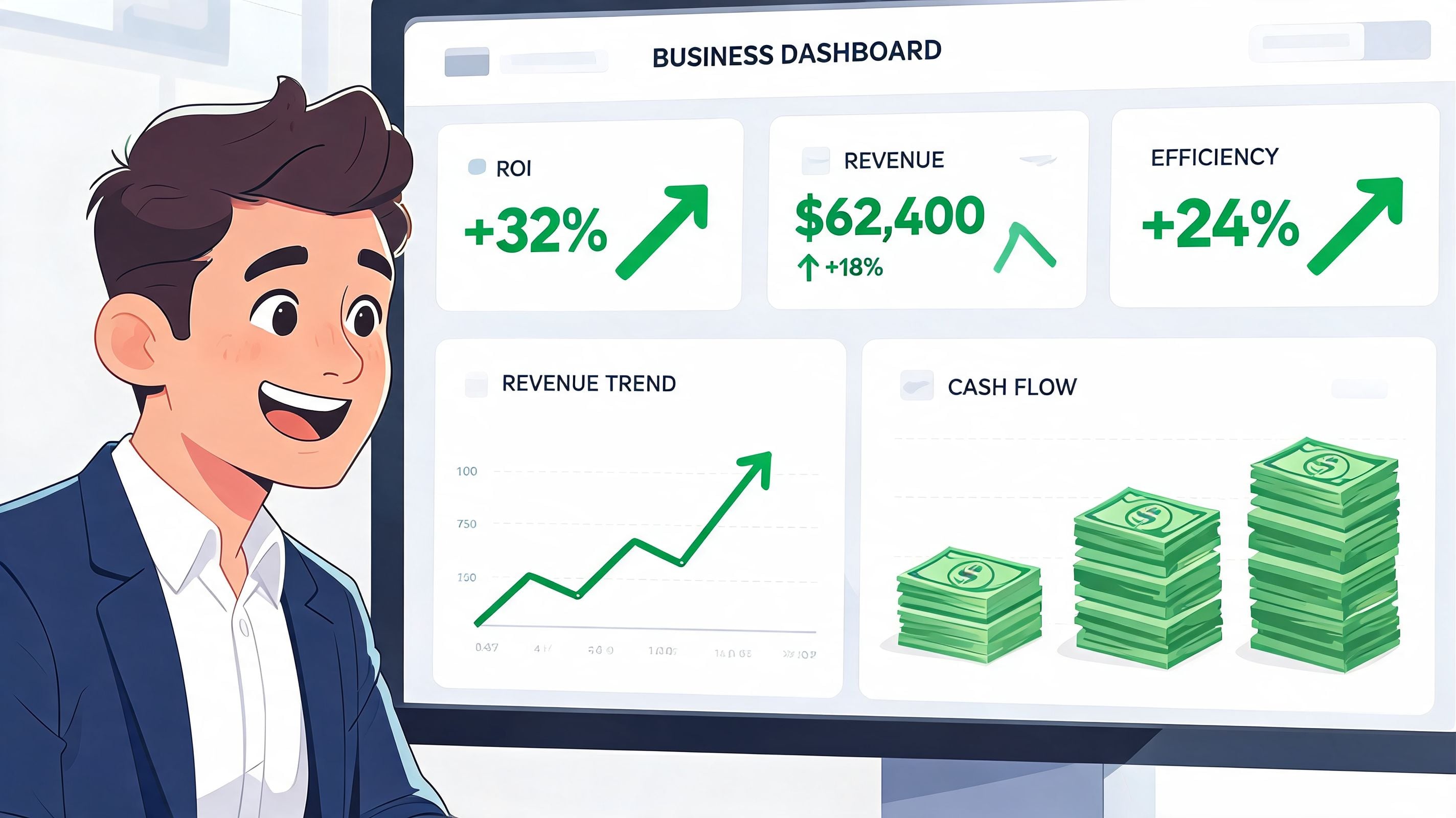
The first return usually isn’t dramatic from the outside. It’s quieter than that. Fewer missing invoices. Fewer duplicate entries. Less time spent checking whether the document in the folder matches the transaction in the ledger.
Those hours matter because they’re cumulative. A team that stops spending mornings downloading bills and afternoons correcting data entry gets time back for variance review, supplier follow-up, policy enforcement, and cash visibility. That’s higher-value work, and it’s the work finance teams usually want to do.
The broader trend supports that shift. 72% of finance leaders report that workflow automation improves accuracy and compliance, and the wider CFO technology stack grew from $12 billion in 2020 to an estimated $89 billion in 2026, according to INAA’s 2025 accounting trends analysis.
Faster closes and cleaner audits
When documents arrive in a standard format, every downstream step gets easier. Reviewers can trace support quickly. Controllers spend less time asking where a number came from. Auditors get cleaner evidence and more consistent trails.
That doesn’t mean automation removes review. It means review becomes focused. Instead of checking whether data was entered correctly, accountants can check whether the treatment is correct.
Teams don’t usually need more accounting effort. They need less document chaos before the accounting starts.
Here’s a useful overview if you want to see the workflow in action:

Where the financial gain actually shows up
Most finance leaders justify the investment through a combination of operational improvements:
- Lower rework: Staff spend less time correcting preventable mistakes
- Shorter approval lag: Documents move while they’re still current, not after follow-up
- Cleaner compliance: Supporting documents stay attached to transactions and approvals
- Stronger visibility: Dashboards and exports reflect current data, not last week’s spreadsheet
The savings aren’t only labor savings. They also show up in fewer missed deadlines, fewer payment disputes, and fewer close-period surprises.
Your Accounting Automation Evaluation Checklist
Buying software without a checklist is how teams end up with a flashy demo and a weak process. The right product for one business can be the wrong one for another, especially when your real problem is document intake and the vendor is strongest in reporting or ERP breadth.
A practical evaluation starts with your bottleneck. If your team loses hours collecting invoices from portals and inboxes, don’t let a generic feature list distract you. If your pain is close management, prioritize that instead.
What to test before you buy
Some criteria are obvious, like whether the software integrates with your ledger. Others only show up after implementation, when the team discovers that the “automation” still requires a lot of manual cleanup.
Evaluation Criteria
What to Look For
Notes / Vendor Score
Invoice collection
Pulls from supplier portals and monitored email inboxes reliably
Data extraction
Extracts vendor, date, amount, tax, due date, and line-level detail where needed
Approval flow
Supports routing by entity, vendor, team, or exception
Export and sync
Sends validated data into QuickBooks, Xero, NetSuite, Sage Intacct, or your ERP
Audit readiness
Keeps document history, approvals, and change tracking together
Exception handling
Flags duplicates, missing fields, and unusual items clearly
Ease of use
Finance staff can operate it without constant vendor help
Support quality
Responsive onboarding and problem resolution
Scalability
Can handle new entities, vendors, and higher document volume
Security review
Fits your internal controls and access requirements
Questions vendors should answer directly
Use plain questions. If the answers get vague, that’s usually the answer.
- Where does collection start? Ask whether the system fetches documents itself or expects your team to upload them.
- What happens when layouts change? Portal and invoice formats don’t stay fixed.
- How are exceptions handled? Missing fields, duplicate invoices, and unusual tax treatment need a clear path.
- Who owns configuration? Some tools need a dedicated admin. Others fit lean teams better.
A product can be strong in accounting logic and still be weak at intake. That gap creates manual work you’ll still be paying for.
Match the software to your stage
A startup using QuickBooks has different needs from a multi-entity business on NetSuite. If you’re weighing broader finance stack decisions, this 2026 guide to startup accounting tools is useful for comparing platform fit by company stage.
The main point is simple. Don’t buy a system for the slide deck version of your company. Buy it for the document flow, staffing reality, and control requirements you have now.
Navigating Your Automation Implementation
Implementation goes wrong when teams treat it like a software install instead of an operating change. The tool matters, but sequence matters more. If you automate a messy process without defining ownership, exception handling, and data standards, you just move the mess into a new interface.
Start with the current workflow, not the future-state demo
Map what happens today. Where do invoices arrive? Who downloads them? Who checks them? Where do approvals stall? What gets re-entered into the ledger?
Then choose one lane to fix first. For many teams, that’s AP intake. For others, it’s bank reconciliation or close support. Narrow pilots work better because staff can compare before and after without guessing.
A strong payoff is possible when rollout is done properly. Advanced accounting automation platforms can reduce month-end close times from 10 to 15 days down to 1 to 3 days by using AI-powered transaction matching with up to 99% automation rates, based on HubiFi’s automation feature benchmarks.
A rollout sequence that works
- Audit the manual work Write down repetitive steps, handoffs, login dependencies, and common exceptions.
- Define success in operational terms Better goals are “all supplier invoices collected in one place” or “no manual rekeying after review” than vague targets about transformation.
- Pilot with a contained process Choose a business unit, entity, or document type that exposes the actual workflow without overwhelming the team.
- Train around exceptions Most users learn the happy path quickly. The hard part is duplicates, missing data, and approvals that need escalation.
- Tighten controls after go-live Review what still falls outside the workflow, then update rules and responsibilities.
What usually causes trouble
The common mistakes are predictable:
- Bad source data: Inconsistent vendor names and weak folder habits create confusion during migration.
- Over-automation too early: Teams try to automate every branch case before the standard workflow is stable.
- No ownership: If nobody owns intake, exceptions, and rule updates, small issues accumulate.
- Weak change management: Staff revert to email and spreadsheets when training is rushed.
For teams that need a structured rollout, outside help can make implementation less disruptive. Tailored AI implementation guidance is useful when you need support with process design, adoption, and change management alongside the software decision.
Solving the Invoice Collection Headache with Booksmate
The biggest blind spot in many accounting stacks isn’t extraction or reporting. It’s getting the documents in the first place.
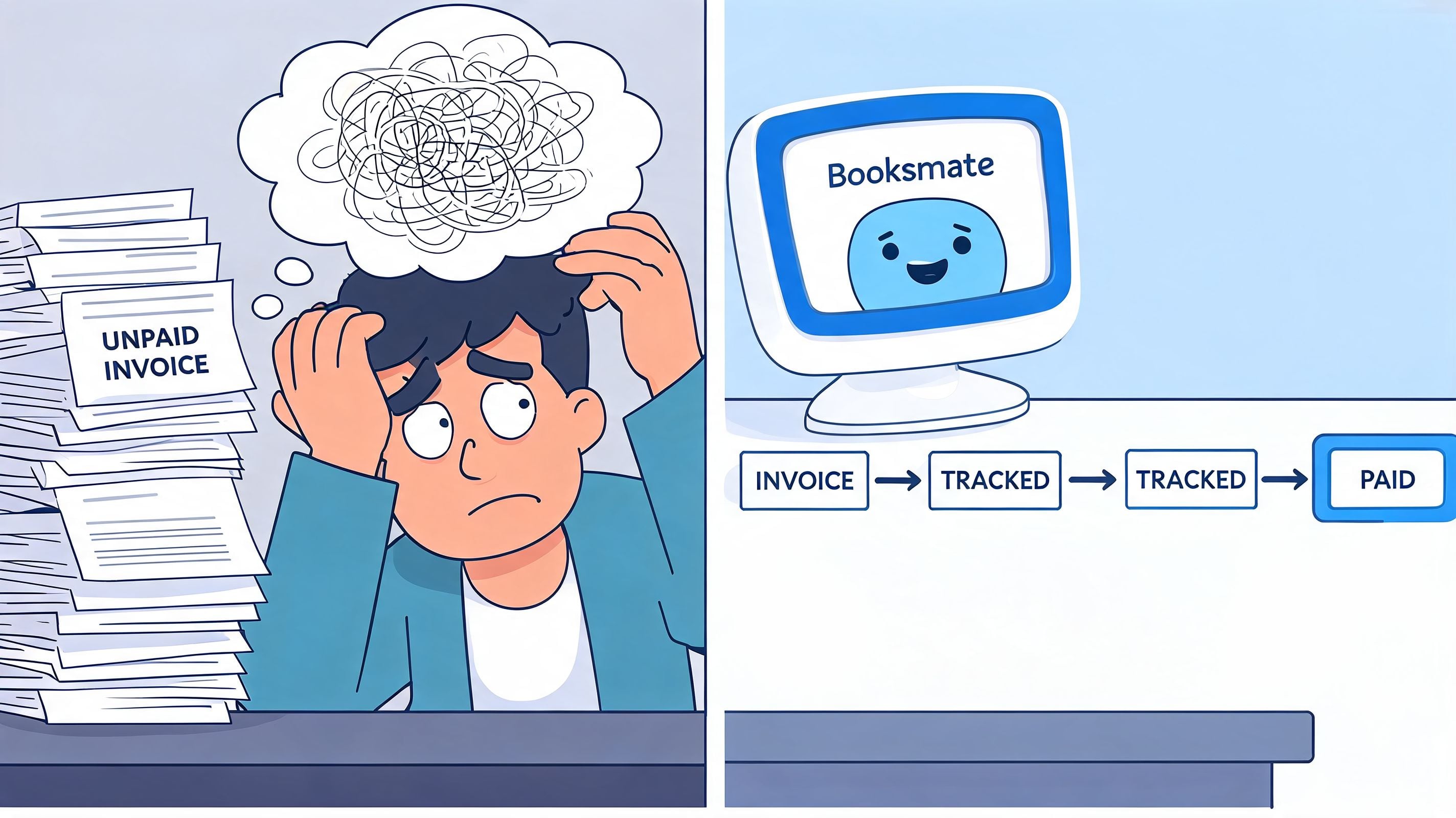
Most tools assume invoices arrive neatly by upload, API, or email attachment. Day-to-day bookkeeping doesn’t work that way. Invoices live in portals. Receipts are buried in inboxes. Some vendors send links instead of PDFs. Others split statements and invoices across separate systems. That’s why accountants end up doing work that software should have removed years ago.
The first-mile problem most platforms leave behind
Specialist tools become useful in this context. The market gap is real. 86% of accounting firms report struggling due to a lack of AI automation for routine data entry and collection, especially from supplier portals, according to Thomson Reuters coverage of AI automation gaps in accounting firms.
That finding lines up with what many bookkeepers already know. The pain isn’t only in coding documents once you have them. The pain is collecting them consistently from systems that were never designed for accounting efficiency.
What a specialist workflow looks like
A tool like Booksmate addresses that collection bottleneck by connecting to supplier portals and email inboxes, fetching invoices and receipts automatically, extracting the data with AI, organizing documents in a central dashboard, and preparing them for export to accounting software.
That matters for teams handling high-volume documents from platforms like Amazon, Stripe, PayPal, Google, and Microsoft. Instead of assigning staff to repeated portal login work, the process starts upstream where the bottleneck lives.
A practical workflow usually looks like this:
- Fetch: Pull invoices and receipts from portals and inboxes automatically
- Extract: Read key fields from each document into a structured format
- Review: Check exceptions, duplicates, and coding issues
- Export: Send validated records into the accounting system
The fastest AP process in the world still stalls if someone has to spend the morning downloading the source documents by hand.
Where this fits in a broader finance stack
This kind of specialist tool doesn’t replace your ledger. It fills the intake gap that many ledgers and ERPs leave open.
That distinction matters. QuickBooks, Xero, NetSuite, and Sage Intacct are still central systems of record. But if your team’s real bottleneck is document collection, solving only the downstream accounting step won’t fix the work that consumes your staff.
Automation Is About Empowerment Not Replacement
The fear around automation usually focuses on jobs. In practice, the bigger issue is job quality. Accountants didn’t train to spend their best hours downloading PDFs, renaming files, chasing approvals, and correcting avoidable entry mistakes.
Accounting automation software shifts work upward. It gives bookkeepers cleaner inputs. It gives accountants more time for review and judgment. It gives controllers better visibility into what’s happening before close turns messy.
That’s the right way to think about it. Good software doesn’t remove the need for finance professionals. It removes the clerical drag that keeps them from doing finance well.
The companies getting the most value from automation usually aren’t chasing novelty. They’re fixing obvious friction. They’re reducing the number of places documents can get lost. They’re making approvals easier to track. They’re turning reconciliation and reporting into structured follow-on steps instead of rescue work.
If you want a practical starting point, audit the first manual step in your current process. Not the most complex one. The first one. For many teams, that’s where automation creates the clearest win.
If your team is still spending too much time collecting invoices before the main accounting work begins, take a look at Booksmate. It’s built for bookkeepers, accountants, and finance teams that need automated invoice fetching from portals and email, AI data extraction, organized document workflows, and clean export into their accounting system.









