What Are Expenses in Accounting? A Small Business Guide
Learn what are expenses in accounting, from operating costs to journal entries. Our guide explains expense types, recognition, and how to simplify bookkeeping.

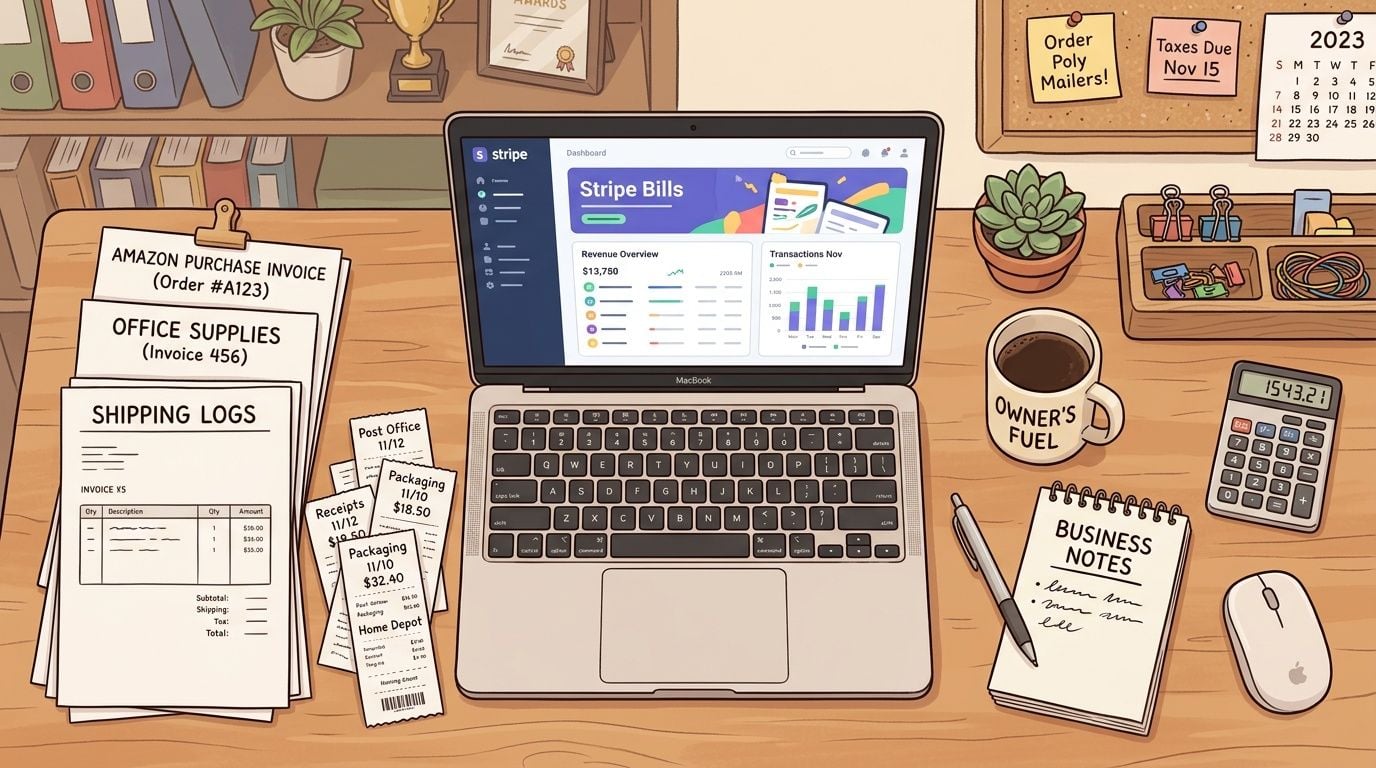
You open your laptop to check the business account, and there they are again. An Amazon invoice for office supplies. A Stripe billing notice for software. A stack of paper receipts from fuel, lunch meetings, and last-minute purchases you meant to sort last week.
Most small business owners don't struggle because they spend money. They struggle because they don't always know what that spending means in accounting terms, when to record it, or how to organize it without falling behind.
That's why "what are expenses in accounting" is such an important question. Expenses aren't just random costs leaving your bank account. They help explain whether your business is making money, where that money is going, and whether your records tell the truth about your business.
Table of Contents
- Your Business Runs on Expenses So What Are They?
- The Core Concept of Business ExpensesExpenses are part of earning revenue
- Why timing changes the story
- Cost is not always expense
- A Breakdown of Common Expense TypesThe main categories most owners see
- Fixed and variable expenses
- Recording Expenses Accrual vs Cash MethodCash method in plain English
- Accrual method in plain English
- Why the difference matters in real business decisions
- How an Expense Appears on Financial StatementsFrom document to journal entry
- What changes on the statements
- Streamlining Expense Capture with Automation
- Avoiding Common Mistakes and Key Takeaways
A business can't operate without expenses. If you sell products, you buy materials. If you deliver services, you pay people, software vendors, utilities, and rent. Even a lean online business still pays for tools, subscriptions, and admin support.
In accounting, an expense is a cost the business uses up while earning revenue. That's the practical meaning most owners need. You spend money, or incur an obligation to spend money, so the business can keep running and generate income.
That matters because expenses don't sit in the background. They directly affect profit. According to Ramp's explanation of expenses in accounting, expenses represent decreases in economic benefits during an accounting period and are systematically subtracted from revenue to determine net income.
Expenses aren't a sign of failure. They're the normal cost of operating a real business.
Small business owners often get stuck in three places:
- They mix categories: rent, software, contractor bills, and loan interest all get lumped together.
- They use bank activity as the whole story: if cash didn't move yet, they assume nothing happened.
- They lose documents: the receipt exists somewhere, but not when the bookkeeper needs it.
When you understand expenses clearly, bookkeeping gets simpler. Profit becomes easier to trust. Tax prep gets less painful. And software becomes far more useful because you're organizing the right information from the start.
The Core Concept of Business Expenses
Expenses are part of earning revenue
A useful way to understand an expense is to ask a simple question: what did the business use up to do its work?
A bakery uses flour, packaging, labor, rent, and electricity to sell bread. A consultant uses software, internet service, and subcontractor time to serve clients. In each case, the business is consuming resources so it can operate and earn income. That consumed resource is the heart of an expense.
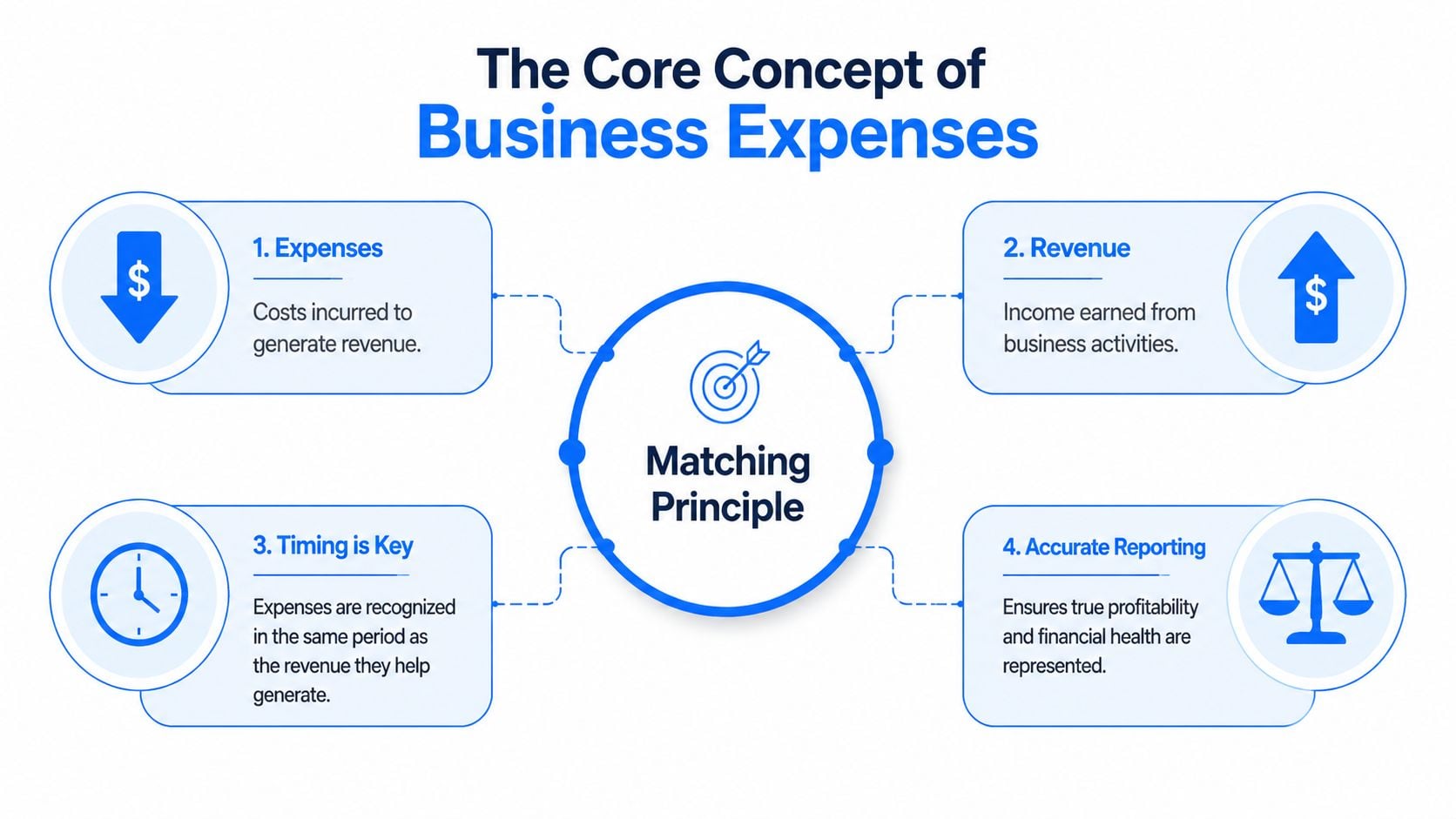
Accounting organizes that idea through the matching principle.
Matching principle: record expenses in the same period as the revenue they helped produce.
The principle sounds academic, but it solves a very practical business problem. You want each month's profit to reflect what it took to run the business that month. If December revenue depended on December payroll and software access, those costs belong in December's records, even if one bill gets paid later.
Expenses work like the fuel burned during a delivery route. You care about when the fuel was used to complete the job, not only when the credit card bill was paid.
Many owners often get tripped up at this point. They look at the bank feed and assume it tells the full story. It does not. A bank feed shows cash movement. Accounting also needs to show business activity.
That difference matters because profit can look stronger or weaker than reality if expenses land in the wrong period. A late vendor payment can make one month look unusually profitable and the next month look worse than it really was.
Here is the simplest way to separate the ideas:
- Cash tracking asks: when did money move?
- Expense recognition asks: when did the business receive and use the good or service?
If your team used a project management app throughout December but paid the invoice in January, the economic benefit was used in December. That is when the expense belongs if you are measuring performance accurately.
The same logic helps with staff reimbursements. If an employee buys supplies for a client job this month, the business has taken on that cost even if reimbursement happens later. A clear expense reimbursement process for small businesses keeps those costs from disappearing between employee spending and bookkeeping.
New business owners often use cost and expense as if they mean the same thing. In everyday speech, that is normal. In accounting, the distinction matters.
A cost is what you pay to get something. An expense is the portion of that cost recognized after the business uses it up or benefits from it during the period.
For example, if you prepay annual insurance, you have paid a cost upfront. Only the month that has passed becomes an insurance expense on that month's books. The rest is still future benefit. The same idea applies to equipment, software contracts paid in advance, and supplies that sit on the shelf before anyone uses them.
The Financial Accounting Standards Board describes expenses as outflows or other using up of assets, or incurrences of liabilities, from delivering goods, rendering services, or carrying out major operations. That definition from the FASB Concepts Statement glossary is formal, but the business lesson is straightforward. Expenses measure what your company gave up to operate during a period.
That is why this topic matters beyond textbook definitions. If expenses are recorded accurately, your profit and loss statement becomes something you can trust when pricing jobs, reviewing margins, or deciding whether you can afford another hire. And with tools like Booksmate capturing receipts, organizing records, and reducing manual entry, it becomes much easier to match the actual transaction to the right accounting period.
A Breakdown of Common Expense Types
The main categories most owners see
Once you understand what an expense is, the next job is classification. Proper categories make reports readable. They also help you budget, compare months, and spot unusual spending before it turns into a bigger issue.
According to AccountingCoach's overview of expenses, expenses are commonly divided into operating expenses and non-operating expenses, and operating expenses can also be viewed as fixed or variable.
Here's a practical matrix you can use.
Expense Category
Definition
Small Business Example
Operating expenses
Costs tied to normal day-to-day business activity
Rent, utilities, software subscriptions, internet
Non-operating expenses
Costs not tied to core operations
Interest on a business loan, certain legal settlements
Cost of goods sold
Direct costs tied to producing or delivering what you sell
Raw materials, direct production inputs
Administrative expenses
Costs that support the business as a whole
Accounting fees, executive support, office management
Selling and marketing expenses
Costs used to win customers and drive sales
Advertising, sales commissions, campaign tools
For many businesses, operating expenses make up the biggest share of spending. That's why owners spend so much time reviewing payroll, rent, software, and utilities.
A related issue comes up when employees pay first and ask for repayment later. If that happens often in your business, this guide to expense reimbursement basics can help you think through process and documentation.
Another useful lens is behavior. Some expenses stay fairly stable. Others rise and fall with activity.
- Fixed expenses: These tend to remain steady from period to period. Rent is the classic example. A monthly software plan often fits here too.
- Variable expenses: These change when production or sales change. Raw materials, shipping inputs, and usage-based services usually fit this pattern.
- Semi-flexible reality: Some costs look fixed until your business grows enough to force a jump, such as upgrading plans, adding staff, or moving offices.
This matters for planning. If revenue dips, variable expenses may ease naturally, but fixed expenses keep arriving. If revenue grows fast, variable costs can expand faster than expected.
Practical rule: Classify expenses in a way that helps you make decisions, not just complete bookkeeping.
A clear chart of accounts doesn't need to be fancy. It needs to help you answer real questions. Which costs are essential? Which ones are growing? Which ones support delivery, and which ones support administration?
When the categories make sense, your reports stop looking like a dump of transactions and start looking like management tools.
Recording Expenses Accrual vs Cash Method
A common small business moment goes like this. You receive a contractor invoice on December 29, but the payment does not leave your bank account until January 5. One month shows the work. The next month shows the cash movement. Accounting has to decide which month gets the expense.
That decision comes down to your accounting method.
Cash method in plain English
Under the cash method, you record an expense when you pay it. If the bill arrives in December and you pay it in January, January gets the expense.
That makes cash basis easy to follow because it mirrors your bank activity. For a very small business with few unpaid bills, that simplicity can save time.
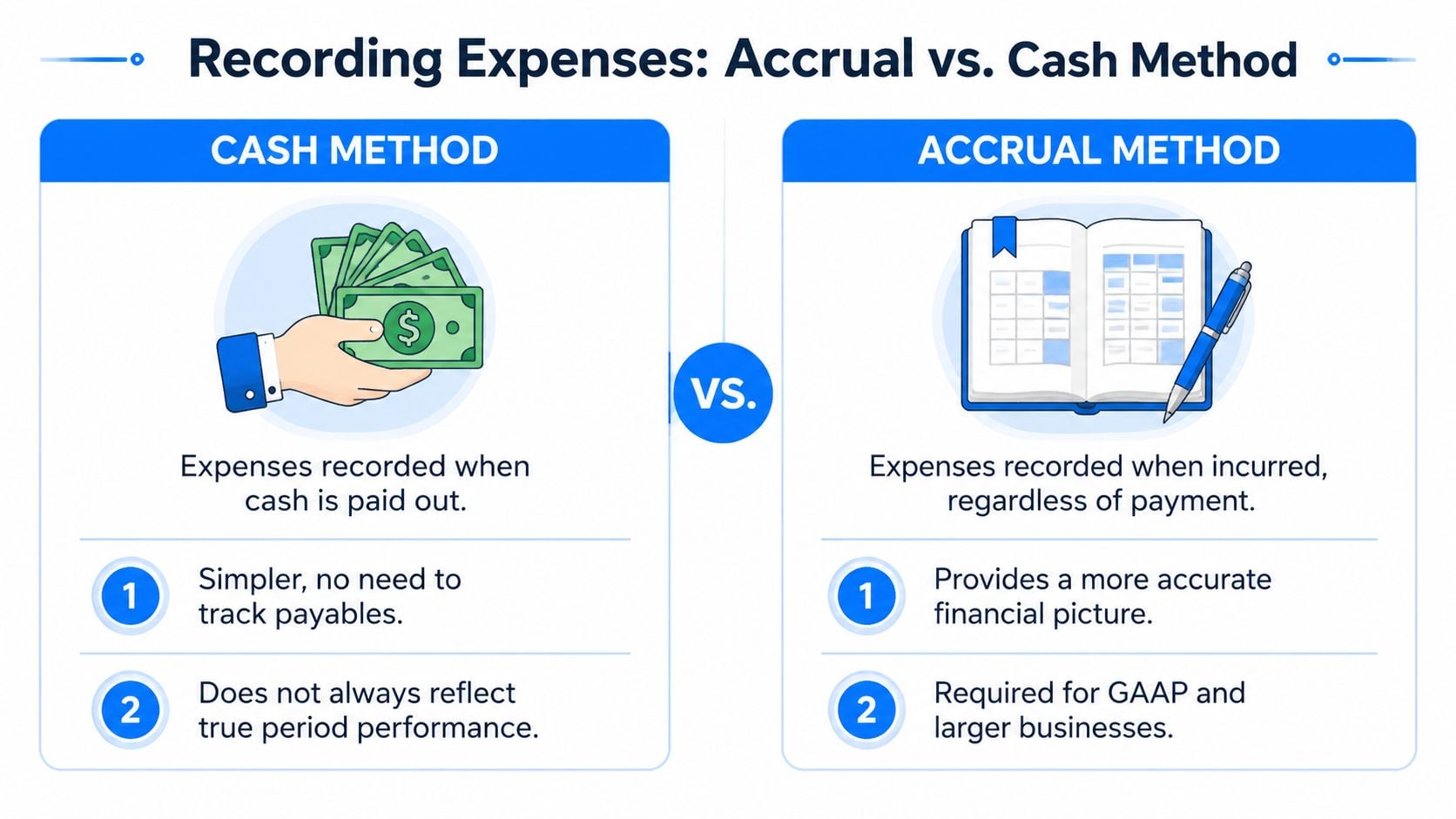
Under the accrual method, you record the expense when the business incurs it. In practice, that usually means when you receive the goods or when the service is performed, even if payment happens later.
Using the same year-end invoice example, accrual puts the cost in December because that is when the business used the service. That gives you a cleaner view of what December cost to operate.
Accrual works like matching effort to outcome. If December sales depended on December labor, software, and contractor work, those costs belong with December's revenue.
The gap between these methods is not just technical bookkeeping. It changes how you read your business.
If you use cash basis, one month can look unusually profitable because several bills were paid a few days later. The next month can look weak for the opposite reason. That can lead to bad decisions on pricing, hiring, or spending because the timing of payments is masking the timing of operations.
Accrual gives a steadier picture of performance, but it asks for better habits. You need to capture bills when they arrive, record services when they are received, and review open payables at month-end.
Method
Expense recorded when
Main strength
Main weakness
Cash
Payment is made
Simple and closely tied to bank activity
Can shift costs into the wrong period
Accrual
Expense is incurred
Better view of monthly performance
Requires more disciplined recordkeeping
A hosting bill shows the difference clearly. If your web host provides service in December and you pay in January, cash basis records the cost in January. Accrual records it in December, which is the month that benefited from the service.
For owners trying to spot these timing issues, a practical income and expense worksheet for monthly review can make misdated expenses easier to catch.
Modern tools reduce a lot of the manual work here. Booksmate can pull bills, receipts, and transaction data into one workflow, then help categorize and date expenses consistently. That matters because accrual accounting is only useful when the timing is right. Automation helps you get that timing right without chasing documents at the end of every month.
Cash shows when money moved. Accrual shows when your business consumed the resource.
For a growing business, that difference affects how much confidence you can place in your monthly numbers.
How an Expense Appears on Financial Statements
A business owner often feels the impact of an expense before seeing it in a report. The rent is due. A supplier sends a bill. Payroll goes out. Accounting turns each of those real-world events into a record your financial statements can use.
From document to journal entry
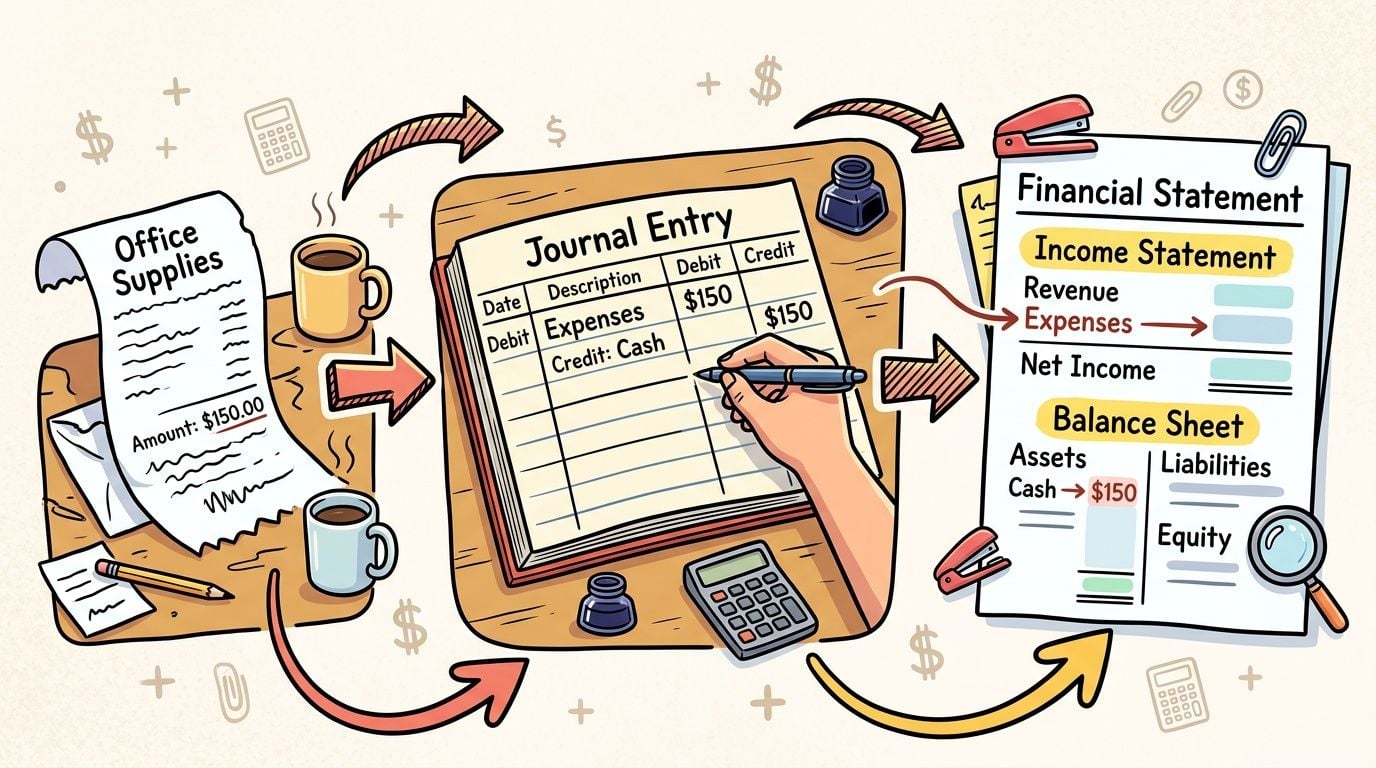
At the bookkeeping level, every expense entry answers two questions:
- Which expense account increases
- Which other account balances the entry
That second account is usually cash, accounts payable, or accrued expenses.
If you pay rent on the spot, the entry increases rent expense and reduces cash. If a vendor sends a bill that you will pay next week, the entry increases the expense and increases accounts payable. The cost has still happened. Your books are just showing whether cash has left yet.
A simple way to view it is this: the income statement shows the cost of using a resource, while the balance sheet shows where that cost is still sitting. It may sit in cash already spent, in a payable you still owe, or in an accrual for work received but not yet billed.
Payroll makes this easier to see. According to the AIA's accounting basics resource, labor and payroll can make up 70 to 75% of a firm's total operating expenses. To illustrate the timing, if an employee works 5.5 hours at $25 per hour, the business has incurred $137.50 of labor cost from that work, even if payroll is processed later.
That timing affects more than compliance. It affects whether your monthly profit report means what you think it means.
The first stop for an expense is usually the income statement. It appears in the right category, such as rent, software, supplies, payroll, or advertising, and it reduces net income for that period.
The related balance sheet effect depends on whether the expense has been paid:
- If unpaid, liabilities such as accounts payable or accrued expenses increase.
- If paid immediately, cash decreases.
- After net income closes, retained earnings reflect the lower profit.
That chain matters because one coding choice can affect several reports at once. A phone bill posted to office supplies instead of utilities changes category totals. A bill dated in the wrong month changes trend lines. A duplicate expense lowers profit twice.
Here is a straightforward example. Say you receive a $300 office supply invoice on March 28 and record it in March. March income goes down by $300. If you have not paid it yet, March's balance sheet also shows a $300 payable. When you pay in April, cash goes down and the payable disappears. The expense does not hit April profit again because it was already recognized in March.
One expense can affect more than one statement, but it should only hit profit once.
This is one reason modern business expense tracking software matters for small businesses. Good systems connect the document, the date, the category, and the payment status so the same expense does not get lost, duplicated, or pushed into the wrong period.
Booksmate helps with that practical side of accounting. It pulls receipts, invoices, and transaction data into one workflow, so the theory behind expense recognition turns into cleaner records and faster month-end reporting. If your process also includes vendor bills and approvals, tools that automate accounts payable can reduce delays between receiving an invoice and recording it correctly.
Clean expense records produce cleaner financial statements. That gives you a more trustworthy view of profit, cash needs, and where your business is spending money.
A small business rarely loses control of expenses because the math is hard. The trouble usually starts with the paper trail. An invoice sits in a vendor portal. A receipt stays trapped in someone's inbox. A card charge appears in the bank feed before the supporting document arrives, so the amount gets recorded without enough context to classify it properly.

That creates very ordinary bookkeeping problems. Missing invoices lead to missing expenses. Duplicate documents can create duplicate entries. Dates pulled from the payment feed instead of the invoice can push a cost into the wrong period. By month-end, the hard part is no longer deciding whether something is an expense. The hard part is finding the document, confirming the date, and making sure the entry is right.
Automation helps because it acts like a digital intake desk. Instead of asking your team to hunt through email folders, shared drives, and supplier portals, the system gathers documents into one place first. That matters for small businesses because good accounting depends on complete inputs. If the source document never reaches your books, the accounting logic cannot fix the gap later.
Good automation still needs review. A tool can read a vendor name and amount in seconds, but it cannot always judge whether the service date belongs to this month, whether the document is a bill or just a receipt, or whether a duplicate already exists. Fast capture is useful. Unreviewed posting creates new errors faster.
A practical workflow usually looks like this:
- Collect documents automatically from inboxes, uploads, and vendor portals.
- Extract key details such as vendor, amount, invoice date, and document type.
- Flag exceptions for review when dates are unclear, documents are duplicated, or coding looks unusual.
- Send approved data into the accounting system with the source file attached for easy verification later.
That process gives you a cleaner handoff between accounting theory and daily operations. You still decide the correct period and category. The software reduces the manual chase, keeps the document attached, and makes reviews faster. If you are comparing options, this guide to business expense tracking software shows what to look for in a tool.
Booksmate is useful in this part of the workflow because it focuses on the messy middle that slows many small businesses down. It captures receipts and invoices automatically, organizes them in one review queue, and helps turn scattered expense documents into records your bookkeeper can trust. That means fewer missed expenses, less duplicate entry, and a shorter path from receipt to reconciled books.
Some businesses also want to improve the full bill workflow after capture, including routing, approvals, and payment timing. If that is your next priority, this guide explains how to automate accounts payable without losing control over approvals and supporting documents.
A short demo can make that workflow easier to picture:
The payoff is better visibility. You can see what has arrived, what is still missing, and what needs a human decision before posting. For a small business owner, that means less time chasing paperwork and more confidence that your expense records reflect what happened.
Small businesses don't usually get expenses wrong because the concept is too difficult. They get them wrong because the process is inconsistent.
Keep these points in mind:
- Match the expense to the right period: don't rely only on the payment date.
- Use clear categories: reports become useful only when similar costs are grouped consistently.
- Keep the document trail: invoices, receipts, and payroll support should be easy to find.
- Review automation output: fast capture still needs human review for timing and classification.
Common mistakes show up again and again:
- Mixing personal and business spending: this creates confusion and weakens the books.
- Posting everything from the bank feed only: bank data alone often misses the actual timing of the expense.
- Using vague categories: "miscellaneous" becomes a hiding place for problems.
- Ignoring software sync issues: if data moves between tools, errors can spread quickly. If that sounds familiar, this guide to solve common Xero errors is worth keeping handy.
Good expense management gives you cleaner books, better profit reporting, and fewer surprises when tax season or audit questions arrive.
If you're tired of chasing invoices across vendor portals and crowded inboxes, Booksmate can help you collect receipts and invoices automatically, organize them in one place, and prepare them for export into your accounting workflow. It's a practical way to spend less time hunting documents and more time keeping expense records accurate.









