Last updated: 2026-10-25
How to download invoices from Microsoft 365
Booksmate downloads Microsoft 365 invoices automatically: add Microsoft 365 in Booksmate, press Fetch All, and your invoices are downloaded for you. Manual steps are listed below if you prefer to download them yourself.
How do you download a Microsoft 365 invoice?
Sign in to the Microsoft 365 admin center. In Simplified view, click Products, then View invoices. In Dashboard view, go to Billing, then Bills & payments. Open the invoice, click Download, then Download invoice.
- You need the Billing administrator role or higher to see invoices.
- The online invoice looks different from the PDF. Use the PDF for your records.
Why can't you find your Microsoft 365 invoice?
The most common reasons are the wrong billing account, a date range that is too short, or an account without a billing role. Click Change billing account, widen the date range, and ask a Global or Billing administrator to check your role.
- These steps are for business subscriptions only. Personal and Family plans are in your Microsoft account order history (see the FAQ).
- If a partner or reseller sold you Microsoft 365, they usually bill you, so the invoice comes from them.
Does Microsoft 365 give payment receipts?
No. Microsoft says Microsoft 365 business subscriptions don't come with payment receipts, so you match the invoice to your card or bank statement. In some countries you can download a tax receipt from the invoice's menu (Download tax receipt).
- The invoice is the document to keep for your bookkeeping.
Can you get every Microsoft 365 invoice as a PDF automatically?
Yes, by email. Billing administrators can turn on PDF attachments: go to Billing, then Billing notifications, choose Edit notification settings and tick Attach a PDF to your invoice emails. On a Microsoft Customer Agreement billing account, the setting is Get invoices in email attachments, under the billing profile's Invoice and Billing Notifications.
- The admin center has no download-all button. Each invoice downloads on its own.
- If you collect Microsoft 365 invoices every month for your bookkeeping, Booksmate can fetch them for you from both kinds of Microsoft billing account.
Automatically download Microsoft 365 invoices
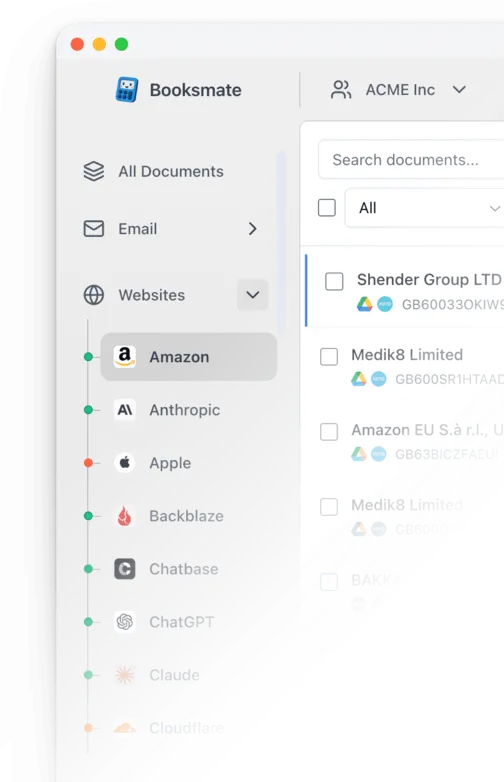
Booksmate downloads Microsoft 365 invoices automatically in seconds. Add Microsoft 365 in Booksmate, press Fetch All, and every invoice is downloaded for you without manual login.
-
Add
Microsoft 365 inside Booksmate.
- Press Fetch All and log in to your Microsoft 365 account.
- Done! Your invoices are automatically downloaded for you.
Start collecting Microsoft 365 invoices automatically
Booksmate downloads your Microsoft 365 invoices and saves them as PDFs, so you never log in manually again.
Sign up for Booksmate
Add Microsoft 365 inside Booksmate
Press Fetch All and Booksmate downloads your invoices
No risk. Cancel anytime.
Manually download Microsoft 365 invoices
- Sign in to the Microsoft 365 admin center with an account that has the Billing administrator role or higher
- In Simplified view, click Products, then View invoices. In Dashboard view, go to Billing, then Bills & payments
- If you have more than one billing account, click Change billing account and choose the one you need
- If the invoice you want is not in the list, change the date range above the list
- Open the invoice, click Download, then Download invoice
Important details
- Invoices are in Billing, Bills & payments (or Products, View invoices in Simplified view)
- You need the Billing administrator role or higher
- No payment receipts; a tax receipt is available in some countries
- Personal and Family plans use Microsoft account order history instead
Requires admin or billing access
Microsoft 365 Invoice FAQs
Is it safe to use Booksmate with Microsoft 365?
Yes. Booksmate runs on your own computer and never stores your Microsoft 365 password, so your login details are not shared with any third party.
Can I download old invoices?
Yes. When you first add Microsoft 365 to Booksmate, Booksmate downloads the full invoice history that is available in your Microsoft 365 account.
Does Booksmate support email invoice collection?
Yes. Booksmate gathers invoices from your email inbox in addition to web portals like Microsoft 365, giving you one complete invoice collection setup.
Can I download all my Microsoft 365 invoices at once?
Yes. Booksmate downloads your complete Microsoft 365 invoice history automatically. Add Microsoft 365, press Fetch All, and every available invoice is saved to your computer.
Are Microsoft 365 invoices saved as PDF files?
Yes. Booksmate saves every invoice as a PDF, so they are easy to organize, share, or upload to your accounting software.
How do I get an invoice for Microsoft 365 Personal or Family?
Personal and Family plans are not in the admin center. Sign in at account.microsoft.com, go to Payment & billing, then Order history, open the order details and choose Print to save a copy.
Who can download Microsoft 365 invoices?
On most business accounts you need the Billing administrator role or higher. On a Microsoft Customer Agreement billing account you need a billing account role such as Billing account reader. A Global administrator can give you the right role.
How do I add my VAT number or change the company name on the invoice?
Open Billing, then Billing accounts, and select the billing account. The tax ID is on the billing account details page. Microsoft says changing the Sold-to name needs a request to support.
Why do I get more than one Microsoft 365 invoice?
Each billing account has its own invoices. On a Microsoft Online Services Agreement billing account, you receive an invoice for each order, on the account anniversary. Check every billing account under Change billing account before you assume one is missing.