QuickBooks Online API: The Definitive Integration Guide
Your complete QuickBooks Online API guide. Learn authentication, key endpoints, error handling, and automation patterns to integrate your accounting data.

If you're still downloading PDFs from vendor portals, retyping invoice totals, and fixing mismatched payments during monthly bookkeeping, you're using QuickBooks Online as a ledger instead of an automation hub.
That gap shows up fast. A bookkeeper spends hours moving data from email inboxes, Stripe exports, Amazon settlements, or supplier portals into QBO. Then someone has to reconcile the mess, chase missing customer records, and explain why the numbers in operations don't line up with accounting. Most of that work isn't accounting judgment. It's transport work.
The quickbooks online api matters because it turns QBO into a system that other tools can write to, read from, and sync against. Used well, it removes repetitive entry, tightens timing between operational events and accounting records, and gives finance teams cleaner data to work with.
Automating Your Finances with the QuickBooks Online API
Manual bookkeeping usually breaks in the same places.
A customer is created in the CRM but not in QuickBooks. Sales invoices are generated in one system and copied into another. Bills arrive as PDFs, get saved to a folder, and wait for someone to key in vendor, date, amount, tax, and line items. Payment matching happens later, often under pressure.
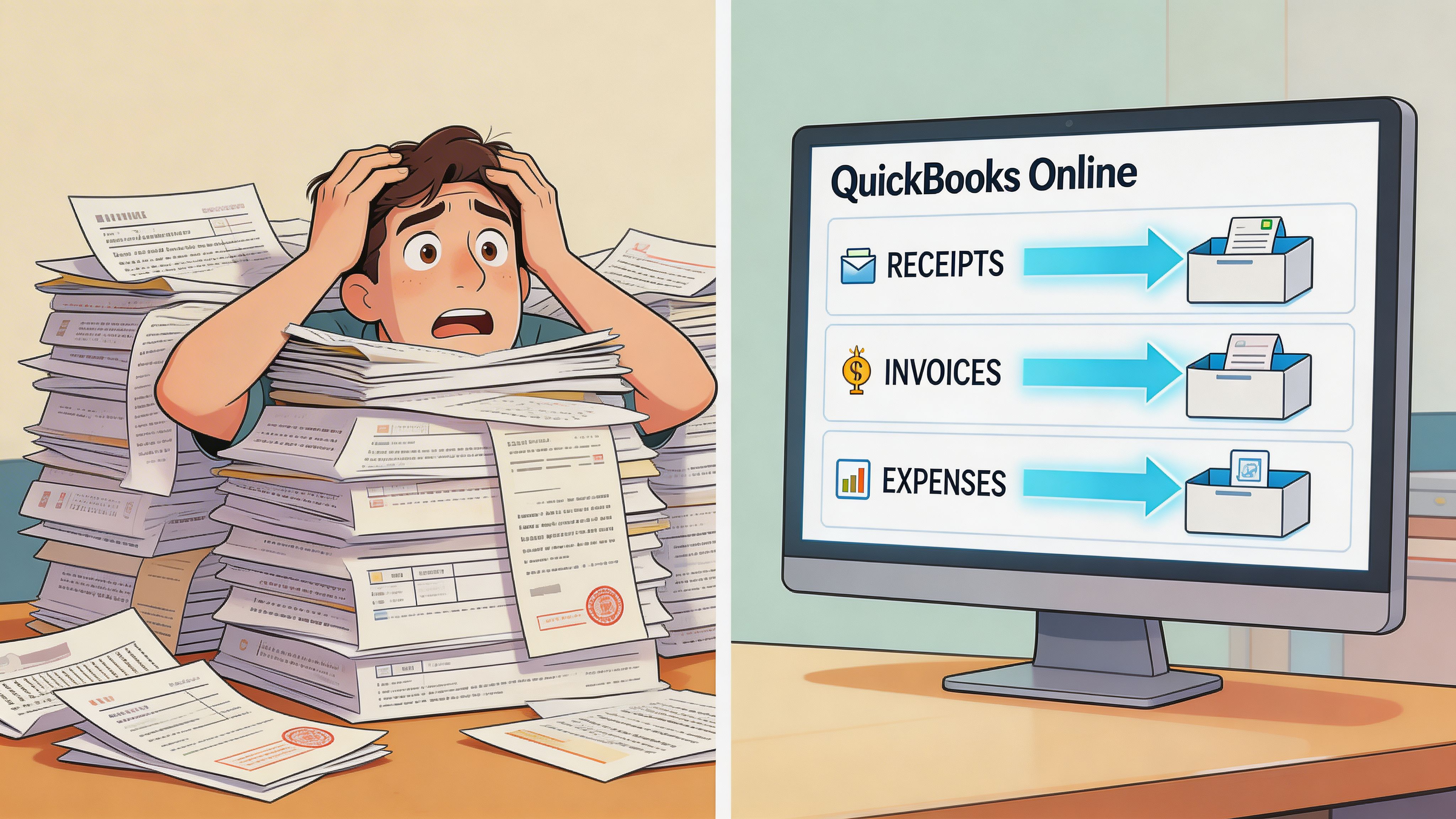
That workflow is slow, but the bigger problem is inconsistency. When the same transaction gets touched by sales, operations, and accounting, every manual handoff creates a chance for duplicate records, wrong coding, or timing differences.
Where automation pays off
The value isn't abstract. It usually lands in a few practical workflows:
- Customer and invoice syncs: Orders or subscriptions can create QBO invoices automatically instead of waiting for finance to enter them.
- Bill capture: Incoming supplier documents can be turned into structured bills without manual retyping.
- Payment application: Cash receipts can be matched back to open invoices faster.
- Reporting feeds: Teams can pull live Profit & Loss, Balance Sheet, and receivables data into operational dashboards.
A good integration project then starts to look less like "developer work" and more like finance infrastructure. If your team is planning broader connected systems work, this overview of fintech software development is a useful framing resource because accounting integrations rarely stay isolated for long.
Most failed finance automations don't fail because QBO lacks endpoints. They fail because the team automates the easy part and leaves document intake, matching rules, and exception handling to humans.
The quickbooks online api is the bridge between QBO and the rest of your stack. The key win is not just fewer clicks. It's getting accounting records created at the point where the business event happens.
Understanding QBO API Fundamentals and Authentication
The QuickBooks Online API was built by Intuit on a REST-based architecture that uses standard HTTP methods and JSON for input and output, with OAuth 2.0 introduced as the core authentication model. Intuit also provides tools like the Playground and supports sandbox companies for safe testing without live data impact, as documented in the QuickBooks Online API overview.
For practical work, that means your app talks to QBO in predictable web patterns:
GETreads dataPOSTcreates dataPUTupdates data- JSON payloads carry the accounting fields
What REST and JSON mean in plain terms
You don't need to think of the API as a special accounting interface. Treat it like a set of web endpoints for accounting objects.
A customer, invoice, bill, or payment is represented as structured JSON. Your app sends that structure to QBO, and QBO returns a structured response with IDs, timestamps, and field values.
That matters because integrations stay maintainable when objects map cleanly between systems. If your CRM has customer name, email, and billing address, those fields can map into the QBO Customer entity without a lot of custom glue.
How OAuth 2.0 works in real projects
Authentication is where many teams stall, mostly because the terms sound more complex than they are.
Here's the working model:
- Create an Intuit appYou get a client ID and client secret.
- Define a redirect URIAfter a user approves access, Intuit sends them back to this URL.
- Request the right scopeFor accounting data, teams typically need the
com.intuit.quickbooks.accountingscope. - User connects a QBO companyThe user logs in, approves access, and Intuit returns an authorization code.
- Exchange the code for tokensYour app swaps that code for an access token and refresh token.
- Store the realm IDThis identifies the specific QBO company you're working with.
- Refresh tokens before they expireProduction apps need token refresh handling built in, not bolted on later.
Headers that must be right
The QBO API is unforgiving about request basics. At minimum, production requests should account for:
Header
Why it matters
Authorization
Required bearer token for every authenticated request
Content-Type: application/json
Required for POST and PUT operations
Content-Length
Optional, but relevant to RFC-compliant POST handling
A sandbox should be your default starting point. It lets you test authentication, field mapping, and edge cases without polluting a real company file.
Practical rule: don't start with invoices. Start with auth, then a simple customer read, then one create call. Most QBO projects get stable by proving the connection path first.
Exploring Key API Endpoints for Accounting Automation
The endpoints that matter most are the ones finance teams touch daily: customers, invoices, bills, payments, and reports. QuickBooks Online integrations expose over 100 operations across customers, invoices, bills, and reports, and batch-driven automation can potentially cut invoice entry time by 50-90% for finance teams handling 100+ documents monthly, according to this QuickBooks Online API integration guide.
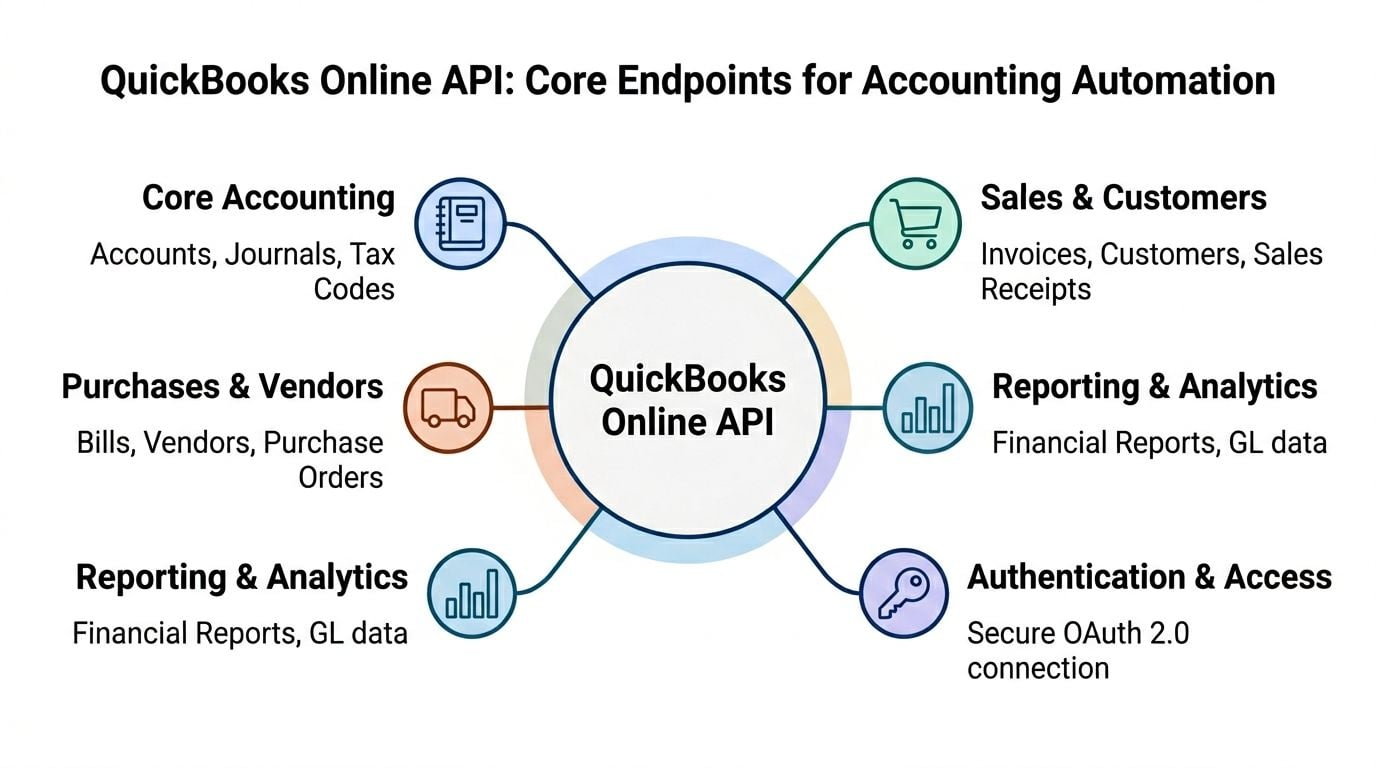
Customers and vendors
These are your master records. If they're messy, everything downstream gets harder.
A customer endpoint is commonly used when a CRM or commerce platform creates a new buyer that accounting needs to invoice. Vendor endpoints support bill creation and expense tracking tied to supplier records.
Customer create example
{ "DisplayName": "Northwind Studio", "PrimaryEmailAddr": { "Address": "accounts@example.com" } }
Typical response shape
{ "Customer": { "Id": "123", "DisplayName": "Northwind Studio" } }
Use this when you need a reliable customer record before posting invoices or payments. Don't create duplicates because your upstream system stores a slightly different name format.
Invoices and payments
Invoices drive revenue recognition and receivables workflows. Payments close the loop.
Invoice create example
{ "CustomerRef": { "value": "123" }, "Line": [ { "Amount": 250, "DetailType": "SalesItemLineDetail", "SalesItemLineDetail": { "ItemRef": { "value": "45" } } } ] }
Response shape
{ "Invoice": { "Id": "456", "CustomerRef": { "value": "123" } } }
Common use cases include:
- E-commerce syncs: Convert completed orders into QBO invoices.
- PSA or project systems: Export billable time and expenses for client billing.
- Cash application: Create payments against open invoices after receipts land.
Bills and expenses
Bills are where many accounting automations create the biggest operational win, especially for firms dealing with supplier portals and emailed PDFs.
Bill create example
{ "VendorRef": { "value": "88" }, "Line": [ { "Amount": 125, "DetailType": "AccountBasedExpenseLineDetail", "AccountBasedExpenseLineDetail": { "AccountRef": { "value": "7" } } } ] }
This endpoint is useful when an invoice ingestion pipeline has already extracted vendor name, date, total, and coding rules.
Reports
The Reports API is what turns QBO from a posting target into a finance data source.
Teams usually reach for reports when they need:
- Profit & Loss for operating review
- Balance Sheet for close checks
- Aged Receivables for collections follow-up
If you're building dashboards, don't start by recreating every accounting calculation yourself. Pull the QBO report output first, then decide where custom logic is necessary.
Advanced Features for Efficient Data Management
A monthly bookkeeping catch-up run exposes weak QBO integrations fast. Pulling and posting one record at a time works in a sandbox, then turns into hundreds of avoidable requests once accounting needs to ingest backlog transactions, refresh status across open invoices, or reconcile activity from another system.
The QBO features that matter here are batch operations, query requests, and pagination. Used well, they cut request volume, reduce retry noise, and make high-volume finance workflows easier to control. Used badly, they create partial updates that are hard to trace.
Batch operations for transaction-heavy workflows
Batching is useful when the work is related and time-bound. Daily settlement posting is a good example. So is pushing a group of invoices or payments that came from an external order system.
A practical pattern looks like this:
- create a customer only if the match fails
- create the invoice or sales receipt
- fetch the posted object you need for downstream confirmation
- mark the source record as synced in your own system
That approach reduces round trips and keeps a single sync job from spending its request budget on overhead.
The trade-off is error handling. A batch request is not a free pass on orchestration. Each operation can succeed or fail independently, so the integration still needs idempotency keys, replay logic, and clear audit logs. If finance asks why 96 invoices posted and 4 did not, the system needs to answer that without manual API inspection.
Batch is also the wrong tool for everything. I avoid using it for broad list maintenance like vendors, items, or account catalogs unless there is a narrow reason to group changes. Those records usually benefit more from a separate sync process with stronger duplicate checks.
Query requests for finance-specific filtering
Query is where many teams get back a lot of performance with little engineering effort.
If AP needs unpaid bills for a review queue, or AR needs open invoices for cash application, query the filtered set directly instead of reading records one by one. The SQL-like syntax is simple enough to maintain, and it maps well to accounting workflows where the team already thinks in terms of status, date range, and balance.
A few patterns show up repeatedly:
- open invoices for payment matching
- recently changed transactions for incremental sync jobs
- bills or invoices with an outstanding balance
- filtered customer or vendor lookups during ingestion review
For accounting automation, query design has a direct operational effect. A narrow query shortens sync windows and lowers the chance of duplicate processing. A sloppy query forces more pagination, more retries, and more edge-case cleanup later.
Pagination and sync discipline
Pagination matters any time the result set can grow between runs. That includes invoices, bills, payments, and customers in active companies.
The safest pattern is deterministic retrieval. Query a defined slice, store checkpoints in your own system, and process records in an order you can replay. That matters during reconciliation jobs, where missing one changed transaction can throw off exception reporting for the entire day.
Scenario
Better choice
Why
Posting related transactions in one sync job
Batch
Cuts request overhead and groups dependent work
Pulling a filtered accounting subset
Query
Returns only the records the workflow needs
Working through growing transaction volumes
Pagination
Keeps retrieval stable and reduces missed or duplicated records
For teams building invoice ingestion or reconciliation pipelines, the primary goal is not just fewer API calls. It is fewer accounting exceptions. If the workflow is straightforward, a tool like Booksmate can handle document capture, field extraction, matching, and QBO posting without writing custom batching and query logic around every edge case. Custom code still makes sense when the approval rules, entity structure, or downstream controls are unique. But if the job is standard AP automation, replacing that plumbing is often the better engineering decision.
Integration Pattern for Automated Invoice Ingestion
Invoice ingestion is where teams either build something useful or disappear into a swamp of edge cases.
The business version sounds simple. A PDF invoice arrives by email or gets downloaded from a vendor portal. Finance wants that document turned into a structured bill in QuickBooks Online, with the right vendor, date, amount, tax handling, and line items.
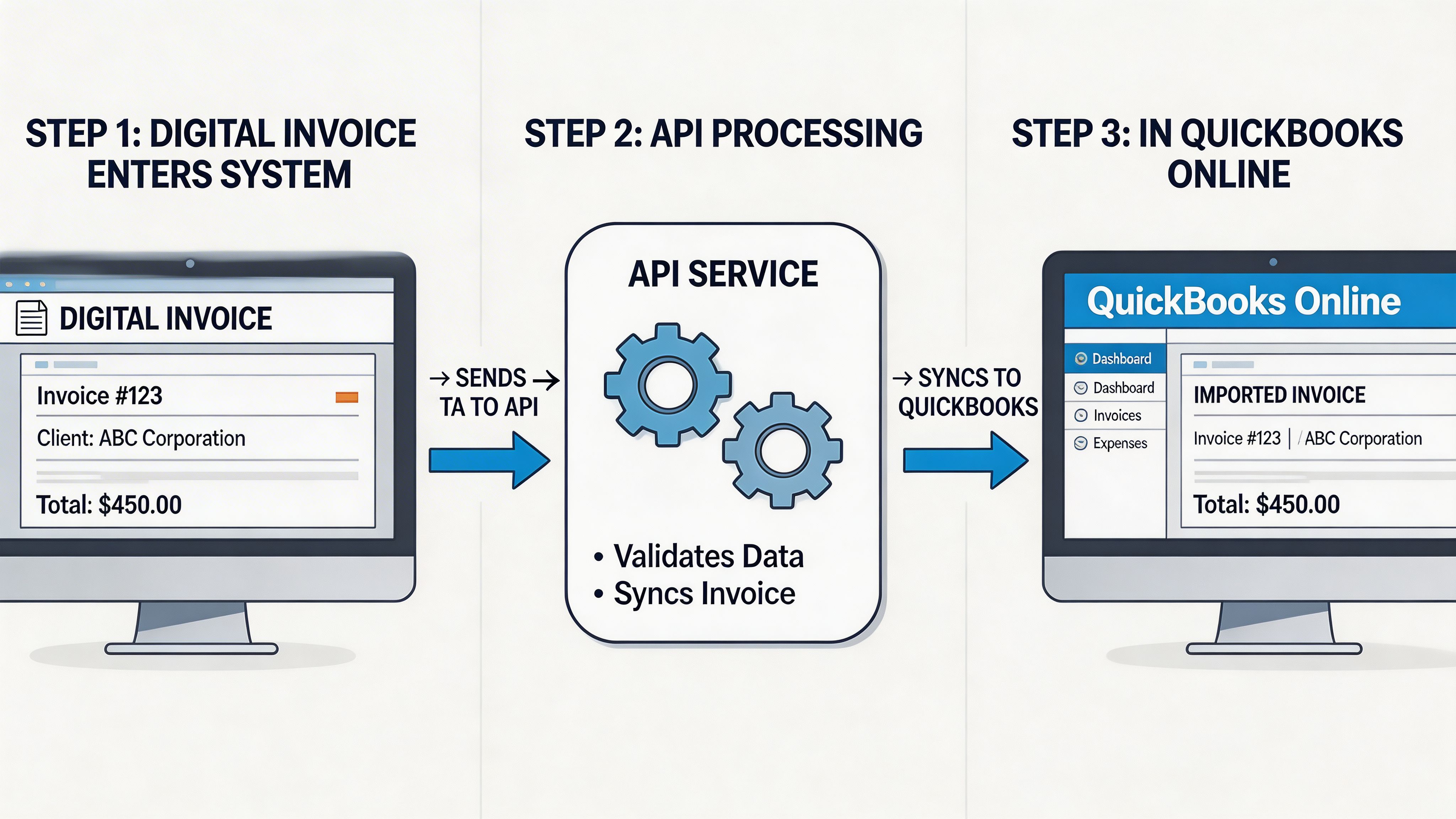
What the workflow looks like in practice
A durable ingestion flow usually has these steps:
- Collect the documentPull it from email inboxes, supplier portals, or internal upload tools.
- Extract structured fieldsOCR or AI parsing identifies vendor, invoice number, date, total, and line-level details where possible.
- Match or create the vendorVendor names often vary. Good matching logic matters more than teams expect.
- Map expense accounts or itemsThis can be rule-based, vendor-based, or left for review.
- Create the QBO billOnce the data is normalized, post it through the Bill endpoint.
- Flag exceptionsMissing vendor match, unreadable totals, duplicate invoice number, or uncertain coding should stop for review.
Where custom builds usually struggle
The weak point isn't posting the bill. QBO can handle that part well once data is structured.
The hard part is everything before the API call:
- PDFs with inconsistent layouts
- multi-page invoices
- tax lines that don't map cleanly
- supplier names that don't exactly match QBO vendors
- missing line detail
- duplicate document detection
Here, "we'll just build it" also often becomes expensive. The QBO side is structured. The incoming documents usually aren't.
One practical option is to use a collection-and-extraction tool before QBO ever enters the picture. Booksmate fits that pattern by automatically fetching invoices and receipts from online portals and email inboxes, extracting the data with AI, and preparing documents for export into accounting software. That replaces a large part of the custom code teams otherwise write around portal logins, inbox scraping, and document normalization.
A lean integration pattern
For most firms, the cleanest design is:
- document intake system handles collection
- extraction layer returns normalized fields
- your integration applies vendor and coding rules
- QBO receives only validated structured data
Don't push uncertain OCR output straight into the ledger. A short review queue is cheaper than cleaning up bad bills after posting.
Integration Pattern for Automated Bank Reconciliation
Bank reconciliation automation works best when you treat it as a matching problem, not a posting problem.
Many teams already have records in QBO. The pain starts later, when incoming payments don't line up neatly with open invoices, or when bank feed activity needs to be tied back to bills, expenses, or journal logic. The quickbooks online api can support a tighter workflow, but only if the matching rules are clear.
A practical matching flow
Start from the transaction type.
For customer receipts, the usual pattern is to find open invoices for the customer, compare balance and timing, then create or link the payment record so receivables clear correctly. For outgoing cash, the workflow often checks vendor, amount, memo text, and expected posting account before deciding whether to match an existing bill or create an adjustment path for review.
A reliable reconciliation process usually includes:
- Invoice-side matching: Pull open receivables and compare against incoming payment data.
- Bill-side matching: Tie bank outflows to recorded bills or expense entries.
- Exception handling: Hold partial payments, duplicate amounts, and ambiguous matches for review.
- Posting discipline: Use payment or journal logic only after the system has enough evidence.
What works and what doesn't
What works is narrowing the candidate set before you try to automate a match. Customer name, vendor name, invoice number references, and timing windows are all useful. So are account-specific rules for recurring payment processors.
What doesn't work is trying to auto-clear every transaction on amount alone. Two unrelated transactions can share the same total. If your process ignores reference numbers and context, you'll create false matches that are harder to unwind than the original manual work.
The right place for human review
A strong reconciliation system doesn't try to eliminate review. It tries to reserve review for the transactions that need judgment.
Use the API to surface likely matches, prefill payment application data, and route uncertain cases into a shortlist. Accountants should review the exceptions, not the entire bank feed.
That changes monthly bookkeeping from "touch everything" to "resolve the outliers."
Handling API Rate Limits and Common Errors
Monthly bookkeeping is a bad time to learn that your integration has no rate-limit strategy. A burst of invoice imports, payment syncs, or reconciliation checks can push QBO into 429 responses fast, and if retries are careless, the same workflow can create duplicate records or leave half-posted transactions behind.
QBO enforces request limits per company file and app, so high-volume automation has to control pacing, batch where it makes sense, and track retries by realm ID. Batch calls can reduce request count, but they also make failure handling less obvious because one request can contain multiple operations. For accounting teams automating invoice ingestion or bank matching, custom code often gets expensive to maintain here. If the workflow is mostly document capture, field extraction, and posting logic, a tool like Booksmate can remove a lot of retry, validation, and queue-management code that teams otherwise end up owning.
The minimum error strategy
Start with four controls:
- Throttle before QBO throttles you: Queue requests and release them at a controlled rate instead of letting workers fire in parallel without limits.
- Retry only temporary failures: Back off on 429s and transient 5xx responses. Do not blindly retry bad requests.
- Log enough context to replay safely: Store realm ID, endpoint, payload summary, request time, and the local record tied to the API call.
- Design for idempotency: A retry should not create a second invoice, payment, or journal entry if the first write succeeded.
A simple backoff pattern looks like this:
retries = 0 delay = 1
while retries < max_retries: response = call_qbo_api()
if response.status_code == 429: sleep(delay) delay = delay * 2 retries += 1 continue
break
That snippet is a starting point, not a full production pattern. Add jitter so multiple workers do not retry in lockstep. Put a ceiling on retry count. Check whether the original write may have succeeded before sending the same transaction again.
Common HTTP errors in real QBO integrations
Error
Usual meaning in QBO work
First check
400
Invalid payload, missing reference, bad field mapping
Required fields, entity references, payload shape
401
Expired token or auth mismatch
Token refresh flow, connected app config, scopes
429
Too many requests in a short window
Worker concurrency, polling frequency, batch usage
500
Temporary QBO-side failure
Retry policy, idempotency, replay safety
The operational split is simple. Permanent failures need correction. Temporary failures need controlled retries. If you want a concise framework for handling API errors, use that one.
One practical gotcha matters more than teams expect. A 400 error on an invoice import usually is not an API problem. It is a data normalization problem upstream, such as a missing customer reference, a tax code mismatch, or a line item that does not map cleanly to QBO. The fastest fix is usually to validate before posting, not to add more retry logic after failure.
Stable accounting integrations recover cleanly and leave an audit trail. That matters whether you build the whole stack yourself or hand off the repetitive parts of invoice and reconciliation automation to a purpose-built layer.
Using Webhooks and SDKs for Faster Development
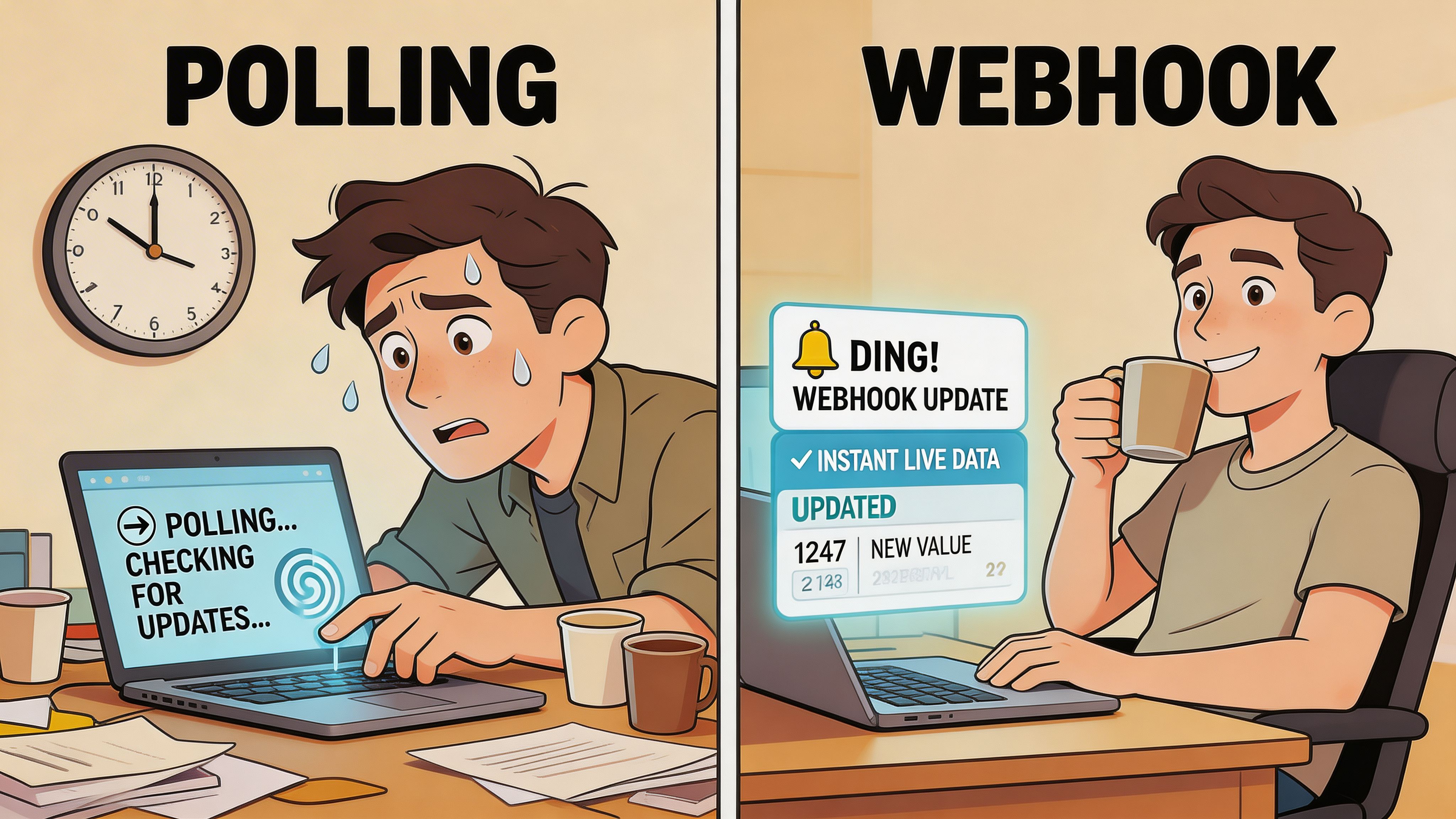
Polling is the brute-force way to keep systems aligned. It works, but it burns requests and still leaves you waiting between checks.
Webhooks flip that model. Instead of repeatedly asking whether something changed, your app receives a notification when a change happens. In finance workflows, that's useful when timing matters, such as invoice updates, payment events, or downstream sync triggers.
When polling still makes sense
Polling isn't wrong. It's just expensive if you use it everywhere.
It still fits when:
- your process needs scheduled refreshes
- the source system doesn't emit the event you need
- you want a fallback verification pass after event-driven updates
For example, a nightly sync to verify that local records still match QBO can coexist with event-driven handling during the day.
Why SDKs help
SDKs shorten the path between idea and working integration. Instead of hand-building every HTTP request and manually managing object serialization, developers can work with language-native models and helper methods.
That usually saves time in a few places:
- OAuth flow setup
- request construction
- parsing responses into usable objects
- managing common API boilerplate
The trade-off is control. Raw HTTP gives you full visibility into every payload and response. SDKs speed up delivery but can hide details when something breaks. For teams building their first QBO integration, an SDK is often the faster route. For teams handling unusual data models or chasing edge-case errors, raw requests can be easier to debug.
A practical compromise is common. Start with an SDK for auth and standard entity calls, then drop to direct requests where the abstraction gets in the way.
QuickBooks Online API Troubleshooting and Best Practices
A QBO integration often looks solid in staging. Then the first round of monthly bookkeeping arrives with duplicate vendors, emailed PDFs, partial payments, renamed items, and a timeout right after a successful write. That is usually where accounting automation either becomes reliable or starts creating cleanup work for the team.
The failure point is rarely the basic API call. It is the workflow around it.
One recurring gap is unstructured invoice intake. The QBO API handles structured accounting entities well, but it does not solve the earlier step of collecting invoices from inboxes, vendor portals, and shared drives, then turning those files into reviewable accounting data. Teams often try to custom-build OCR, attachment handling, and posting logic in one pipeline. That increases maintenance fast, especially when attachments do not map cleanly into downstream invoice creation or when SDK models lag behind API behavior.
For accounting teams, the key win is not just fewer clicks. It is getting cleaner inputs into QBO so reconciliation and exception handling do not eat back the time you saved with automation. In many cases, it makes more sense to keep custom code focused on validation, matching, and posting rules, and use a tool like Booksmate for document collection and organization before data ever reaches QuickBooks.
A checklist that prevents most pain
- Set source-of-truth rules early: Decide which system owns customers, vendors, items, payment status, and account mappings.
- Use sparse updates with field-level discipline: They reduce overwrite risk, but only if your team knows exactly which fields your integration is allowed to change.
- Paginate and checkpoint reads: Full-table pulls become unreliable over time, especially when records change mid-sync.
- Treat custom fields as fragile integration points: They are useful, but they often require UI coordination and clear naming rules to stay usable.
- Separate document ingestion from accounting posting: Parsing a bill correctly and coding it correctly are different problems with different review steps.
- Plan for partial failure after write success: If the request times out after QBO accepts it, retries can create duplicates unless you have idempotency and post-write verification.
Common edge cases
These are the issues I see repeatedly in real QBO projects:
Problem
What usually caused it
Better response
Duplicate vendors or customers
Matching based only on display name
Match on normalized name plus email, tax ID, or external system ID
Bills posted with wrong coding
OCR output pushed straight into QBO
Apply coding rules first, then route exceptions to human review
Sync drift between systems
Two systems editing the same fields
Assign ownership by field, not just by record
Missing or delayed follow-up actions
Workflow depends on attachment or document events QBO does not expose cleanly
Track document intake outside QBO and post only approved accounting data
SDK behavior differs from live API responses
Wrapper abstraction hides edge-case fields or update semantics
Confirm payloads with raw API requests before blaming business logic
Conservative integrations last longer. They automate repetitive accounting work, keep human review where judgment matters, and leave a clear audit trail when something fails.
If the team is still spending hours chasing invoices before any API logic runs, fix intake first. Booksmate helps accounting teams pull invoices and receipts from portals and inboxes, organize them, and hand cleaner documents into the QBO workflow. That can replace a surprising amount of brittle custom code at the front of the pipeline.









