How to Get Lyft Receipts: App, Email, PDF & Business
How to get Lyft receipts from the Lyft app Ride history, email, PDF export, or Business Profile, plus when to automate inbox and portal pulls.

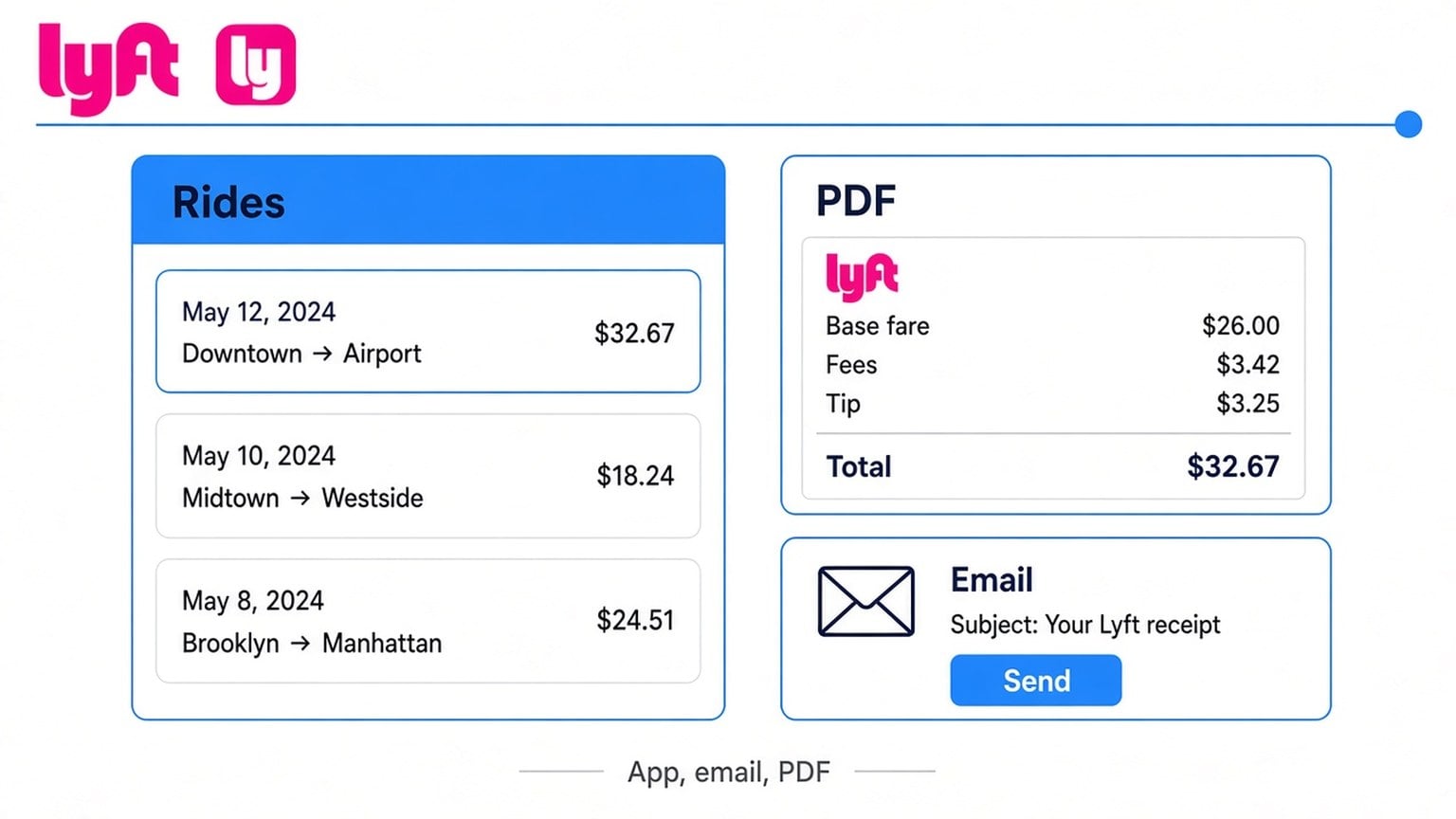
How to get Lyft receipts: open the Lyft app, tap the menu, open Ride history, select the ride, then tap Email receipt (or Export for multiple rides). Lyft also emails a receipt to the address on your Lyft account after each paid ride. For expense reports, save the emailed PDF or print from your browser after the export lands in your inbox.
What is a Lyft receipt?
A Lyft receipt is the trip proof Lyft issues after a paid ride. It shows fare, fees, tip, and route details for that ride. Lyft’s emails and receipts help states ride receipts go to the email address in your app settings, and you can view or export receipts from the in-app Ride history tool.
| Proof | Where it lives | Best for |
|---|---|---|
| Auto email receipt | Inbox after each paid ride | Single trips, quick expense attach |
| In-app receipt / Email receipt | Lyft app, then Ride history, then the ride | Resending one ride |
| Export / Email report | Ride history multi-select or Export | Several rides in one PDF email |
| Website ride history export | lyft.com Ride history (desktop) | Date-range CSV or bulk summaries |
A bank or card statement line is not a Lyft receipt. Controllers and bookkeepers usually want the Lyft PDF (or emailed receipt) that names the ride and fare breakdown.
How to get Lyft receipts in the Lyft app
How to get Lyft receipts in the Lyft app: use Ride history, open the ride, then email or export the receipt.
- Open the Lyft rider app and sign in with the account that took the ride.
- Tap the menu (three lines or your profile picture).
- Tap Ride history.
- Tap the ride you need (check date, time, and route).
- Scroll and tap Email receipt, or use Export / download controls to send multiple rides to your email.
Lyft Help’s in-app ride history tool describes the same path: menu, then Ride history, then tap a ride to view the receipt, and export multiple ride receipts from Ride history. Labels move slightly between iOS and Android, so look for Email receipt, Export, or the download icon if wording differs.
How to get Lyft receipts from email
How to get Lyft receipts from email: Lyft sends a receipt to your registered Lyft email after you pay for a ride. Search your inbox for “Lyft” plus the ride date or “receipt.”
- Confirm the email on your Lyft account under settings / personal info.
- Search the inbox (and Spam, Promotions, Trash) for Lyft receipt mail.
- Open the message and save the PDF attachment or print the message to PDF.
- If nothing arrives, resend from Ride history with Email receipt, then check that same address again.
Lyft Help’s emails and receipts guide notes all Lyft emails (including ride receipts) go to the email address in your app settings. A wrong or outdated email is a common reason receipts “disappear.”
How to get Lyft receipts as a PDF
How to get Lyft receipts as a PDF: email the ride from Ride history, then open the attachment Lyft sends, or print the email / receipt page to PDF from a browser.
- In the Lyft app, open Ride history, select the ride(s), then Email receipt or Export.
- Open the Lyft email on a computer or phone.
- Open the PDF attachment, or use Print, then Save as PDF on the email / receipt view.
- Name the file something sortable, such as
lyft-YYYY-MM-DD.pdf.
If you need many rides for one month, prefer one Export / Email report over screenshotting each trip. Screenshots are harder to attach cleanly to expense tools.
How to get Lyft receipts for expense reports (Business Profile)
How to get Lyft receipts for expense reports: use a Lyft Business Profile so work rides route to a work email and company payment method, then file the emailed PDFs (or exported report) with your expense software.
- In the Lyft app, open Payment / Account settings and set up a Business Profile when available.
- Add your work email and company card for business rides.
- Switch to the Business Profile before work trips so receipts land in the work inbox.
- At month-end, pull that inbox’s Lyft PDFs or run a Ride history export for the date range.
Lyft’s Concur / Business flows forward receipts and trip notes to the connected expense system when receipt forwarding is enabled. Owner-operators without Concur still win by keeping business rides on a Business Profile email they actually check.
Why Lyft receipts are missing from email
Lyft receipts go missing from email when the wrong address is on the account, the message is filtered, or the ride was taken on a different profile.
Check these in order:
- Email in Lyft settings. Update personal info if the address is old.
- Spam / Promotions / Trash. Search “Lyft” across folders.
- Personal vs Business Profile. Receipts follow the profile that took the ride.
- Resend from Ride history. Tap the ride, then Email receipt.
- Lyft support. Share date, time, and pickup / drop-off if the charge is wrong or the receipt never appears.
Lyft Help’s emails and receipts article is the canonical checklist when auto emails stop.
Automate Lyft receipts from email and portals
Automating Lyft receipts means stopping the monthly Ride history tap-fest when Lyft is only one source next to Amazon, SaaS, and card statements.
Manual Ride history works for one trip. Owner-operators need every portal and inbox receipt without re-logging all week. Booksmate auto-pulls invoices and receipts from web portals and email while credentials stay on your machine. Start at download invoices automatically when Lyft is part of a larger month-end pile.
Same habit for other portals: download Amazon invoices automatically. For PayPal payment proofs, see how to check invoices on PayPal. If you are comparing inbox-first tools, read Booksmate vs Wellybox. Plan details live on Booksmate pricing.
FAQ: how to get Lyft receipts
Does Lyft give you a receipt?
Yes. Lyft emails a receipt after each paid ride to the email on your Lyft account, and you can open or resend receipts from Ride history in the Lyft app.
Can you save a Lyft receipt as a PDF?
Yes. Email the receipt from Ride history (or open the auto email), then save the PDF attachment or use Print, then Save as PDF in your browser.
Why isn’t Lyft sending receipts to my email?
Confirm the email in Lyft settings, check spam folders, confirm you are on the correct Personal or Business Profile, then resend from Ride history. Contact Lyft support with ride details if it still fails.
How do I get older Lyft receipts?
Open Ride history in the Lyft app or on lyft.com, scroll or filter to the ride date, then Email receipt or Export. Lyft keeps historical rides in Ride history for later lookup.
How do I get Lyft receipts for multiple rides at once?
Use Export / Email report from Ride history (or desktop ride history tools) for a date range instead of emailing each ride one by one.
Takeaways: how to get Lyft receipts
- App path: menu, then Ride history, then the ride, then Email receipt or Export.
- Auto email uses the address in Lyft settings. Fix that first when receipts vanish.
- PDF for expenses: open the emailed file or Print, then Save as PDF.
- Business Profile keeps work Lyft receipts on a work email and card.
- Recurring rides plus other portals: use automatic invoice download or a Booksmate plan instead of repeating Ride history every week.
Lyft may change app labels or help URLs. Prefer the steps on Lyft Help if a control moves. Your inbox copy of each ride receipt remains the fastest backup archive.









