How to Get an Invoice from eBay
Need an eBay purchase invoice for your records? Follow these buyer steps to find, print, or save a PDF, then stop chasing portals by hand.

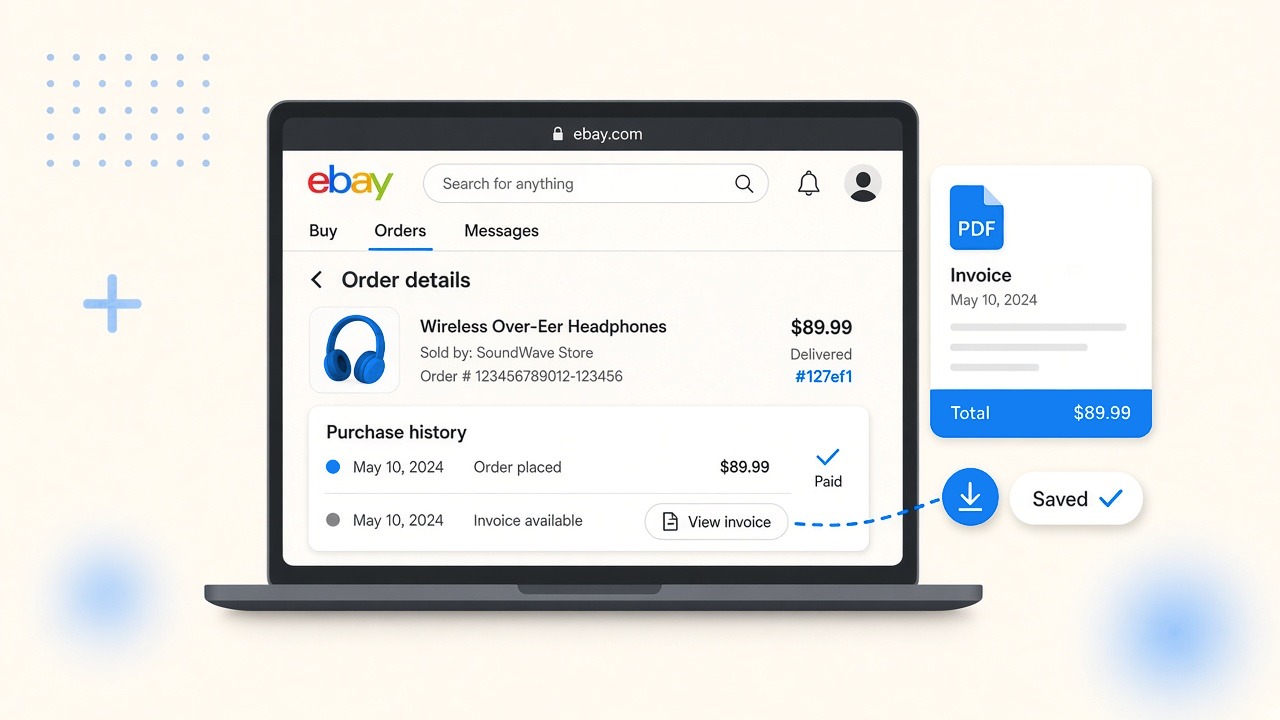
An eBay invoice for a buyer is the printer-friendly order details page from Purchase history: sign in at ebay.com, open the order, then print or save as PDF. This guide is for buyers who need proof of purchase for records, not for sellers sending invoices.
What is an eBay invoice for buyers?
An eBay invoice for buyers is the order record eBay shows under Purchase history: item, price, shipping, order date, and parties. eBay labels that page “order details,” “receipt,” or “invoice,” but the printer-friendly order page is what most buyers file as the invoice.
Buyer path vs seller path:
- Buyer invoice: you paid for an item and need a receipt for expenses, sales tax records, or your bookkeeper.
- Seller invoice: you sold an item and want to send a bill, or you are checking seller fees in Seller Hub.
If you bought stock, tools, or kit on eBay for a small business, use the buyer path only.
How to get an invoice from eBay on desktop
How to get an invoice from eBay on desktop: sign in at ebay.com, open Purchase history, open the order, then use the printer-friendly view and save as PDF.
- Sign in at ebay.com.
- Open My eBay, then Purchase history (sometimes under Account or the profile menu).
- Find the order. Use the Purchase history search box if the list is long.
- Click View order details (or “See order details”).
- Open the printer-friendly view (print options or a “Printer friendly” link).
- Print, or choose Save as PDF / Print to PDF in the print dialog.
That printer-friendly eBay order page should show the item, price, shipping, order date, and parties as eBay recorded them.
How to save or print an eBay invoice as a PDF
How to save an eBay invoice as a PDF: open the printer-friendly eBay order page, use the system print dialog, and set the destination to Save as PDF.
- Print: Ctrl+P on Windows, Cmd+P on Mac, then pick a printer.
- PDF: same dialog, destination Save as PDF or Microsoft Print to PDF.
- File name: vendor + date + order number, for example
ebay-2026-09-order-12-34567.pdf.
eBay order confirmation emails are a useful backup. The Purchase history order-details page is the document to archive when someone asks for “the invoice.”
How to get an invoice from eBay for an older order
How to get an invoice from eBay for an older order: stay in Purchase history, widen the date range or page down until the order appears, then open order details and use the printer-friendly view again.
If the older eBay order still does not appear:
- Confirm you are on the correct eBay account (personal vs business login).
- Search email for the eBay order number or “Your order has been confirmed.”
- Ask the seller for a copy only after checking eBay order details. Many sellers point buyers back to the same eBay page.
Why an eBay invoice is missing or looks wrong
An eBay invoice can be missing or incomplete when the order is too new, cancelled, changed, or when you are looking at seller tools instead of buyer Purchase history.
Common eBay invoice problems:
- Too soon after purchase: eBay order details can lag. Wait, refresh, try again.
- Cancelled or heavily changed orders: the page may not look like a normal paid invoice.
- Seller Hub paths: some seller programs add invoice downloads in Seller Hub. That path is for sellers, not for buyer Purchase history.
- Tax-style documents: use what eBay shows on the order. Do not invent line tax. If your accountant needs more, ask what substitute they accept (bank record + order details is a common fallback). This guide is not tax advice.
eBay receipt vs eBay invoice
An eBay receipt and an eBay invoice are often the same document for buyers: the printer-friendly order details page. Labels vary. What matters is a clear record of what you paid, when, and to whom. For the broader distinction, see the difference between an invoice and a receipt.
Sellers searching “ebay invoice” usually want Seller Hub “send invoice” tools. Buyers should ignore those articles and stay on Purchase history.
Can you get an eBay invoice from the eBay app?
You can open eBay purchase details in the eBay app, but printing or saving a clean PDF is usually easier on a desktop browser. If the eBay app blocks a clean export, switch to ebay.com in a browser and use the desktop steps above.
How to get an invoice from eBay for every purchase this month
How to get an invoice from eBay for every purchase this month: repeat Purchase history for each order, or stop doing it one by one when eBay is only one of many portals you chase.
One eBay order is fine. Twenty orders across eBay, Amazon, ads accounts, and SaaS portals every month is how owner-operators lose an evening. Manual Purchase history clicks do not fix that backlog.
Download invoices automatically with Booksmate when you want portals and email collected without re-logging into each site. Credentials stay on your machine. Booksmate is built for owner-operators, not finance teams.
If you are comparing tools that mainly watch the inbox, read Booksmate vs Wellybox. For the same buyer chore on Amazon, see how to download Amazon invoices.
Takeaways: how to get an invoice from eBay
- An eBay buyer invoice is the printer-friendly order details page under Purchase history.
- Path: ebay.com → Purchase history → order details → printer-friendly → Save as PDF.
- Name files with date and order number so your accountant is not guessing.
- When the same chore repeats across portals, switch from manual downloads to automatic collection.
Ready to stop hunting invoices across eBay and the rest of your stack? Start with automatic invoice download, compare Booksmate vs Wellybox, or mirror the same steps on Walmart receipt printing and UPS invoice lookup.









