AI Self-Healing
You can use Booksmate's AI self-healing function to fix a plugin if it breaks without having to wait for support to do it for you.
Overview
When a web portal plugin fails during execution, you'll see a Failed status next to it. For example:

Instead of troubleshooting yourself, Booksmate's AI self-healing diagnoses and repairs the plugin automatically.
It logs in, navigates the updated portal flow, and adapts the automation to the site's current structure. When the repair succeeds, your documents download as if nothing broke.
Booksmate starts a repair on its own when a website fetch fails. This is on by default. To turn it off, untick Automatically self-heal failed plugins in Organization Settings. You can still start one yourself any time.
How to use self-healing
- On the Plugins page, find the plugin that shows Failed.
- Click the settings icon (gear icon) on the plugin card.
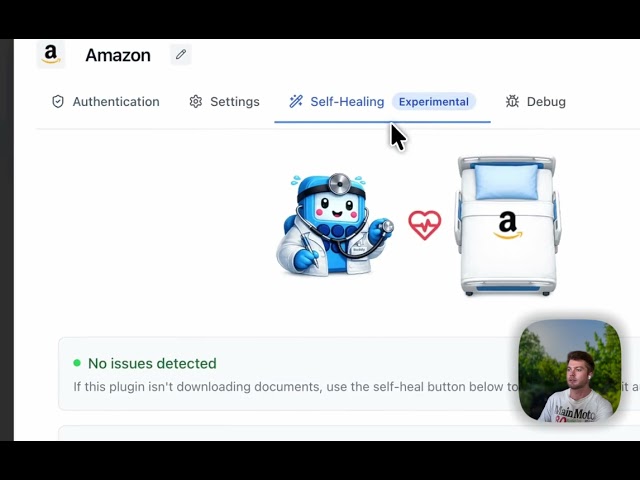
- In the configuration modal, switch to the Self-Healing tab.
- Add notes about anything unusual, for example if invoices sit under a specific tab or each one has to be printed to PDF.
- Click Run Self-Healing.
- Wait a minute or two. It logs in, runs the automation, and makes multiple repair attempts if needed.
- You can walk away. Once login completes and the repair begins, it's safe to step away. Booksmate handles everything.
- When it finishes, the window shows whether the repair succeeded.
- If it did, your next normal run already uses the fix.
What happens during self-healing
- Logs into the supplier website using your saved credentials.
- Navigates the current portal structure to find invoice pages.
- Detects changes to the site since the plugin was last updated.
- Makes multiple repair attempts if the first fails.
- Re-downloads your documents once repaired.
What to expect
Self-healing works automatically. Most repairs finish within 30 minutes to an hour. If the plugin can't be repaired, the window tells you, and our support team steps in.
Related
- Invoices from Websites : learn how web portal plugins work.
- Adding a new website : request a plugin for any website and our AI builds it automatically.
- Invoices from Emails : automated invoice collection from email accounts.









